Press Release Kit Examples: What to Include and How to Structure One
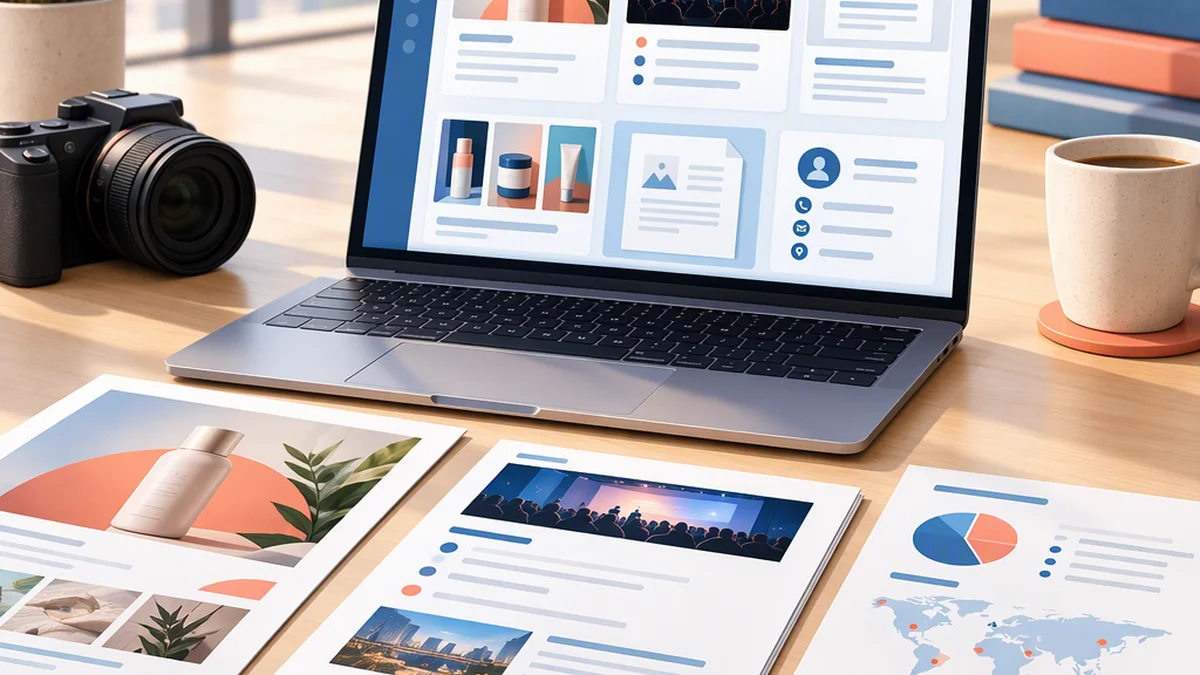
A press release kit is a collection of information and media assets that helps journalists cover a company, product, event, or announcement. The press release is the announcement; the kit provides the supporting facts, background, images, and contact details needed to report it accurately.
Below are four practical press release kit examples, including a filled-in fictional product launch kit, reusable outlines, and lessons from brand examples identified by PR.co.
Press Release, Press Kit, and Online Newsroom: What’s the Difference?
- Press release: A standalone announcement with a headline, date, news summary, supporting details, approved quotes where relevant, and company boilerplate.
- Press kit: The wider package, which may include the release, a fact sheet, company background, biographies, photographs, logos, videos, and press contact information. It is also often called a media kit.
- Online newsroom: The website location for company news and media resources. A press kit can sit within a newsroom.
A useful kit is not simply a large folder of files. It should help a journalist find the relevant facts and assets without opening unnecessary documents.
Example 1: Product Launch Press Release Kit
A product launch kit should explain what is new, why it matters now, and which facts a reporter needs to describe the product correctly.
Its core contents are:
- Press release: The launch announcement, timing, product purpose, and supporting details.
- Product fact sheet: Confirmed specifications, materials, dimensions, features, and usage information.
- Company backgrounder: Brief context about the business and how the product fits its work.
- Spokesperson biography: A current biography and headshot when that person is central to the announcement.
- Product photography: Useful views with descriptive file names and captions.
- Brand assets: Current logos and any necessary usage guidance.
- Press contact: Someone who can answer questions or arrange an interview.
Include pricing, pre-order instructions, and availability when they are confirmed, relevant, and approved for publication.
Filled-In Example: Northline Home Bottle Launch
This is a fictional demonstration. The company, product, dates, specifications, file names, and contact details below are invented to show how a kit can be organized. They are not real product claims, downloadable assets, or working contact details.
A single webpage could present the following sections, with the announcement first and supporting downloads underneath.
Announcement
Northline Home Introduces the Everyday Bottle
PORTLAND, OREGON — September 15, 2026 — Northline Home announces the Everyday Bottle, a reusable 600 mL stainless-steel bottle for daily use. The bottle will be available through the company’s online store beginning October 1, 2026.
The product features a screw-top lid and is offered in slate and cream. Product photographs and specifications are available in the media assets section below.
For additional information or an interview request, contact the press representative listed in this kit.
Product fact sheet
| Field | Sample information |
|---|---|
| Product name | Everyday Bottle |
| Company | Northline Home |
| Category | Reusable drink bottle |
| Capacity | 600 mL |
| Bottle material | Stainless steel |
| Lid type | Screw-top |
| Colors | Slate and cream |
| Availability | October 1, 2026 |
| Sales channel | Company online store |
| Care instructions | Hand wash |
This fact sheet intentionally avoids unsupported claims about temperature retention, environmental impact, or performance. A real kit should include such claims only when they can be substantiated.
Company background
Northline Home is a fictional Portland-based kitchenware company. In this sample kit, its product range focuses on reusable items for everyday food and drink preparation.
Media asset directory
| Folder | Sample files | Purpose |
|---|---|---|
01-announcement |
northline-everyday-bottle-release.pdf |
Downloadable announcement |
02-product-facts |
northline-everyday-bottle-fact-sheet.pdf |
Product specifications |
03-product-images |
northline-bottle-slate-front.jpg, northline-bottle-cream-side.jpg, northline-bottle-lid-detail.jpg |
Product views |
04-brand-assets |
northline-logo.svg, northline-logo.png |
Company identification |
05-company-background |
northline-company-background.pdf |
Business context |
Each real image should have a caption identifying the product and view, a required credit if applicable, and clear usage notes. Do not describe files as approved or available until permissions and downloads have been checked.
Press contact
- Contact: Northline Home press team
- Email: press@northline.example
- Website: northline.example
- Requests: Product questions, image requests, and spokesperson interviews
This structure gives a journalist four clear destinations: the news, the facts, the assets, and the contact.
Copyable Product Launch Kit Outline
PRODUCT LAUNCH PRESS KIT

Announcement:
- Headline:
- Announcement date:
- One-sentence news summary:
- Press release URL or file:

Product facts:
- Product name:
- Primary use:
- Confirmed specifications:
- Materials:
- Dimensions or weight:
- Compatibility, if relevant:
- Confirmed price, if approved:
- Confirmed availability:

Company context:
- Short company description:
- Spokesperson biography, if relevant:
- Approved quote, if included:

Media assets:
- Product image folder:
- Logo folder:
- Video or B-roll, if available:
- Captions, credits, and usage notes:

Contact:
- Press contact name:
- Email:
- Phone, if provided:
- Interview request process:
Example 2: Event Press Release Kit
An event kit should make an upcoming event easy to describe and a completed event easy to recap.
For an upcoming event, put the essential logistics near the top:
- Event name and concise description
- Confirmed date, time, and location
- Registration or ticket information
- Press-access instructions
- Speakers, performers, or organizers
- Schedule and key themes
- Approved images and branding
- Press contact
Illustrative Event Kit Structure
A fictional neighborhood science festival could organize its kit like this:
SCIENCE FESTIVAL PRESS KIT

Start here
- Event announcement
- Date, time, venue, and registration information

Program
- Confirmed session schedule
- Speaker biographies
- Interview availability

Media assets
- Event logo
- Previous-year photographs, labeled with dates and captions
- Image credits and usage notes

Press access
- Accreditation or check-in instructions
- On-site press contact
For a post-event kit, replace planned details with verified results. Add approved event photographs, checked quotations, and confirmed attendance figures where relevant. Do not describe attendance as “record-breaking” unless documented figures support that statement.
Keep previous-year images clearly labeled so they cannot be mistaken for photographs of the current event.
Example 3: Company Background Press Kit
A standing company kit serves journalists who need background information rather than a single launch announcement.
A practical structure is:
| Section | What to include |
|---|---|
| Company overview | What the company does, its history, and its stated purpose |
| Fact sheet | Current locations, leadership, products, and other verifiable facts |
| People | Leadership biographies and approved spokesperson headshots |
| Products or services | Concise descriptions of major offerings |
| Milestones | Dated developments and relevant awards |
| Media assets | Current logos and company photographs |
| News archive | Previous press releases and relevant coverage |
| Contact | Press email and telephone number, if provided |
Use a fact sheet for quick reference and a backgrounder for the longer company story. Include community or nonprofit involvement only when it is documented and relevant.
Review leadership titles, product descriptions, awards, and contact details whenever they change. Remove expired campaigns, outdated logos, confidential information, and files that no longer explain the business.
Example 4: Concise Small-Business Press Kit
A small business can start with five items:
- One current press release or letter of introduction
- A short company backgrounder
- One fact sheet or FAQ
- Selected images and a current logo
- Accurate press contact information
For a modest announcement, these can live on a single webpage with links to individual assets. Add awards, milestones, event details, or previous coverage only when they support the story.
Copyable Five-Item Small-Business Kit
SMALL-BUSINESS PRESS KIT

1. Announcement
Headline:
Announcement date:
Short news summary:
Press release link:

2. Company background
Company name:
Established:
What the company does:
Primary location:
Short company description:

3. Fact sheet or FAQ
Key facts:
Common journalist questions and answers:
Verified statistics, if relevant:

4. Media gallery
Logo link:
Company image link:
Product or service image link:
Captions, credits, and usage notes:

5. Contact
Press contact:
Email:
Phone, if provided:
Website or newsroom link:
The goal is selection, not volume. A journalist should be able to identify the news and find supporting material without navigating a long sequence of generic files.
Real Press Kit Examples: Lessons from PR.co
PR.co’s press kit examples article identifies VanMoof, Titleist, and Twotone Amsterdam as examples of media-kit or newsroom approaches.
The source discusses product and event imagery, categorized campaign or product collections, and search functionality in Twotone Amsterdam’s newsroom. The points below draw on that description; the brands’ current pages and features have not been independently checked here.
| Example identified by PR.co | What to examine | How to apply the lesson |
|---|---|---|
| VanMoof | How a product-focused brand presents imagery and supporting resources | For a product launch, group photographs with the relevant announcement and fact sheet |
| Titleist | How media resources can support coverage across products and events | Separate product and event collections so reporters can select the right material |
| Twotone Amsterdam | The newsroom search functionality highlighted by PR.co | For a larger archive, help journalists locate the relevant campaign, announcement, or asset |
These are structural lessons rather than templates to copy exactly. A small kit may need only clear section labels; a larger collection may benefit from categories and search.
What the Press Release Inside the Kit Should Contain
The release should make sense on its own, even when linked from a larger kit.
- Headline: State the news clearly.
- Optional subheading: Add an important supporting detail without repeating the headline.
- Dateline: Identify the location and announcement date where appropriate.
- Opening paragraph: Summarize who, what, when, where, why, and how as relevant.
- Supporting paragraphs: Add verified details and context.
- Quotes: Include approved, accurately represented comments when they add useful information.
- Next step: Explain where to find further details or request an interview.
- Boilerplate and contact: Provide a short company description and media contact information.
Precise Creative’s guide to press release and press kit ingredients discusses release components and formatting. Formatting conventions are secondary to a clear announcement and accurate facts.
Copyable Press Release Skeleton
FOR IMMEDIATE RELEASE

[HEADLINE]
[Optional subheading]

[CITY, STATE OR COUNTRY] — [DATE] — [Company] announces
[clear description of the news]. [Add the most important
confirmed detail and why it matters.]

[Supporting paragraph with verified background, timing,
product, event, or organizational details.]

“[Approved quotation, if useful],” said [name and title].

[Additional verified detail or next step.]

About [Company]
[Short company description using current, verifiable information.]

Media contact:
[Name]
[Email]
[Phone, if provided]
[Website or newsroom URL]
Proofread every name, title, date, statistic, quotation, and link before distribution.
How to Build a Digital Press Release Kit
- Define the news angle. Decide whether the kit supports a launch, event, company announcement, or general background request.
- List likely journalist questions. Identify the facts, dates, names, specifications, and access details needed to answer them.
- Gather current materials. Collect the release, fact sheet, biographies, photographs, logos, and relevant video.
- Verify and trim. Remove unsupported claims, outdated files, confidential information, and unnecessary material.
- Organize by task. Use clear sections such as Announcement, Facts, About, Images, Video, and Contact.
- Label assets descriptively. A file name such as
northline-bottle-front.jpgis more useful thanIMG_0042.jpg; Northline is the fictional example above. - Make the kit discoverable. Add a press or newsroom link to website navigation or the footer.
- Test access. Check that links work, files open, downloads do not require unexpected permissions, and contact messages reach the right person.
- Assign an owner and review date. Recheck the kit after product updates, events, leadership changes, rebranding, or contact changes.
Website, PDF, or Download Folder?
| Format | Best fit | Main consideration |
|---|---|---|
| Webpage or online newsroom | Materials that change regularly | Keep individual sections and downloads easy to find |
| A specific offline request or self-contained briefing | Date it and provide separate image files where needed | |
| Shared download folder | A collection of assets accompanying an announcement | Use descriptive folders and test access permissions |
For ongoing press resources, a webpage makes individual assets easier to update and link to. For offline delivery, a concise PDF can work well. Avoid forcing a journalist to download a large package when a few clearly labeled links would meet the need.
Press Release Kit Quality-Control Checklist
Before publishing or sending the kit, confirm:
- The announcement states the news clearly and is dated where appropriate.
- Every factual claim has an identifiable source or internal owner.
- Names, titles, quotations, and contact details are accurate.
- Product specifications and event logistics are confirmed.
- Images are suitable for the intended use and have appropriate permissions.
- Captions, credits, and usage notes accompany assets where needed.
- Logos and brand files are current.
- Links and downloads work on desktop and mobile.
- The kit contains no confidential information or unnecessary files.
- The press contact is easy to find.
- Time-sensitive material has a review or expiration date.
The final test is practical: ask someone unfamiliar with the announcement to find the release, identify the news angle, locate a usable image, and contact the right person. If those tasks are difficult, simplify the structure or improve the labels.
FAQ
What Is the Minimum Useful Press Release Kit?
Start with an announcement, a short company backgrounder, a fact sheet or FAQ, selected approved media assets, and accurate contact information. Add material only when it helps explain the story.
What Images Should a Press Release Kit Include?
Choose images that directly support the announcement: product photographs, approved headshots, event images, workplace photographs, or logos. Include relevant video or B-roll when available, and label assets with captions, credits, and usage notes.
Can a Press Release Kit Guarantee Media Coverage?
No. A well-organized kit can make reporting easier, but it cannot guarantee publication or a journalist’s response.