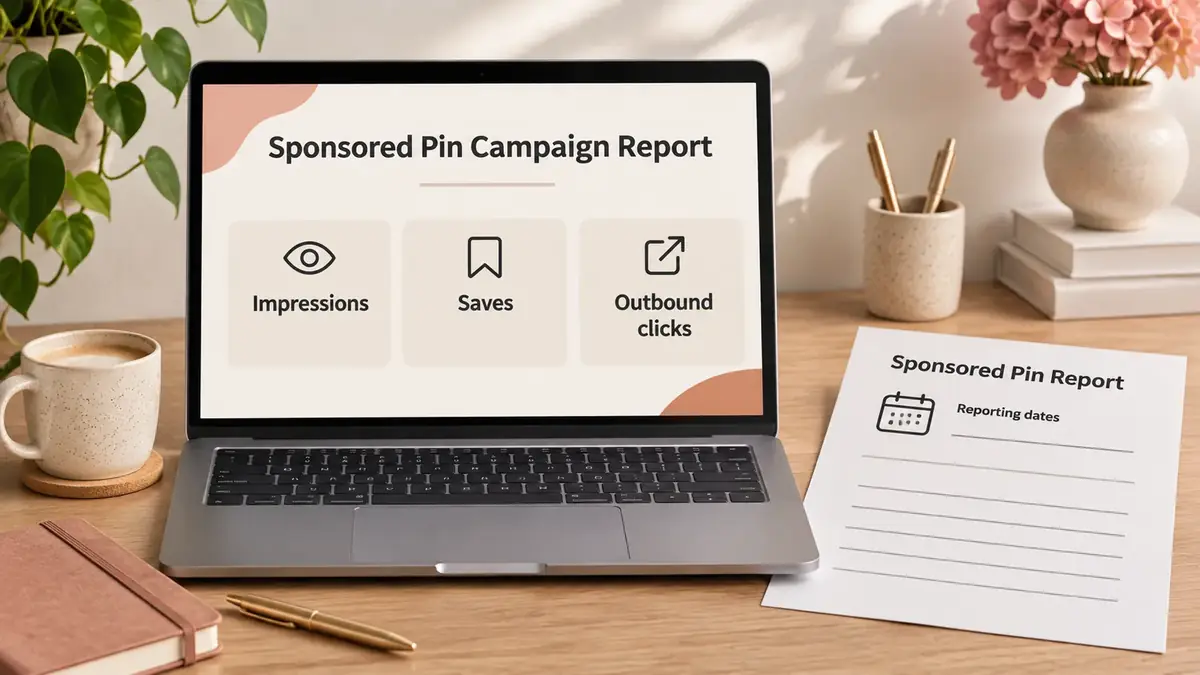
How to Report a Sponsored Pinterest Pin’s Results to a Brand Using Pinterest Analytics
A sponsored Pin report is easier to understand when impressions, saves, and outbound clicks appear as separate numbers.
Pinterest content can continue to be discovered after publication. A useful sponsor report shows what the Pin actually did during an agreed reporting window, using data from Pinterest Analytics.
Here is a quick snapshot of how to structure your report:
- Separate key metrics: Treat impressions (times shown), saves (times saved), and outbound clicks (clicks to a destination outside Pinterest) as distinct numbers.
- Use two reporting timelines: Agree on a short initial check-in and a final reporting date, such as 7 and 30 days after publication.
- Provide visual proof: Pair native dashboard screenshots with a brief explanation of the date range and any visible performance trend.
Here is your step-by-step guide to collecting, structuring, and delivering clean Pinterest Analytics reports to your brand partners.
Why Sponsored Pinterest Reporting Requires a Unique Approach
Understanding Pinterest's Search-Driven Lifespan
Pinterest users can discover Pins through search and recommendations after the publication date. A single day of results may miss later activity.
Pin titles, descriptions, images, and links give people context about the content. Record these details alongside performance data so the sponsor can understand what was published.
Performance can change after the first day. Use the reporting window agreed with the sponsor and make the start and end dates explicit.
Building Brand Trust Through Post-Campaign Proof
Brands evaluate creator partnerships based on reliable outcome metrics.
When you deliver clean, unmanipulated performance data pulled directly from Pinterest Analytics, you demonstrate complete transparency. The sponsor can compare the figures against the agreed goals and ask follow-up questions.
Providing detailed, post-campaign proof signals to brand managers that you treat content creation as a professional business. A clear report also gives both sides a useful record for planning a future campaign.
Core Pinterest Analytics Metrics to Track and Separate
Impressions Vs. Outbound Clicks: Eliminating Metric Confusion
Combining impressions and outbound clicks into a single "total engagement" bucket is the fastest way to confuse your sponsor.
Here is how Pinterest Analytics differentiates these two actions:
- Impressions: The total number of times your Pin was displayed on a user's screen (feed, search results, or related Pins).
- Outbound Clicks: The total number of times a user clicked the direct destination URL attached to your Pin.
To show direct traffic performance, calculate your outbound click-through rate by dividing outbound clicks by total impressions. Keeping these numbers distinct gives brands a clear line of sight between brand awareness and traffic generation.
Pin Saves and Engagement Intent
In Pinterest Analytics, Saves show that people saved the Pin. They do not by themselves prove purchase intent.
A save can indicate interest in revisiting an idea later. Explain it as an engagement signal, and use outbound clicks or the brand’s own conversion data when discussing traffic or sales.
Show saves separately to give the sponsor a fuller picture of engagement during the measured period.
Selecting the Right Reporting Windows and Timeline
The 7-Day Initial Performance Check-In
Do not wait a full month to send your first update to a sponsor.
At 7 days post-publish, send a brief initial check-in. This early touchpoint serves two purposes:
- It confirms to the brand manager that the content was published on schedule with the correct destination URL and disclosure tags.
- It lets you verify that the Pin and its destination link are live; it does not prove search placement.
Use this early touchpoint to manage expectations by reminding the sponsor that Pinterest content builds momentum over time.
The 30-Day Wrap-Up Report
To capture mature campaign performance, set your final attribution window to 30 days post-publish.
A 30-day report provides a consistent snapshot of impressions, saves, and outbound clicks during that window. If the sponsor wants a longer view, agree on a later follow-up rather than assuming activity ends on day 30.
How to Structure a Concise Brand Campaign Report
Essential Elements of a Campaign Data Deck
You do not need a 20-page presentation. A concise, one-page report or PDF deck is far more effective for busy brand managers.
Your campaign report should include these core components:
| Report Component | Data Source | What It Proves to the Brand |
|---|---|---|
| Campaign Metadata | Content Link & Post Date | Verifies active deliverable and correct target URL |
| Core Metrics Summary | Pinterest Analytics | Separates Impressions, Pin Saves, and Outbound Clicks |
| Performance Ratios | Metric Calculations | Highlights Outbound Click-Through Rate (CTR) |
| Verified Screenshots | Dashboard Screen Grab | Provides unedited visual proof of native dashboard data |
Adding Audience Context to Metric Reports
Raw numbers rarely tell the complete story on their own.
Add short contextual notes to explain performance spikes. For instance, if a sponsored skincare Pin surged during week three, check Pinterest Trends to see if searches for "spring skincare routine" increased during that exact window.
Providing this context proves you understand audience behavior and keyword timing.
Sample Email Template for 30-Day Campaign Delivery:
"Hi [Brand Manager Name],
Below is our final 30-day performance summary for the sponsored [Product Name] Pin published on [Date] (Target Link: [URL]).
30-Day Performance Summary (Illustrative Data):
- Impressions: 45,200
- Pin Saves: 1,280 (2.8% Save Rate)
- Outbound Clicks: 1,130 (2.5% Outbound CTR)
Outbound clicks increased between the first and second reporting periods. Attached are native Pinterest Analytics screenshots showing the selected date range.
Best regards, [Your Name]"
Streamlining Sponsor Workflow and Deal Management
Centralizing Post-Campaign Logistics
Managing multiple brand deals across scattered email chains, direct messages, and cloud folders creates unnecessary administrative overhead.
Use a simple deal tracker, calendar, or your existing creator workspace to record the agreed reporting date, sponsor contact, Pin URL, and final report. If you use CreaSeed to manage brand conversations and deals, keep the report alongside the relevant collaboration records.
Using Past Performance Data in Future Pitching
Every completed campaign report serves as proof of performance for future brand deals.
Save verified performance cards from your past 30-day reports. When pitching new sponsors in similar niches, present your average outbound click rates and save ratios as evidence of your channel's conversion power. Real historical metrics back up your rates during brand negotiations far better than follower counts alone.
Key Takeaways for Reporting Sponsored Pinterest Content
Reporting sponsored Pinterest Pins successfully comes down to three clear practices:
- Separate metrics cleanly: Keep impressions, saves, and outbound clicks in separate reporting columns.
- Agree on reporting dates: Send an indexation check-in at 7 days and deliver the final campaign report at 30 days.
- Pair data with visual proof: Attach native Pinterest Analytics dashboard screenshots to confirm all reported numbers.
For account setup context, see How to Become a Pinterest Creator.
FAQ
How Long Should I Track a Sponsored Pin's Performance?
Use the period agreed in the contract. If the Pin continues to receive activity, you can offer a later update and discuss a follow-up campaign.
What Should I Tell a Sponsor If 7-Day Performance Appears Lower than Expected?
Share the actual 7-day figures and the agreed final reporting date. Avoid promising that performance will rise; explain that later activity will be visible in the next report.