Why Does My Voice Sound Echoey in My Videos?
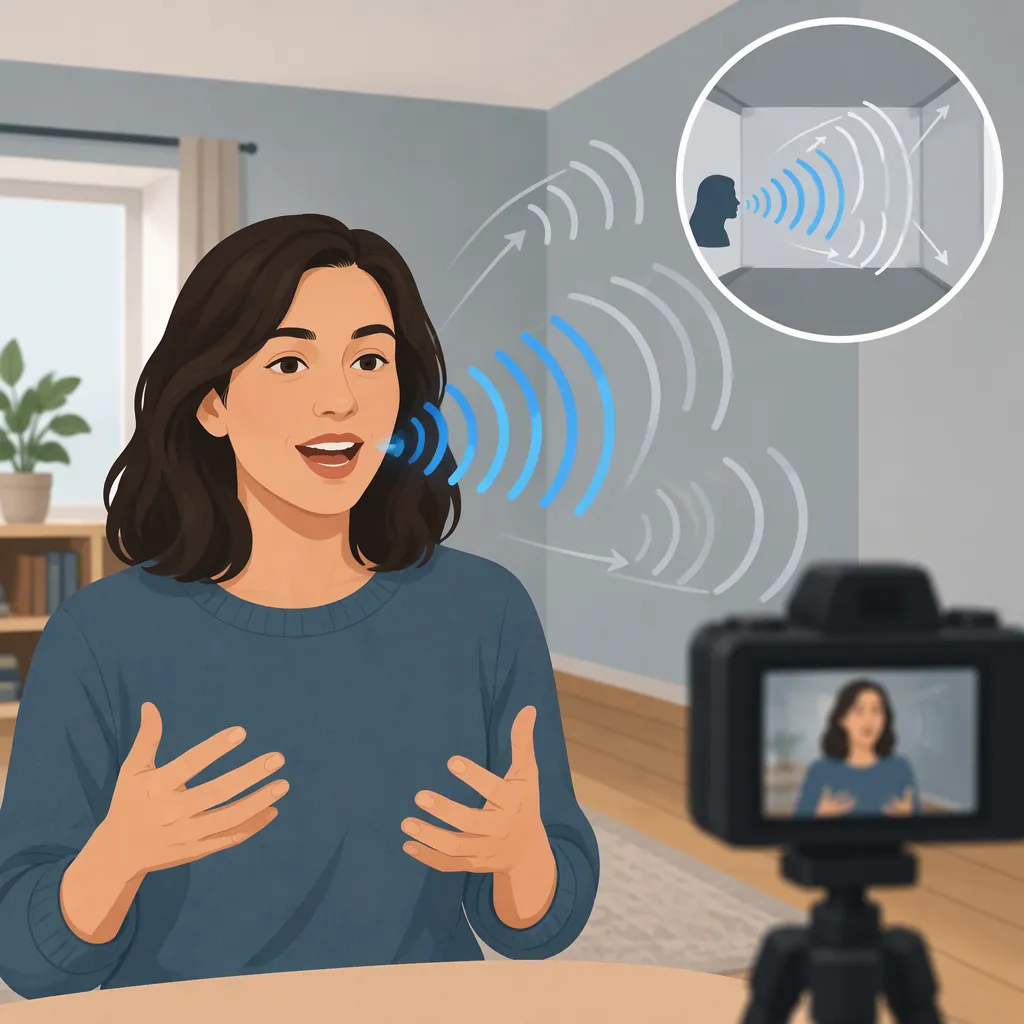
Your voice may sound echoey because the microphone captures sound bouncing off walls and other hard surfaces. Distinct repeats are echo; a blended, roomy tail is reverberation. If you hear the delay only in your headphones while recording, input monitoring may be the issue instead. Play back a short recording before deciding whether to change your room setup or your monitoring settings. [citation-2] [citation-1]
Identify Where You Hear the Echo
Start by separating what you hear during recording from what is actually in the recorded clip.
- A hollow or roomy voice on playback: Room reflections are a plausible cause. Reverberation blends many reflections together rather than producing clearly separated repeats. [citation-2]
- Clearly separated repetitions: This fits the description of echo, although listening alone does not establish its source. [citation-2]
- A delayed voice only while recording: Investigate input monitoring first. An Adobe Community discussion describes this specific symptom during Premiere voice-over recording and recommends muting the recording input in the monitoring output. [citation-1]
The useful first question is not “Which effect should I apply?” but “Does the saved recording contain the problem?”
Short Recording Test
1. Record a short spoken sentence, then leave a pause.
2. Stop recording and listen to the saved clip.
3. Note whether the voice has a roomy tail, separate repeats, or neither.
4. Compare that playback with what you heard in your headphones during recording.
5. Change one recording or monitoring setting at a time and repeat the same sentence.
Reduce Room Reflections Before Recording
If the roomy sound is present in playback, prioritize the recording environment. Hard surfaces reflect sound back toward the microphone; soft furnishings can help reduce those reflections. The supplied overview recommends furnished spaces and absorptive materials such as hanging clothes or heavy blankets. [citation-2]
Try a more softly furnished location rather than a bare space with exposed tile, glass, or concrete. Record the same sentence in both places and compare the pause after you finish speaking.
Next, test a closer microphone position while keeping your speaking distance consistent. The aim is to capture more direct voice relative to reflected room sound. Do not treat one distance as a universal setting: compare test recordings and choose a position that sounds clear without introducing distracting breath or plosive sounds. A pop filter can help with plosives. [citation-2]
Make these changes separately so you can hear which one helps.
Check Monitoring When Playback Sounds Clean
If the saved clip sounds clean but you hear a delayed version of yourself while speaking, investigate monitoring rather than processing the recording.
For the Premiere workflow discussed in the supplied Adobe Community thread, the accepted answer recommends Preferences > Audio > Mute Input During Timeline Recording. A follow-up explains that this mutes the input source in the output and attributes the delay to timeline voice-over monitoring latency. [citation-1]
This is a community troubleshooting answer for a particular workflow, not a universal menu path or a guarantee for every software version. The original poster also reported losing the sound of their own voice in the headphones after enabling the setting. Treat it as a monitoring test, not as a method for removing room echo already recorded in a clip. [citation-1]
Keep Cleanup Expectations Realistic
For an existing echoey clip, preserve the original and test processing on a short copy before applying it throughout the video.
The supplied overview discusses gating and dedicated dereverberation processing, but it also warns that excessive cleanup can make speech sound metallic or “underwater.” It notes that some recordings cannot be fully corrected without affecting voice quality. [citation-2]
A gate is a limited option: it can reduce quieter tails when they are sufficiently separated from speech, but an overly high threshold can cut off parts of words. Do not judge the result only by how silent the pauses become; listen to the beginnings and endings of words as well. [citation-2]
Avoid treating the source's numerical effect settings as universal presets. If processing makes speech less natural or harder to understand, reduce it. For a short voice-over, re-recording in a better environment may be preferable to aggressive cleanup. [citation-2]
FAQ
Is a Roomy Voice the Same as Echo?
Not exactly. Echo means clearly separated repeats of a sound. Reverberation is a blend of many reflections that makes speech sound roomy or distant. Both can occur in a recording. [citation-2]
Why Do I Hear Echo in Headphones but Not in the Saved Video?
Input monitoring delay is a possibility. The supplied Premiere community discussion describes an echo heard only while recording and recommends muting the recording input in the monitoring output. Compare saved playback first; that discussion does not establish the cause for every setup. [citation-1]
Can I Completely Remove Echo After Recording?
Not reliably in every recording. Cleanup may reduce the problem, but stronger processing can damage the natural sound of speech. If a short test develops metallic artifacts or loses word endings, use less processing or consider re-recording with fewer room reflections. [citation-2]
Sources
-
[citation-1] Echo while recording voice over... what can I do? | Community
-
[citation-2] Swell AI