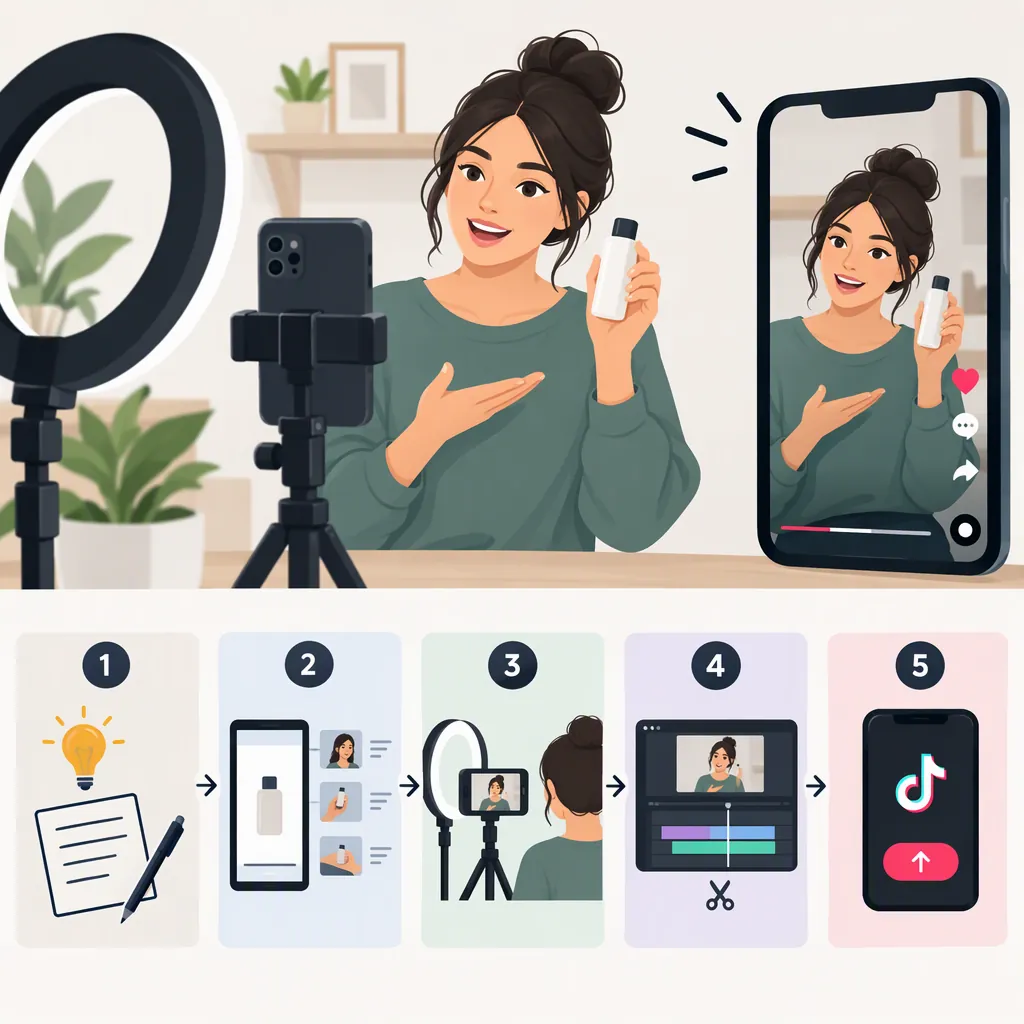
How to Make a TikTok Ad Video: A Practical Workflow
To make a TikTok ad video, choose one audience question, write an opening hook, film a clear demonstration, and edit the footage with readable text and balanced audio. Review claims and permissions, then prepare variations to test. TikTok’s guidance recommends early hooks, audio, text overlays, and creative testing; these practices do not guarantee results. [c1]
Choose Your Video’s Purpose and Ad Route
Start with a production brief: who the video is for, what it needs to explain, and what evidence you can show. Keep the first version focused on one question rather than a complete product catalog.
Decide whether you are creating new footage or working from an existing TikTok post. TikTok describes In-Feed Ads as full-screen ads in the For You feed and Spark Ads as a format that uses organic posts while retaining native interactions. That distinction matters when deciding which footage or post to prepare. [c1] [c2]
The supplied sources are overview articles, not complete setup manuals. Confirm current format availability, account requirements, and authorization steps before building a campaign.
Fill-In Production Brief
Audience question: [One question the viewer needs answered]
Video purpose: [What the video will explain]
Subject: [Product, service, or process]
Demonstrable detail: [Something the footage can accurately show]
Evidence required: [Support for any spoken or written claim]
Ad route: [New creative or an existing organic post]
Permissions to check: [Footage, people, music, and post use]
Write a Hook and Demonstration
TikTok recommends communicating the value proposition early and opening with a strong hook. Its Spark Ads guidance also recommends concise, informative text overlays. [c1] [c2]
A practical storyboard can use three beats: a question, a demonstration, and a factual recap. Make the hook specific enough that the next shot can answer it. Avoid unsupported superlatives, invented testimonials, or an opening that promises more than the footage establishes.
The template below is an editorial starting point, not a required TikTok structure or a proven performance formula.
Three-Beat Storyboard
Beat 1 — Question
Visual: Show the subject immediately.
Voiceover or text: “How does [specific feature or process] work?”

Beat 2 — Demonstration
Visual: Show the relevant action clearly, using close-ups where helpful.
Voiceover or text: Describe only what the footage establishes.

Beat 3 — Recap
Visual: Show the completed action or relevant detail.
Voiceover or text: Summarize the answer and include any necessary limitation.
Film Footage That Explains the Subject
Use the storyboard as a shot list. A manageable set includes an opening view, the main action, a close-up of the important detail, and a final view for the recap.
As practical production checks, keep the camera steady, make the subject easy to see, and record speech in a quiet setting. Capture a little extra footage around each action so cuts do not remove essential steps.
For a product demonstration, distinguish observation from inference. Showing how a component moves does not establish durability, safety, or comparative performance. Do not present a staged scene as a customer’s experience.
TikTok’s Spark Ads article includes direct-to-camera demonstrations among its creative examples. Treat this as one possible storytelling approach, not a requirement. [c2]
Edit for Clarity, Audio, and Readability
Build the first cut around the explanation. Remove repetition and pauses that add nothing, but retain the steps needed to understand the demonstration. Use effects only when they help explain the subject.
TikTok’s marketing guide recommends audio and text overlays, mentions automatic captions, and points advertisers to its Commercial Music Library. [c1] Review captions manually for names, terminology, and meaning. Keep music low enough that speech remains understandable, and check the permissions applicable to your intended music use.
Preview the video on a phone. Check whether text is readable, whether the demonstration is understandable without narration, and whether interface elements obscure important details. These are practical review steps, not verified platform specifications.
Review Claims and Confirm Export Requirements
Before export, compare every spoken line and text overlay with the evidence available. Remove claims you cannot support and retain qualifications that materially change the meaning. Check permissions for footage, identifiable people, music, and any existing post you intend to use.
Do not treat creative recommendations as upload requirements. The provided articles do not establish a complete, current specification for aspect ratio, resolution, file size, duration, or safe zones across all placements. Confirm those requirements in the current upload interface before finalizing the file.
Keep an editable project and a clean master so technical revisions do not require rebuilding the video.
Pre-Export Review Checklist
- The opening matches what the video actually demonstrates.
- Spoken and written claims have supporting evidence.
- No invented testimonial or customer experience appears.
- Captions are accurate and readable.
- Speech is understandable over other audio.
- Relevant permissions have been checked.
- Current placement-specific upload requirements have been confirmed.
- The editable project and final export are saved.
Test Variations Without Assuming a Winner
TikTok recommends testing different creative variations and identifies Video Insights as a tool for examining creative performance. [c1]
For an interpretable starting test, change one major element at a time, such as the opening question, the first shot, or the demonstration order. Label each version and record what changed. Select the evaluation measure before comparing results, and note differences in campaign conditions that could affect the comparison.
A clearer edit is a production improvement, not proof of better advertising performance. Use actual campaign evidence rather than assuming that a trend, format, or editing style will work universally.
FAQ
Can an Existing TikTok Video Become an Ad?
Yes. TikTok describes Spark Ads as a way to use organic TikTok posts as ads. Its marketing guide also describes Promote as a tool for turning organic videos into ads. Check current eligibility and authorization requirements before using a post. [c1] [c2]
Should a TikTok Ad Video Include Music?
Music is optional in this workflow. TikTok recommends considering audio, including voiceovers, sounds, or music, and points to its Commercial Music Library. Choose audio that supports the explanation and verify permissions for the intended use. [c1]
How Long Should a TikTok Ad Video Be?
Use enough time to deliver a clear explanation without unnecessary repetition, then confirm the current limits for the chosen placement. The provided overview articles do not establish one universal duration requirement for every TikTok ad format. [c1] [c2]