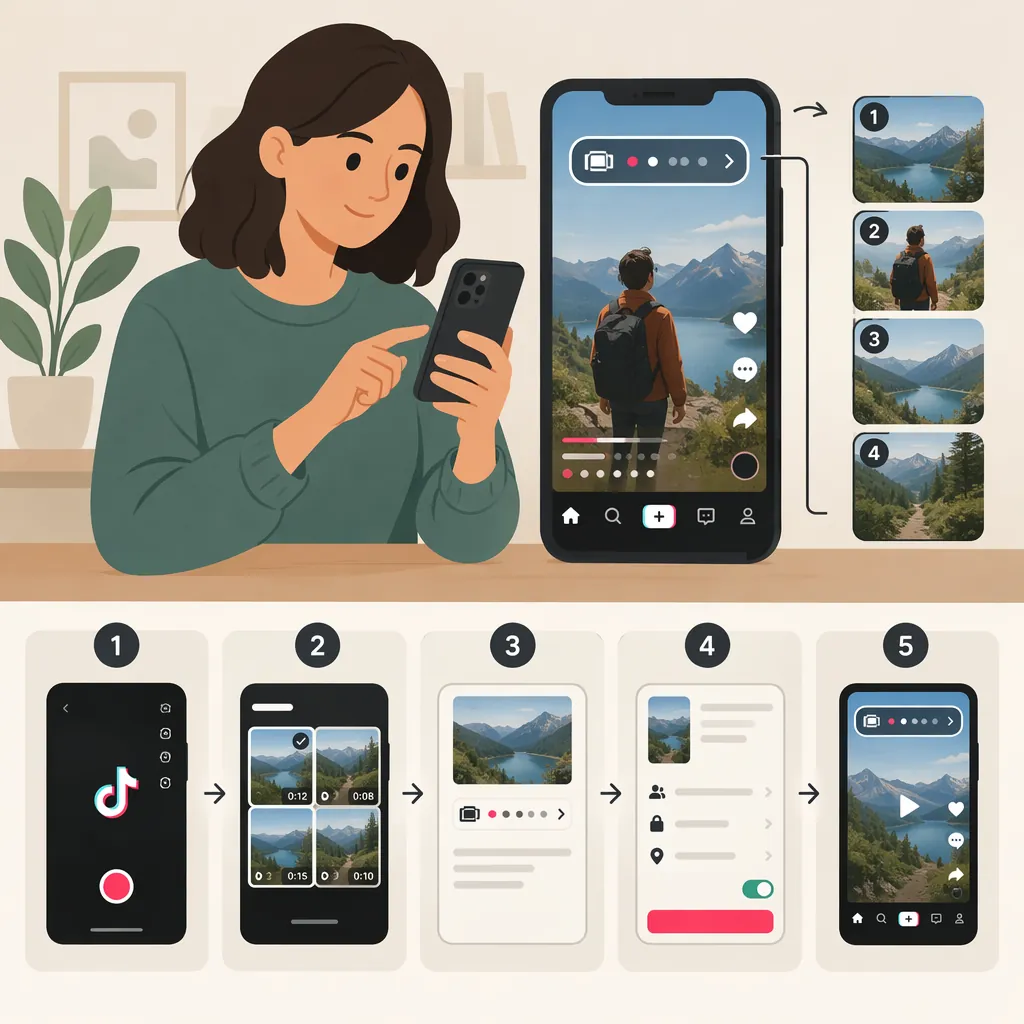
How to Make a Series on TikTok: Episodes and Collections
To make a series on TikTok, choose one topic, divide it into ordered episodes, and give each video a consistent series name and episode number. For platform-based grouping, the provided guide distinguishes Playlists for free videos from TikTok Series for paid collections. It describes accessing paid Series through Profile → menu → TikTok Studio → Series, when available. This is third-party guidance, not verified current TikTok documentation; check the options and requirements shown in your account. [c1]
Choose Between Episodes, Playlists, and Paid Series
The phrase “a series on TikTok” can describe a creative format or a specific platform feature. Decide which you mean before looking for a menu.
- An episodic project: A sequence of related videos, such as a recipe lesson or a project diary. You can plan this format without relying on a grouping feature.
- A Playlist: The provided guide identifies Playlists as a way for eligible accounts to group free videos. It does not provide a verified Playlist setup procedure. [c1]
- TikTok Series: The guide describes this as a paid collection of videos for eligible creators, rather than simply a set of related public posts. [c1]
- A working folder: For this workflow, use “folder” to mean your own production folder for scripts, footage, and exports—not a verified TikTok publishing feature.
If you mean collections of saved videos rather than publishing your own episodes, this source does not document that workflow. Do not assume a saved-video collection and a creator-facing series are interchangeable.
Format Decision Worksheet
Complete before filming:
- Topic: __________
- Intended format: public episodes / Playlist if available / paid Series if available
- Viewing order: sequential / any order
- Main purpose: teach a process / tell a story / document a project
- Account feature availability checked: yes / not yet
- Production folder name: __________
Plan a Clear Episode Sequence
Start with one specific promise: what should someone understand or be able to do after watching the whole sequence? Then divide that promise into episodes, each with one job.
For a hypothetical beginner cooking series, the sequence might cover preparing ingredients, practicing one technique, and making a complete dish. These are planning examples, not claims about what performs best on TikTok.
Give each episode enough context to make sense on its own. A useful structure is:
- State the episode topic and its place in the sequence.
- Briefly explain any prerequisite.
- Show the main step or idea.
- Summarize the result and identify the next topic.
Use descriptive labels such as “Knife Skills — Episode 2: Safe Slicing” rather than only “Part 2.” Keep a written episode index so titles and order remain consistent.
Episode Outline Template
Series name: __________
Overall learning goal or story arc: __________

Episode number: __________
Episode title: __________
What this episode covers: __________
Prerequisite or brief recap: __________
Main demonstration or scene: __________
Closing summary: __________
Next episode topic: __________
Organize Scripts, Footage, and Finished Videos
Keep the production files separate from whatever grouping options your TikTok account offers. A local folder structure can help you track the intended order without depending on an in-app collection.
Use the same episode number in the script, footage folder, and export filename. Before publishing, compare the finished video against your episode index. Check that the spoken introduction, on-screen label, and caption describe the same topic.
For a consistent presentation, consider keeping framing, lighting, and title placement similar across episodes. Listen to each export for understandable speech and review any captions for accuracy. These are suggested production checks, not requirements for gaining access to TikTok features.
Suggested Production Folder Structure
series-name/
  episode-index.txt
  01-introduction/
    script.txt
    footage/
    exports/
  02-first-technique/
    script.txt
    footage/
    exports/

Suggested export name: series-name-e02-first-technique-v01.mp4
Review status: drafted / filmed / edited / checked / published
Set up Paid TikTok Series If Available
If you specifically want the paid Series feature, the provided guide outlines this general workflow: [c1]
- Open your profile and the menu, then look in TikTok Studio for Series under monetization.
- If the option is available, start a new Series.
- Enter a title, description, and cover image.
- Add episodes and review their order.
- Review the available pricing and publication controls.
Treat this as an orientation, not a guaranteed description of your current interface. The only provided reference is a third-party article; no official TikTok source is available here to confirm current eligibility, regional access, pricing, review steps, or editing restrictions.
Before committing content to a paid collection, read the terms and prompts displayed in your account. In particular, verify whether existing public videos can be included, whether their visibility would change, and which settings can be changed later. This article does not establish those details.
Paid Series Verification Checklist
- Is Series visible in my account?
- What eligibility or application instructions are displayed?
- Which upload methods are offered?
- What happens to any existing public video I include?
- Which prices and payment terms are displayed?
- Is review required before publication?
- What can I edit after publication?
- Have I checked the episode order and description?
Keep the Project Usable Without Grouping Tools
If you cannot find a grouping option, separate the production problem from the account-access question. You can still plan a coherent sequence using a consistent title pattern, episode numbers, and an episode index.
For public episodes, consider repeating the series name in each caption and briefly identifying the previous or next topic. Avoid suggesting that a label or hashtag creates an actual Playlist or paid Series.
The provided guide says feature access depends on eligibility, but its exact requirements are not independently verified here. A missing menu alone is not enough evidence to identify which condition applies to your account. [c1]
Public Episode Label Template
Series: __________
Episode: __________
Topic: __________
Brief context: __________
Previous topic, if relevant: __________
Next topic, if planned: __________
FAQ
Can I Make a TikTok Video Series for Free?
You can plan related public videos as an episodic project without treating them as a paid collection. The provided guide identifies Playlists as the grouping option for free videos on eligible accounts and distinguishes them from paid TikTok Series. Playlist access and setup are not verified here. [c1]
Why Can’t I Find Series in TikTok Studio?
The provided guide associates Series access with account eligibility and supported markets. However, no official TikTok reference was supplied to confirm current requirements or diagnose a particular account. Check the eligibility information and available tools shown in your account rather than assuming one missing requirement is the cause. [c1]
Are Folders, Collections, and Series the Same Thing?
Do not treat the terms as interchangeable. In this article, a folder is a suggested way to organize production files. The provided source describes paid TikTok Series and mentions free-video Playlists, but it does not establish how saved-video collections work. [c1]
How Many Episodes Should I Plan?
Start with the number needed to complete your topic without repeating material. Write an outline first, give each episode a distinct purpose, and remove episodes that do not advance the lesson or story. For a paid Series, verify the current upload limits in your account before finalizing the plan.