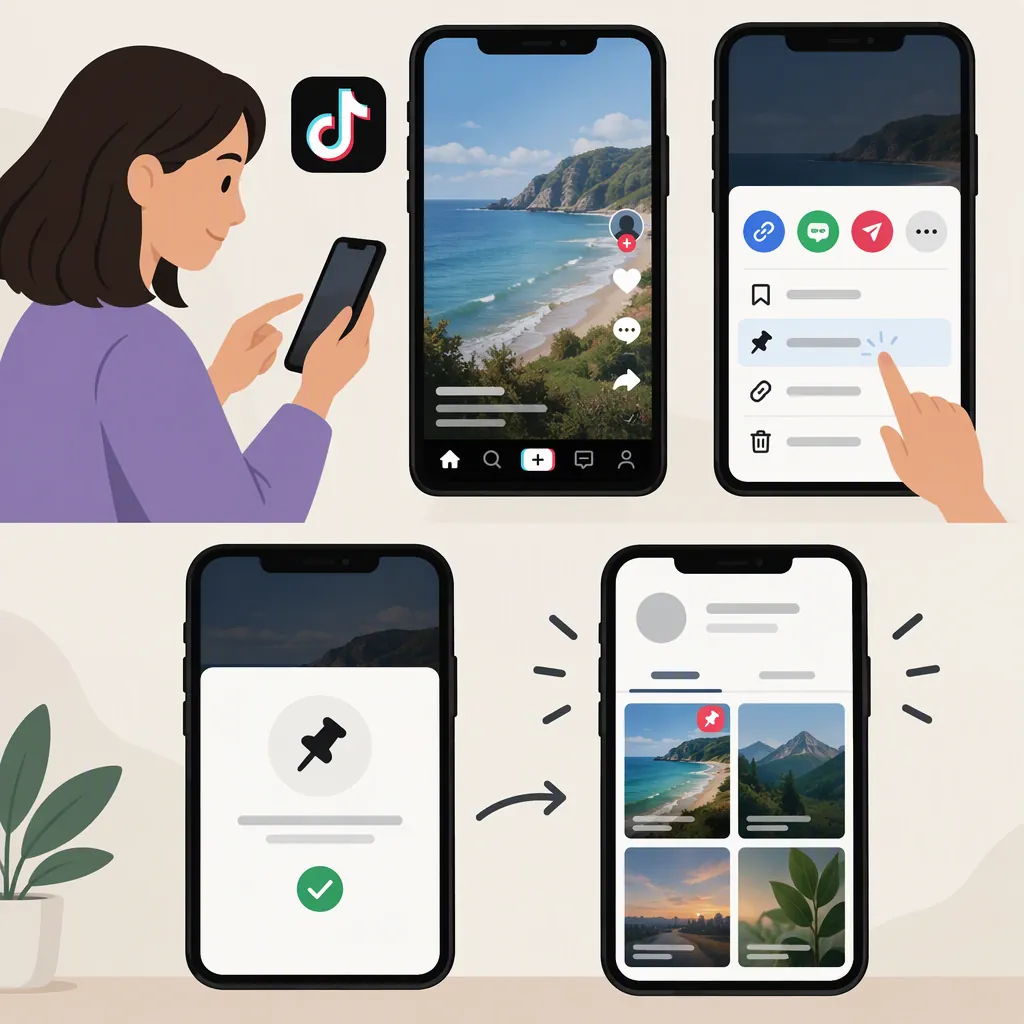
How to Pin a Video to Your TikTok Profile
Howfinity’s July 2022 tutorial describes this process: open a video on your TikTok profile, tap its three-dot menu, and select “Pin to profile.” Pinning places an existing video at the top of your profile; it does not mean creating a special type of video. [c1]
Evidence limitation: The instructions below come from a third-party tutorial published on July 14, 2022, not current TikTok support documentation. The available source does not verify today’s menu labels, feature availability, pin limit, or eligibility rules. Treat this as a documented workflow, not a guarantee that your current app works the same way. [c1]
Steps to Pin a TikTok Video
Follow the workflow described in the tutorial: [c1]
- Open TikTok and go to your profile.
- Open the video you want to pin.
- Tap the three-dot menu next to the selected video.
- Select “Pin to profile.”
- Refresh your profile and check whether the video appears at the top, above your recent uploads.
If you do not see that option, use the checks below rather than assuming your app has the same controls as the tutorial.
How Many Videos Can You Pin?
The July 2022 tutorial reports a limit of three pinned videos. It also says that adding another pin at that limit automatically unpins the oldest pinned video. Neither rule has been independently verified for the current app. [c1]
Before adding another pin, note which videos are already pinned. Afterward, check your profile to see whether the selection changed.
Checks If “Pin to Profile” Is Missing
The tutorial supports two basic checks: [c1]
- Check where you opened the video. Start from your profile, open the intended video, and inspect its three-dot menu.
- Check your app version. Howfinity recommends using the latest version of TikTok.
These checks do not guarantee that the option will appear. If it remains absent, the available source does not establish the cause or provide a verified fix; it cannot confirm whether updating the app will restore the option. [c1]
FAQ
Do I Need to Make a New Video to Pin It?
No new video is required by the documented workflow: it starts with selecting a video already on your profile. [c1]
Where Does a Pinned TikTok Video Appear?
According to the July 2022 tutorial, it appears at the top of your profile, above recent uploads. [c1]
What Happens If I Already Have Three Pinned Videos?
Howfinity’s 2022 tutorial says that pinning another video automatically unpins the oldest pinned video. This behavior is not verified for the current app. [c1]
Do I Need a Minimum Follower Count to Pin Videos?
The July 2022 tutorial says pinning is available regardless of follower count. That historical statement is not a guarantee of current eligibility or availability. [c1]