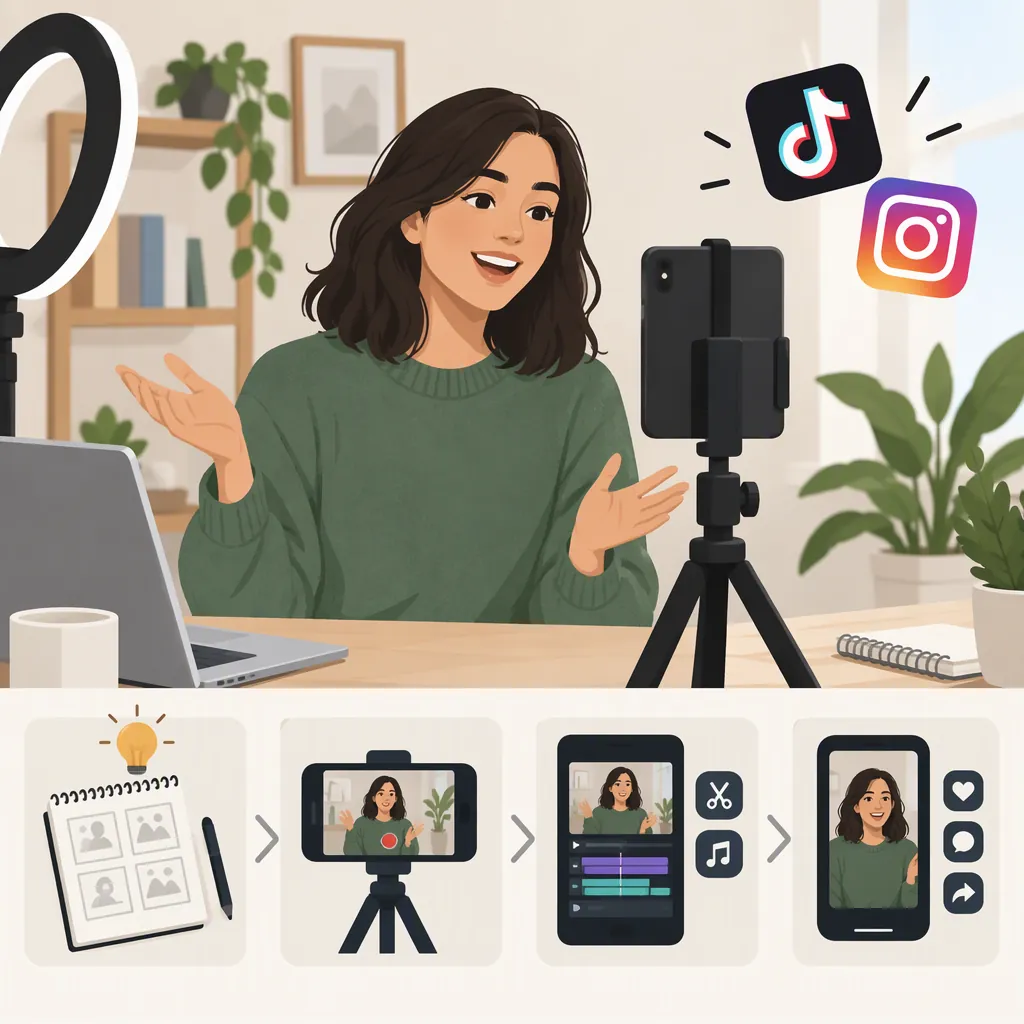
How to Make Videos for TikTok and Instagram
Plan one clear idea, record vertical footage, and edit a reusable master video outside either platform. A 9:16 canvas at 1080 × 1920 is a practical starting point, not a statement of every accepted upload format. Upload the master separately to TikTok and Instagram Reels, then check music permissions, text placement, covers, and captions in each app. The provided guides support reusing an externally edited video, but they do not establish current platform limits. [c1] [c2]
Plan One Idea and a Short Shot List
Start with a single question, task, or visual result. Write an opening that identifies the topic, a middle that demonstrates it, and an ending that states the takeaway. IncomeDiary describes this opening–body–closing structure and matching visuals to narration; these are useful production techniques without adopting its YouTube-specific upload advice. [c3]
For example, a video about organizing a desk could show the finished arrangement, demonstrate three changes, and finish with a before-and-after comparison. Treat this as an illustrative structure, not a prescribed duration or a promise of engagement.
Decide what the viewer needs to see before filming. A spoken explanation may need a demonstration shot, while a visual process may work with brief text and natural sound.
Reusable Video Brief
Fill in before recording:
- Topic: ___
- Viewer question: ___
- Opening image or sentence: ___
- Main demonstration: ___
- Supporting close-up: ___
- Final takeaway: ___
- Spoken words or on-screen text: ___
- Audio and visual permissions to check: ___
Record Vertical Footage You Can Reuse
Use your phone's camera to record source clips and keep them separately from any app draft. The Gennifer Rose guide describes filming outside the apps, saving footage locally, and importing it for editing. It also recommends portrait framing and a mixture of viewpoints and supporting footage. [c1]
As a practical recording checklist:
- Clean the lens and make a short test recording.
- Check that the subject is visible and any speech is understandable.
- Record a main shot, a close-up, and a shot of the result.
- Leave some room around important details so you can adjust the crop later.
- Keep the original clips rather than relying on a posted download as your only copy.
You do not have to appear on camera. Hands-only demonstrations, image sequences, and graphics are alternatives discussed in the Marvelous guide. Use material you created or have permission to use. [c2]
Edit a Reusable Master Video
For a cross-platform workflow, use an editor that lets you arrange clips, trim them, add text, adjust audio, and export a local file. The provided guides describe editing outside the apps and uploading the resulting video to both platforms. [c1] [c2]
Set the project to a vertical 9:16 canvas; 1080 × 1920 is the shared portrait size described by Gennifer Rose. Treat this as a working choice rather than the only accepted format. [c1]
Build the edit in this order:
- Arrange clips so the explanation or action makes sense.
- Remove accidental pauses, repeated lines, and footage that does not support the idea.
- Match demonstration shots to the relevant spoken words.
- Add readable text and, where applicable, captions for speech. Review wording and timing manually.
- Listen to the mix and keep background music from masking narration.
- Export a master without platform-added music or branding. Keep narration and original sounds if you intend to reuse them.
Keep the editable project as well as the export. If text is obscured in one platform's preview, revise the project rather than repeatedly editing a downloaded post.
Adapt the Master for Each Platform
Reuse the underlying video, but review each upload separately. Marvelous describes importing saved media into TikTok and Instagram Reels and adding platform-specific finishing elements. Exact buttons and available tools may differ from the guide's screenshots or instructions. [c2]
Audio: Do not assume a song available in one app is cleared for use in the other. Gennifer Rose explicitly notes that music rights differ between the platforms and describes adding music separately after upload. Check the terms that apply to the track and your intended use; availability alone should not be treated as cross-platform permission. [c1]
Text and captions: Preview the entire video in each app. Check whether interface controls or cropping cover important words. If you add captions in-app, review them and check that they do not overlap captions already included in the master.
Cover and post description: Choose a frame that communicates the subject. Write a description that accurately explains the video; it does not need to be identical on both platforms.
Upload review: Confirm duration acceptance, audio playback, crop, caption accuracy, and audience or visibility settings before publishing. Do not use one platform's successful upload as proof that the other version is ready.
Two-Platform Review Checklist
Complete separately for TikTok and Instagram Reels:
- [ ] The selected file is the intended master or platform-specific revision.
- [ ] The upload is accepted at its current duration.
- [ ] The subject and important text remain visible in preview.
- [ ] Speech is understandable and captions are accurate.
- [ ] Audio permissions have been checked for this use.
- [ ] The cover represents the video clearly.
- [ ] The post description is accurate.
- [ ] Audience and visibility settings match the intended publication.
Keep Platform Limits Separate from Creative Choices
Choose a length that fits the explanation rather than stretching the video to a maximum. Confirm the current upload limit in each app before finalizing a long edit.
The supplied references are third-party tutorials, not official platform specifications. Gennifer Rose explicitly dates its duration figures to September 2022. Marvelous advises checking current limits, while IncomeDiary focuses primarily on YouTube Shorts. Their numerical limits and interface walkthroughs should not be treated as verified current TikTok or Instagram requirements. [c1] [c2] [c3]
This workflow is production guidance, not a prediction of reach, views, or engagement. It does not verify current regional availability, account-specific features, or the licensing terms of any particular audio track.
FAQ
Can I Use the Same Video on TikTok and Instagram?
Yes. The provided guides describe editing one video externally and uploading it to both platforms. Keep a reusable master, then review audio, text placement, covers, and upload acceptance separately. [c1] [c2]
Can I Keep the Same Music in Both Uploads?
Only if the permissions cover both intended uses. The Gennifer Rose guide warns that music rights differ between the apps. A cautious workflow is to leave platform-library music out of the master and select permitted audio separately for each upload. [c1]
Do I Need to Show My Face?
No. You can plan a hands-only demonstration, an image sequence, or a video built around graphics and explanatory text. These alternatives are described in the Marvelous guide. Use visuals you created or have permission to use. [c2]