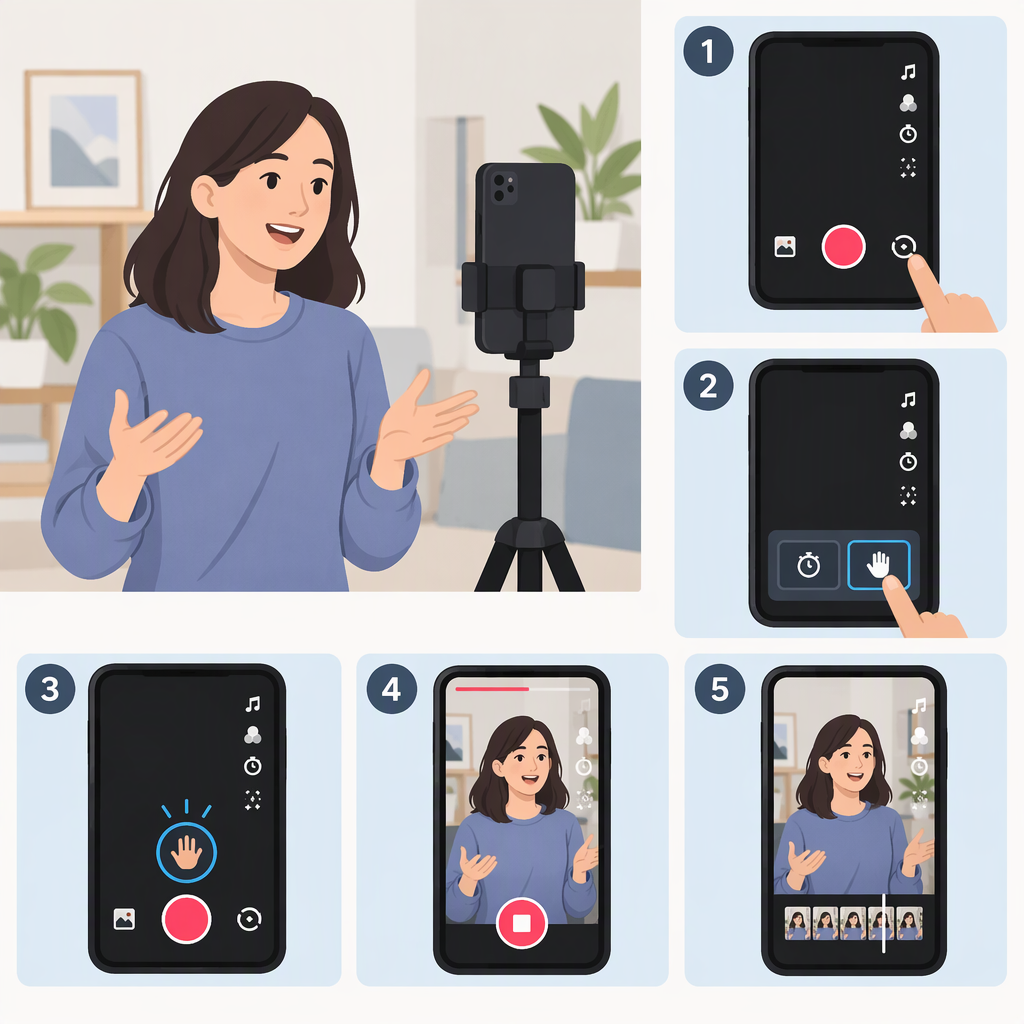
How to Make a TikTok Video Without Holding the Button
Record a TikTok Hands-Free with Timer
Use TikTok’s Timer on the recording screen: it starts recording after a countdown, so you don’t have to hold the record button. Before starting, you can also choose a maximum video length. (support.tiktok.com)
- Open TikTok and tap Add post (+) at the bottom.
- Choose a video length.
- Tap Timer in the side panel.
- Choose the countdown length, then move the slider to set the maximum length of the video.
- Tap Start countdown. When the countdown ends, recording starts; set your phone in position before then. (support.tiktok.com)
The countdown is the delay before recording begins. The selected video length is the maximum recording time—they do different jobs.
How to Stop Recording
TikTok says recording stops when you tap the Record button, or automatically when it reaches the selected time limit. So you can stop early yourself, or let the clip end at the limit you chose. If you select a sound before recording, TikTok notes that the video length is determined by the sound length. (support.tiktok.com)
If You Can’t Find Timer
TikTok’s published instructions place Timer in the side panel after you tap Add post (+) and choose a video length. If it isn’t there, consult TikTok’s Camera tools help page or TikTok’s Help Center for assistance. The cited instructions don’t establish why the control might be missing, so don’t assume it’s due to your device, app version, or account. (support.tiktok.com)