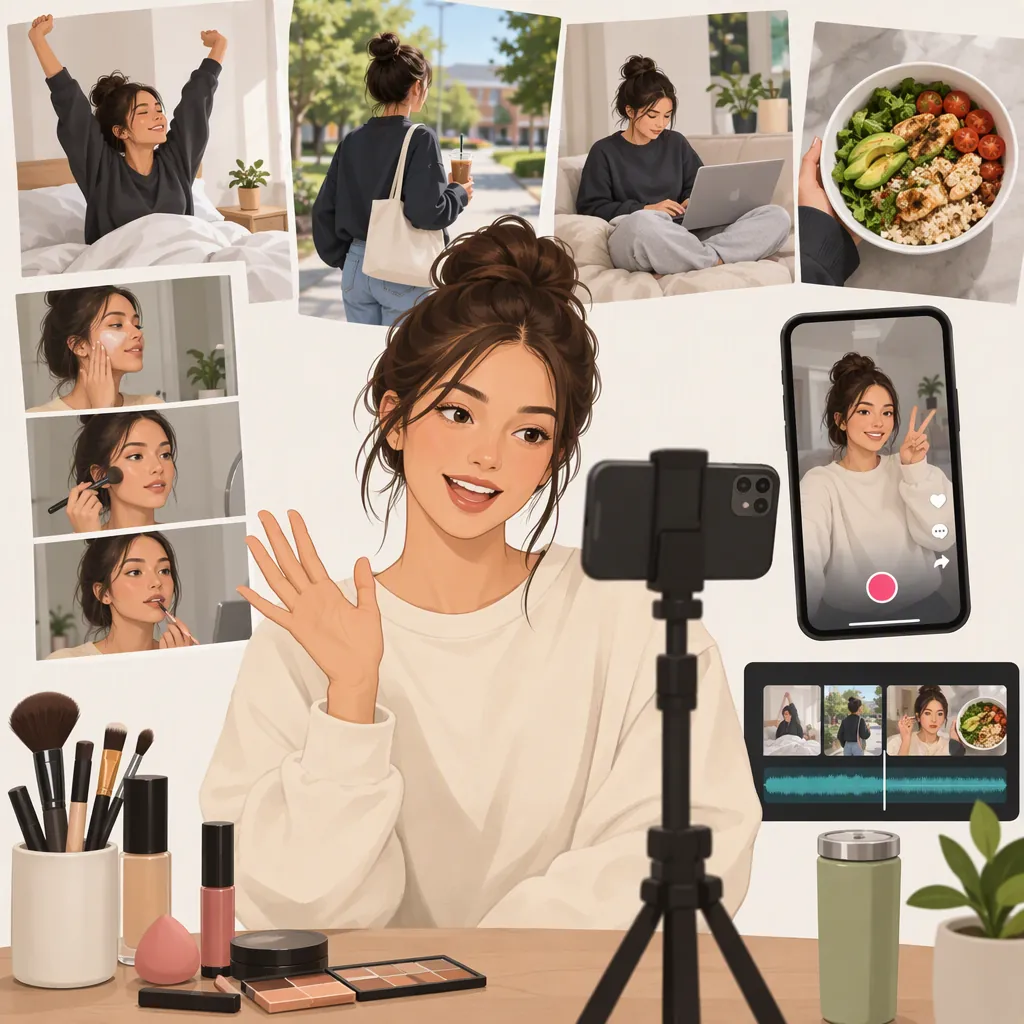
How to Do a TikTok Vlog: A Daily-Life and Grwm Workflow
To make a TikTok vlog, choose one small story, film vertical clips that show its beginning, progress, and result, then edit out repetition. Open with a moment that explains the story, add live narration or a quiet-space voiceover, and review captions before posting. For a get-ready-with-me (GRWM) vlog, use the preparation steps as your visual sequence. This workflow adapts the supplied travel-vlogging guide’s filming and editing advice; it is not a guarantee of reach or engagement. [c1]
Choose One Story Before You Film
Start with a sentence that defines the video: “Getting ready for a rainy-day walk” or “A quiet afternoon of errands.” These are example concepts, not accounts of actual events.
For a daily-life vlog, select a few moments connected by an activity or theme rather than trying to document everything. For GRWM, decide whether the focus is the preparation itself or a spoken story told while you get ready.
The supplied guide recommends planning establishing shots, details, a main moment, and an optional on-camera segment. Adapt those categories to your room, routine, or outing. [c1]
Fill-In Vlog Brief
- My video is about: ______.
- The opening will show: ______.
- The three actions I need to capture are: ______, ______, and ______.
- The ending will show: ______.
- I will explain the story through: live speech / voiceover / text.
- Details I will keep private: ______.
Film a Simple Vertical Sequence
Use vertical framing from the start. The supplied guide recommends 9:16 filming and a mix of wide shots, close-ups, and talking-head clips. [c1]
For a first attempt, use your phone and a stable, safe support if you need both hands free. Check the frame before starting: include the action you want viewers to see, not just your face.
Try this sequence for a GRWM vlog:
- Opening: Show the finished look or introduce what you are preparing for.
- Context: Film a wider view of the preparation area without exposing private details.
- Progress: Capture selected steps, such as choosing clothes or arranging your bag.
- Detail: Add a close-up of a relevant object or action.
- Ending: Show the completed preparation.
For daily-life footage, substitute an activity’s starting point, a few meaningful actions, and its outcome. You do not need to film every step.
Shot Checklist
- [ ] One opening that makes the subject clear.
- [ ] One wider context shot.
- [ ] A few action clips that move the story forward.
- [ ] One useful close-up.
- [ ] One ending that completes the activity.
- [ ] A frame check for addresses, screens, documents, and people who have not agreed to appear.
Choose Live Speech or Voiceover
Choose one primary way to tell the story. Speak during filming if you want to explain an action as it happens, or record a voiceover after arranging your clips.
The supplied guide suggests recording narration in a quiet space when the filming environment is noisy. [c1] Before recording the full narration, make a short test and listen for whether your words are understandable.
For GRWM, give the narration a topic instead of describing every visible movement. For example, explain how you chose an outfit for the weather. For a daily-life vlog, connect the clips by explaining what you were doing and what changed.
Use only details you are comfortable making public. If speech is not part of your plan, use brief text to supply context.
Three-Part Narration Template
Beginning: “Today I’m preparing for ______.”
Progress: “I chose ______ because ______.”
Ending: “Here is how it turned out: ______.”

Replace each blank with an accurate detail. Remove any line that merely repeats what the footage already shows.
Edit for a Clear Beginning, Middle, and End
Arrange the clips so someone unfamiliar with your day can follow them. A useful starting structure is an opening that establishes the subject, a middle showing progress, and an ending showing the result.
Trim repeated actions, accidental camera movement, and pauses that do not serve the story. Keep a pause when it is intentional; a quiet daily-life vlog does not need the same pace as a busy outing.
The supplied guide recommends an early hook, removing dead space, captions, and restrained text overlays. It also proposes 30–90 seconds as a starting length for travel vlogs. Treat that range as an optional editing exercise, not a TikTok requirement or a proven optimum for GRWM. [c1]
Review captions against the actual speech. Keep text away from the important action and check its placement in the posting preview. If you add music, check the permissions that apply to your account and intended use rather than assuming any available track is unrestricted.
Editing Pass
1. Put the clips in story order.
2. Move a clear introduction or representative result to the opening.
3. Remove duplicate information.
4. Add narration where context is missing.
5. Add and correct captions for speech.
6. Watch with sound off, then listen with the screen out of view.
7. Check that the ending completes the story.
Review Privacy and Posting Details
Before posting, inspect the entire video—not just its opening. Look for readable addresses, notifications, work documents, reflections, and identifying details you did not intend to share. Consider delaying location-specific footage rather than revealing where you are in real time. Ask permission before including identifiable people in your vlog.
Choose a cover that accurately represents the video and write a plain-language description of its subject. The supplied guide recommends a clear, representative cover and a caption with a relevant topic phrase. [c1] Avoid promising a result the footage does not show.
Evidence limitation: The only supplied reference is a commercial travel-vlogging article, not official TikTok documentation or a GRWM-specific study. This article uses its general production advice, not its product endorsements or claims about algorithm behavior. App controls, music permissions, and account features should be checked in the current interface.
Final Review Checklist
- [ ] The opening accurately introduces the video.
- [ ] The story makes sense without extra explanation.
- [ ] Speech is understandable and captions are corrected.
- [ ] Music permissions have been checked for the intended use.
- [ ] Private information and unintended identifying details are removed.
- [ ] People shown have agreed to appear.
- [ ] The cover and description match the footage.
FAQ
What Is a Grwm Vlog?
GRWM means “get ready with me.” In this workflow, it is a vlog built around preparing for something, with selected preparation steps providing the visuals. You can explain the routine, tell a related story, or use brief text for context.
How Long Should My First TikTok Vlog Be?
Make it long enough to communicate one complete story, then remove repetition. The supplied travel guide suggests 30–90 seconds as a starting target, but that is editorial advice—not a platform limit or a verified best length for daily-life and GRWM videos. [c1]
Can I Make a Vlog Without Showing My Face?
Yes. You can plan a sequence around hands, objects, surroundings, and actions, then supply context through voiceover or text. The supplied guide also discusses face-free, point-of-view travel vlogs; no audience-growth outcome is assumed here. [c1]
What If My Recorded Speech Is Too Noisy?
Try replacing unclear speech with narration recorded in a quiet space, an approach recommended by the supplied guide. Match the narration to the edited footage and check it before posting. [c1]