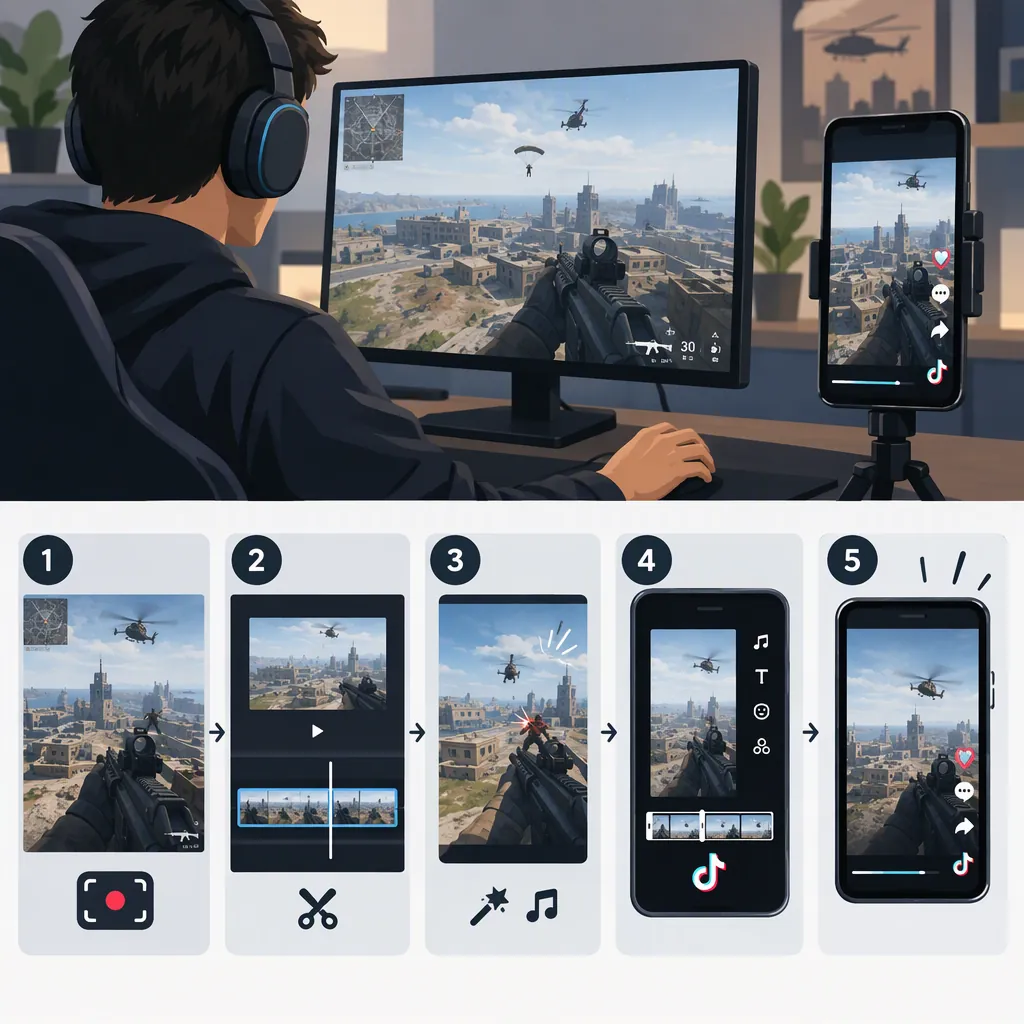
How to Make Warzone Clips for TikTok
Start with recorded Warzone footage, select one understandable moment, trim it to the setup and payoff, and reframe it vertically. Add readable captions where needed, balance the audio, and review the exported file before uploading. The supplied reference describes an upload, review, and export workflow and mentions 9:16 formatting; the guidance below is an editing approach, not a guarantee of reach. [c1]
Choose One Moment with a Clear Payoff
Use gameplay you recorded or have permission to edit and publish. Start by finding one event that can stand on its own: a clutch, an unusual shot, a close escape, or a funny mistake. The supplied reference lists clutches, snipes, squad wipes, and funny fails as possible highlight categories. [c1]
For a first edit, prefer one complete event over a montage of unrelated eliminations. Mark three points in the recording:
- Setup: Where does the viewer get enough context to understand the situation?
- Action: Where does the decisive play begin?
- Payoff: Where is the result clear?
Keep context that explains the play, such as low health or a teammate's warning. Remove waiting, menu navigation, and repeated explanations unless they are part of the joke.
Clip Selection Worksheet
Source file:
Start timestamp:
Decisive action timestamp:
End timestamp:
What happens:
What the viewer needs to know:
What proves the outcome:
Footage permission checked: Yes / No
Trim the Clip Around the Action
Make a rough cut before adding effects. Start close to the action, but leave enough setup to explain why the outcome matters. End after the result becomes understandable rather than carrying on through the next quiet stretch.
Watch the cut as if you have never seen the match. If the enemy's location or the stakes are unclear, restore a little context or add a brief, accurate text label.
As a practice exercise, try a roughly 20-second version: a short setup, the uninterrupted play, and a brief result or reaction. This is an editing constraint, not a TikTok duration requirement or a proven ideal length. Let the event determine the final cut.
Simple Timeline Template
Opening: Show the immediate problem.
Context: Add one factual label only if needed.
Action: Preserve the decisive sequence.
Payoff: Show the outcome clearly.
Ending: Remove footage that adds no new information.
Reframe Without Hiding the Play
Use a 9:16 canvas as a practical vertical-format starting point. The supplied reference mentions 9:16 as an available aspect ratio, but it is not an official TikTok specification source. [c1]
Check the entire action sequence, not just the opening frame. A centered crop may exclude an enemy near the edge or remove information that explains the play.
Try these layouts:
- Tracked crop: Reposition the gameplay when the important action moves.
- Full-width gameplay: Fit the original frame within the vertical canvas and use the remaining space for a short context label.
- Detail emphasis: Briefly enlarge a relevant detail, then return to the gameplay view.
Choose the layout that keeps the target, aim, and outcome understandable. Preview on a phone and in the upload interface so captions and important gameplay remain visible around interface overlays.
Add Captions and Balance Audio
Caption speech when it explains the play or carries the joke. Review any automatic transcript against the recording, especially player names and game terminology. Use concise text and avoid covering the target, crosshair, or outcome.
Keep context labels factual. For example, use “Last teammate alive” only when the footage establishes that situation. Avoid invented stakes or dialogue.
Listen through the full clip. Adjust loud reactions and sound effects so they do not overwhelm important speech. If you add music, use audio you are authorized to use for the intended post; do not assume a track audible in a recording is cleared for republication.
Also review voice chat, usernames, and notifications for information you do not intend to publish. Mute, crop, or obscure it when appropriate.
Export and Check the Finished Clip
Export a test file using settings your editor and upload interface support. As a starting preset, consider a 1080 × 1920 vertical canvas and a frame rate matching the source recording. These are suggested working settings, not verified TikTok requirements.
Watch the exported file rather than relying only on the editor preview. Check framing, caption timing, audio synchronization, and whether the outcome is visible. Review the upload preview before posting.
Evidence limitation: The only supplied source is a commercial Warzone clipping page. It describes an upload, review, and export workflow, but it does not independently establish editing quality, time savings, audience growth, or virality. This article does not verify those promotional claims or recommend a particular tool. [c1]
Pre-Publication Checklist
- [ ] Footage and added audio permissions checked.
- [ ] Setup and payoff are understandable.
- [ ] Important action stays visible throughout.
- [ ] Captions match the recording.
- [ ] Text does not obscure the play.
- [ ] Audio is balanced and synchronized.
- [ ] Unwanted personal information is removed.
- [ ] Exported file and upload preview are reviewed.
FAQ
How Long Should a Warzone TikTok Clip Be?
Use enough time to make the setup, action, and result understandable. Try a roughly 20-second practice cut, then shorten dead time or restore missing context. The provided evidence does not establish a universally best duration.
Should I Crop All Gameplay to Fill the Vertical Frame?
Not necessarily. If a crop hides the target or essential context, try fitting the full gameplay frame inside a vertical canvas. Review the whole sequence before choosing the layout.
Can I Use Automatically Selected Highlights?
Treat any automatically selected highlight as a rough cut. Check its start and end points, framing, captions, and outcome yourself. The supplied reference includes a review-and-adjust step, but its promotional claims do not establish that every selected clip will be accurate or engaging. [c1]