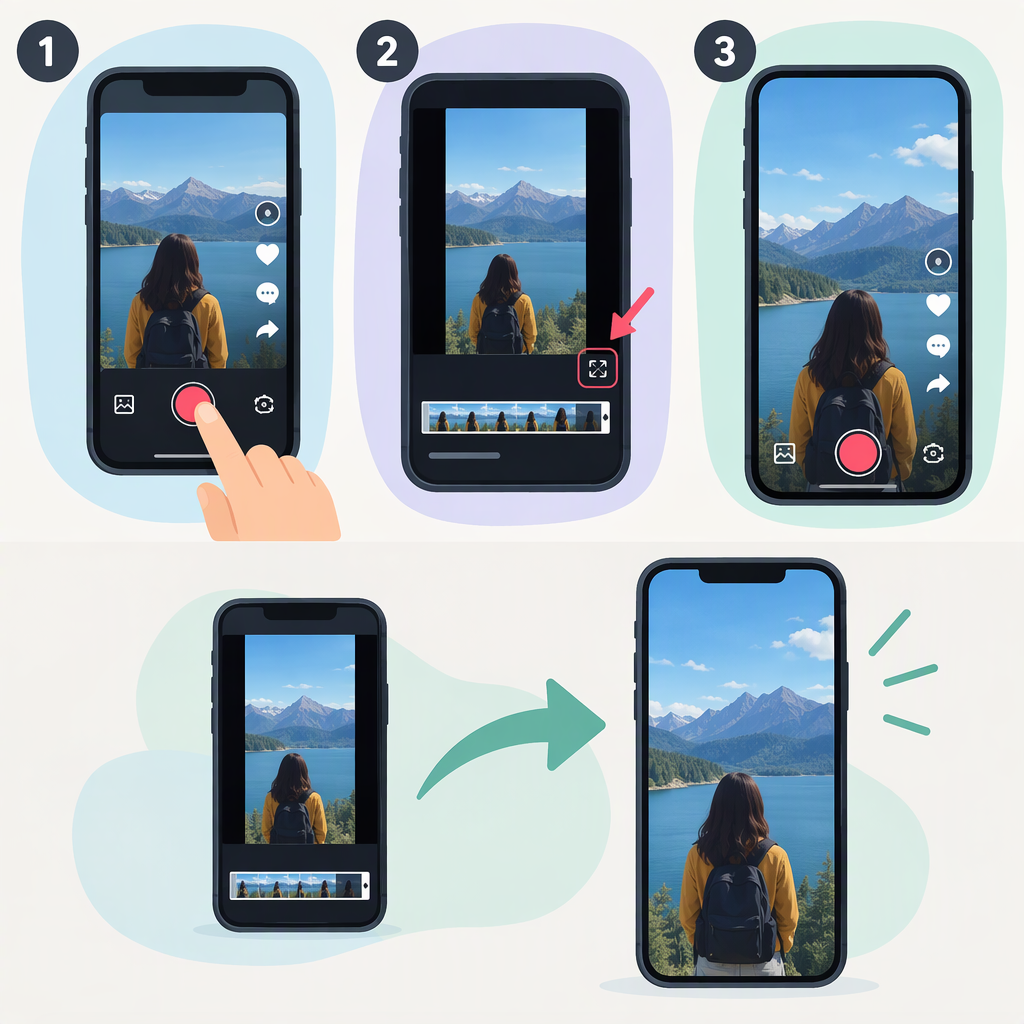
How to Make a TikTok Video Full Screen
If you mean making a video to post, use a vertical 9:16 canvas as a practical full-screen starting point. TikTok’s Creative Center describes 9:16 vertical video as full-screen creative, but that advertising guidance does not establish a required aspect ratio or pixel size for every regular TikTok upload. (ads.tiktok.com)
If you mean making a video you’re watching larger, see If you mean playback below: the available display options can depend on the video and your app or device.
Set up a Vertical Canvas
In your video editor, choose a portrait canvas with a 9:16 width-to-height ratio, then frame your footage inside it. Keep faces, captions, and other important details away from the outer edges so they’re less likely to be cut off or obscured by on-screen controls. This is general framing advice, not a verified TikTok safe-area measurement.
TikTok’s public materials surfaced here do not confirm a universal pixel resolution or an organic-upload requirement for this ratio. Treat 9:16 as a practical choice for a vertical, screen-filling look—not as a rule that every TikTok post must follow. The dimensions you export should also be compatible with your editing and upload workflow. (ads.tiktok.com)
Make Existing Footage Fill the Frame
If your footage has a different shape from the portrait canvas, choose between two framing approaches:
- Crop or zoom to fill: Enlarges the image to cover the canvas, but can cut off its sides or top and bottom.
- Fit the whole image: Preserves the complete picture, but can leave empty space around it. You can leave that space as-is or use a background if your editor offers one.
For example, if a landscape clip is placed on a portrait canvas, filling the canvas usually means cropping away part of the wide image. Fitting the whole clip keeps the full view but won’t make the image itself cover every part of the portrait canvas. These are general editing trade-offs; TikTok’s handling of mismatched uploads and editor controls may vary.
Before exporting or posting, preview the video in portrait. Check that faces, hands, text, and anything viewers need to see remain visible throughout the clip—not just in its opening frame.
If You Mean Playback
Making a post fill a portrait canvas is different from expanding a video you’re watching. I can’t confirm a universal TikTok playback control or a way to make every video fill every device’s display. If the clip appears letterboxed or has a different orientation, its format and the app or device may limit how it can be displayed. Avoid cropping a video you don’t control if doing so would hide important content.