How to Make a TikTok Video Without Posting It
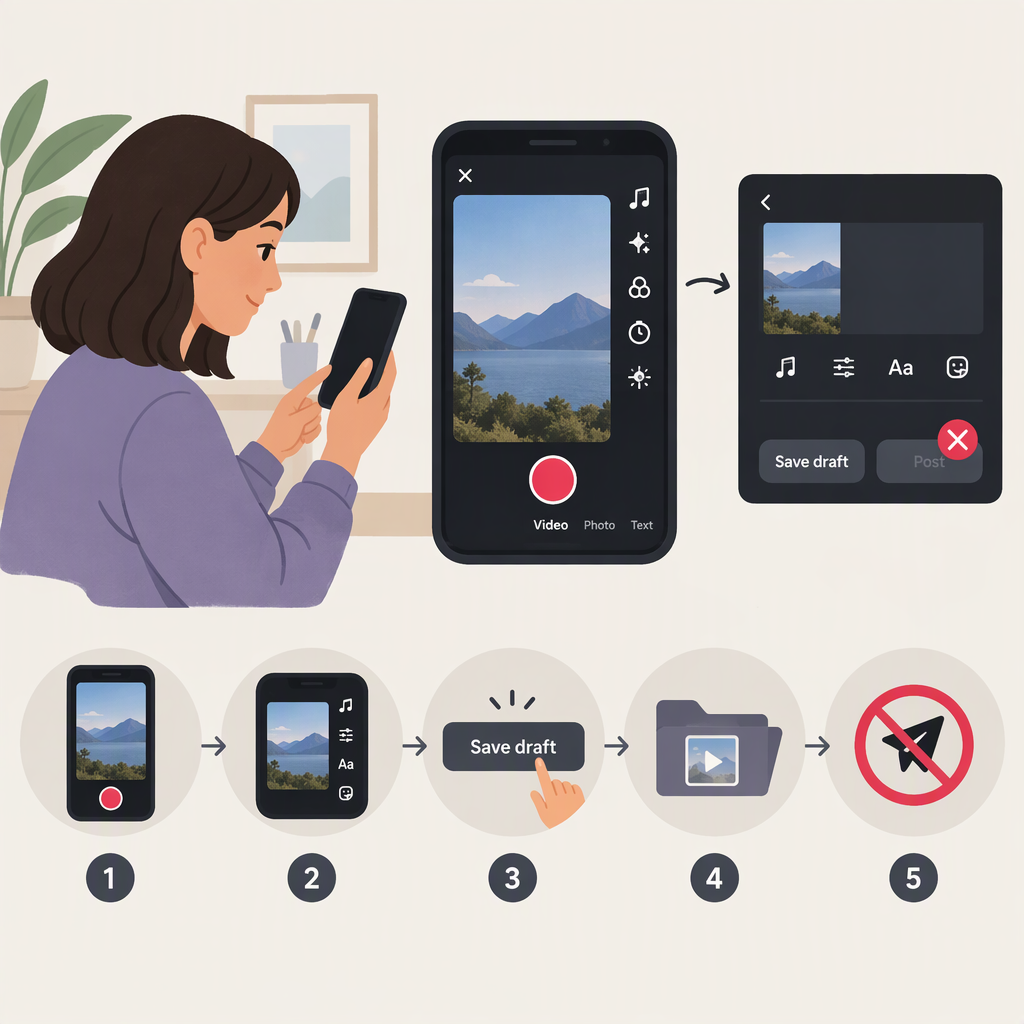
You can make a TikTok video without publishing it by saving it as a draft. In the TikTok app, record or upload a clip, edit it, then tap Drafts on the Post page—not Post. To find it later, open Profile and look in your videos tab. TikTok says drafts are only available to others when you post them. (support.tiktok.com)
Save a TikTok Video Without Posting
- Open TikTok and tap Add post (+) at the bottom of the screen.
- Record a video, or tap Upload to choose a clip from your device. TikTok’s camera instructions describe recording from the Add post screen; you can also upload existing video. (support.tiktok.com)
- Continue to the editing screen. Add any text, sounds, effects, or other edits you want.
- Continue to the Post page. Tap Drafts to save the video without publishing it.
- Avoid tapping Post if you don’t want to publish the video.
The saved draft is available from the videos tab on your profile. TikTok’s help instructions say drafts become available to others when you post them; a draft is not the same as a published post. (support.tiktok.com)
Find the Draft and Check Its Status
To reopen the video, tap Profile and look in the videos tab for Drafts. Tap the draft to continue editing it. If you want to confirm you have not published it, check that it remains in Drafts rather than appearing as a posted video on your profile. Don’t select Post unless you intend to publish it.
Keep a Copy Outside TikTok
A TikTok draft may not be a durable backup. TikTok says drafts may be removed if you uninstall and reinstall the app or move or switch the account to another device. Drafts also can’t be transferred between accounts. (support.tiktok.com)
If you want a copy in your device’s gallery, TikTok provides a way to save a draft without posting it: open Profile → Drafts → select the video → More → Share → Save post with watermark. TikTok says this saves the draft to your gallery with a watermark by default; saving without a watermark requires posting first. (support.tiktok.com)
In short: choose Drafts to keep the video unpublished in TikTok. If you also want a device copy, use TikTok’s save-from-drafts option and expect the saved copy to have a watermark.