How to Make Another TikTok Account and Switch Between Accounts
Create Another TikTok Account
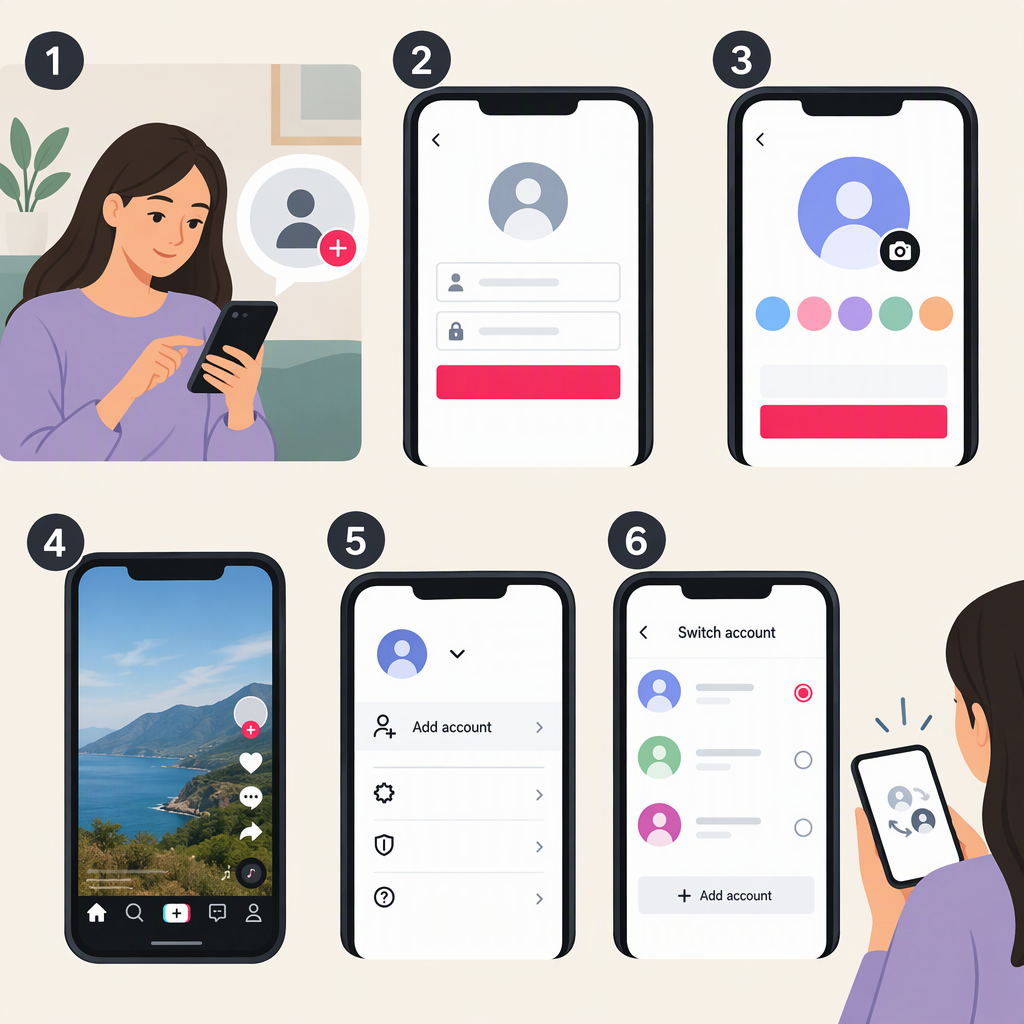
You can add an account from the TikTok app without deleting or replacing your existing account. While signed in, follow these steps:
- Tap Profile at the bottom of the screen.
- Tap your nickname.
- Tap Add account.
- Choose a sign-up method and follow TikTok’s prompts to finish creating the account.
When you want to move between accounts, return to Profile, tap your nickname, and choose the account to switch to. TikTok also says you can switch accounts through Settings. These instructions are for the app; the cited guidance doesn’t establish a separate web-account-creation or switching flow. (support.tiktok.com)
Sign-Up Details: Use a Different Email or Phone Number
TikTok says each email address and phone number can be linked to only one TikTok account. So, if either is already linked to your existing account, use a different one for the additional account. TikTok also says each social media account can be linked to only one TikTok account, and Instagram and X aren’t supported sign-up methods. Choose from the sign-up methods TikTok presents in the app and complete any steps it requests. (support.tiktok.com)
Example: If your current account uses your email address, that same address can’t be used to create another account. Use another eligible sign-up method or another email address instead. Don’t delete your current account just to free up its email: TikTok says a deleted account is deactivated for 30 days before it is erased permanently, and the email can be connected to a new account after that period. (support.tiktok.com)
Switch Back and Check Which Account Is Active
Open Profile and look at the profile currently displayed; then tap your nickname to choose the other account. Before posting or changing settings, confirm the displayed profile is the one you intend to use. If the account you want isn’t listed, sign in to it through TikTok’s account flow, then use the account switcher. TikTok’s help page explains how to add or switch accounts, but doesn’t specify every screen that may appear during sign-in. (support.tiktok.com)
If You Can’t Create the Account
TikTok’s suggested first steps are to restart the app, check whether the sign-up method is already associated with an older account, and use a different login method for a new account. If the problem continues, TikTok says to submit feedback with your sign-up method and a screenshot of the error. In the app, tap Need more help? and follow the steps to submit a ticket. Don’t try to bypass verification or account restrictions. (support.tiktok.com)