UGC Video Examples: Formats, Shot Plans, and Editing Choices
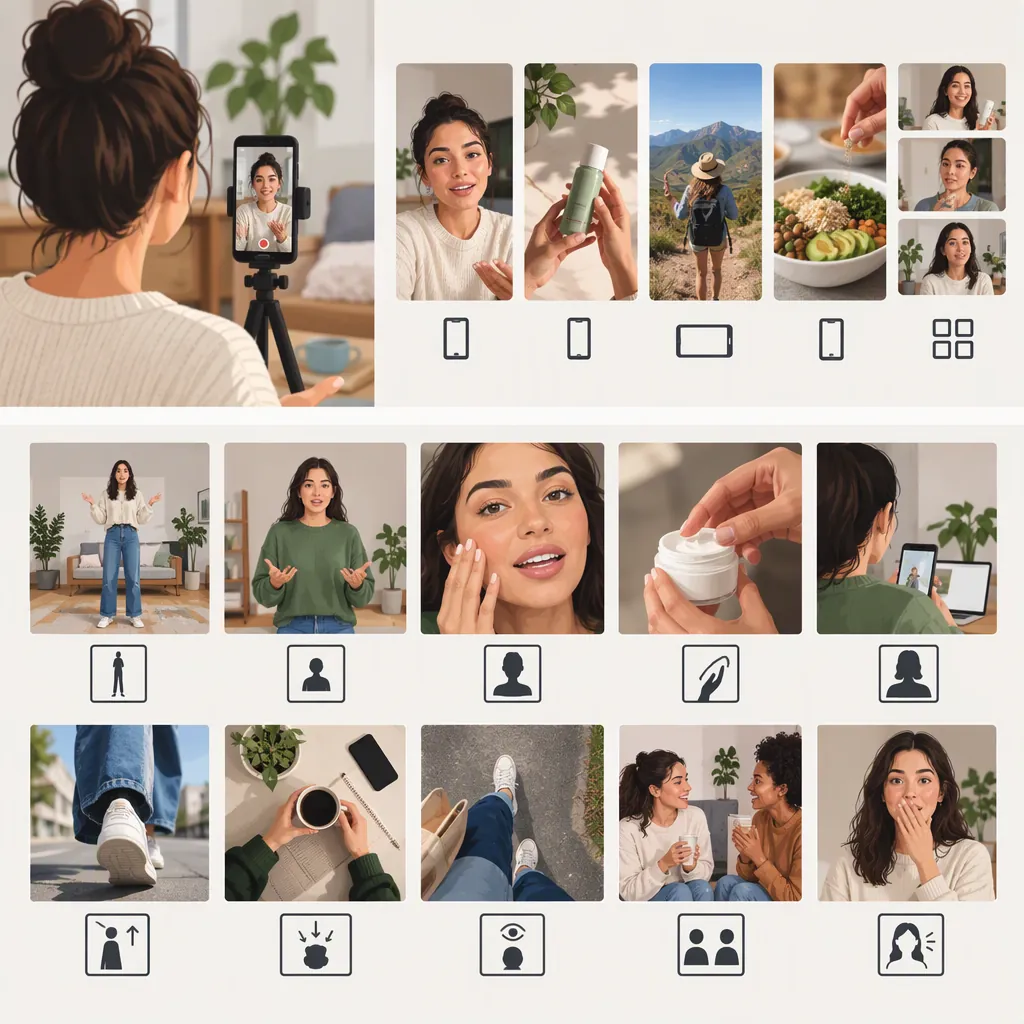
UGC video examples can help you plan creator-led demonstrations, close-ups, routines, and explainers. This guide includes one caption-documented Instagram example and five illustrative formats, with three expanded into practical shot sequences. The Instagram creator describes the referenced post as an organic UGC video for a local ice cream brand; the teaching templates below are original examples, not reconstructions of that reel. [ugc_01]
A Caption-Documented Food UGC Example
In the ugc_byceline — local ice cream UGC example, the creator labels the post a “UGC Example” and describes it as an organic UGC video for a local ice cream brand. The caption also expresses enthusiasm for food-focused UGC. This guide’s analysis is based on the supplied caption text, not a verified viewing of the video. [ugc_01]
The useful creative starting point is the subject: food presented through a creator’s perspective. For an original ice cream video, you could explore visible texture, the scooping action, or the finished serving. These are proposed creative choices, not confirmed shots from the referenced reel.
Evidence boundary: The supplied caption does not establish the reel’s exact shots, duration, editing style, brand identity, payment terms, distribution arrangements, or results. The creator’s use of “organic” does not establish that the work was unpaid or distributed without advertising. [ugc_01]
Five Illustrative UGC Video Formats
For this guide, UGC-style video means a creator-led presentation built around a personal perspective or observable interaction. This working description does not determine whether a video is independent, commissioned, or sponsored.
The following are fictional teaching templates, not documented customer experiences or campaigns. Any first-person experience used in an actual production should reflect the speaker’s genuine experience.
| Format | Viewer question it can answer | Illustrative sequence | Evidence boundary |
|---|---|---|---|
| Food close-up | What does the food look like, and how is it served? | Show the food, record the serving action, finish on visible detail. | Appearance does not establish flavor or quality. |
| Product demonstration | How is this task performed? | Identify the task, show the steps, display the observable outcome. | Demonstrate only functions and outcomes the recording establishes. |
| Everyday routine | Where could this item fit into an activity? | Establish the setting, show the item in use, finish the activity. | Do not present a staged sequence as a documented personal habit. |
| Unboxing | What is inside this particular package? | Show the unopened package, open it, arrange and inspect the contents. | One package does not establish what every order contains. |
| Question-led explainer | What can be checked about this specific question? | Ask the question, show the check, summarize the supported answer. | Separate observation, opinion, and claims needing outside evidence. |
Choose the format according to what the viewer needs to understand—not according to which format seems to require the strongest endorsement.
Three Expanded UGC Video Examples
Each sequence below is an original production exercise. Suggested narration describes actions rather than inventing satisfaction, personal history, or product benefits.
Example 1: Food Close-Up — From Container to Serving
Viewer question: What does the food look like during serving?
Subject: An ice cream serving sequence. This is not a reconstruction of the Instagram example.
| Beat | Opening or action | Sample narration or screen text | Shot transition and editing choice |
|---|---|---|---|
| Opening | Show the open container beside an empty bowl, with the food clearly visible. | “From container to bowl.” | Hold long enough for the viewer to identify both the food and the setup. |
| Main action | Record the scoop entering the ice cream, lifting a portion, and placing it in the bowl. | “Scoop, then serve.” | Keep the complete action visible. Avoid cutting between contact and placement if that obscures what happened. |
| Detail | Move to a close-up of the served portion. | “Close-up of the scoop.” | Cut after the serving action finishes. Frame visible texture without claiming it proves creaminess or taste. |
| Ending | Show the finished bowl in a wider view. | “The finished serving.” | End on the same bowl so the sequence remains easy to follow. |
Why this format fits: The sequence answers a visual question. It does not need a tasting reaction or a claim that the food is delicious.
Audio and text: Recorded serving sounds or original narration can accompany the action. If using music, confirm permission for the intended publication. Keep captions descriptive; remove unsupported statements about taste, health, popularity, or quality.
Final check: Confirm that the detail shot shows the same serving. If a substitution was made for filming, do not edit the sequence to imply an uninterrupted action that did not occur.
Example 2: Product Demonstration — Packing a Notebook in a Pouch
Viewer question: How does this particular notebook fit into this particular pouch?
Subject: A notebook and a zippered pouch available for filming. The template makes no claim about a named product or all possible sizes.
| Beat | Opening or action | Sample narration or screen text | Shot transition and editing choice |
|---|---|---|---|
| Opening | Place the notebook and open pouch side by side. | “Checking this notebook in this pouch.” | Use a view that clearly distinguishes the two objects. |
| Main action | Insert the notebook into the pouch. | “Place the notebook inside.” | Keep the insertion visible rather than cutting straight to a packed pouch. |
| Check | Attempt to close the zipper, keeping the relevant area in frame. | “Now check whether it closes.” | Show the actual outcome. Do not hide resistance or an incomplete closure. |
| Ending | Show the resulting packed or unclosed pouch. | If successful: “This notebook fits, and the zipper closes.” If not: “The zipper does not close with this notebook inside.” | End on the observed result, not a broader claim about compatibility. |
Why this format fits: It answers a process-and-fit question through a visible check. The conclusion applies to the objects shown, not every notebook or pouch.
Editing decision: A close-up can clarify the zipper action, but it should not remove evidence needed to understand the result. If the action is filmed again from another angle, avoid implying that separate takes are one continuous test when that would mislead the viewer.
Example 3: Unboxing — Showing One Package’s Contents
Viewer question: What arrived in this package?
Subject: One package prepared for filming. If it was staged or repacked, describe it as a package walkthrough rather than an untouched first opening.
| Beat | Opening or action | Sample narration or screen text | Shot transition and editing choice |
|---|---|---|---|
| Opening | Show the closed package with addresses and other personal information out of view. | “Opening this package and checking the contents.” | Establish the package before revealing its contents. |
| Opening action | Open the package and remove the first visible item. | “First, remove the packing material.” | Preserve enough of the action to make the reveal understandable. |
| Contents | Place the items on a clear surface, one at a time. | “Here are the items in this package.” | Keep the arrangement consistent so viewers can follow the count. |
| Detail | Show a selected item or included document close up. | “A closer look at this item.” | Use a detail shot only when it adds information that the wider view cannot show. |
| Ending | Return to a view of all the contents. | “That is everything shown in this package.” | Do not imply that the contents are standard for all orders without verification. |
Why this format fits: It documents a specific reveal. A surprised reaction is optional and should never be scripted as a genuine first impression if it is not one.
Editing decision: Remove repetitive handling if it adds no information, but retain footage needed to establish the contents. A shorter edit should not conceal missing items or imply that something was included when it was added separately.
An Editing Checklist for Clear Examples
Use editing to clarify the sequence rather than manufacture evidence.
- Identify the subject early: Can a viewer tell what object, activity, or question the opening introduces?
- Preserve meaningful steps: Keep actions needed to understand the demonstration and its outcome.
- Match words to footage: Place descriptive text beside the action or detail it describes.
- Keep captions readable: Check them at the intended viewing size and allow enough time to read them.
- Use detail shots purposefully: Add a close-up when it answers a question, not merely to add another cut.
- Separate reaction from fact: A genuine preference does not establish a universal result.
- Check permissions and privacy: Review footage, voices, music, documents, and identifying information for the intended use.
- Review continuity: Make sure cuts do not imply an outcome or uninterrupted action that the recording did not establish.
- Represent relationships accurately: Any relationship disclosure should match the actual production arrangement.
These are production recommendations, not promises of increased reach, engagement, or sales.
How to Evaluate a UGC Video Reference
Separate three kinds of information before adapting a reference:
- Caption-supported description: What does the accompanying text say?
- Observed execution: What can you confirm from watching the video?
- Outcome evidence: What supports any claim about results?
For the Instagram example, this guide has caption-supported information about the creator’s description, not a verified shot sequence or commercial outcome. [ugc_01]
For references you can watch, record the opening, actions, narration, on-screen text, and ending. Then connect each observation to a production decision: what should be retained, changed, or omitted in an original adaptation? Visible likes or comments alone should not be treated as proof of conversions or commercial effectiveness.
Filled Review Worksheet: The Original Food Template
This is a planning review of the fictional food sequence above—not an observation of the Instagram reel or footage already produced.
| Review field | Template assessment | Production decision |
|---|---|---|
| Subject and opening | The planned opening includes an open ice cream container and an empty bowl. | Retain both in frame so the serving task is identifiable before the first cut. |
| Key action | The plan shows scooping, lifting, and placing the portion in the bowl. | Record the full action. Review the footage before deciding whether any part can be shortened without losing clarity. |
| Detail shot | A close-up follows the serving action. | Retain it if it reveals visible detail. Modify or remove it if it merely repeats the wider shot. |
| Text-to-image match | “Close-up of the scoop” describes the planned image without asserting flavor. | Keep descriptive wording; remove an unsupported phrase such as “the creamiest ice cream.” |
| Continuity | The ending is intended to show the same bowl and serving. | Check the recorded clips for substitutions or changes that would make the sequence misleading. |
| Unknowns | No actual footage, tasting experience, publication permissions, or results are established by the template. | Verify the relevant details during production; do not fill gaps with assumptions. |
| Transferable idea | Move from context, to action, to detail, to finished state. | Adapt that structure to another visible process using original footage and wording. |
The practical lesson is not “copy these four shots.” It is to give each shot a job: establish the subject, explain the action, reveal useful detail, or show the result.
FAQ
Is There a Real UGC Video Example in This Guide?
Yes. The Instagram caption by ugc_byceline describes a UGC video for a local ice cream brand. The guide relies on that caption, not a verified viewing of the reel. Its “organic” label does not establish payment or distribution terms. All expanded shot sequences here are fictional teaching templates. [ugc_01]
Which UGC Video Format Should I Choose?
Start with the viewer’s question and the evidence you can show. Use a close-up for visible detail, a demonstration for a process, an unboxing for a specific package’s contents, or a question-led explainer for a checkable uncertainty. Use testimonial language only when it reflects the speaker’s genuine experience.
What Should a UGC Video Opening Show?
In these templates, the opening identifies the subject and the task: a container beside a bowl, a notebook beside a pouch, or a package before opening. That gives the following action context without requiring an exaggerated promise.
Can I Copy the Script or Footage from a Reference?
Use a reference to identify a general approach, then create an original script and footage. Before reusing someone else’s material, verify permission for the intended use. The supplied Instagram caption does not establish reuse rights. [ugc_01]
How Can I Tell Whether an Edit Is Misleading?
Compare the edited sequence with the recorded actions. Check whether removed steps, reordered clips, substituted objects, or mismatched captions imply something the footage did not establish. If the edit changes the apparent outcome, revise it or explain the distinction clearly.
Sources
- [ugc_01] Instagram