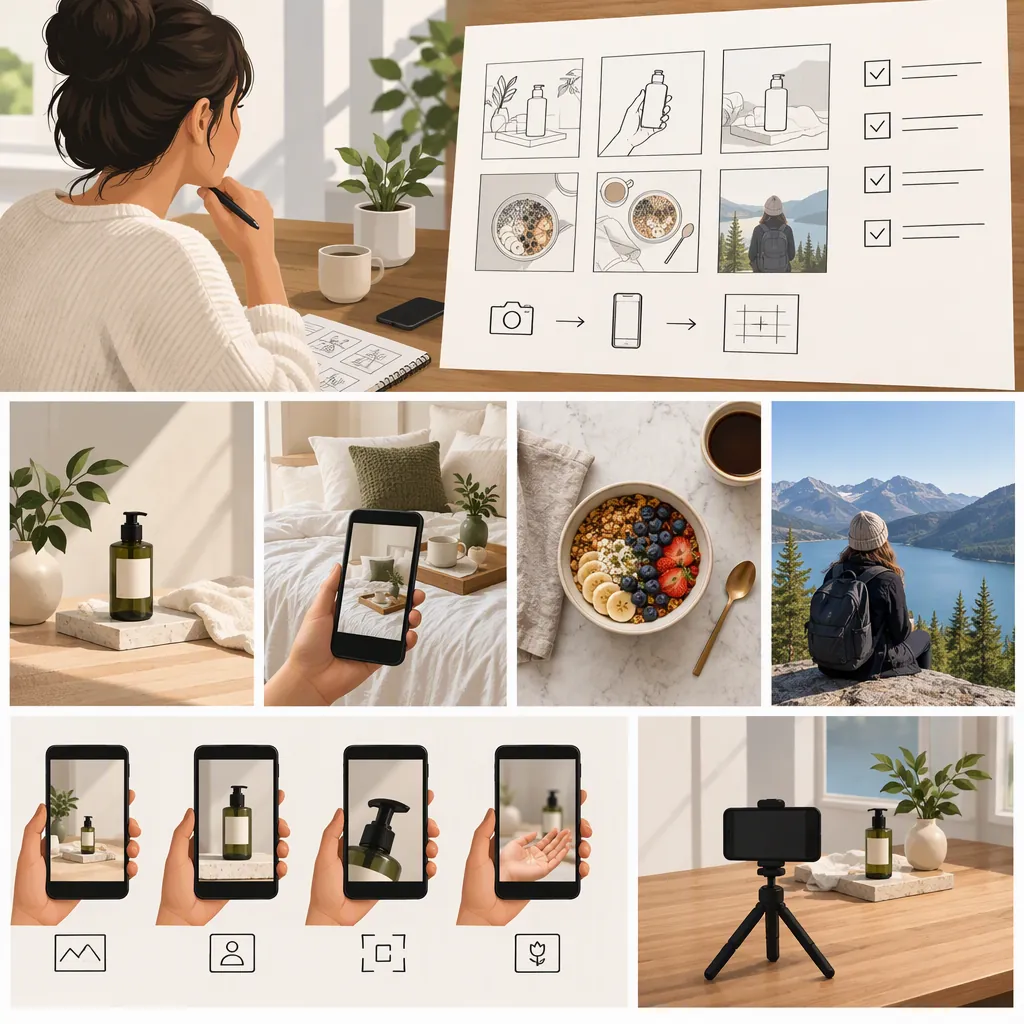
UGC Photo Examples: Six Detailed Setups and a Shot List
UGC photo examples can include product-in-hand shots, unboxing scenes, everyday-surface arrangements, texture close-ups, small product groupings, and wider contextual photos. This guide focuses on product-photo examples, rather than every type of user-generated photography.
The Kaboompics UGC-inspired collection provides a reference for this aesthetic, describing skincare, jewelry, packaging, and unboxing scenes in creator-inspired stock photography. [c1] The six examples below are hypothetical shooting setups, not individually inspected images or actual customer submissions. Their appearance alone cannot establish customer authorship, purchase, use, endorsement, or product performance.
UGC Style and Content Origin Are Different
UGC-style describes a photograph’s visual treatment. Customer-created, creator-produced, and stock photography describe where an image came from. Keep style and origin separate when choosing captions.
Kaboompics describes its collection as creator-inspired stock photography, with textured surfaces, relaxed product arrangements, packaging details, and unboxing scenes. That makes it a visual reference—not evidence that customers submitted the photographs. [c1]
Consider the same composition: an open box on a table, with a hand lifting the item. Its origin description should change according to the verified facts:
| Known origin | Example origin label | What still needs verification |
|---|---|---|
| A customer submitted the photograph | “Customer-submitted unboxing photo.” | Permission to publish; whether any accompanying purchase or use statement is established. |
| A creator produced the photograph for an assignment | “Creator-produced unboxing scene.” | Permission and any relevant commissioned or sponsored context. |
| The photograph came from a stock collection | “Stock photograph of a staged unboxing scene.” | The selected image’s license and permitted placement. |
These are labeling examples, not claims about particular images. If the origin is unknown, describe the visible scene without assigning a customer story.
Six UGC-Style Photo Examples
Kaboompics describes close-ups, wider arrangements, unboxing details, beauty products, jewelry, and accessories. [c1] The following suggested setups turn those themes into concrete compositions. Each includes a descriptive caption that avoids implying a testimonial.
1. Product in Hand: Show Relative Size
- Subject: A small hand-cream tube held upright in one hand.
- Background: A plain wall or uncluttered tabletop, without unrelated products.
- Camera position: Face the front of the tube, approximately level with its center.
- Framing and crop: Include the complete tube and enough of the hand to show scale. Keep fingers clear of identifying packaging details.
- Sample caption: “Hand-cream tube held upright against a plain background.”
- Specific risk: A hand in the frame does not prove that the person bought, used, or recommends the item.
This setup emphasizes the relationship between the item and the hand. Choose it when size and packaging shape matter more than the surrounding setting.
2. Unboxing Detail: Show Packaging and Contents
- Subject: An opened box, its wrapping, and the item resting partly inside.
- Background: A clear table with no extra accessories.
- Camera position: Shoot from a shallow overhead angle so the box opening and contents are both visible.
- Framing and crop: Retain the box edges and enough wrapping to explain the arrangement.
- Sample caption: “Opened box with wrapping and the item visible.”
- Specific risk: Extra props may be mistaken for included contents. Keep them outside the frame or identify them clearly.
Unlike the product-in-hand example, this frame prioritizes how the item sits within its packaging.
3. Everyday-Surface Scene: Add Setting Without Inventing a Routine
- Subject: A skincare container on a countertop beside a folded cloth.
- Background: A simple surface with a small amount of surrounding space.
- Camera position: Use a three-quarter view that shows both the container’s front and the surface beneath it.
- Framing and crop: Keep the product prominent; let the cloth provide context without covering it.
- Sample caption: “Skincare container staged on a countertop beside a folded cloth.”
- Specific risk: A staged countertop scene should not be described as someone’s actual daily routine.
The difference here is context: the photograph shows a proposed setting rather than just the item in isolation.
4. Texture Close-Up: Isolate One Visible Detail
- Subject: A jewelry detail resting on textured wrapping paper.
- Background: Use the wrapping itself as the background.
- Camera position: Move close and angle the camera toward the detail you want to document.
- Framing and crop: Fill much of the frame with the detail, while retaining enough of the object to make the crop understandable.
- Sample caption: “Close-up of a jewelry detail on textured wrapping.”
- Specific risk: Visible texture does not substantiate material composition, durability, or quality.
Pair this image with a complete-item view if the tight crop makes the object difficult to identify.
5. Small Product Grouping: Make Each Item Distinguishable
- Subject: Two or three related cosmetics or accessories.
- Background: A plain tray or tabletop.
- Camera position: Shoot overhead for an arrangement of shapes, or at a shallow angle when packaging fronts need to remain visible.
- Framing and crop: Leave space between items and avoid overlaps that obscure their outlines.
- Sample caption: “Three items arranged separately on a tray.”
- Specific risk: Grouping separately sold items can imply a bundle. Do not call the arrangement a set unless that relationship is established.
This setup shows several items together; it should not imply that a customer owns them or that they are sold together.
6. Wider Contextual Shot: Leave Room Around the Subject
- Subject: A product and its packaging at one side of a desk or table.
- Background: A restrained setting with open surface space.
- Camera position: Step back from the close-up position and include more of the surroundings.
- Framing and crop: Keep the product identifiable while leaving an uncluttered area for an editorial caption.
- Sample caption: “Product and packaging arranged on a table with open space beside them.”
- Specific risk: Too much surrounding space can make the item difficult to recognize.
Use this composition when the setting is part of the information the image needs to convey, not merely decoration.
Build a Small, Consistent Shot Set
Kaboompics describes its collection as sharing surfaces, light, colors, and styling, with both horizontal and vertical compositions. [c1] For an original shoot, a practical approach is to keep the setting stable and vary the camera position, distance, and crop.
Five-Frame Shot List
- Context frame: Include the item and enough surroundings to identify the setting.
- Complete-item frame: Show the whole item with important packaging details unobstructed.
- Detail frame: Move closer to one visible feature or material.
- Packaging frame: Show the box, wrapping, and contents without suggesting unrelated props are included.
- Alternate layout: Capture a horizontal or vertical version with open space for a caption.
Before changing setups, check whether the complete-item and detail frames clearly depict the same object. Review captions alongside the photographs: descriptions should match what is visible and what is known about the source. This is a planning workflow, not a tested formula for engagement or sales.
Check Image Rights Before Reuse
The Kaboompics collection contains both Standard License and Editorial Use Only images. Its description directs readers to check the license label on each individual photo page; collection membership does not establish uniform permissions. [c1]
For images marked Editorial Use Only, the reference prohibits advertising, sponsored content, ecommerce listings, packaging, and promotional materials. Those images must also not suggest brand endorsement or affiliation. [c1]
For customer-submitted or independently commissioned photographs, establish permissions separately. A stock collection’s terms do not apply automatically to other images.
Image Selection Record
For each photograph, record:
- File or image identifier
- Creator or source
- Individual image page, if applicable
- License label or permission record
- Intended placement
- Visible brands or people
- Staging notes and visible items
- Caption and origin description
- Unresolved rights questions
Keep publication on hold while permissions or the intended use remain unresolved.
FAQ
What Do UGC-Style Photos Look Like?
In product photography, examples include everyday-surface scenes, casual arrangements, close-up details, and unboxing compositions. Kaboompics describes these treatments in a creator-inspired collection featuring skincare, cosmetics, jewelry, accessories, and packaging. [c1] Those visual characteristics describe a style, not the image’s authorship.
Are UGC-Inspired Stock Photos Actual Customer Content?
Not necessarily. Kaboompics identifies the referenced images as creator-inspired stock photography. [c1] Use the known source to label an image; a casual appearance does not establish customer purchase, use, or endorsement.
How Can I Plan Examples Without Reference Images?
Write a hypothetical scene with five elements: subject, background, camera position, crop, and descriptive caption. The six setups above follow that structure. Keep the hypothetical label visible so the plan is not mistaken for an existing photograph or customer submission.
Can the Kaboompics Reference Photos Be Used Commercially?
It depends on the selected image. The collection includes both Standard License and Editorial Use Only images. Check the individual photo’s license label and applicable terms before reuse; the collection description expressly excludes advertising and ecommerce listings from Editorial Use Only permissions. [c1]