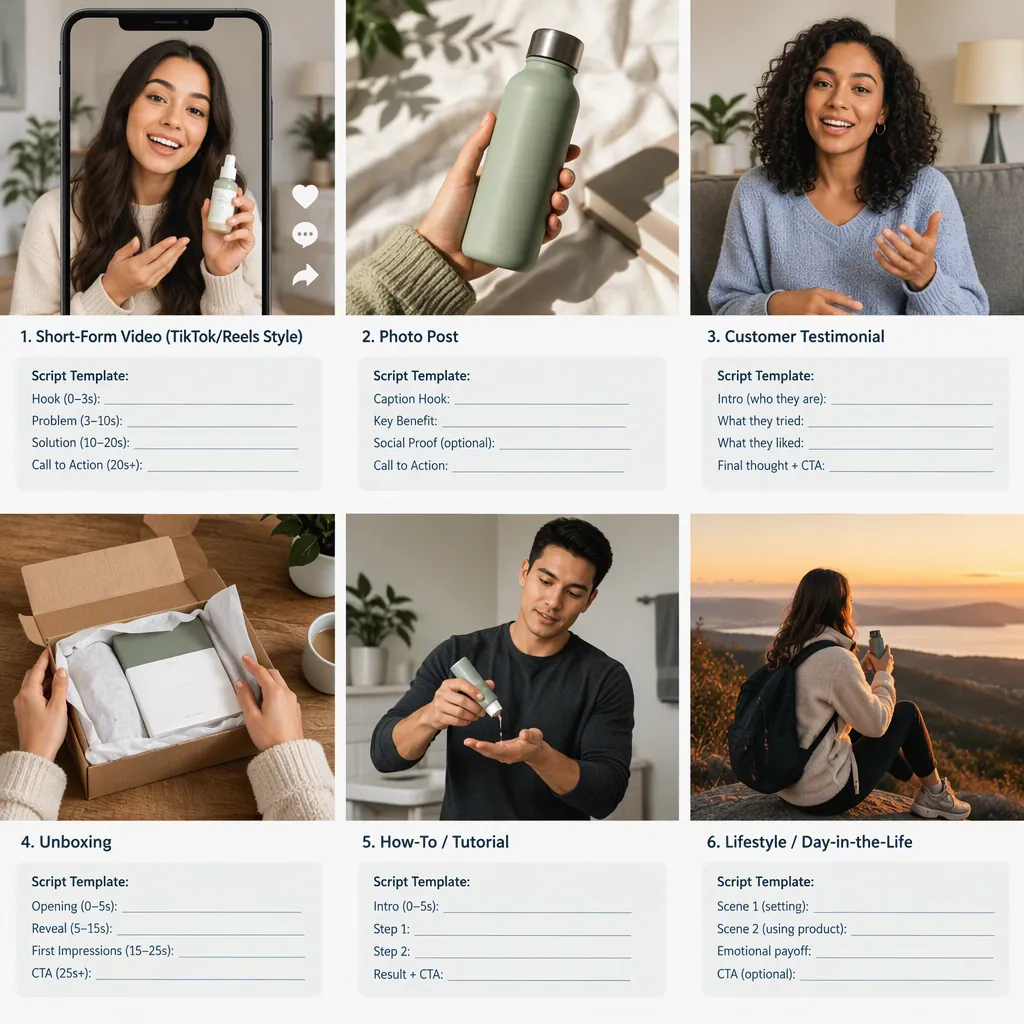
UGC Ads Examples: Six Formats with Scripts and Shot Lists
UGC ads examples include unboxings, product demonstrations, tutorials, routine-based videos, comparisons, and question-led clips. The supplied reference describes these approaches as UGC video formats. Below are original, hypothetical production templates—not actual campaigns, customer testimonials, or evidence of advertising results. [c1]
What These UGC Ads Examples Represent
The supplied reference describes UGC videos as content made by customers or creators and lists formats such as unboxings, reviews, tutorials, lifestyle videos, comparisons, and customer Q&As. [c1]
For this guide, UGC-style ad means a planned advertising creative presented through a creator-led demonstration or explanation. That working definition does not establish whether a particular video was independently submitted, commissioned, or paid for.
The examples below use generic objects to illustrate production structure. They do not describe real customers, brands, or campaigns. A casual recording style should not be used to imply an independent endorsement when the content is scripted or commissioned.
Evidence limitation: The reference is a commercial blog, not a supplied campaign dataset. Its format descriptions inform this guide; its performance statistics and broad claims of superior results are not used here.
Example Label for a Production Document
Hypothetical UGC-style creative. This document illustrates shots and structure only. Replace placeholders with verified information before filming. Do not turn sample narration into a claimed customer experience.
Six UGC Ads Examples with Scripts and Shots
These original templates adapt formats discussed in the reference. [c1] They are illustrative production exercises, not reproduced ads. No closing sales message is included.
1. Unboxing: Show What Arrives
Illustrative object: A notebook in its packaging.
Keep the sequence focused on observable details: the unopened package, the item inside, and a close view of its pages. Do not script surprise or claim that this is someone's first encounter unless that is true.
2. Demonstration: Show One Action
Illustrative object: A reusable bottle.
Show opening, filling, and closing the bottle in a continuous sequence. This demonstrates the filmed action without implying untested leak resistance, temperature retention, or durability.
3. Tutorial: Explain a Small Process
Illustrative object: A blank planner.
Demonstrate how to lay out a sample week. The viewer should be able to follow the steps without hearing promises about productivity or life improvement.
4. Routine Integration: Put the Object in Context
Illustrative object: A desk organizer.
Film a staged desk setup rather than presenting it as someone's established daily habit. Keep the context visible so viewers can understand where each object goes.
5. Comparison: Answer a Narrow Question
Illustrative objects: Two bags and the same notebook.
Compare one observable feature under the same setup. Show whether the notebook fits in each bag; do not convert that limited observation into a claim that one bag is better overall.
6. Question-Led Clip: Give a Visual Answer
Illustrative object: A storage box.
Use a clearly labeled example question, such as whether a particular notebook fits. Do not invent a customer comment or fabricate a screenshot to introduce the question.
Unboxing Script and Shot List
Opening text: “Inside this notebook package.”
Shot 1: Show the unopened package on a table.
Shot 2: Open it and reveal the contents without a cut that changes what is inside.
Shot 3: Show the cover and an interior page.
Narration prompt: Describe only the contents and details visible in the footage.
End frame: Hold on the opened notebook.
Demonstration Script and Shot List
Opening text: “Opening, filling, and closing.”
Shot 1: Show the bottle and cap.
Shot 2: Open the cap and fill the bottle.
Shot 3: Close the cap in the same sequence.
Narration prompt: Name each action as it happens.
Review note: This footage does not establish leak resistance or other performance characteristics.
Tutorial Script and Shot List
Opening text: “A sample weekly layout.”
Shot 1: Show the blank planner page.
Shot 2: Add three clearly fictional tasks.
Shot 3: Mark a space for notes.
Narration: “First, add the tasks. Next, place them beside the relevant days. Leave a space for notes.”
End frame: Show the completed sample page.
Routine Integration Script and Shot List
Opening text: “Staged desk setup.”
Shot 1: Show the desk before arranging it.
Shot 2: Place pens and paper in the organizer.
Shot 3: Show the full arrangement from the same angle.
Narration prompt: Explain where each item is being placed.
Review note: Avoid claims that this is a real customer's daily routine.
Comparison Script and Shot List
Opening text: “Does this notebook fit?”
Shot 1: Show the same notebook beside both bags.
Shot 2: Place it in the first bag and show the opening.
Shot 3: Repeat with the second bag from the same angle.
Narration prompt: Report only what the footage establishes.
End frame: Label both configurations without declaring an overall winner.
Question-Led Script and Shot List
Opening text: “Example question: Will this notebook fit inside?”
Shot 1: Show the notebook beside the storage box.
Shot 2: Place the notebook inside without changing its orientation off-camera.
Shot 3: Attempt to close the lid and show the result.
Narration prompt: Answer the example question based on the filmed result.
Review note: Do not label the question as a customer submission.
Choose a Format Around the Viewer’s Question
A useful planning approach is to start with what the footage needs to explain, rather than choosing a format because it looks popular.
| Viewer’s Question | Suggested Format | What to Capture |
|---|---|---|
| What is included? | Unboxing | The actual package contents |
| How is it used? | Demonstration | One complete action |
| How do I follow the steps? | Tutorial | A readable sequence |
| Where could it go? | Routine integration | A clearly identified staged setting |
| How do these differ? | Comparison | The same narrow test for both objects |
| Does this specific item fit? | Question-led clip | The item, container, and result together |
These are editorial suggestions, not a ranking of conversion potential. Testimonials and before-and-after videos also appear in the reference, but this guide does not invent the personal experiences or outcome evidence those formats would require. [c1]
One-Question Creative Brief
Viewer question: [One specific question]
Format: [Selected format]
Object or setup: [What will be filmed]
Required observation: [What the footage must visibly establish]
Narration boundary: [What the speaker may accurately say]
Excluded claims: [Outcomes or comparisons not supported]
Relationship label: [Accurate description of how the content was produced]
Edit for Clarity Without Changing the Meaning
For these examples, prioritize a visible question, a complete demonstration, and an ending that answers the question. Treat pacing as a creative choice rather than evidence that a particular duration will perform better.
Suggested review checks:
- Opening: Does the first frame accurately describe the clip?
- Continuity: Do cuts preserve the sequence and its meaning?
- Captions: Do they match what is spoken and shown?
- Comparison conditions: Are the objects filmed under comparable conditions?
- Experience language: Does any first-person statement require verification?
- Presentation: Are staged scenes and illustrative questions identified accurately?
- Permissions and disclosure: Resolve permission to use the footage and any applicable disclosure requirements before publication.
A visual demonstration can support a narrow observation. It should not be treated as proof of broader reliability, health benefits, or typical customer results.
Prepublication Review Sheet
For each spoken or on-screen statement, record:
1. Exact wording.
2. Whether it is an observable detail, personal experience, or broader claim.
3. The footage or documentation supporting it.
4. Any limitation the viewer needs to see.
5. Decision: retain, qualify, replace, or remove.

Final checks: captions match; staging is identified; permissions are resolved; required disclosures are addressed; no fictional testimonial remains.
FAQ
What Are Common UGC Ads Examples?
The supplied reference lists unboxings, reviews, tutorials, lifestyle integration, comparisons, testimonials, and customer Q&As among UGC video formats. This guide provides hypothetical templates for six approaches, not verified campaign examples. [c1]
Can a UGC-Style Ad Use a Script?
These templates use scripts to organize shots and observable explanations. A script should not manufacture a customer's experience, spontaneous reaction, or independent endorsement. Leave first-person experience statements out unless they are verified.
Which UGC Ad Format Performs Best?
The provided evidence does not establish a universal best-performing format. Choose a format that can clearly answer the intended question, and treat any performance conclusion as something requiring campaign-specific evidence.
How Long Should a UGC-Style Ad Be?
This guide does not prescribe a universal duration. Use enough footage to show the action accurately and answer the question, then remove repetition without cutting away information needed to understand the result.