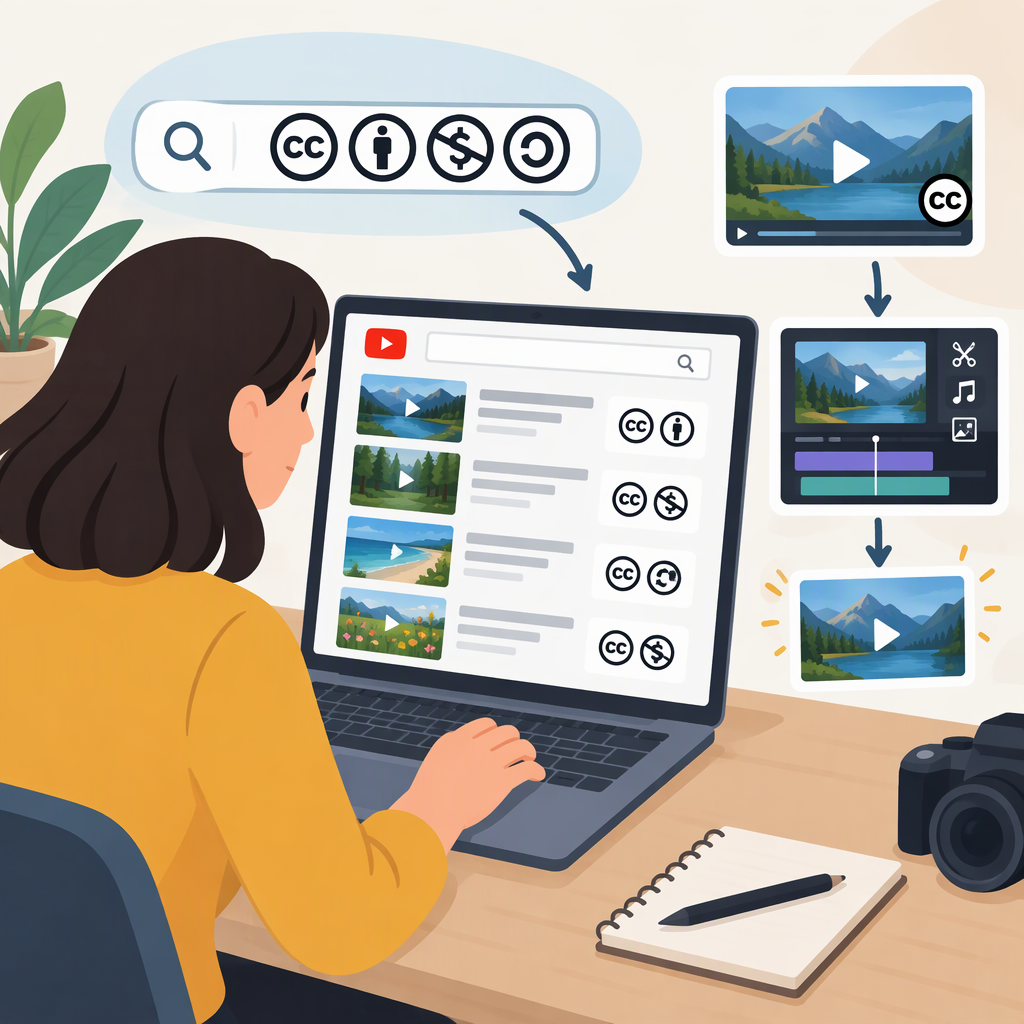
Creative Commons Videos for YouTube: How to Find and Reuse Them
Can You Reuse a Creative Commons Video on YouTube?
Sometimes. You can reuse a video when the license on that specific work permits your planned use and you follow its conditions. A Creative Commons label is not a blanket permission to use every element in a video: the person applying the license may not control included music, footage, images, or other rights. Creative Commons licenses grant only the rights the licensor has authority to grant. (creativecommons.org)
On YouTube, the platform’s Creative Commons option is Creative Commons Attribution (CC BY). YouTube says creators may apply it to content that is eligible for CC BY; its help page also says viewers can search using the Creative Commons advanced-search filter and check license information in video descriptions. Treat a filter result as a way to find candidates—not as a substitute for checking the individual video and whether the uploader could license the content. (support.google.com)
Check What the Specific License Allows
Look for the complete license name or code, such as CC BY 4.0 or CC BY-NC-SA 4.0, and compare its conditions with your intended use. The six main Creative Commons licenses combine attribution (BY) with possible limits on commercial use (NC), adaptations (ND), or the license on shared adaptations (SA). (creativecommons.org)
| License | Practical question for your YouTube video |
|---|---|
| CC BY | Can you give the required credit? It allows commercial use and adaptations, subject to attribution. |
| CC BY-SA | If you adapt the work and share the adaptation, can you license it under the same terms? Commercial use is allowed. |
| CC BY-ND | Will you share the video without adapting the licensed work? It allows commercial sharing of the unadapted work, with attribution; get permission before publicly sharing an adaptation. |
| CC BY-NC | Is your planned use noncommercial? Adaptations are allowed for noncommercial purposes, with attribution. |
| CC BY-NC-SA | Is your use noncommercial, and can you share an adaptation under the same terms? |
| CC BY-NC-ND | Is your use noncommercial, and will you share the licensed work without adapting it? |
These are general summaries, not a ruling on a particular edit or business model. Creative Commons explains that NC licenses are limited to noncommercial uses, ND licenses allow sharing only of the original, unadapted work, and SA licenses require shared adaptations to use the same terms. If your intended use does not clearly fit the license—especially if you plan to edit the clip, monetize the video, or use it in a commercial project—seek permission from the rights holder or choose another asset. (creativecommons.org)
Example: Suppose a video is marked CC BY and you want to use a short excerpt in a monetized YouTube commentary video. CC BY permits commercial use and adaptations when its conditions are met, so monetization alone does not disqualify the license. You still need proper attribution, and you should check whether the uploader has authority over the excerpt and any music or other material in it. YouTube also assesses channel monetization under separate monetization policies; permission to reuse an asset does not by itself guarantee that your channel or video qualifies. (creativecommons.org)
Find a Video and Verify Its License
- Search YouTube for a candidate. Use the search filters and select Creative Commons from the advanced search filters, as YouTube’s help page describes. Interface labels or locations can change, so if you do not see the filter, check the current YouTube Help instructions rather than assuming a regular search result is licensed for reuse. (support.google.com)
- Open the individual video. Check its description and license information. YouTube says its CC license is CC BY; do not assume that a search result establishes the license for every video or that a video carries another CC license just because a third-party page says so. (support.google.com)
- Check what the uploader appears to control. Look for statements about music, clips, images, or other material credited to someone else, and for any exclusions from the license. A CC license applies only to rights the licensor has authority to grant, and Creative Commons says its licenses do not provide a warranty that third-party rights are cleared. If key rights are unclear, ask the uploader or rights holder for permission, or use a different video. (creativecommons.org)
- Keep a record. Save the video URL, uploader name, displayed license and version, where you found the license information, the date you checked it, and any relevant notes about included material or permission. This is practical recordkeeping—not a guarantee that your use is authorized or that YouTube will not receive a copyright claim.
Prepare Attribution and Check Other Rights
For a CC-licensed work, Creative Commons recommends TASL: Title, Author, Source, License. Include the information the licensor supplied, link to the source and license where practical, and clearly note changes you made. The applicable license and version control; do not treat a generic credit as a replacement for checking its conditions. (wiki.creativecommons.org)
YouTube’s guidance for crediting another creator under its CC license lists the work’s title, author, source URL, and license information. A description credit might look like this—replace the placeholders with accurate details and note edits if you made them:
“Video title” by Creator Name, [source link]. Licensed under CC BY [version and license link]. Edited: excerpted and resized.
This is an example format, not a universal legal formula. Follow any relevant information or attribution instructions supplied with the work and the terms of its particular license. (support.google.com)
A license for a video may not resolve rights in every recognizable person, trademark, music track, or separately sourced clip it contains. Creative Commons notes that its licenses do not cover every kind of right, including certain privacy, publicity, and trademark rights. Check for notices that exclude third-party material; if a necessary permission is missing or uncertain, get permission or leave that material out. (creativecommons.org)
Finally, permission and platform outcomes are separate questions. YouTube says that using material according to a Creative Commons license does not guarantee avoidance of copyright issues such as a Content ID claim or strike. Monetizing a video also involves YouTube’s separate monetization policies. (support.google.com)
Go/No-Go Checklist Before Publishing
- License identified: I checked the individual video’s stated license, not only a search result.
- Use matched: The license permits my planned use, including monetization and edits if relevant.
- Rights questions addressed: I considered whether the uploader can license the video and whether included music, footage, images, or other rights need separate permission.
- Credit prepared: I have the required attribution information and have noted changes where applicable.
- Record saved: I kept the source and license details and any permission correspondence.
- Platform policies considered: I understand that a CC license does not guarantee a claim-free upload or YouTube monetization eligibility.
If any essential permission or license condition remains unclear, pause and seek permission or choose another video. This is general educational information, not legal advice; legal rules and rights can vary by jurisdiction and by the material involved.