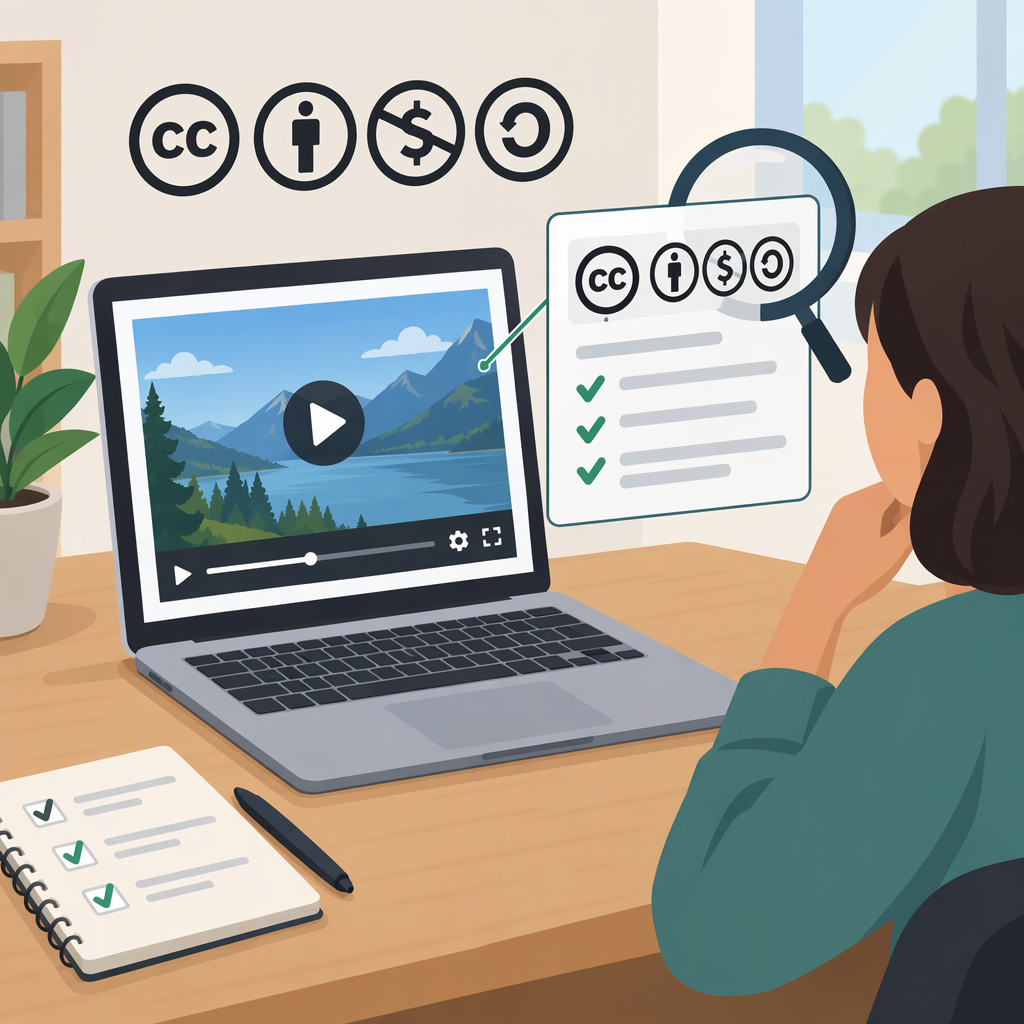
Creative Commons Videos: Verify the License Before You Use One
A video labeled Creative Commons is not automatically free to use in every way. Check the license attached to that specific video, read its terms, and compare them with what you plan to do—especially if you want to use it commercially, edit it, or share it again. The six standard CC licenses grant different permissions, and CC guidance says a license may not provide every permission your intended use needs. (creativecommons.org)
Use this quick decision path:
- Find the video’s source page and identify the license name and version stated for that video.
- Compare the terms with your use: commercial or noncommercial, unchanged or adapted, and shared or not shared.
- Plan attribution and meet any additional conditions, such as ShareAlike.
- Pause if the license is missing, inconsistent, or its application to the video—or your intended use—cannot be clarified.
This is general educational information, not legal advice. It does not establish that an uploader has authority to license a video or that every right relevant to your use is covered.
Find the Source and Verify the Stated License
A Creative Commons license is a standardized way for a creator or other rights holder to grant public permission to use a work under specified terms. Start with the page for the particular video, rather than relying on a general search result, an icon, or a label detached from its source. Creative Commons’ search portal can help locate CC-licensed works across multiple platforms, but treat discovery as a starting point: inspect the individual work’s source information and license statement. (creativecommons.org)
Record these details before downloading or using the video:
- Video title, if provided
- Creator, uploader, or other named rights holder
- Source-page address and the date you accessed it
- Exact license name, version, and link to the license, if provided
- Any notice identifying portions or material that are excluded from the license
- A screenshot, saved page, or other record of the source page and its license statement
These notes document what the page said when you found the video; they do not independently prove who owns every part of it or has authority to license it. CC says its licenses are intended for people authorized to grant the relevant permissions, and its guidance advises licensors to secure necessary rights and mark material not covered. If ownership or authority looks uncertain—for example, the page gives conflicting license information—ask the rights holder for clarification or choose another video. (creativecommons.org)
Pause if you cannot verify the specific video’s license. Do not infer permission from the fact that a video is publicly viewable, downloadable, or described as “free.” Ask the uploader or rights holder for clear permission identifying the video and allowed uses, or select a different asset.
Compare the Exact License with Your Intended Use
The letters in a CC license summarize conditions. Use the table as an initial filter, then follow the link to the exact license and version stated on the video’s source page. Creative Commons lists six standard license types; their permissions differ on commercial use, adaptations, and sharing adapted material. (creativecommons.org)
| License label | Commercial use under the license | Adapt or edit? | Key condition to check |
|---|---|---|---|
| CC BY | Yes | Yes | Give attribution. |
| CC BY-SA | Yes | Yes | Give attribution; share adaptations under the same license terms. |
| CC BY-ND | Yes | Do not rely on this license to distribute an adaptation | Give attribution; the license allows sharing the work only in unadapted form. |
| CC BY-NC | Noncommercial uses only | Yes | Give attribution; the use must be noncommercial. |
| CC BY-NC-SA | Noncommercial uses only | Yes | Give attribution; the use must be noncommercial, and adaptations must use the same license terms. |
| CC BY-NC-ND | Noncommercial uses only | Do not rely on this license to distribute an adaptation | Give attribution; the use must be noncommercial and the work shared unadapted. |
This is a quick comparison, not a substitute for the license text. In particular, if the label includes NC and you are unsure whether your planned activity qualifies as noncommercial, do not assume: check the specific license guidance and seek permission if the answer remains unclear. If it includes ND and you want to distribute an edited version, get permission or use a different video. If it includes SA, check how the requirement applies to the adapted material you plan to share. (creativecommons.org)
Hypothetical example: You find a landscape video labeled CC BY-SA 4.0 and want to trim it into a short montage for a public channel. The license summary indicates that commercial reuse and adaptations are allowed, but attribution is required and an adaptation you distribute must be shared under the same terms. Before proceeding, verify that the source page identifies this exact video and license, check for excluded material or conflicting notices, and make sure you can meet the conditions. This example illustrates a decision process; it does not describe a real video or confirm any particular asset’s rights. (creativecommons.org)
Meet Attribution and Other Applicable Conditions
Attribution is required under CC licenses. Creative Commons recommends the TASL elements: Title, Author, Source, License. Include relevant information supplied by the licensor, link to the source and license where possible, and indicate changes when required by the license. Attribution can be adapted to the format of your use, such as a video’s end credits or its description, as long as the required information remains reasonably accessible. (wiki.creativecommons.org)
An adaptable attribution format is:
“[Video title]” by [creator or licensor], from [source link], licensed under [exact license name and version] [license link]. [Describe changes, if any.]
Replace the brackets with accurate details; do not guess at a creator’s identity or the license. For CC 4.0, Creative Commons’ guidance makes the title optional for attribution, while earlier versions may require it when supplied. Its BY-SA 4.0 deed requires appropriate credit, a license link, and an indication of changes. Check the exact version’s legal code and the source page for any additional notices or instructions. (wiki.creativecommons.org)
Attribution does not replace other license conditions. For example, ShareAlike requires adaptations to be shared under the same license terms. The BY-SA 4.0 deed also says not to apply legal terms or technological measures that restrict others from exercising the licensed permissions. Check the exact license before adding restrictions to a video or its distribution. (creativecommons.org)
Check for Rights the License May Not Resolve
A CC license grants only permissions the licensor has authority to grant. Creative Commons notes that a license may not provide every permission needed for a particular use; its guidance identifies possible issues involving third-party rights such as publicity, privacy, and moral rights. A video may also include material with its own license or an exception to copyright. Do not assume that the video’s overall CC label settles every question about people, music, logos, or other material appearing in it. (creativecommons.org)
If a visible person, brand, soundtrack, or embedded clip matters to your planned use, look for a notice explaining its status and ask the rights holder for clarification when needed. A CC label alone is not proof that the uploader controlled every relevant right. If uncertainty could affect whether you may publish the video as planned, pause and obtain permission or choose another asset.
Before You Publish: A Decision Checklist
- I have the source page for the specific video, not just a search result or repost.
- I recorded its stated license name, version, source, and any exclusions or conflicting notices.
- I compared the exact license terms with my commercial or noncommercial use, edits, and redistribution plans.
- I can provide the required attribution and meet any additional conditions, including ShareAlike if applicable.
- I have considered whether the source page leaves relevant rights or permissions unresolved.
- If the license, authority, or permissions remain unclear, I have paused to seek clarification or chosen another video.
When these checks are satisfied, use the video only within the permissions and conditions of the exact license you verified. If a key detail remains uncertain, do not treat the CC label by itself as a guarantee.