Creative Commons Content: How to Check Rights and Use Works
Creative Commons (CC) content is not automatically free of copyright or restrictions. A CC license gives the public advance permission to use a specific work under stated conditions. Before using one, identify the exact work, check the license and its version, compare its conditions with your intended use, and prepare the required credit and notices. If the rights or terms are unclear, pause and seek permission or choose a better-documented work. (creativecommons.org)
What “Creative Commons Content” Means
A CC license is a standardized way for a rights holder to grant permissions in advance while retaining some rights. It is not the same as placing a work in the public domain, and it does not mean that anything online—or anything you can access without paying—is free to reuse. Check the license attached to the specific work and the scope of that license. (creativecommons.org)
CC licenses cover the licensor’s copyright in the material. They may not cover every element shown or heard in it, or other rights that could affect your use. For example, Creative Commons notes that publicity, privacy, or moral rights may matter separately. A photo may also include separately credited material. Check credits and rights information for components beyond the work’s own license. (creativecommons.org)
CC0 is different from a CC copyright license. Creative Commons describes CC0 as a tool for waiving rights and placing a work in the public domain; the Public Domain Mark is a way to mark a work believed to be in the public domain. Neither should be confused with a CC BY, BY-SA, or other license, which grants permission subject to conditions. (creativecommons.org)
Check Whether the License Fits Your Use
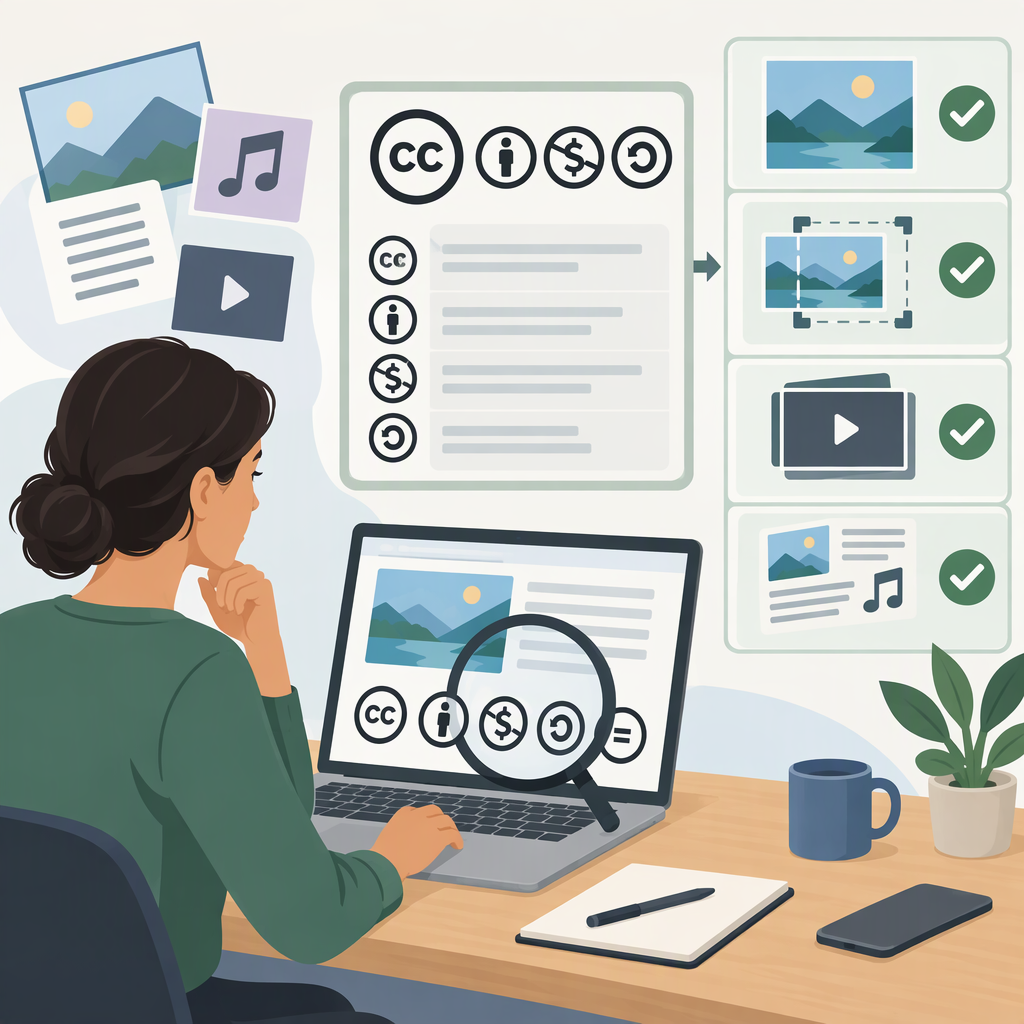
Start by writing down what you plan to do: Will you use the work in a paid or promotional context? Change, crop, translate, or combine it with other material? Share your version publicly? Then check the exact license. The common CC conditions are combinations of these four elements: (creativecommons.org)
| Condition | What to check before using the work |
|---|---|
| BY — Attribution | Credit the creator as required by the license. All six standard CC licenses include BY. |
| NC — NonCommercial | The license limits use to noncommercial purposes. If the purpose of your use is unclear or involves money, promotion, or a commercial setting, do not assume it qualifies; check the license and seek permission if needed. |
| ND — NoDerivatives | The license allows sharing the work only in unadapted form. If your plan changes or builds on the work, check the license carefully and seek permission when uncertain. |
| SA — ShareAlike | If you adapt the work and share the adaptation, the license requires you to use the same terms for your contributions, subject to the license’s rules. |
For example, CC BY-ND permits sharing the unadapted work, including commercially, with attribution; it is not a fit to assume you can publish an edited version. CC BY-NC-SA allows adaptations for noncommercial purposes, with attribution, and requires shared adaptations to use the same terms. These are general descriptions: use the deed and legal code for the exact license version shown on the work. (creativecommons.org)
A Quick Decision Path
- Commercial or promotional use? If the license includes NC, check whether your specific use falls within its noncommercial limit. If that is uncertain, get permission or select a work without NC.
- Will you adapt the work? If it includes ND, do not assume an edited or transformed version is allowed. If it includes SA, check the rules for licensing a shared adaptation.
- Will you share or publish the work? Check the applicable attribution, license-link, change-notice, and other conditions. Keep the original work and your changes distinguishable where relevant.
- Does anything remain unclear? Pause and confirm with the creator or rights holder, obtain permission, or choose a clearly documented alternative.
Find and Verify the Specific Work
A search filter, repost, or platform label can help you discover possible material, but by itself it does not establish that the person labeling the work had authority to license it or that the license covers every component. Before using a work:
- Identify the exact item. Record its title or description, creator or rights holder if provided, and the page where you found it.
- Inspect the source page. Look for a license statement linked to the work, not just a general site policy or a label on a repost.
- Open the license information. Note the license name, version, and link. Read the license deed for a plain-language summary and consult the legal code when the details matter; the deed itself says it highlights key terms rather than replacing the full license. (creativecommons.org)
- Check what is included. Review captions, credits, and notices for third-party elements or exclusions. A license applies to the licensor’s copyright in the licensed material, not necessarily to every other right or element associated with it. (creativecommons.org)
- Save a record. Keep the source-page information, license link and version, creator credit, and any notes about changes or separately credited material. This makes it easier to provide accurate attribution and revisit the terms later.
If a license statement is missing, contradictory, or does not clearly apply to the item, do not treat the work as cleared just because it is easy to download. Ask the creator or rights holder for clarification or permission, or use another work with clearer documentation.
Attribute the Work and Follow Its Conditions
For CC BY 4.0, the license deed says to give appropriate credit, link to the license, and indicate whether changes were made. It also says not to present the credit in a way that suggests the licensor endorses you or your use. The details to include can depend on what the licensor supplied and on the applicable license, so check the work’s own information and its exact license. (creativecommons.org)
A practical checklist:
- Creator or attribution parties: use the names supplied with the work.
- Work and source: identify the work and link to its source when available.
- License: name and link to the specific license and version.
- Changes: say whether you edited, cropped, translated, or otherwise changed it, when relevant to the license.
- Other notices: preserve relevant copyright, license, or disclaimer notices supplied by the licensor.
- No implied endorsement: do not suggest the creator endorses you or your use.
Illustrative template—not a verified credit for any particular work: “[Work title] by [creator], [source link], licensed under [license name and version, linked]. Changes: [describe changes, or state ‘none’].” Replace every bracketed field using information verified for the work. If a field is missing or uncertain, try to confirm it rather than inventing it.
If the Terms or Ownership Are Unclear
Pause before publishing. Check the source page and linked license again; ask the creator or rights holder to confirm the license and whether it covers your intended use; seek permission if the license does not clearly allow what you plan to do; or choose a better-documented alternative. Creative Commons states that its license deed summarizes key features and that the license may not provide every permission needed for a particular use. This guide is general information, not a determination of rights in a specific work or legal advice. (creativecommons.org)