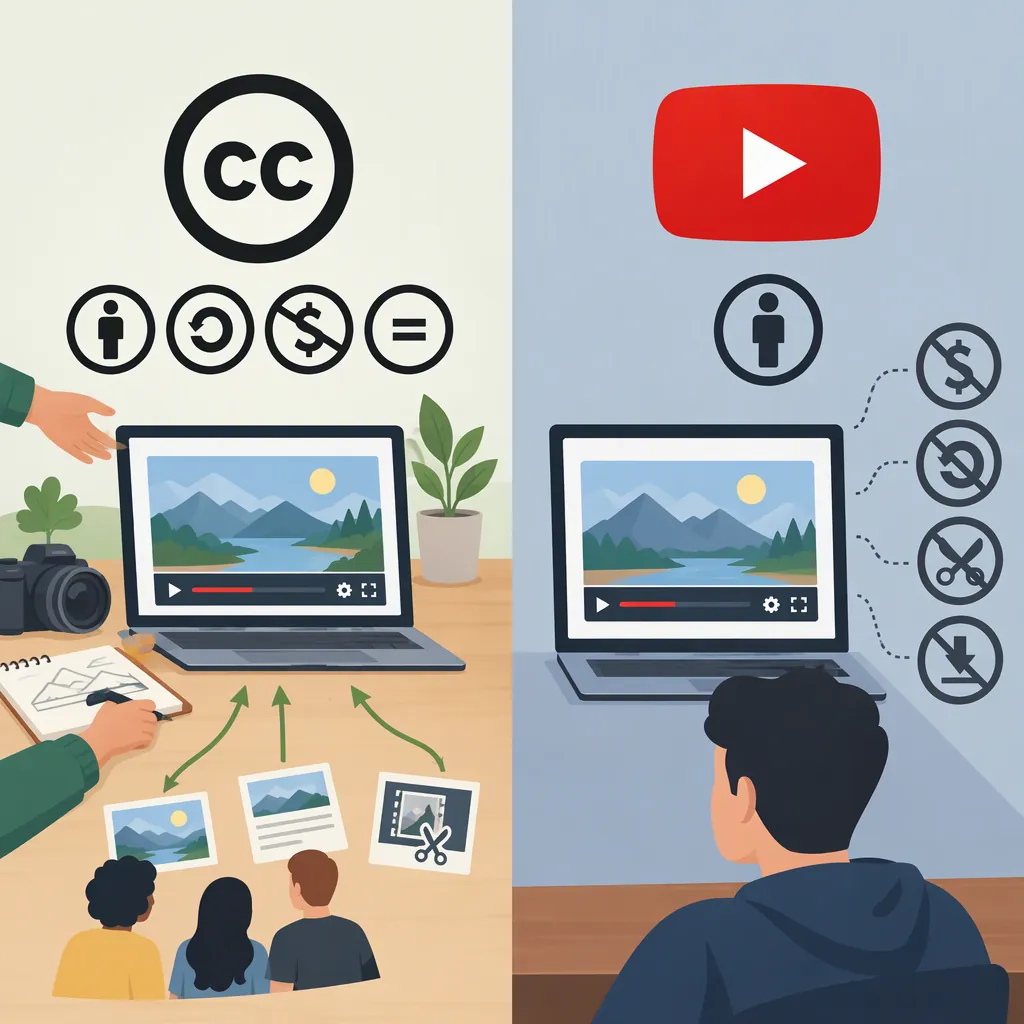
The Difference Between Creative Commons and the Standard YouTube License
Creative Commons grants advance permission to reuse a work under specific conditions. A Standard YouTube License label is not evidence that those Creative Commons permissions apply. For a reuse decision, identify the license on the video and check whether it covers your planned copying, editing, redistribution, or commercial use. Creative Commons conditions vary by license. [cc-guide]
Evidence boundary: UBC’s Creative Commons guide supports the CC explanations below, but it does not document the Standard YouTube License or identify YouTube’s specific CC upload option and version. This page therefore distinguishes verified CC permissions from the YouTube terms you still need to check; it does not present a complete account of YouTube’s license rules.
Creative Commons Vs. Standard YouTube License: Permission Checks
The useful comparison is permission for a particular action—not simply whether a video is publicly viewable.
| Decision point | Verified Creative Commons rule | What to establish for a Standard YouTube License video |
|---|---|---|
| Copying and redistribution | CC licenses grant advance permission subject to their conditions. [cc-guide] | Whether the applicable terms or separate authorization cover the intended copying and redistribution. |
| Editing and publishing a remix | CC BY allows adaptations. NoDerivatives conditions restrict distribution of modified material. [cc-guide] | Whether permission covers both making changes and publishing the result. |
| Commercial reuse | CC BY permits commercial reuse; NonCommercial licenses restrict commercial uses. [cc-guide] | Whether the permission basis covers the planned commercial use. |
| Attribution | All six main CC licenses require attribution. Credit does not remove other conditions. [cc-guide] | What credit requirements apply under the relevant terms or authorization. |
| Copyright ownership | Applying a CC license does not transfer the creator’s copyright ownership. [cc-guide] | What the applicable YouTube terms say about ownership and granted rights. |
Decision takeaway: A verified CC license can provide a permission route without a separate request when your use meets its conditions. For a Standard YouTube License video, establish the relevant permission basis rather than applying CC rules to it. [cc-guide]
The Cc License Family Is Not a List of YouTube Upload Options
Creative Commons is a family of six main licenses, not one uniform permission statement. UBC describes conditions that can require attribution, restrict commercial use, restrict distribution of adaptations, or require adaptations to use the same license. [cc-guide]
These distinctions help when assessing CC material found on YouTube or elsewhere:
- Attribution (BY): Give appropriate credit, link to the license, indicate changes, and avoid implying endorsement.
- NonCommercial (NC): Do not use the material for commercial purposes.
- NoDerivatives (ND): Do not distribute modified material.
- ShareAlike (SA): Release adaptations under the same license as the original. [cc-guide]
CC BY permits redistribution, adaptations, and commercial reuse with attribution. Other CC licenses add conditions, so “Creative Commons” alone is not enough information to approve a use. [cc-guide]
This general license-family explanation should not be read as a list of options available in YouTube’s upload settings. When choosing a platform license or reusing a video, verify the exact license and version attached to that video.
If You Want to Reuse Someone Else’s Video
Start with two questions: What will you do with the video, and what permission covers that action?
1. Verify the License on the Specific Video
Do not rely only on a search filter or search-result label. UBC recommends checking the license on the actual resource before using it. [cc-guide]
For CC material, record the exact license and check its scope. A CC notice may cover only part of a work when third-party material is included. [cc-guide]
For a Standard YouTube License video, check the applicable terms or separate authorization against your intended use.
2. Match the Permission to Your Project
| Planned use | Decision path |
|---|---|
| Edit footage for a commercial project | Verified CC BY permits adaptations and commercial use with attribution. If another CC license applies, check its additional conditions. For a Standard YouTube License video, establish permission for both editing and commercial reuse. [cc-guide] |
| Publish an edited version | Check for NoDerivatives restrictions before relying on a CC license. For a Standard YouTube License video, verify whether the permission covers publishing a modified version. [cc-guide] |
| Use material in an educational or nonprofit project | Do not assume the use satisfies NonCommercial conditions merely because the user is a school or nonprofit. The purpose and circumstances matter. [cc-guide] |
| Publish an adaptation of ShareAlike material | Check the requirement to release the adaptation under the same license. Do not apply that CC requirement to a Standard YouTube License video without an applicable permission basis. [cc-guide] |
3. Resolve Gaps Before Relying on the License
If a CC condition does not fit your plan, the CC license does not provide permission for that use. Seek authorization covering the gap or select material with suitable permissions. UBC explains that CC reuse depends on compliance with the license conditions. [cc-guide]
For a Standard YouTube License video, identify what the applicable terms authorize and whether separate permission is needed for anything outside that scope. Neither a visible license label nor an attribution record, by itself, establishes clearance for every project.
If You Are Choosing a License for Your Own Video
Your decision begins with how you want others to reuse your work.
If you want to grant advance public reuse permission: Creative Commons is designed for that purpose. You retain copyright while allowing specified uses under license conditions. Consider whether you want to permit redistribution, adaptations, commercial reuse, and particular licensing terms for adaptations. [cc-guide]
If you want to assess reuse requests individually: Do not choose CC merely as an upload label. It proactively grants rights under its conditions rather than requiring each compliant user to ask first. Review the applicable YouTube terms before deciding whether the Standard YouTube License fits your intended level of control. [cc-guide]
If your video contains third-party material: Separate your own contribution from material owned by others. UBC advises making the CC notice’s scope clear. Permission to include music, footage, or images does not by itself establish permission to offer those items under your CC notice. [cc-guide]
The practical choice is therefore not “which label is better?” It is “which verified terms match the rights I hold and the uses I intend to allow?”
Credit Does Not Replace Permission
For CC material, attribution is a condition of authorized reuse—not a substitute for meeting the rest of the license. UBC recommends including the creator’s name, the work’s title where applicable, the source URL, the specific license, and an indication of adaptations or changes. Its guidance also calls for a license link and warns against implying endorsement. [cc-guide]
Keep an attribution record containing:
- Creator’s name or credited username.
- Work title, where applicable.
- Original source URL.
- Exact license name and license URL.
- A description of your changes, if any. [cc-guide]
For a Standard YouTube License video, first establish the permission basis, then follow its credit requirements. A CC-style credit line does not turn that video into CC-licensed material.
FAQ
Can I Commercially Use a Creative Commons Video?
It depends on the exact license. CC BY allows commercial reuse with attribution, while licenses containing NonCommercial restrict commercial uses. Verify the license on the specific video and check which material it covers. [cc-guide]
Can I Reuse a Standard YouTube License Video If I Give Credit?
Do not treat credit as proof of permission. Check whether the applicable YouTube terms or separate authorization cover your intended use. Attribution is one requirement of CC licensing, but CC attribution rules do not establish permission for a Standard YouTube License video. [cc-guide]
Are All Six Creative Commons Licenses Available as YouTube Upload Options?
The six licenses described here are the general CC license family, not a verified list of YouTube upload options. UBC documents the family but does not establish YouTube’s specific CC option or version. Verify the platform’s current licensing information before choosing an upload setting. [cc-guide]
Can I Edit Any Video Labeled Creative Commons?
Not on the basis of that label alone. Verify the exact license: CC BY allows adaptations, while NoDerivatives conditions prohibit distributing modified material. ShareAlike licenses also impose conditions on how adaptations are licensed. [cc-guide]
Does Choosing Creative Commons Give Away My Copyright?
No. The creator retains copyright and grants others specified permissions under conditions. A CC notice should also make clear which parts of a work it covers when third-party material is included. [cc-guide]
Sources
- [cc-guide] Creative Commons Guide | Copyright at UBC