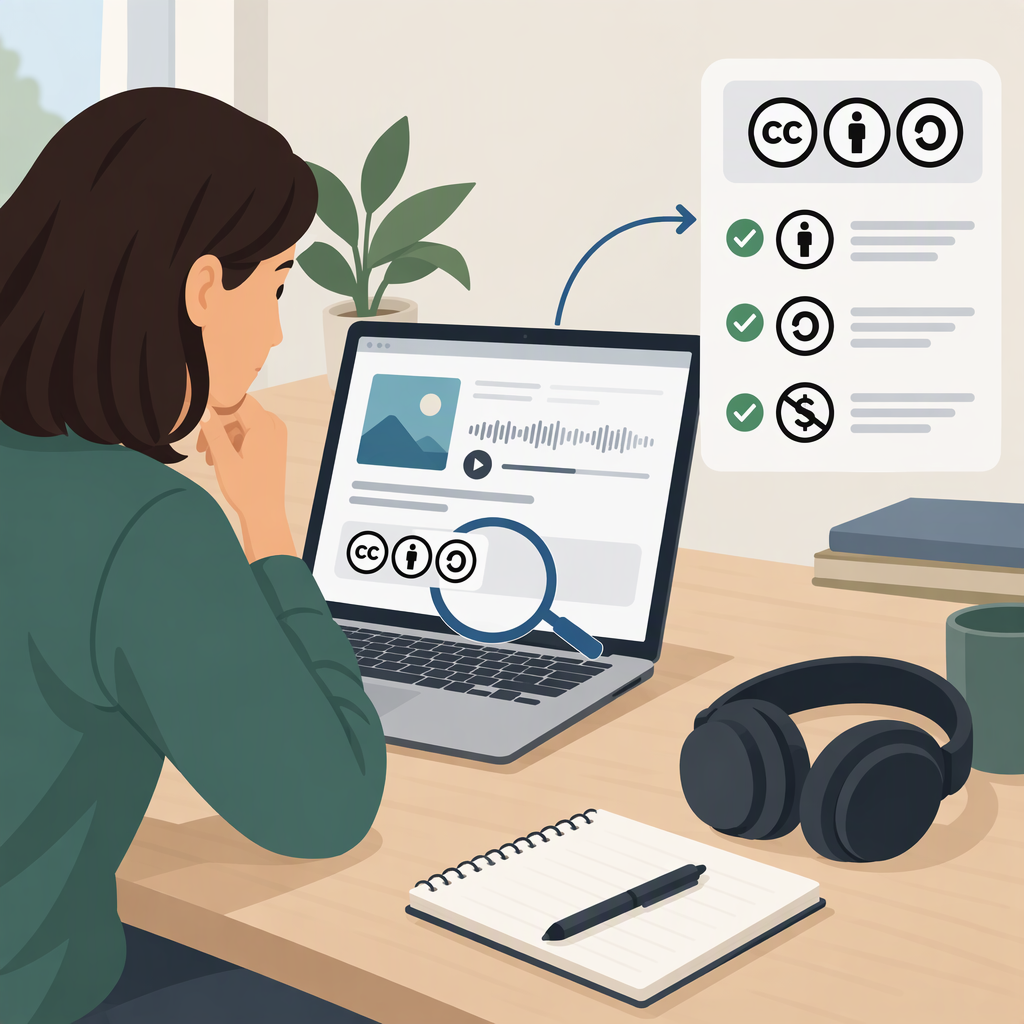
Creative Commons Audio: How to Check a License Before You Use a Track
Short answer: Creative Commons audio is not automatically cleared for every use. Check the specific license attached to the exact track, compare its conditions with your project, and confirm that the person offering it is authorized to grant those permissions. The license may require credit, limit commercial use, restrict adaptations, or require adaptations to be shared on the same terms. Creative Commons (CC) describes its licenses as standardized permissions for reusing works; the particular license determines the conditions. (creativecommons.org)
This guide is general educational information, not legal advice. It focuses on how creators can evaluate an audio asset; it does not assume a particular platform or jurisdiction.
What Does a Creative Commons License on Audio Allow?
“Creative Commons” names a family of licenses, not one blanket permission. The six standard licenses combine these conditions:
- BY — Attribution: Give the required credit.
- NC — NonCommercial: Use the work only for noncommercial purposes. CC describes this as use primarily intended for or directed toward commercial advantage or monetary compensation; whether a particular project meets that test can depend on its circumstances. (creativecommons.org)
- ND — NoDerivatives: The license permits sharing the work only in unadapted form.
- SA — ShareAlike: If you share an adaptation, you must use the same license terms, subject to the license’s details.
| License | Broad permission described by CC | Main condition to consider |
|---|---|---|
| CC BY | Share and adapt, including commercially | Credit the creator |
| CC BY-SA | Share and adapt, including commercially | Credit; share adaptations under the same terms |
| CC BY-NC | Share and adapt for noncommercial purposes | Credit; noncommercial use only |
| CC BY-NC-SA | Share and adapt for noncommercial purposes | Credit; noncommercial use; same terms for adaptations |
| CC BY-ND | Share the unadapted work, including commercially | Credit; no adaptations |
| CC BY-NC-ND | Share the unadapted work for noncommercial purposes | Credit; noncommercial use; no adaptations |
This is a quick comparison, not a substitute for the exact license terms. CC’s license overview explains the permissions and conditions for each license. (creativecommons.org)
Practical consequence: A track marked CC BY-NC may not fit a project whose use is commercial. A track marked CC BY-SA may fit a remix, but sharing that adaptation brings a ShareAlike condition. CC BY-ND permits sharing the track unadapted; if your plan involves editing or adapting it, do not assume the license allows that. If a planned use is important and the license’s application is unclear, ask the rights holder or choose a different asset.
How to Decide Whether a Track Fits Your Project
Before downloading or editing, answer these questions:
- Will the project be commercial? If it is, rule out licenses containing NC unless you have separate permission. CC describes NC in terms of a use’s primary intention or direction, not as a simple label for whether the user is a business. If your project’s status is uncertain, seek clarification rather than relying on the license label alone. (creativecommons.org)
- Will you change the audio or make an adaptation? If so, a license containing ND may not fit. The license summary distinguishes permission to share an unadapted work from permission to remix or adapt it. When it is unclear whether your particular edit or use creates an adaptation, check the full license and seek permission if needed. (creativecommons.org)
- Will you share an adaptation? If yes, check for SA and plan how you will meet its conditions. CC describes ShareAlike licenses as requiring adaptations to be shared on the same terms. (creativecommons.org)
- Can you provide the required credit? All six standard CC licenses include attribution requirements. Check the exact license and the creator’s attribution instructions before publishing. (creativecommons.org)
- Does the license cover the rights you need? A CC license grants only permissions the licensor has authority to grant. CC notes that other rights can also affect how material is used. If the recording includes material from other contributors and the permission is unclear, pause and clarify rather than assuming the track listing settles it. (creativecommons.org)
A Hypothetical Example
Suppose a creator finds a track labeled CC BY-NC-SA 4.0 and wants to edit it for a video that will be shared publicly. The label signals three conditions to investigate: credit the creator, keep the use within the license’s noncommercial limit, and—if the result is an adaptation shared with others—follow ShareAlike terms. The creator should not treat “publicly shared” as proof that a use is noncommercial, or assume the license covers every right in the recording. If the project is promotional or otherwise may be directed toward commercial advantage, they should seek permission or choose a license that fits more clearly. This is an illustration of how to read the conditions, not a legal determination about a real project. (creativecommons.org)
Check an Audio Asset Before Using It
Use this track-level checklist:
- Find the license attached to the exact audio item. Record the license name and version, not just a general site label or search-filter result.
- Save the source information. Keep the track title, creator or licensor name, track page or source, and the date you consulted the terms. Saving this information gives you a record of what you relied on; it does not itself establish that the uploader had authority to license the work.
- Check who is offering the permission. CC licenses are intended for people authorized to grant permission for the material. If ownership or authority is unclear, contact the uploader or rights holder, or use another track with clearer permissions. (creativecommons.org)
- Read the license summary and the linked legal terms. Confirm the conditions that matter for your use: credit, commercial-use limits, adaptations, and ShareAlike. A short badge or label is useful for locating the license, but the license terms are the source for its conditions. (creativecommons.org)
- Check for additional rights or materials. A CC license cannot grant rights the licensor does not control, and CC notes that other rights may affect a planned use. When a track’s description suggests third-party material or leaves a relevant permission unclear, do not assume that the CC label resolves it. (creativecommons.org)
- Prepare attribution and keep a copy of your notes. Meet the requirements for the license version on the track, and record any changes you made if the license requires it.
How to Credit Creative Commons Audio
For CC 4.0, the deed says to give appropriate credit, link to the license, and indicate whether changes were made. CC’s recommended attribution practice uses TASL as a helpful starting point: Title, Author, Source, License. The exact requirements can vary by license version; for example, CC notes that title treatment differs between 4.0 and earlier versions. Follow the license and any reasonable credit instructions supplied with the track. (creativecommons.org)
Attribution starting point—not a universal required format:
“[Track title]” by [creator or licensor], [source link], licensed under [license name and version, with license link]. [Describe changes, if any.]
Adapt this to the specific track and license. Do not word the credit in a way that suggests the creator endorses your project. If the source gives different reasonable credit instructions, check them against the applicable license. (creativecommons.org)
If the License Is Unsuitable or Unclear
Do not proceed on the assumption that a Creative Commons label means “free for any use.” Instead, you can:
- choose a different track with conditions that fit your planned use;
- ask the person with authority over the relevant rights for separate permission; or
- use an asset whose license and permissions you can confirm.
If you cannot determine who is authorized to offer the track, what license applies, or whether your planned use meets a condition, pause before publishing. A CC license can grant permissions only within the rights the licensor is authorized to grant, and it may not address every right relevant to a particular use. (creativecommons.org)
Bottom line: Check the exact track, exact license, and exact use. Match the project to the BY, NC, ND, and SA conditions; confirm the source’s authority where possible; and provide attribution as the applicable license requires.