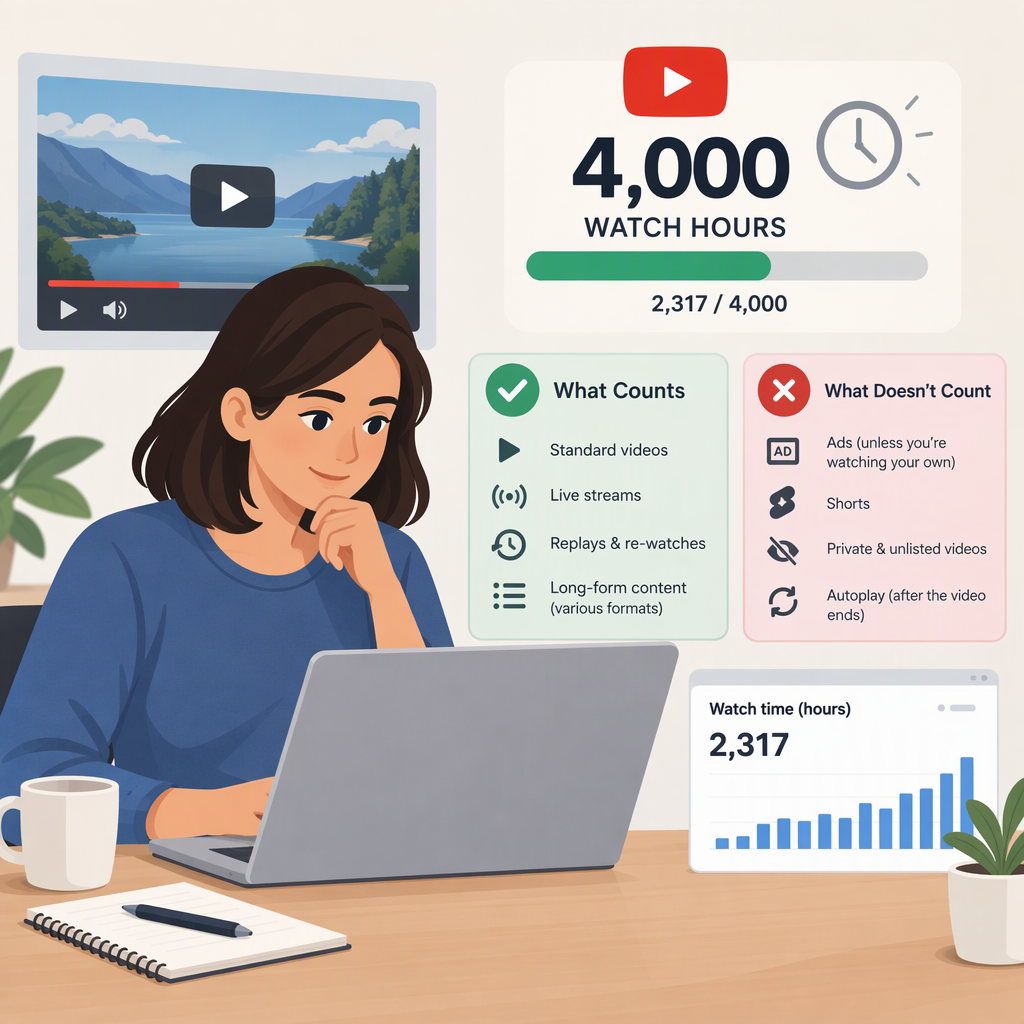
4,000 YouTube Watch Hours: What Counts and How to Check Your Progress
The 4,000-watch-hour requirement is for a YouTube Partner Program (YPP) eligibility route that also requires 1,000 subscribers. The hours must be qualified public watch hours earned in the last 12 months. Meeting that threshold does not guarantee acceptance: YouTube also checks other eligibility requirements and reviews the channel. (support.google.com)
What Does “4,000 Watch Hours” Mean?
It means 4,000 qualified hours of viewing on eligible public long-form videos during the preceding 12 months—not 4,000 hours over the channel’s lifetime. YouTube’s 4,000-hour route also requires 1,000 subscribers. A separate route uses qualified public Shorts views instead; Shorts-feed watch time does not add to the 4,000-hour total. (support.google.com)
YouTube also offers an earlier-access YPP tier in eligible countries or regions. That route can unlock features such as fan funding and Shopping with 500 subscribers, 3 valid public uploads in the last 90 days, and either 3,000 qualified watch hours in the last 12 months or 3 million qualified Shorts views in the last 90 days. It is distinct from the 1,000-subscriber, 4,000-hour threshold for additional benefits such as Watch Page ads and YouTube Premium revenue sharing. Availability of the earlier-access tier depends on country or region. (support.google.com)
Which Watch Time Counts Toward the 4,000 Hours?
YouTube counts qualified watch hours from public long-form videos. Not every hour shown in Analytics necessarily qualifies for the YPP threshold. (support.google.com)
| Watch time source | Counts toward 4,000 hours? |
|---|---|
| Public long-form video | Yes, if the watch time is qualified. |
| Views from the Shorts Feed | No. Shorts have a separate eligibility route. |
| Private, unlisted, or deleted videos | No. |
| Views from paid ad campaigns | No. YouTube notes that organic follow-on views after someone sees promoted content can count. |
| Livestream | Only if it is archived and remains public; an unlisted or deleted stream, or one not converted to video on demand, does not count. |
These exclusions are listed in YouTube’s YPP eligibility guidance; its guidance on paid campaigns also distinguishes paid campaign views from qualifying organic follow-on views. (support.google.com) The livestream condition is described in YouTube Help Community guidance, rather than in the main eligibility summary. (support.google.com)
Example: If a public long-form video receives 1,000 qualified views and viewers watch an average of four minutes, that is about 4,000 minutes, or 66.7 hours. This is just arithmetic—not a prediction of views needed, since actual watch time varies. Only qualified hours within the applicable 12-month period count.
How to Check Your Progress
- Sign in to YouTube Studio.
- Open Earn from the left-hand menu.
- Review the eligibility progress shown there. If the option appears and you are not eligible yet, you can select Get notified to receive an email when you meet the applicable threshold. (support.google.com)
Use the Earn section’s eligibility figure when checking progress toward YPP. Analytics can show watch time that does not qualify—for example, watch time from Shorts or videos that are not public—and the qualifying threshold covers a moving 12-month period. Hours can therefore fall out of the window even as new ones accrue. (support.google.com)
What Reaching 4,000 Hours Does—And Does Not—Mean
Reaching 4,000 qualified hours satisfies one part of the 1,000-subscriber YPP route; it does not by itself mean the channel is eligible in full, accepted into YPP, or earning money. YouTube also requires channels to follow its monetization policies, be in a country or region where YPP is available, have no active Community Guidelines strikes, turn on 2-Step Verification, have access to advanced features, and link an active AdSense for YouTube account. YouTube reviews a channel after application and accepts it only if it meets the applicable policies and guidelines. (support.google.com)
For the complete requirements and application instructions that apply to your channel, consult YouTube’s official YPP eligibility guidance and check the Earn section in YouTube Studio.