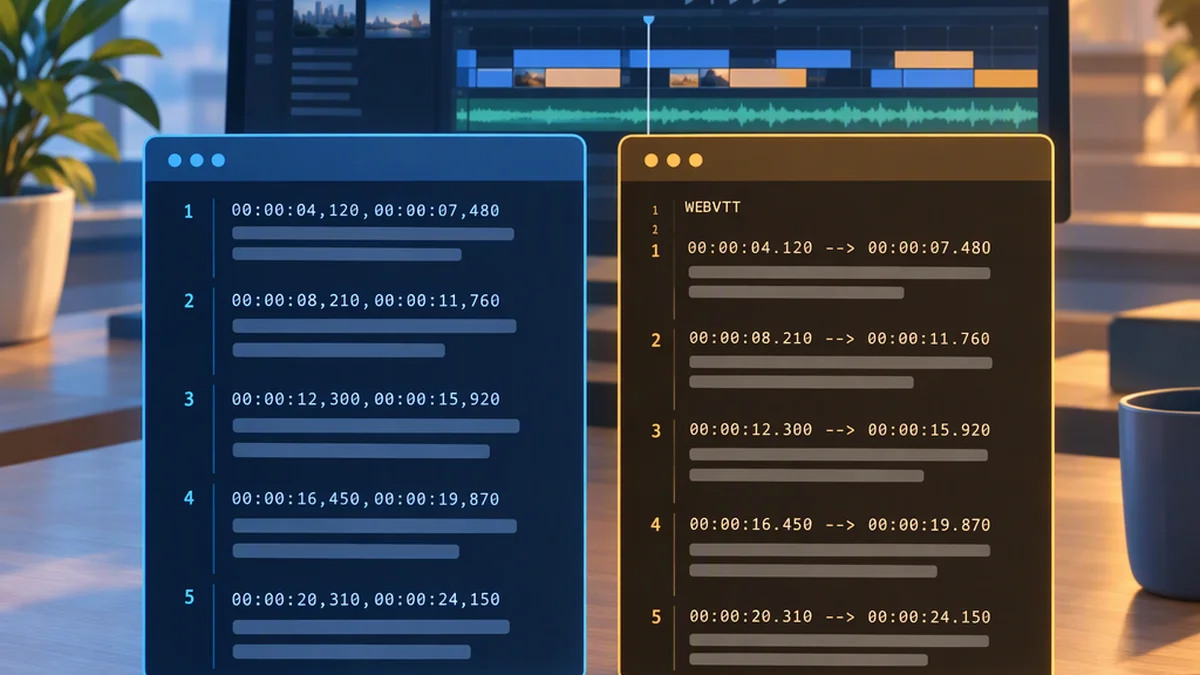
SRT vs VTT: How the Subtitle Formats Differ and Which to Choose
Use SRT when your destination requests a SubRip subtitle file. Use VTT (WebVTT) for native HTML video text tracks or when a workflow requires WebVTT features. If a tool accepts both and you only need basic captions, choose the format that best fits your editing and delivery workflow.
Both formats store timed text separately from the video. Neither contains video or audio, and neither replaces an MP4, MP3, or other media file.
SRT vs VTT at a Glance
| Topic | SRT (SubRip) | VTT (WebVTT) |
|---|---|---|
| Filename extension | .srt |
.vtt |
| Main use | Simple subtitles and captions in tools that support SubRip | Web video text tracks and workflows that support WebVTT |
| Timestamp example | 00:00:01,000 --> 00:00:03,500 |
00:00:01.000 --> 00:00:03.500 |
| File header | No dedicated header | Begins with WEBVTT |
| Millisecond separator | Comma | Period |
| Cue numbering | Conventional sequential numbers | Optional cue identifiers |
| Text encoding | Varies by file and tool; UTF-8 is a practical choice where supported | UTF-8 required |
| Positioning and styling | Limited; support varies between tools | Defined cue settings and additional structures, with playback support varying |
Native HTML <track> use |
Not the native format | WebVTT is the format used for these text tracks |
What SRT Is
SRT, short for SubRip, is a plain-text subtitle format saved with the .srt extension. A typical cue has four parts:
- A sequential subtitle number.
- Start and end timecodes.
- One or more lines of subtitle text.
- A blank line separating it from the next cue.
Here is a simple SRT example:
1
00:00:01,000 --> 00:00:03,500
Welcome to the lesson.

2
00:00:04,000 --> 00:00:06,500
This is an SRT subtitle file.
The comma before milliseconds is part of the conventional SRT timestamp syntax: 00:00:01,000 means one second.
SRT is useful when you need a human-readable caption file and the destination accepts it. You can edit it in a text editor, provided you preserve the cue structure, timestamps, and appropriate text encoding.
Some players recognize formatting such as bold, italics, or color in SRT files, but support is inconsistent. Plain text, line breaks, and accurate timing are the most portable parts of an SRT workflow.
What VTT Is
VTT usually means WebVTT, short for Web Video Text Tracks. It is a timed-text format saved with the .vtt extension.
Like SRT, it stores caption text and the times at which that text should appear and disappear. A WebVTT file begins with a WEBVTT header, uses periods before milliseconds, and must be encoded as UTF-8.
Here is a simple VTT example:
WEBVTT

00:00:01.000 --> 00:00:03.500
Welcome to the lesson.

00:00:04.000 --> 00:00:06.500
This is a WebVTT subtitle file.
Compared with the SRT example, this file has a header, different timestamp punctuation, and no cue numbers. WebVTT permits cue identifiers, but they are not required.
WebVTT also defines features beyond basic caption text, including positioning and alignment settings, notes, regions, and styling structures. These can be useful, but a destination may accept VTT while ignoring some optional features. Test important placement or styling in the actual player.
Which Format Should You Choose?
If the Destination Specifies a Format, Use It
Check the upload, editing, or delivery requirements first. If they ask for .srt, provide SRT. If they ask for .vtt or WebVTT, provide VTT.
Do not change the filename extension and assume the file has been converted. Its contents must follow the target format’s syntax.
If You Are Building a Native HTML Video Player, Use WebVTT
The HTML <track> element uses WebVTT for external text tracks, including captions and subtitles. For this workflow, VTT is the appropriate choice rather than SRT.
A custom player may support additional formats through its own processing, so follow that player’s documentation if you are not relying on native text-track handling.
If the Tool Accepts Both, Choose by Workflow
For basic dialogue captions, SRT and VTT can show the same words at the same times. Choose the format your subtitle editor, collaborators, and delivery process handle most reliably.
SRT is a straightforward option for simple subtitles. VTT is useful when you need WebVTT-specific structure or web text-track integration. Before relying on an optional VTT feature, confirm that the target player supports it.
Converting SRT to VTT—Or VTT to SRT
Basic conversion preserves the shared core: caption text and cue timing. It changes the file structure to match the target format.
SRT to VTT
For a basic SRT file, conversion involves:
- Adding
WEBVTTat the beginning, followed by a blank line. - Changing the millisecond separator in timestamps from a comma to a period.
- Removing cue numbers or retaining them as valid cue identifiers.
- Preserving cue text and blank-line separation.
- Saving the result as UTF-8 with the
.vttextension.
Do not blindly replace every comma in the file. Commas in caption text should remain unchanged.
If the source SRT uses an encoding other than UTF-8, read it using its correct source encoding before exporting it as UTF-8. Simply changing an encoding label can corrupt accented characters or non-English text.
VTT to SRT
For a basic VTT file, conversion involves removing the WebVTT header, using conventional sequential cue numbers, and changing timestamps to SRT syntax. WebVTT can omit the hours component in some timestamps; conventional SRT timestamps use the full hours:minutes:seconds,milliseconds form.
Feature-rich VTT files need additional review. Notes, regions, cue settings, and styling structures do not all have direct SRT equivalents. Conversion may discard them or require a simpler representation.
Keep the original timed subtitle file before converting so you can recover text, timing, or format-specific details.
Check the Converted File Before Delivery
A file can be syntactically valid and still contain poor timing or unreadable captions. Review both structure and playback:
- Header: Does the VTT file begin with
WEBVTT? - Timestamps: Does SRT use commas before milliseconds and VTT use periods?
- Cue boundaries: Are cues separated by blank lines?
- Timing: Is each cue’s start time earlier than its end time, and does it match the speech?
- Encoding: Is the WebVTT output UTF-8, with special characters intact?
- Readability: Are line breaks sensible and captions visible long enough to read?
- Optional features: Did the destination preserve any important styling or placement?
Always test in the actual upload platform or player, not just in a text editor.
Common Mistakes
Renaming .srt to .vtt without converting the contents. The extension alone does not change the subtitle syntax.
Treating subtitle files as media files. SRT and VTT contain timed text, not video or audio. Adding captions to a video or burning them into the picture is a separate process from converting subtitle formats.
Assuming formatting works everywhere. Support varies by player and platform. Keep essential meaning in the caption text rather than relying only on color or placement.
Preserving the source encoding without checking the target requirement. WebVTT requires UTF-8, even if the original SRT uses a different encoding.
FAQ
Is VTT Better than SRT?
Not universally. VTT provides more defined timed-text features and is the choice for native HTML text tracks. SRT is a simple, familiar option for destinations that support it. Compatibility and your required features matter more than a general ranking.
Can I Edit SRT and VTT in a Text Editor?
Yes. Both are text formats. Preserve their syntax and cue separation, and save WebVTT as UTF-8. A subtitle editor can make timing changes and playback review easier.
Does Converting SRT to VTT Improve Caption Quality?
No. Format conversion does not correct transcription errors, synchronization, or poor line breaks. Those require a separate review.
Why Does My Converted File Not Load?
Check the file contents rather than only its extension. Common causes include a missing WEBVTT header, incorrect timestamp punctuation, malformed cue separation, unsuitable encoding, or a format the destination does not support.
Bottom Line
Choose SRT for workflows that request or reliably support SubRip. Choose VTT for native HTML text tracks, WebVTT requirements, or supported WebVTT-specific features. When both are accepted for basic captions, use the format that fits your editing and delivery process—and verify the result in the destination player.