Amara Subtitles: Workflow and What to Verify
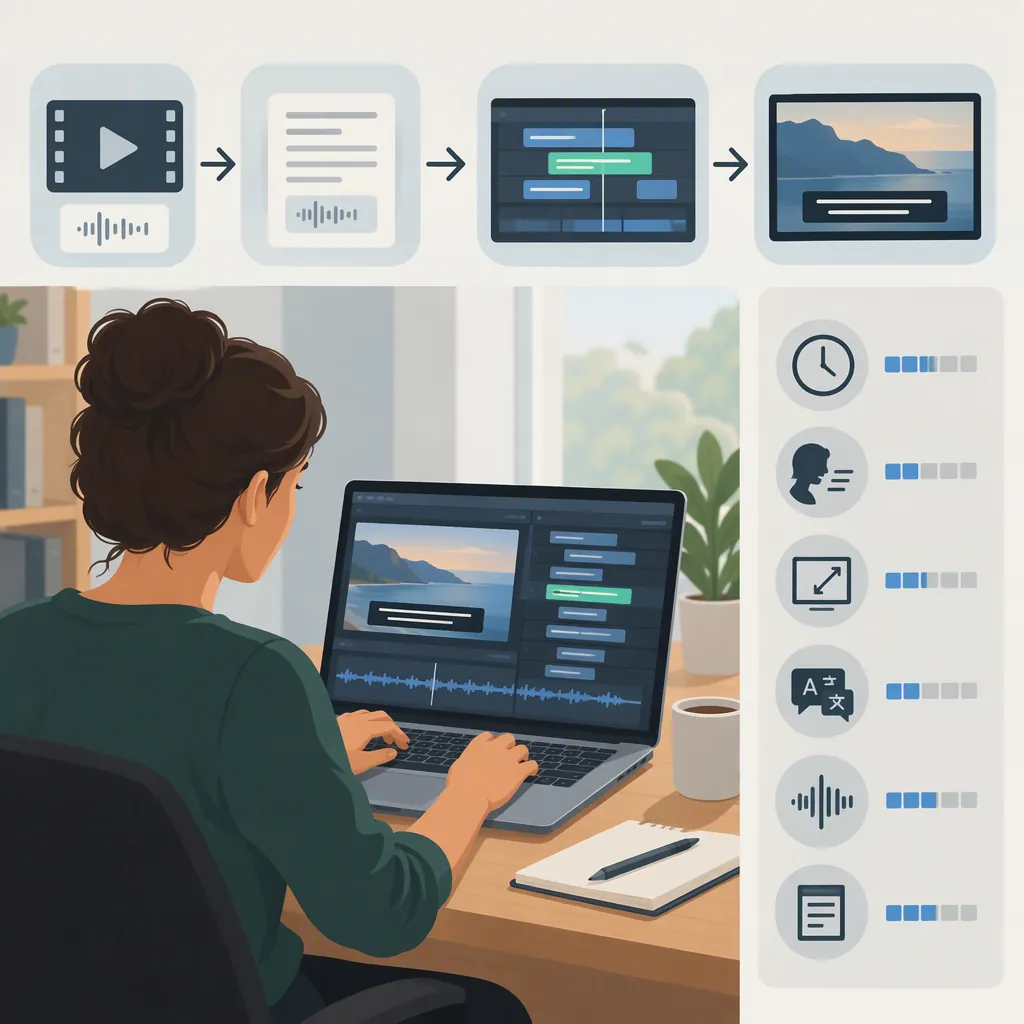
Amara is documented as a web-based tool for creating, synchronizing, and translating subtitles for online videos. The basic workflow is to identify the video and language, enter the dialogue, synchronize the subtitle cues, review playback, and prepare the subtitle track for delivery. [amara-guide]
Evidence date: The detailed workflow below comes from a May 21, 2018 Opensource.com tutorial. It explains the process, but does not confirm today’s interface, supported video sources, or export options. [amara-guide]
How to Create and Review Amara Subtitles
The tutorial separates subtitle creation into setup, text entry, synchronization, and review, with translation following an initial language track. The steps below follow that structure without relying on historical button names or keyboard shortcuts. [amara-guide]
1. Prepare the Video and Language
Identify the video you want to subtitle, its spoken language, and the language needed for the subtitle track. Check that you have permission to use the material.
The documented Amara workflow began with a video URL and a language selection. Before drafting, confirm that the current editor can open your source and offers the language you need. [amara-guide]
2. Draft the Dialogue
Work through the video and enter the spoken text before refining every cue’s timing. The tutorial describes typing while listening, then synchronizing afterward. [amara-guide]
For your review:
- Resolve uncertain words rather than silently guessing.
- Check names and specialized terminology.
- Keep the source-language transcript distinct from any translation.
- If preparing accessibility captions, review relevant nonverbal information as well as dialogue. The guide explains that captions can include sounds, not just spoken text. [amara-guide]
3. Synchronize and Split the Cues
Match each subtitle’s start and end to the relevant speech. The guide recommends breaking long dialogue into smaller segments and avoiding lines that require viewers to read too quickly. [amara-guide]
Illustrative example—not an Amara session or a timing standard:
Suppose a speaker says:
“Before we begin, check the microphone. Then open the project file.”
If the first sentence is spoken from 00:02 to 00:04 and the second from 00:05 to 00:07, a draft might use two cues:
| Cue | Illustrative timing | Subtitle text |
|---|---|---|
| 1 | 00:02–00:04 | Before we begin, check the microphone. |
| 2 | 00:05–00:07 | Then open the project file. |
This split follows the two spoken sentences rather than presenting the entire passage at once. During playback, check whether each cue gives the viewer enough time to read it. If not, reconsider the segmentation and timing against the actual audio; these sample times are not universal targets.
4. Review with the Video Playing
The tutorial recommends playing the video to check mistakes and adjust subtitle segments. [amara-guide] Review the text and timing together, not only the transcript.
Using the example above:
- If cue 1 appears at 00:01 but speech begins at 00:02, check whether it appears unintentionally early.
- If cue 2 remains until 00:09 after speech ends at 00:07, check whether it lingers unnecessarily.
- If a cue disappears before you can comfortably finish reading, revisit its duration or division.
- If the text is accurate but belongs to the wrong spoken passage, correct the synchronization.
These are review prompts, not claims about current Amara controls.
5. Translate, If Needed
The historical workflow describes adding another language to an existing video, translating alongside the original-language text, and then synchronizing and reviewing the translation. [amara-guide]
Use the original track as a reference, but review the translated track independently for meaning and readability. Do not assume that a translation will fit comfortably into the same cue divisions without checking playback.
6. Check Delivery
Identify what the destination needs: a separate subtitle file, a switchable caption track, or permanently visible text.
The tutorial documents subtitle downloads, including SRT, in 2018. Confirm the available export format before relying on it, then test the delivered track with the intended video player. [amara-guide]
Subtitle Review Checklist
- Confirm the source and subtitle languages.
- Resolve uncertain words, names, and terminology.
- Match cue starts and ends to the relevant audio.
- Split passages that are difficult to read during playback.
- Review relevant sounds and speaker information when preparing accessibility captions.
- Review translations for both meaning and timing.
- Verify the required delivery format.
- Test the delivered track with the intended video.
Subtitles, Captions, and Permanent Video Text
Choose the output type before treating the subtitle task as complete. The guide distinguishes permanently added open subtitles from closed subtitles or captions, which viewers can turn on and off. It also explains that captions can include nonverbal information. [amara-guide]
| Intended result | What to review |
|---|---|
| Dialogue subtitles | Accurate wording, readable segmentation, and synchronization |
| Translated subtitles | Meaning in the target language, plus timing and readability |
| Accessibility captions | Dialogue, relevant sounds, and speaker information |
| Permanently visible text | Whether the final delivery process actually embeds text in the video |
Creating a subtitle track should not be treated as proof that text has been permanently embedded in an exported video. The tutorial documents subtitle authoring and downloadable caption files, not a current Amara workflow for burning in subtitles or creating title-card overlays. [amara-guide]
What to Verify Before Starting
The 2018 tutorial describes captioning videos hosted on sites including YouTube, Vimeo, and Wikimedia Commons, along with collaborative multilingual work and subtitle downloads. Those descriptions establish the historical workflow, not present-day compatibility or account entitlements. Its menu labels, shortcuts, and licensing description are also tied to that reporting date. [amara-guide]
Before committing a project, check:
| Check | Question to resolve |
|---|---|
| Video source | Can the current editor open this video URL? |
| Account and access | What account or workspace access is required? |
| Visibility | Who can view the video and subtitle work? |
| Collaboration | Who can edit, translate, or review the track? |
| Languages | Are the required source and target languages available? |
| Delivery | Is the required subtitle format available for export? |
| Costs and terms | Are any charges or usage restrictions applicable? |
These are verification questions, not confirmed Amara features.
Amara’s public videos page provides a searchable listing and navigation to platform and service categories. It does not establish detailed editor functionality, plan entitlements, or project-level privacy settings. A public listing is not evidence that every workspace is public—or that your project will be private. [amara-public]
FAQ
Can I Download Amara Subtitles as SRT?
The 2018 tutorial documents downloads in formats including SRT. Verify the current export options and any account restrictions before planning SRT delivery. [amara-guide]
Can Amara Be Used to Translate Subtitles?
The historical tutorial describes adding a language track, translating alongside the original text, and reviewing timing. Amara’s public page also lists translated subtitle services; neither source establishes current editor permissions or plan requirements. [amara-guide] [amara-public]
Does Creating Subtitles Make Them Permanently Visible?
Not necessarily. The guide distinguishes permanently added open subtitles from switchable closed subtitles. It does not establish a current Amara workflow for permanently embedding text in an exported video, so check that delivery step separately. [amara-guide]
How Should I Check Subtitle Timing?
Play the video with subtitles enabled and compare each cue with the corresponding speech. Look for early appearances, unnecessary lingering, missing text, and passages that are difficult to read before disappearing. The tutorial supports reviewing playback, adjusting segments, and splitting long dialogue for readability. [amara-guide]