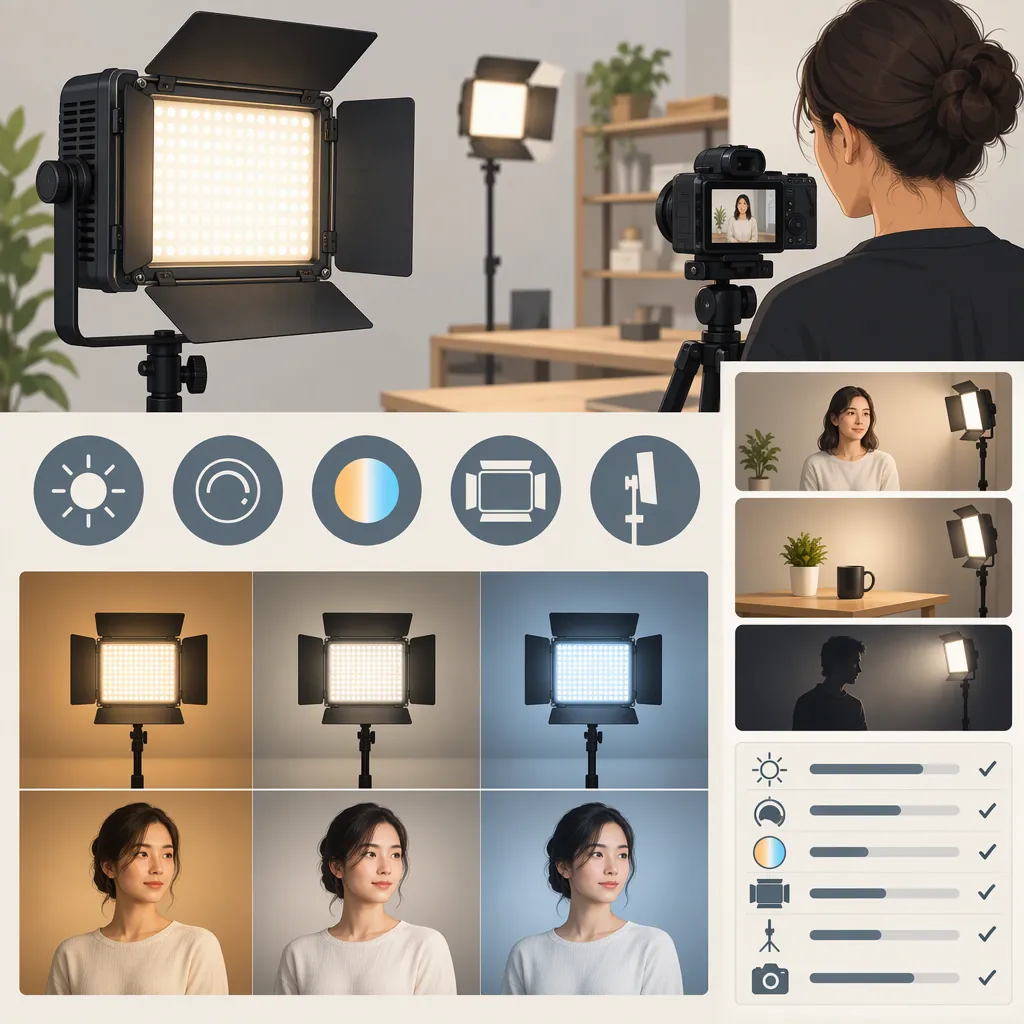
Choosing a Yongnuo 300 Ii Light for Filming
To select a YONGNUO 300 II for filming, first confirm the exact model, then separate document-based screening from hands-on verification. Amazon’s listing names YN300-II, while YONGNUO’s product page names YN300Air II; do not transfer specifications or accessory information between them. [c1] [c2]
Before you have access to a unit, check matching documentation, power and mounting requirements, accessory gaps, and whether your planned setup can be tested. Once the unit is available, evaluate recorded footage and continuous operation under your intended conditions. Without those checks, the light remains a candidate awaiting verification, not a confirmed fit.
This is a selection method, not a product-performance verdict. The two product pages and Peter Marbaise’s 2015 review do not provide a controlled, side-by-side filming test or establish whether either model meets your scene’s exposure, color, or runtime requirements. [c1] [c2] [c3]
1. Confirm the Model and Screen Documentation Before Purchase
Start with model identity. Compare the model named in the listing with photographs of the unit and documentation bearing the same model name. When the unit becomes available, check its printed label too.
If a listing mixes names or photographs, leave identity unresolved rather than filling gaps with information about a similarly named light. In particular, the YONGNUO YN300Air II page is not matching documentation for the YN300-II named in Amazon’s listing. [c1] [c2]
Use this screening process before making a suitability decision:
| Check | What to record | What an unresolved result means |
|---|---|---|
| Model identity | Exact name in the listing, photographs, and documentation | Do not assign specifications to the candidate yet |
| Power documentation | Approved power sources and any connector requirements | Do not assume an existing battery or adapter is compatible |
| Mounting documentation | Mounting method and information needed to assess the complete supported assembly | Mounting suitability remains unverified |
| Kit contents | Listed accessories, items already available, and remaining gaps | The planned setup is not yet fully accounted for |
| Test access | Whether the exact unit, intended camera, power source, and shooting conditions will be available | Image quality and continuous operation cannot yet be confirmed |
Document screening can establish what still needs checking. It cannot establish how the recorded image will look in your scene. If matching documentation or access to the unit is unavailable, retain a not yet verified outcome.
Model and Documentation Record
- Model named in listing: ______
- Model named in matching documentation: ______
- Model printed on unit, when available: ______
- Photographs consistent with that model: yes / no / unresolved
- Approved power requirements documented: yes / no
- Mounting information available: yes / no
- Required accessories and gaps: ______
- Conditions available for hands-on testing: ______
- Unresolved differences: ______
2. Define the Shot and the Light’s Role
Write down what the light must accomplish before judging the equipment.
For a seated interview, evaluate the actual face position and framing. For tabletop filming, include the surfaces, labels, and reflective objects that must remain readable. For a moving subject, define the full movement area rather than testing only one convenient position.
Choose a proposed role—main light, shadow fill, or background accent—and assess it separately. A satisfactory close-up does not establish suitability for a wider shot or a different role.
Define acceptance criteria before testing. These can be visual requirements rather than numerical thresholds:
- Interview: important facial detail remains visible, and the shadow pattern matches the intended look.
- Tabletop: required text and surface detail remain readable without reflections obscuring them.
- Moving subject: the intended exposure and appearance remain acceptable throughout the planned movement.
- Color-sensitive scene: the neutral reference and important subject colors look acceptable under the planned white balance.
These are examples of reader-defined evaluation criteria, not performance claims about YN300-II or YN300Air II.
Shot Requirements Worksheet
- Shot type and framing: ______
- Proposed light role: ______
- Subject-to-light distance: ______
- Subject movement area: ______
- Existing room or window lighting: ______
- Intended camera settings and white balance: ______
- Planned diffusion or bounce arrangement: ______
- Required continuous recording duration: ______
- Details that must remain visible or readable: ______
- Acceptable shadows, reflections, and color appearance: ______
- Space available for supports and cables: ______
3. Verify Recorded Footage Once the Unit Is Available
Use the exact unit under consideration with the camera, power source, and accessories intended for the shoot. The following is a proposed test procedure, not a report of testing performed for this article.
- Set the intended camera configuration. Record the frame rate, shutter setting, aperture, ISO, and white balance. Keep them fixed within each comparison.
- Record a baseline. Film the scene with its existing lighting, then repeat with the candidate light in its proposed position.
- Test the settings you plan to use. Where available on the exact model, evaluate the intended brightness and color settings. Inspect recordings for exposure, color shifts, visible bands, or brightness variation.
- Include a neutral reference and real scene materials. Review both the reference and the subject, labels, or surfaces that matter to the finished shot.
- Test the complete lighting arrangement. Repeat with any intended diffusion or bounce, rather than treating a bare-light result as approval for that setup.
- Check the full shooting area. Record planned subject movement and inspect the least satisfactory position.
- Log changes and repeat. Keep camera settings fixed while comparing lighting adjustments. If you change the camera configuration, label it as a new test condition.
Turn Observations into Adjustments and Decisions
Use an observe → adjust → retest → decide loop. Change one variable at a time where practical, and judge each revised clip against the criteria defined earlier.
| Observation | Proposed adjustment or check | Retest and decision |
|---|---|---|
| Important detail is too dark or lost in highlights | Check exposure, brightness setting, and light position | Repeat the shot; accept only if required detail is visible with an allowable setup |
| Shadows do not match the intended look | Try a different light position or intended diffusion/bounce arrangement | Review both shadow appearance and exposure before accepting |
| Reflections obscure a label or surface | Adjust the light or object angle, or test the intended diffusion | Confirm that readability improves without creating another unacceptable result |
| Color appearance is unacceptable | Check white balance, intended light settings, and other light sources in the scene | Record the neutral reference and subject again; do not accept solely because the reference looks neutral |
| Movement-area edges fail the criteria | Revise placement or the permitted shooting area | Retest the complete movement path; qualify approval to the area that passes |
| Bands or brightness variation are visible | Recheck the intended frame rate, shutter setting, and light settings | Compare clearly labeled clips; if the required configuration still fails, mark it unacceptable for that setup |
An adjustment that passes only by changing a fixed requirement does not validate the original setup. For example, a closer light position is useful only if that position is possible in the planned frame and space.
Footage Evaluation Log
For each test, record:
- Clip identifier: ______
- Camera settings and white balance: ______
- Light position, distance, and settings: ______
- Power source: ______
- Diffusion or bounce arrangement: ______
- Required detail visible/readable: yes / no
- Shadows and reflections meet criteria: yes / no
- Color meets criteria: yes / no
- Visible bands or brightness variation: present / not observed
- Full movement area meets criteria: yes / no / not applicable
- Observed problem: ______
- Adjustment made: ______
- Retest clip and result: ______
- Decision: acceptable / revise setup / unacceptable / unresolved
4. Verify Power and Mounting Separately
Before powering the unit, confirm its approved power source and connector requirements in documentation that matches the exact model. Do not use YN300Air II information to resolve a YN300-II documentation gap. [c1] [c2]
Inventory the actual kit rather than assuming a battery, charger, adapter, or support is included. Compare that inventory with the accessories required for your planned configuration.
For continuous operation, test the intended power source at the operating settings you expect to use for the required recording duration. Record interruptions and power indications, and inspect footage from the beginning and end against the same visual criteria.
Peter Marbaise’s review, published November 19, 2015, describes his particular YN 300 II setup and battery observations. It is historical context, not a runtime guarantee for another battery, unit, or scene. [c3]
For mounting, check the complete assembly—including the power source and accessories—against the support’s documented limits. Review cable routing, stability, and access to adjustments in the planned position. If mounting requirements or support limits remain unknown, leave mounting suitability unverified.
Power and Mounting Record
- Exact model and matching documentation: ______
- Approved power source used: ______
- Required accessories present: yes / no
- Operating settings: ______
- Required continuous duration: ______
- Duration completed under those conditions: ______
- Interruptions or changes observed: ______
- Beginning/end footage meets criteria: yes / no / unresolved
- Complete mounted assembly checked against support limits: yes / no
- Cable routing and adjustment access checked: yes / no
- Remaining limitations: ______
5. Make a Setup-Specific Selection Decision
Keep document screening and hands-on results separate. A complete listing review is not a footage test, and a successful image test does not resolve an unknown power or mounting requirement.
| Outcome | When to use it |
|---|---|
| Candidate awaiting verification | Documentation screening is complete enough to plan testing, but the unit has not been tested |
| Acceptable for this setup | Model, power, mounting, recorded footage, and required continuous duration have been checked and meet the defined criteria |
| Unacceptable for this setup | A required condition fails after allowable adjustments and retesting |
| Not yet verified | Identity, documentation, test access, or an important result remains unresolved |
Limit any acceptance to the conditions actually checked: shot, light role, distance, camera settings, accessories, power source, and duration. A different scene or configuration needs its own assessment.
Final Selection Checklist
- Exact model confirmed: yes / no
- Matching power and mounting documentation checked: yes / no
- Required accessories accounted for: yes / no
- Planned shot and acceptance criteria recorded: yes / no
- Exact unit available for testing: yes / no
- Footage meets criteria throughout the planned shot: yes / no / unresolved
- Required continuous duration verified: yes / no
- Mounted assembly checked against support limits: yes / no
- Remaining limitations: ______
- Outcome for the stated setup: ______
FAQ
Are Yn300-Ii and Yn300air Ii the Same Model?
Amazon’s listing identifies YN300-II, while YONGNUO’s page identifies YN300Air II. Treat them as distinct for documentation and accessory checks; those references do not justify transferring specifications between them. [c1] [c2]
How Can I Evaluate a Yongnuo 300 Ii Before I Have the Light?
Screen the exact model’s documentation, approved power requirements, mounting information, kit contents, and accessory gaps. Define your shot and establish whether testing under the intended conditions will be possible. Until hands-on checks are complete, record it as a candidate awaiting verification rather than a confirmed fit.
Is a Yongnuo 300 Ii Enough for an Interview?
The cited product pages and individual review do not establish suitability for your interview. [c1] [c2] [c3] Test the exact unit at the planned face position, framing, camera settings, and diffusion arrangement. Accept it only if recorded footage meets your exposure, shadow, color, and consistency criteria for the required duration.
What If the Test Footage Looks Wrong?
Identify the failed criterion, make an allowable adjustment, and record a new comparison. Check exposure and placement for lost detail, angles or diffusion for obstructive reflections, and coverage across the movement area. If meeting the criterion requires a configuration your shoot cannot use, mark the light unacceptable for that setup.
Can the Older Review Establish Battery Runtime?
No. Peter Marbaise’s 2015 review reports observations from his particular setup. [c3] Verify continuous operation with the exact unit, approved power source, and settings intended for your recording, and keep the conclusion limited to those tested conditions.