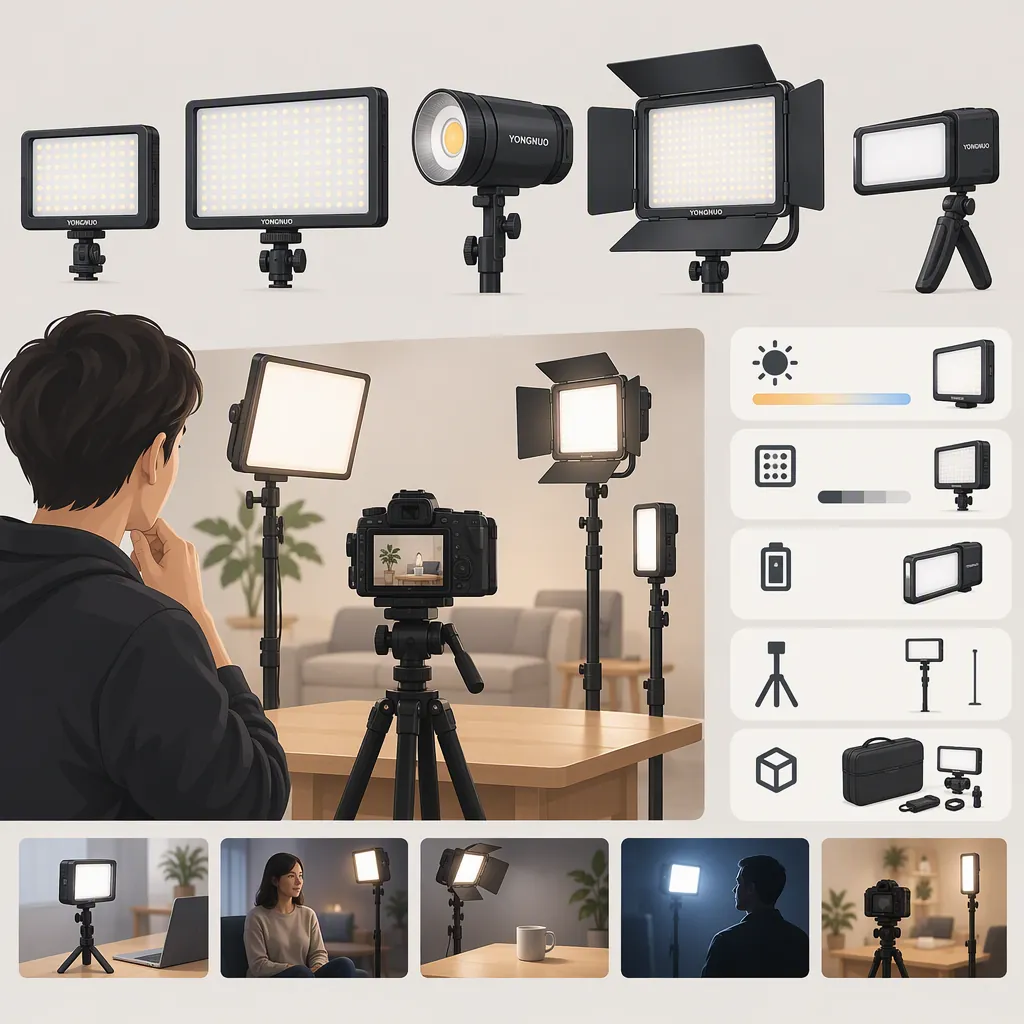
How to Choose a Yongnuo Video Light for Filming
Choose a YONGNUO video light by matching the exact model and package to your lighting role, available space, power arrangement, and recording workflow. First filter for essential setup requirements; then test the remaining candidates under the camera settings you intend to use.
The supplied reference is an Amazon retail catalog, not an independent performance comparison. It can help identify candidates, but it does not establish a best model or verify recording performance. [src_1]
Start with the Shot, Not the Model Name
Define what the light must do before comparing models. A main light for a face or product, a fill light, and a background or portable accent serve different purposes. Compare candidates for the same intended role rather than treating those roles as interchangeable.
Write down your subject, framing, planned light position, and any constraints you cannot change. Then use those answers to decide what to verify first.
| If your filming setup requires… | Check first | How to narrow the shortlist |
|---|---|---|
| Operation without an outlet | Documented battery support, required battery type, and package contents | Keep candidates with confirmed suitable power arrangements. Set aside those with unclear power requirements until verified. |
| Solo filming while staying in frame | Whether the documented controls can be operated from your filming position | Keep candidates whose controls fit your workflow; do not assume remote operation is available. |
| A confined desk or room | The space needed for the fixture, support, cables, and intended modifier | Exclude setups that cannot fit safely, even if the fixture alone appears small enough. |
| On-camera placement | Mounting compatibility and the proposed assembly’s fit on your camera setup | Set aside candidates whose mounting requirements remain unclear. |
| A face or tabletop subject | Whether the planned placement and modifier can produce the appearance you need | Verify the physical setup, then assess shadows, reflections, and illumination in a recording test. |
| Long recording sessions | Documented power requirements and operating instructions | Verify the arrangement first, then check operation over the intended session length. |
| Specific frame rates and shutter settings | Recording behavior at those settings and intended brightness levels | Treat suitability as needing a test, not as established by a category label. |
These are proposed selection rules, not claims that any particular YONGNUO model meets the requirements.
Filming Requirements Worksheet
Complete this before comparing candidates. Mark each requirement as essential or preferred so a convenience feature does not outweigh a necessary setup condition.
- Intended lighting role: __________
- Subject and framing: __________
- Planned light-to-subject distance: __________
- Available space for fixture, support, and modifier: __________
- Required power arrangement: __________
- Required control access: __________
- Longest recording session: __________
- Camera frame rate and shutter setting: __________
- Total equipment budget, including support and power: __________
- Essential requirements: __________
- Preferences that can be traded off: __________
Use the Catalog to Build a Shortlist
The supplied Amazon page groups YONGNUO lighting under labels including Studio Light, Vlog Light, Ice Light, Panel Light, and Ring Light, and presents individual product listings. Use those labels for navigation, not as a performance ranking or proof of suitability for a particular shot. [src_1]
Record the exact model name, variant, and package for each candidate. Similar names are not sufficient evidence of identical controls, power options, mounting arrangements, or accessories.
Treat listing descriptions as details to verify. The catalog is not a substitute for exact-model documentation or a recording test, and this guide does not treat advertised specifications or customer ratings as verified performance results. [src_1]
Candidate Comparison Record
Compare candidates against the same requirements. Replace “Unverified” only when you have evidence for the exact model and package.
| Item to verify | Candidate A | Candidate B |
|---|---|---|
| Exact model, variant, and package | Unverified | Unverified |
| Intended lighting role | Not specified | Not specified |
| Fit within available setup space | Unverified | Unverified |
| Power requirements and included power accessories | Unverified | Unverified |
| Mounting and support requirements | Unverified | Unverified |
| Compatibility with intended modifier | Unverified | Unverified |
| Control access from filming position | Unverified | Unverified |
| Documented color adjustments | Unverified | Unverified |
| Total setup cost | Unverified | Unverified |
| Requirements needing a recording test | Not recorded | Not recorded |
| Essential requirements not met | Not recorded | Not recorded |
A candidate with several attractive features should not displace one that meets your essential requirements if it fails a condition your setup cannot accommodate.
Verify the Whole Setup
Evaluate the complete arrangement rather than the fixture alone. Include support, power, cables, and any required modifier when checking fit and cost.
| Decision area | What to check | What the answer changes |
|---|---|---|
| Placement | Can the proposed support place the light where the shot requires it? | If not, reconsider the support or remove that setup from the shortlist. |
| Power | What supply or battery is required, and what is included? | Add missing equipment to the setup and budget; leave compatibility unresolved until documented. |
| Modification | Can the intended diffuser or other modifier attach safely? | If the modifier is essential, an incompatible attachment is a setup failure, not merely a preference. |
| Color control | What adjustments does the exact variant document? | Retain candidates with the adjustments your workflow requires; test the resulting appearance separately. |
| Operation | Are the necessary controls accessible from your filming position? | Decide whether moving to the light is acceptable or whether control access is essential. |
| Budget | What is the total after required support, power, and accessories? | Compare complete setups rather than fixture prices alone. |
The supplied catalog does not resolve every question about a reader’s camera, mounting arrangement, and recording workflow. Keep missing information visible instead of filling it with assumptions. [src_1]
Separate Missing Evidence from a Failed Requirement
Use these status labels consistently:
- Verified: Exact-model and package documentation supports the requirement.
- Needs a test: Suitability depends on the intended camera, room, or recording workflow.
- Unverified: Evidence is missing or ambiguous. Do not count the requirement as met.
- Does not meet the requirement: Documentation or a relevant test shows that the proposed setup fails an essential condition.
- Not required: The feature does not affect this filming setup.
For example, unclear battery compatibility is unverified, not proof that battery operation is impossible. Documented incompatibility with the power arrangement you require is a reason to exclude that setup. Unacceptable bands in footage are a test result tied to the recorded conditions—not a conclusion about every use of the model.
Use a Repeatable Recording Check
If you have access to a candidate light, evaluate it with your intended camera and recording settings. The following is a proposed method, not a report of testing performed for this article.
Before starting, define what would make the footage or audio unacceptable for your project. Then:
- Recreate the shot. Use the planned framing, light position, support, and modifier.
- Control the comparison. Keep camera exposure and white balance fixed during each comparison, and record any changes between trials.
- Check intended brightness levels. Record at the settings you expect to use rather than relying on a single trial.
- Review the image. Look for unwanted bands, color changes, distracting reflections, and shadows that do not suit the shot.
- Check recorded audio. Record quiet audio with the light operating and listen for unwanted equipment noise.
- Check the session requirement. Evaluate operation over the intended recording length while following the equipment’s safety instructions. Do not continue a test if operation appears unsafe.
Turn Observations into a Selection Decision
| Result under the tested conditions | Suggested status | Next step |
|---|---|---|
| Image, audio, and operation meet your stated needs | Meets the tested requirement | Keep the candidate eligible; retain the test conditions with the result. |
| A problem appears, but its cause or repeatability is unclear | Needs a retest | Repeat the check and change one relevant variable at a time. |
| A different setting resolves the problem | Conditional fit | Decide whether that setting is acceptable for the actual project. |
| Unacceptable bands, noise, or operation problems recur at required settings | Does not meet this filming requirement | Remove the candidate from this setup’s shortlist unless an acceptable, verified adjustment resolves the issue. |
| The planned settings or session length were not tested | Unverified for those conditions | Do not extend the result to conditions you did not check. |
A satisfactory result applies only to the tested arrangement. Likewise, an unsatisfactory result does not establish that the model performs poorly under every recording condition.
Recording Check Log
- Model, variant, and package: __________
- Camera and recording mode: __________
- Frame rate and shutter setting: __________
- Exposure and white balance: __________
- Light position, modifier, and brightness setting: __________
- Power arrangement: __________
- Test duration: __________
- Acceptance criteria: __________
- Image observations: __________
- Audio observations: __________
- Operation observations: __________
- Result: Meets tested requirement / Needs retest / Conditional fit / Does not meet requirement
- Conditions or adjustments still to verify: __________
Make the Final Comparison
Once the records are complete, compare candidates in this order:
- Essential setup fit: Remove candidates confirmed not to meet requirements you cannot change.
- Evidence gaps: Keep unresolved essential requirements separate from verified ones.
- Recording suitability: Compare results under the settings and placement the project requires.
- Practical trade-offs: Among eligible candidates, weigh control access, setup space, and total equipment cost according to your priorities.
If neither candidate clears the essential requirements, revise the shortlist rather than declaring a winner. If both qualify, choose according to the preferences recorded in your worksheet. This produces a setup-specific decision, not a universal ranking of YONGNUO video lights.
FAQ
Which Yongnuo Video Light Is Best for Filming?
The supplied catalog does not establish a best model. [src_1] For your setup, first identify candidates that meet essential power, placement, mounting, and control requirements, then compare recording results and practical trade-offs.
Can I Assume Power and Mounting Accessories Are Included?
No. Treat package contents as unverified until you have documentation for the exact model and package. Record required power supplies, batteries, support, and modifiers separately so you can compare complete setups.
Does This Guide Verify Flicker-Free Recording?
No. The provided reference does not establish flicker-free performance under your camera settings. [src_1] If a light is available for evaluation, record at your intended frame rate, shutter setting, and brightness levels. Inspect the footage and keep any conclusion limited to those conditions.
What If a Candidate Meets Most Requirements but One Essential Detail Is Unknown?
Keep it marked unverified rather than treating it as suitable or unsuitable. Resolve that detail before making the final selection. A documented failure of an essential requirement and missing evidence are different outcomes.
How Should I Interpret a Problem Found During Testing?
Record the exact conditions and decide whether the problem is repeatable and unacceptable for your project. Retest if the cause is unclear. If it persists at settings you must use, mark the candidate as not meeting that filming requirement—not as unsuitable for every possible use.
Sources
- [src_1] Amazon.com: YONGNUO: Panel Light