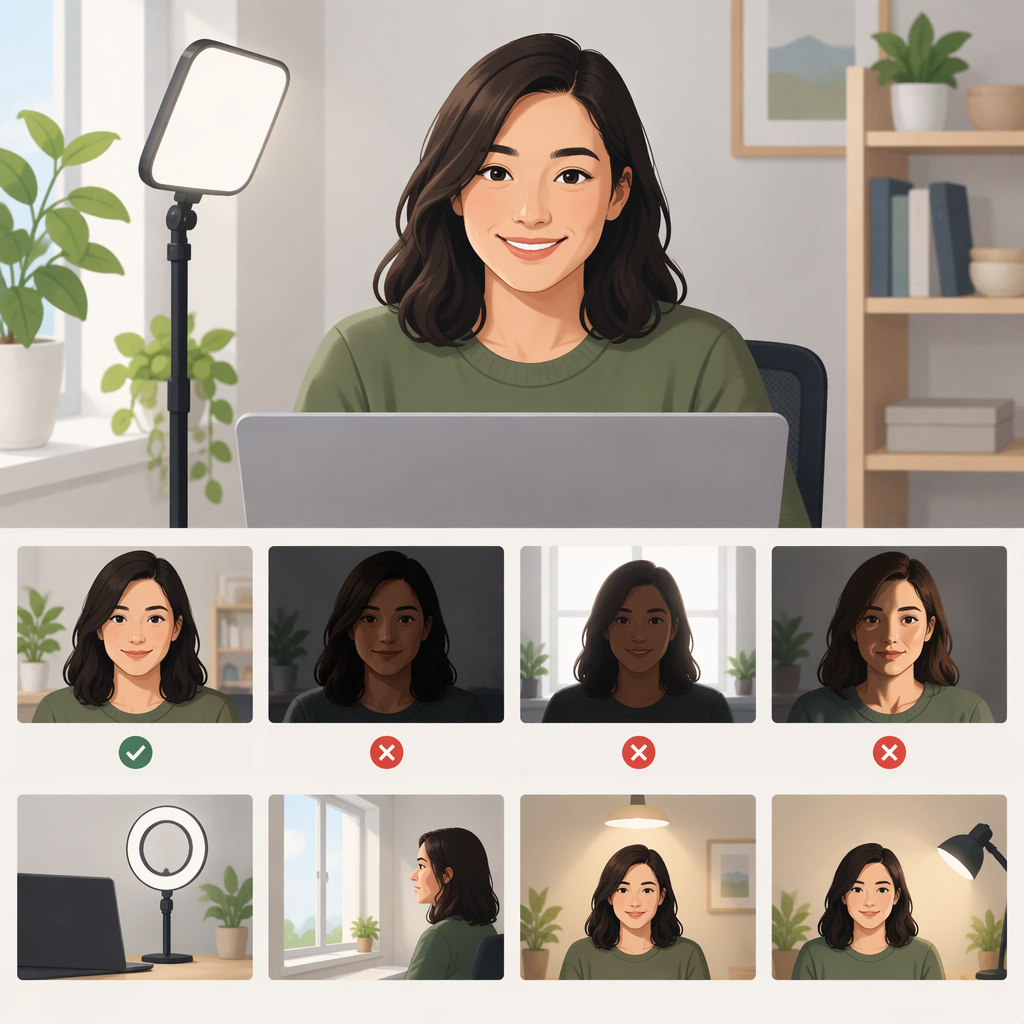
Best Lighting for Zoom: Simple Setups and Fixes
The best starting point for Zoom lighting is a soft light facing you from near the camera, rather than a bright window or lamp behind you. Try a window with indirect light, or a lamp placed just behind your screen. Check your camera preview: your face should be easy to see, without deep shadows or blown-out bright spots. Soft light tends to create gentler shadows, while a small, direct source can create harsh contrast. (ucanr.edu)
Window Light or a Lamp?
Use a window if it lights your face comfortably and you usually call during daylight. Sit facing the window, or angle yourself so its light falls across your face; a sheer curtain can soften direct sunlight. Window light is readily available, but its strength and direction can change with the time of day and conditions outside. If it becomes too bright or uneven, adjust your position or use a curtain or shade. (ucanr.edu)
Use a lamp if daylight is unavailable, lands behind you, or changes too much for your schedule. Put it near the camera and aim it toward your face. A lamp with a shade can soften direct light; indirect light is another option. It takes some positioning, but you can switch it on for evening calls and adjust its placement when the image needs it. This is a practical trade-off, not a claim that one source is always better.
You can also combine them: use the window as your main light, then place a white card or reflector on the darker side of your face to bounce some light back. UC Agriculture and Natural Resources describes a reflector as a way to even out the shadowed side when filming beside a window. (ucanr.edu)
Position the Light and Check the View
- Put your camera at eye level and sit facing a window or other broad light source, if possible.
- If you use a lamp, place it near or just above the camera and point it toward you. Hamilton College recommends a light above and behind the webcam as a supplement to room lighting. (hamilton.edu)
- Open your camera preview. Check whether your face is visible and evenly lit; look for a very bright background, a dark side of your face, or squinting from direct light.
- Change one thing at a time—your position, the light’s direction, or a curtain—and check the preview again. You can use Zoom’s test meeting to preview your display and check your device settings before a call. (zoom.us)
Quick Fixes for Common Lighting Problems
- Your face looks dark and the background is bright: A strong light source behind you can leave your face in shadow or make you appear silhouetted. Turn to face the window, or put a light near the camera and in front of you. (hamilton.edu)
- The light looks harsh or you’re squinting: Direct sunlight or a small, bare light can create strong highlights and shadows. Move out of the direct beam, soften the light with a curtain or lampshade, or try indirect light. (ucanr.edu)
- One side of your face is much darker: Turn slightly toward the light, move the light closer to the camera, or use a white reflector on the darker side to bounce light back. Recheck the preview after each adjustment. (ucanr.edu)
There’s no need to buy special equipment to start: try changing where you sit and using a window or lamp you already have. These are general video-call lighting suggestions, not special Zoom lighting requirements.