How to Choose a Tolifo Led Light for Filming
Choose a Tolifo LED light by defining the shot, narrowing the categories by placement and control requirements, then checking the exact model’s documentation and testing its complete setup. The cited Amazon storefront and Tolifo website identify several lighting categories; this guide provides a selection workflow, not a model ranking or verified performance comparison. [c1] [c2]
Start with the Lighting Job
Before comparing fixtures, write down what the light must do:
- Main subject light: Define the subject area, intended exposure, and available positions outside the frame.
- Fill light: Decide how much shadow detail you want to retain.
- Background or accent light: Specify whether you need white light, selected colors, or a fixture visible in the shot.
- Mobile lighting: Decide whether the light must travel with the camera or can remain on a separate support.
Add the practical constraints: subject distance, framing, available space, camera settings, microphone position, power access, and required operating duration.
For a seated interview, begin with a repeatable subject-lighting arrangement. For a moving shot, begin with placement and power logistics. For a colored background, make color control a requirement rather than selecting a fixture by appearance alone.
These written requirements become your decision criteria. A candidate should not stay on the shortlist merely because it belongs to a familiar category.
Compare Categories by Filming Requirements
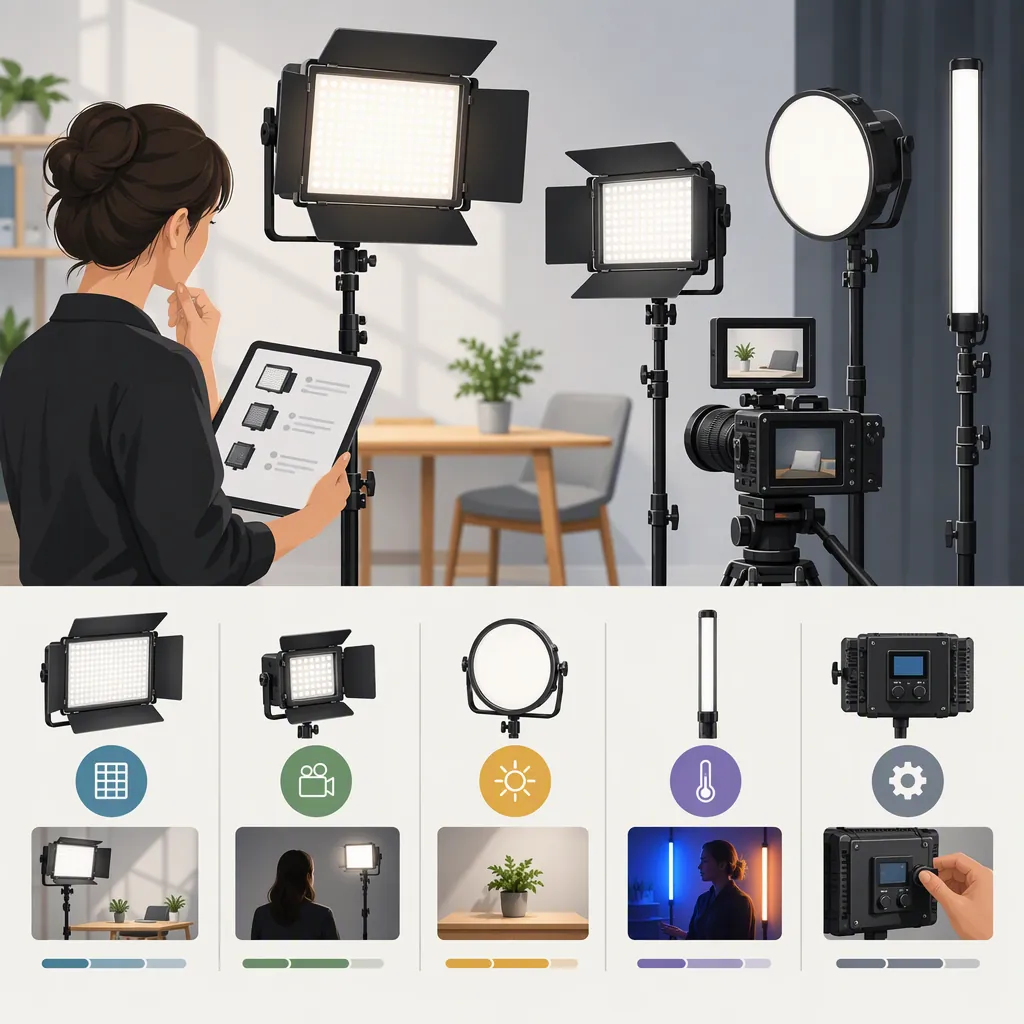
The Amazon Tolifo storefront lists “Bi Color COB Video Light,” “RGB COB Led Video Light,” and “LED Camera Panel Light.” The Tolifo website includes navigation for monolights, panels, wands, on-camera lights, ring lights, and Fresnel lights. [c1] [c2]
The following table uses those labels as starting points. Its screening logic is general setup guidance—not a claim that any Tolifo category or model will satisfy the stated need.
| Your Filming Requirement | Category to Investigate | Keep or Remove the Candidate Based On |
|---|---|---|
| A separately positioned subject light with a planned modifier | COB or monolight listings | Keep it if the documented mount, modifier, fixture, and support fit your layout. Remove it if a confirmed space or mounting constraint prevents the setup. |
| A panel-shaped fixture that fits the intended lighting position | Panel | Check coverage in the actual framing, documented diffusion options, and support requirements. Remove it if testing shows inadequate coverage or the required arrangement cannot fit. |
| A light that travels with the camera | On-camera light | Confirm camera-mount compatibility, the complete rig’s load limits, power arrangements, and the recorded look during movement. Remove it if the mounted setup cannot meet those requirements. |
| An elongated fixture for a planned background, accent, or handheld position | Wand | Confirm how it will be secured or held and test coverage and frame visibility. Remove it if the position cannot be maintained safely or produces unwanted light in the shot. |
| Lighting positioned around or near the lens | Ring light | Check lens clearance, subject position, glasses, and desired reflections in a test shot. Remove it if that placement conflicts with the intended image. |
| A setup requiring adjustable, directed illumination | Fresnel | Check the exact model’s beam-adjustment and accessory documentation, then test the required coverage. Remove it if the documented configuration or observed beam cannot meet the shot requirement. |
COB and monolight are not equivalent terms: COB, short for chip-on-board, describes the light-source structure; monolight describes a self-contained fixture form. The terms can overlap, so compare exact configurations rather than treating them as mutually exclusive categories.
If a requirement cannot be confirmed, mark it unknown rather than treating it as a pass or a failure.
Separate White-Light and Color Requirements
Bi-color generally refers to adjustable white-light color temperature. RGB refers to red, green, and blue color mixing for selected colors. Those labels do not establish an exact model’s color-temperature range, control options, or recorded color quality.
For shots needing only white light, write down the required white-light settings and evaluate candidates against them. For colored backgrounds or accents, add the required colors and recorded appearance to the checklist. The Amazon storefront separates bi-color COB and RGB COB categories, but that distinction alone does not verify performance. [c1]
Do not assume that controls, mounts, batteries, or accessories are shared across a brand’s range.
Check the Exact Model and Complete Setup
For each candidate, separate information into three evidence states:
- Documented: Stated in the exact model or kit documentation, but not necessarily independently verified.
- Tested: Observed with your recorded camera, fixture, and setup conditions.
- Unknown: Not established by the available documentation or your tests.
Check the complete configuration, not just the fixture:
- Exposure: Required image exposure at the planned distance, camera settings, and modifier configuration.
- Color: Recorded subject appearance with fixed white balance and the other lights in the scene.
- Flicker or banding: Footage at every intended frame rate, shutter setting, and relevant dimming level.
- Sound: Microphone pickup with the fixture operating in its working position.
- Power: Required supply, battery compatibility, charging arrangement, and operating duration.
- Mounting: Exact attachment points and the fixture, modifier, and support manufacturers’ load and safety guidance.
- Kit contents: Any stand, modifier, battery, charger, cable, or case not explicitly included.
A feature documented for another model is not evidence that your candidate has it.
Run a Repeatable Camera Test
The following is a proposed evaluation process, not a report of Tolifo product testing.
- Write the pass conditions first. Specify the exposure you need, acceptable color appearance, whether visible bands are disqualifying, and the maximum sound interference your recording can tolerate. These conditions depend on the shoot; there is no single threshold supplied by this guide.
- Fix the comparison conditions. Keep the camera position, subject, framing, white balance, ISO, aperture, frame rate, and shutter setting unchanged for the initial comparison. Record ambient-light conditions, fixture position, subject distance, dimming value, color setting, and accessories.
- Record the same scene for each candidate. Capture the subject and relevant background. Note whether the intended exposure is achievable at those camera settings. If you adjust placement or controls afterward, record the change as a separate setup.
- Check every intended recording mode. Repeat at the planned frame rates, shutter settings, and dimming levels. Review recorded footage for flicker or moving bands rather than relying only on the live preview.
- Record a quiet passage. Keep the microphone in its working position and use the intended recording settings. Compare fixture-off and fixture-on passages where practical.
- Judge against the written requirements. Record pass, fail, or unknown for each critical item. Do not average away a failure that would prevent the planned shot.
If you cannot access the fixture, mark exposure, recorded color, flicker, and microphone pickup as untested. You can record relevant advertised specifications as documented, but they do not become camera-test results. Power duration also remains unverified unless checked under the intended operating conditions.
Candidate Comparison Worksheet
Use one worksheet per exact model and kit version. Label each entry documented, tested, or unknown.
| Item | Requirement | Evidence or Result |
|---|---|---|
| Exact model and kit version | Identify the configuration being assessed | |
| Lighting job | Main subject, fill, background, accent, or mobile | |
| Placement and framing | Subject distance, available space, frame boundaries | |
| Camera settings | Frame rate, shutter, ISO, aperture, white balance | |
| Light settings | Required white-light or color settings | |
| Modifier and mount | Confirmed attachment and support arrangement | |
| Power | Supply, battery, charging, required duration | |
| Equipment | Included items and additional items needed | |
| Exposure | Written target at the planned camera settings | |
| Color | Acceptable recorded subject and background appearance | |
| Flicker or banding | Acceptance condition for each recording mode | |
| Sound | Acceptable interference at the working microphone position | |
| Unresolved questions | Critical information still missing | |
| Decision | Suitable, unsuitable, or insufficient evidence |
Use suitable only when the critical requirements are supported for the assessed setup. Use unsuitable when a confirmed limitation or test failure prevents that setup. Use insufficient evidence when a critical requirement remains unresolved.
Keep the Evidence Limits Visible
The cited material supports identifying the categories displayed on the pages. The available Amazon extract primarily contains storefront navigation; the Tolifo website extract combines navigation, promotional descriptions, and listings. Neither provides a controlled, side-by-side filming comparison. [c1] [c2]
This article does not verify output, color accuracy, battery duration, fan noise, flicker behavior, reliability, or accessory compatibility. It also does not establish current price, stock, or service terms.
A defensible selection is conditional: choose a candidate whose documented configuration and camera tests satisfy your written shot requirements. Retain the setup details with the decision so that a result from one configuration is not treated as proof for another.
FAQ
Which Tolifo Led Light Is Best for Filming?
Choose according to the shot: screen for placement, coverage, controls, power, mounting, and sound, then assess the exact model. The cited storefront and website do not establish a best model through controlled comparison. [c1] [c2]
Should I Choose Bi-Color or RGB?
Evaluate bi-color candidates if your shots require adjustable white light; investigate RGB candidates if selected colors are a requirement. Confirm the exact settings and recorded appearance before deciding. The Amazon storefront lists separate bi-color COB and RGB COB categories, but the labels alone do not verify a model’s performance. [c1]
What Should I Test Before Using a Light on a Shoot?
Test exposure, recorded color, flicker or banding, and microphone pickup using the intended placement and camera settings. Record light distance, controls, and accessories so the setup is repeatable. Confirm power, mounting, and kit contents separately. These are proposed evaluation steps, not reported Tolifo test results.
Can I Make a Selection Without Testing the Light?
You can narrow the shortlist using exact-model documentation and confirmed setup constraints. However, critical camera-dependent results—such as recorded color, banding, and sound interference—remain untested. If those results are essential to the shoot and no adequate evidence is available, record “insufficient evidence” rather than assuming suitability.