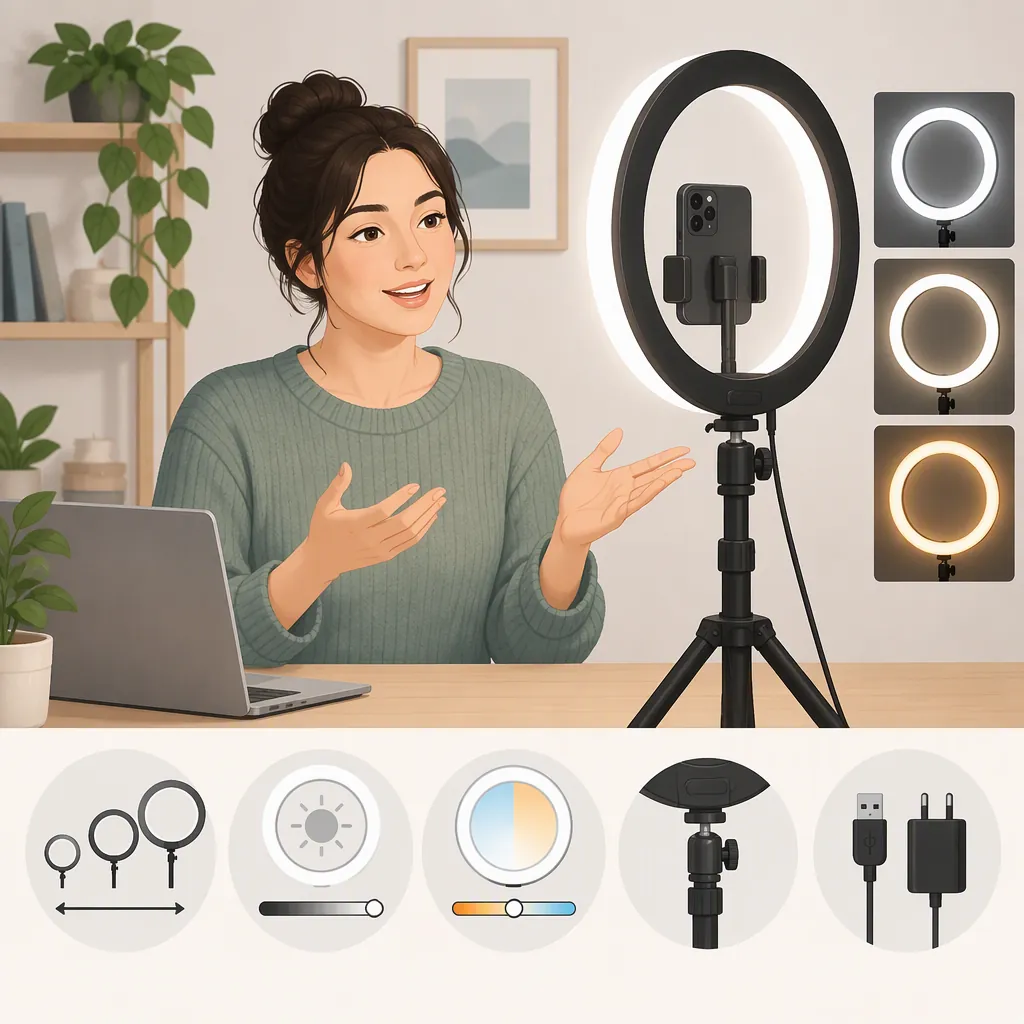
How to Choose a Round Light for Video Recording
If you mean a ring light by “round light for video recording,” prioritize soft diffusion, adjustable brightness, color-temperature controls, and a stand that fits your camera position. Choose size around your framing and working distance rather than diameter alone. Wirecutter identifies these features, along with color rendering, as important selection criteria. No single size or specification guarantees a good result in every setup. [ring-guide]
When a Ring Light Fits Your Recording
A ring light is a doughnut-shaped light, typically using LEDs, with an opening that can accommodate a phone or camera. Placing the camera in that opening distributes illumination around the lens and reduces facial shadows. Wirecutter describes ring lights as useful for video calls, creator videos, remote teaching, and other close-up work. [ring-guide]
For selection purposes, start with the shot you need: a seated talking-head video, a standing presentation, or a demonstration showing your hands and work surface. Do not assume that a light suitable for a close-up will also cover a wider composition.
A ring light is worth considering when you want a simple setup and have limited space. If you prefer a less head-on appearance, try positioning it to one side; Wirecutter suggests this placement for a more natural look. [ring-guide]
Prioritize Diffusion and Useful Controls
Diffusion: Look for evidence that the light produces smooth illumination rather than conspicuous highlights or hard shadows. Wirecutter's testing found that insufficiently diffused, clearly visible LEDs could produce harsher highlights and be uncomfortable to face. Diameter alone does not establish diffusion quality. [ring-guide]
Brightness adjustment: Dimming lets you adapt the light to different room conditions. Consider whether the available steps allow a useful setting between too dim and too bright. Fine adjustment offers flexibility, while clearly defined steps may make settings easier to repeat. [ring-guide]
Color temperature: Adjustable warm-to-cool settings provide flexibility for your skin, clothing, and surroundings. Wirecutter favors more intermediate settings rather than only a few broad presets. Judge the result in a recorded clip, not just by how the room looks to your eyes. [ring-guide]
Color rendering: Wirecutter uses a color rendering index, or CRI, of at least 90 as a selection criterion. Treat this as one screening measure, not proof that a particular light will deliver the appearance you want. Its guide also evaluates diffusion and controls separately. [ring-guide]
Match Size and Mounting to Your Shot
Measure your intended camera-to-subject distance and identify how much of the scene needs lighting before comparing diameters. Wirecutter's examples distinguish a smaller desk light for nearby subjects from a larger light suited to greater distance and broader coverage. Those examples do not establish a universal size-to-distance rule. [ring-guide]
Use these questions to narrow the options:
- Can the stand place the light at the height and angle your shot requires?
- Does the base or clamp fit the available space?
- Does the mount explicitly support your recording device and its orientation?
- Can you reach the controls without disrupting the framing?
- Where will the power cable run, or what battery duration does your session require?
If you wear glasses, adjustable height and tilt are especially useful. Wirecutter notes that raising the light and changing its angle may help prevent glare and reflections. Confirm the result in your own framing rather than relying on one prescribed angle. [ring-guide]
Check the Actual Recording
Use a short recording check to decide whether the setup works for your intended video. The following is a suggested procedure, not a report of firsthand testing.
Change one setting at a time so that comparisons remain useful. Review the clips for facial highlights, shadows, glasses reflections, color, and any visible brightness pulsing or bands. The supplied evidence does not establish flicker performance for every camera, recording mode, or ring light.
Ring Light Recording Checklist
1. Set the camera, framing, and subject position you intend to use.
2. Record a short clip with the existing room lighting.
3. Add the ring light at a comfortable brightness and record another clip.
4. Compare several brightness and color-temperature settings, changing only one at a time.
5. Adjust height and angle; check glasses and other reflective surfaces in the frame.
6. Repeat with the frame rate and camera settings intended for the final recording.
7. Review for unwanted highlights, shadows, color shifts, pulsing, or bands.
8. Record the chosen light position and settings for later sessions.
What the Evidence Can and Cannot Tell You
This guide draws its lighting-selection criteria from Wirecutter's supplied review, which discusses diffusion, color rendering, brightness adjustment, color temperature, and mounting flexibility. [ring-guide]
It does not rank products or independently verify specifications. The reference cannot establish compatibility with your device, adequate battery duration for your session, or flicker-free performance in every recording mode. Use documented specifications to screen those requirements, and a recording check to assess the final setup.
FAQ
What Size Ring Light Should I Use for Video Recording?
Choose around your working distance and framing, not diameter alone. Wirecutter's examples distinguish smaller desk lights for nearby subjects from larger lights for wider coverage or more distance. They do not establish one best diameter for every video setup. [ring-guide]
How Can I Reduce Ring-Light Reflections in Glasses?
Try raising the light and adjusting its tilt, then review a recorded clip. Wirecutter identifies height and angle adjustment as useful for preventing glare and reflections for people who wear glasses. The appropriate position depends on your framing. [ring-guide]
Should I Use Warm or Cool Light for Video?
There is no single setting to prescribe for every scene. Wirecutter notes that color temperature changes the appearance of skin, clothing, and the room, and favors adjustable settings. Compare recordings at several settings and choose the result that suits your scene. [ring-guide]
Is a High Cri Enough to Choose a Ring Light?
No. Wirecutter uses CRI of at least 90 as one criterion, but also evaluates diffusion, dimming, color-temperature adjustment, and positioning. A CRI figure alone does not assess all of those qualities. [ring-guide]