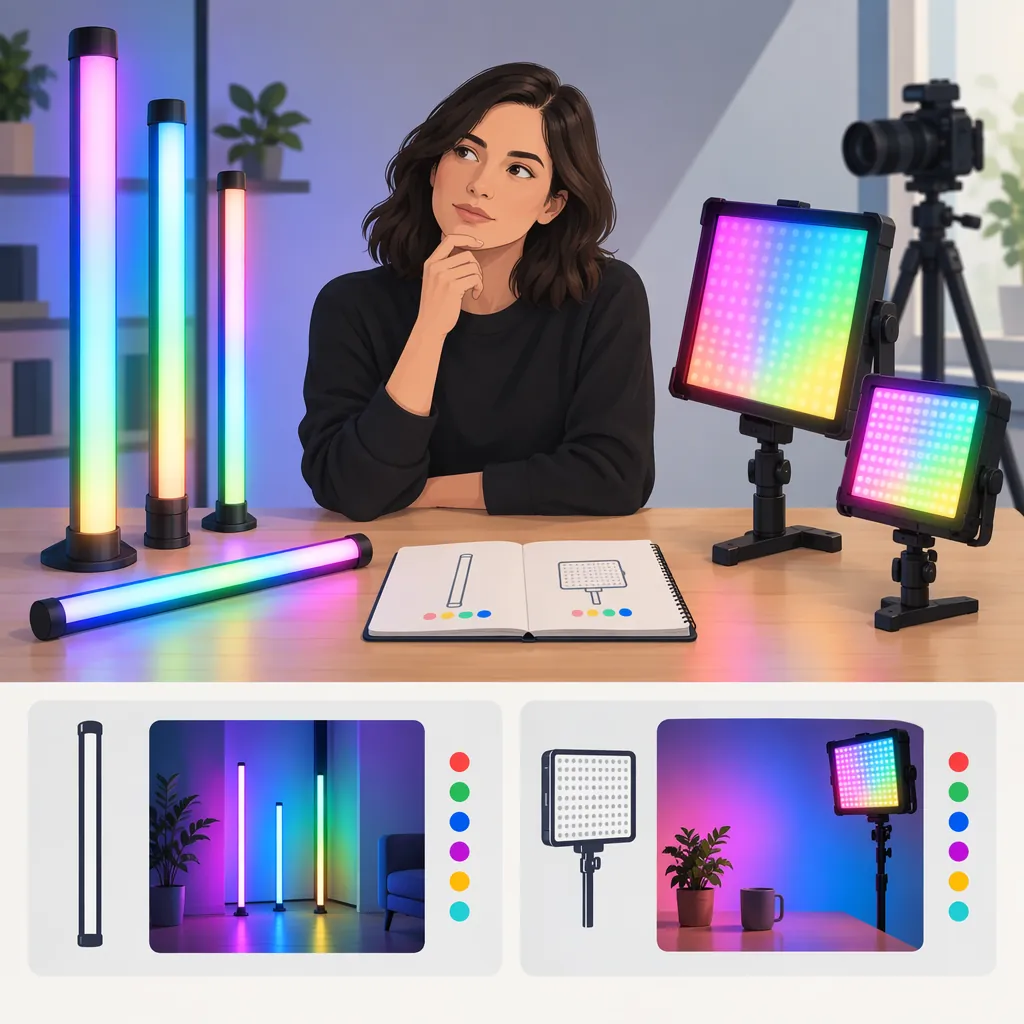
Choosing the Best RGB Video Light for Atmosphere and Tube Lighting
Choose an RGB video light by the job it must do, not a universal “best” label. For atmosphere, first evaluate whether a tube fits your background composition and mounting space. For subject lighting, compare coverage and usable output at the intended distance. Check power, controls, and recorded footage before deciding. The provided sources offer category listings and individual reviews, not standardized evidence for an overall winner. [c1] [c3] [c4]
Start with the Light’s Role
Separate the lighting task into three possible roles:
- Background atmosphere: Put color on a wall, set element, or other background surface.
- Visible accent: Include the illuminated fixture in the composition.
- Subject lighting: Use the light on a face, object, or edge of the subject.
New Layer’s tube-light review discusses backdrop illumination, room color, and a portrait setup. Those examples establish possible uses, not a guarantee that any tube will deliver the same result. [c4]
Write down the intended role before comparing fixtures. If natural-looking skin is the priority, evaluate the white-light mode separately from saturated color. Bergreen’s guide treats adjustable white color temperature as a selection criterion; it should not be mistaken for evidence of a fixture’s RGB performance. [c3]
Compare Tubes, Panels, and Cob Lights
RGB describes a color capability, not a fixture shape. The supplied RGB collection includes tube, panel, and COB categories, so an RGB search need not end with a tube. The listing does not establish comparative performance. [c1]
| Form Factor | Useful Evaluation Question | What to Check in Your Setup |
|---|---|---|
| Tube or stick | Does a long, narrow fixture suit the intended accent or background placement? | Visible length, mounting position, unwanted spill, and coverage. |
| Panel | Does a rectangular fixture fit the available space and lighting angle? | Coverage, reflections, diffusion, and support requirements. |
| COB fixture | Does the setup call for a separate modifier? | Modifier compatibility, total footprint, and output with the modifier attached. |
Bergreen’s guide discusses panels and modifying smaller-source lights with diffusion or softboxes. New Layer presents tubes as an alternative in a particular lighting setup. Neither source provides a controlled comparison proving that one form factor is always softer, brighter, or better. [c3] [c4]
Choose Tube Length Through Placement
For an RGB atmosphere setup, plan the position before choosing the tube’s length. Mark the intended fixture location and frame the shot with the actual camera or phone. Decide whether the tube should be visible, hidden behind furniture, or positioned outside the frame.
Use these checks rather than assuming a longer tube is automatically better:
- Composition: Does the proposed length fit the visible accent you want?
- Clearance: Is there room for the fixture, its mount, and any power cable?
- Coverage: In a test, does the intended surface receive the color pattern you want?
- Spill: Does unwanted color reach the subject or nearby objects?
- Support: Can the fixture be secured using mounting equipment approved for it?
New Layer discusses tubes for backdrops and small-space setups, but its observations concern the reviewed equipment. Treat those uses as ideas to test, not performance promises for other lights. [c4]
Test Color and Output on Camera
Bergreen’s guide recommends evaluating brightness, output, and color-temperature adjustment. It does not supply comparable measurements across the RGB options in the other references. [c3]
For a practical comparison, keep the camera, exposure, white balance, fixture position, and subject position unchanged. Record each candidate in the modes you intend to use. Include a saturated color, a less saturated color, and white light if that mode matters to the project.
Review the recordings for:
- Whether the background reaches the intended exposure.
- Whether colored areas retain visible detail rather than appearing clipped.
- Whether unwanted color reaches skin or neutral objects.
- Whether flicker or bands appear at the planned frame rate and shutter setting.
- Whether low-level dimming gives you a useful adjustment range.
This is a proposed acceptance test, not a claim that any listed fixture passes it. If comparable tests are unavailable, leave these results marked unknown rather than inferring them from wattage, reviews, or a category label.
RGB Light Comparison Worksheet
Complete one sheet per candidate.

Scene role: ______
Fixture position and distance: ______
Required visible length or coverage: ______
Camera, frame rate, shutter, exposure, and white balance: ______
Color settings tested: ______
Background exposure acceptable: Yes / No / Unknown
Unwanted color spill acceptable: Yes / No / Unknown
Flicker or banding observed: Yes / No / Not tested
White-light result acceptable: Yes / No / Not needed / Unknown
Mount and support verified: Yes / No / Unknown
Power arrangement verified: Yes / No / Unknown
Required runtime tested at intended settings: ______
Controls usable from operating position: Yes / No / Unknown
Unresolved limitations: ______
Check Power, Controls, and Evidence Limits
Treat portability, RGB capability, and battery operation as separate requirements. The supplied portable-lighting collection mixes RGB and non-RGB categories; inclusion on that page alone does not verify the features needed for a particular shoot. [c2]
For each candidate, confirm its power options, whether your intended operating arrangement is supported, and the runtime at the settings you expect to use. Check whether adjustments are possible directly on the fixture and whether any required app works with your device. Bergreen discusses app-based remote adjustment as a workflow consideration, but that is not evidence of every app’s compatibility or reliability. [c3]
The reference set contains two collections from one manufacturer and two individual review or guidance pages. It lacks standardized cross-model measurements for RGB output, color accuracy, flicker, and battery runtime. It therefore supports a selection framework, not a defensible ranked list of the best RGB video lights. [c1] [c2] [c3] [c4]
FAQ
Is an RGB Tube Better than an RGB Panel for Video?
Not universally. Evaluate a tube when its long, narrow shape suits the composition or placement. Evaluate a panel when its rectangular footprint better fits the setup. The provided sources discuss both forms but do not establish comparative superiority. [c1] [c3] [c4]
Is Adjustable White Color Temperature the Same as RGB Lighting?
No. Bergreen describes bi-color adjustment as moving white light from warm to cool, while the supplied collection distinguishes RGB and bi-color categories. Confirm saturated-color capability separately from adjustable white light. [c2] [c3]
Do These Sources Establish the Best Budget RGB Tube Light?
No. New Layer labels its reviewed option a budget choice, but the supplied page does not provide a standardized comparison sufficient to verify that ranking across the market. Use it for setup ideas, while leaving comparative output, runtime, and camera performance unresolved. [c4]