How to Evaluate a Qiaya Selfie Light for Filming
Evaluate a QIAYA selfie light against your actual filming setup, not the brand name alone. The provided QIAYA listing describes a clip-on ring light, but its power and model fields contain ambiguities. Confirm the exact version, mounting fit, and power requirements, then assess recorded footage at your intended distance before treating it as suitable for your work. The available sources do not establish independently tested filming performance. [qiaya-listing]
What the Qiaya Listing Establishes—And Does Not
The provided Amazon.com.mx page identifies a QIAYA clip-on selfie ring light under ASIN B08CZJ2ZJN. Its title advertises 36 LEDs, and its description lists three white-light brightness settings. These are listing statements, not independently verified measurements. [qiaya-listing]
Two details deserve clarification:
- Power: The instructions say to install two AAA batteries, while the specification table also includes USB connectivity fields. Do not infer that the light is rechargeable from the USB entries.
- Model identity: The product information gives P4 as the model name and Q4 as the model and part number. Use the ASIN, packaging, and instructions together to identify the version. [qiaya-listing]
The supplied references do not include a manufacturer manual or independent testing. They therefore do not establish usable lighting distance, sustained brightness, runtime, or flicker behavior. Advertised LED counts and brightness settings are not enough to settle those questions.
Version Verification Checklist
- Record the ASIN and model markings.
- Compare the packaging with the instructions.
- Confirm the required battery type or external power source.
- Confirm whether charging is explicitly supported.
- Check the stated mounting dimensions, if available.
- Mark unresolved specifications as unknown rather than assuming them.
Compare Lighting Formats by Setup
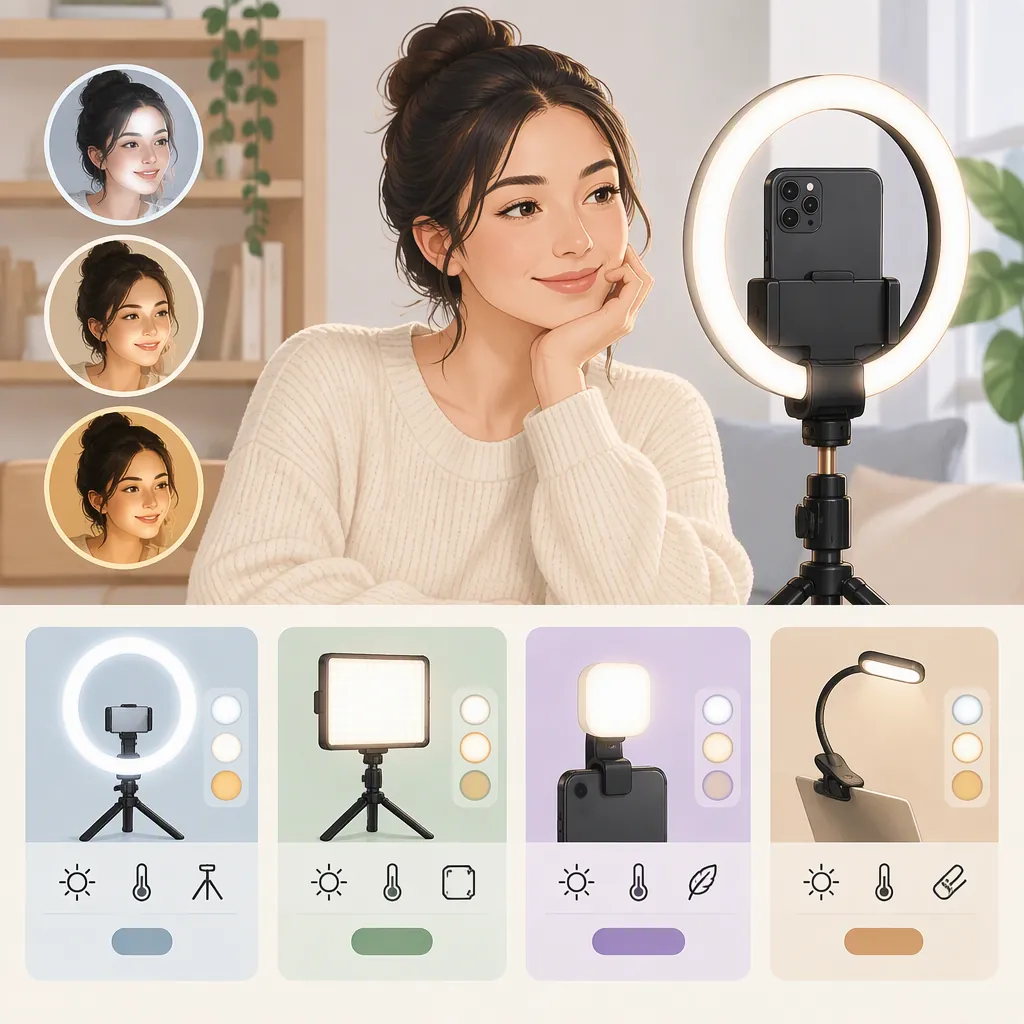
Amazon's supplied selfie-light category page includes listings for clip-on lights, magnetic lights, and ring lights with desk or tripod stands. This establishes that several mounting formats appear in the category; it does not establish which performs best. [category-list]
Use the following as a setup checklist rather than a product ranking:
| Filming Setup | Format to Evaluate | Question to Resolve |
|---|---|---|
| Handheld, front-camera recording | Phone-mounted clip-on or magnetic light | Does it stay attached without blocking the camera or controls? |
| Seated desk recording | Desk-mounted light | Can the light be positioned where the framing requires it? |
| Standing presentation | Stand-mounted light | Can the mount reach the intended position and remain stable? |
| Overhead demonstration | Separately positioned light and camera mount | Can the work surface be lit without obstructing the shot? |
For a QIAYA clip-on candidate, evaluate the actual phone and case combination. A broad compatibility statement does not resolve fit with your particular device. Do not treat a stand-mounted alternative as automatically brighter or better; compare the footage under equivalent conditions.
Setup Requirements Worksheet
Recording position: handheld / seated / standing / overhead
Camera and case: ______
Required light position: ______
Available mounting space: ______
Power access: ______
Planned recording duration: ______
Unacceptable obstruction or movement: ______
Assess Recorded Results Under Repeatable Conditions
Use a controlled comparison to decide whether a candidate meets your needs. This is a proposed evaluation procedure, not a report of testing performed on QIAYA equipment.
- Set up the camera, framing, room lighting, and subject position you expect to use.
- Record a baseline with the candidate light off.
- Record each available brightness setting without moving the camera or subject. Keep exposure and white balance fixed if the recording app permits it; otherwise, note that automatic adjustments may complicate comparison.
- Repeat at the closest and farthest subject positions used in your planned shot.
- Review the saved video for facial detail, distracting shadows, reflections in glasses, visible bands or pulsing, and unwanted color differences.
- Run a recording for your planned session length, following the device instructions. Note any changes in brightness, mounting position, or power availability.
Judge the files you will actually publish, rather than relying only on the live preview. If you cannot test the exact unit or obtain relevant measurements, leave its filming suitability unresolved.
Recording Comparison Log
| Test | Distance | Light Setting | Camera Settings | Detail and Reflections | Bands or Pulsing | Power or Mount Changes |
| --- | --- | --- | --- | --- | --- | --- |
| Baseline | ______ | Off | ______ | ______ | ______ | ______ |
| Candidate A | ______ | ______ | ______ | ______ | ______ | ______ |
| Candidate B | ______ | ______ | ______ | ______ | ______ | ______ |

Decision: acceptable / unacceptable / unresolved
Reason: ______
Keep the Final Decision Evidence-Based
A defensible selection records both what is known and what remains uncertain. For the QIAYA listing, distinguish advertised features from confirmed power requirements and observed recording results. [qiaya-listing]
Use these decision rules:
- Suitable for the tested setup: The exact unit fits securely, uses a confirmed power source, and produces acceptable footage throughout the planned recording.
- Unsuitable for the tested setup: A required condition fails, such as camera clearance, mounting stability, or acceptable recorded illumination.
- Unresolved: The version, power requirements, or relevant performance cannot be confirmed.
Amazon describes its Best Sellers page as sales-based and frequently updated. A sales ranking is not a controlled comparison of filming quality. Keep rankings separate from your technical assessment. [category-list]
Selection Record
Exact light/version: ______
Listing statements reviewed: ______
Confirmed requirements: ______
Test conditions: ______
Observed results: ______
Remaining unknowns: ______
Decision and limits: ______
FAQ
Is the Referenced Qiaya Selfie Light Rechargeable?
The listing instructions specify two AAA batteries, while other fields mention USB connectivity. Those USB fields do not establish rechargeable operation. Confirm the exact unit's instructions and power markings before assuming charging is supported. [qiaya-listing]
Does Three-Level Brightness Mean Adjustable Color Temperature?
No such conclusion is supported by this listing. It describes three white-light brightness settings, not three selectable color temperatures. Treat brightness control and color-temperature control as separate requirements. [qiaya-listing]
Is a Qiaya Selfie Light Enough for Filming?
The supplied listing does not establish that for a particular recording setup. Test the exact light at your intended distance, with your camera settings and planned recording duration. Without relevant testing, its suitability remains unresolved. [qiaya-listing]