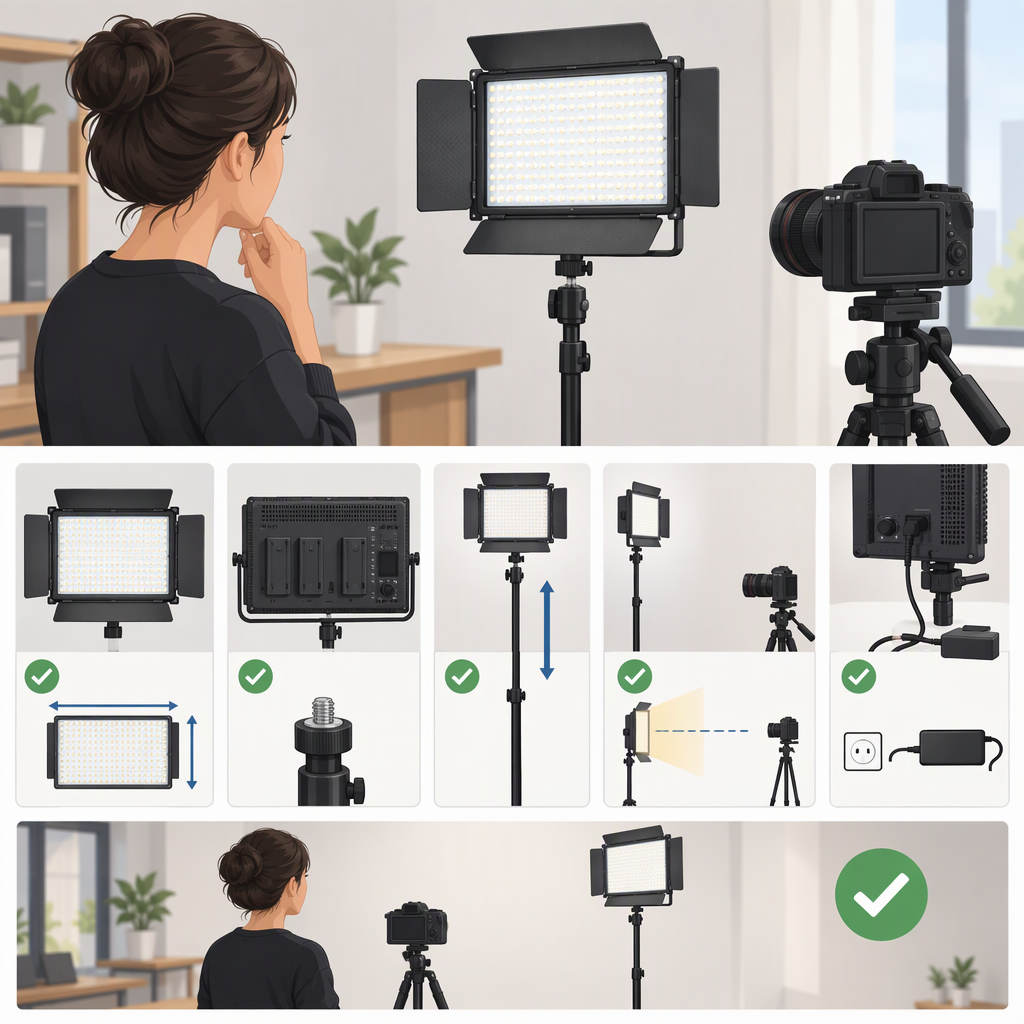
Neewer Nl288 for Filming: How to Check Whether It Fits Your Setup
Short answer: The name “NEEWER NL288” can refer to listings labeled NL288A or NL-288ARC. NEEWER’s official U.S. page is titled NL288A, while its specifications on that same page identify the panel as model NL-288ARC. So, before choosing one, match the model code and included items on the exact listing—not just the search term. For the NL-288ARC specifications listed by NEEWER, the panel is a dimmable, bi-color LED light with a stated illuminance of 1,400 lux at 1 m and 4,800 lux at 0.5 m. Whether that works for your filming setup depends on your subject distance, framing, power, and mounting needs. (neewer.com)
What Does “Neewer Nl288” Refer To?
NEEWER’s official U.S. product page uses NL288A in its title and product description, but lists NL-288ARC as the panel model in the specifications. Its Canadian and UK pages also identify the product as NL-288ARC. The names are therefore closely linked in NEEWER’s own product pages, but the safest way to identify what you are considering is to check the model code, seller, and package contents shown on that exact listing. (neewer.com)
Also check whether a listing is for one panel or a multi-light kit. For example, NEEWER’s separate two-pack listing specifies two panels and two light stands; its contents should not be assumed to match a single-panel listing. (neewer.com)
What Neewer Documents for the Nl-288arc
NEEWER’s U.S. product page lists these specifications for the NL-288ARC panel:
- Light type: 288-LED bi-color panel
- Color temperature: 3200K–5600K
- Dimming: 1%–100%
- Color rendering: CRI ≥97
- Maximum illuminance: 1,400 lux at 1 m and 4,800 lux at 0.5 m
- Rated power: 45W
- Panel dimensions: 14.8 × 10.5 × 1 in (376 × 266 × 25 mm)
- Weight: 2.58 lb (1.17 kg)
- Power: AC adapter or one or two Sony NP-F batteries; batteries are not included
- Listed single-panel package contents: panel, mount bracket, 2.4G remote, power adapter, user manual, and carrying bag (neewer.com)
These are manufacturer-listed specifications, not independent test results. In particular, the lux figures are given at specific distances; they do not, by themselves, establish how bright the light will look in every room, framing, or lighting arrangement.
Would It Suit Your Filming Setup?
Use the specifications as a starting point, then compare them with your actual setup:
- Distance and brightness: Where will the light sit relative to your subject? NEEWER lists separate illuminance figures at 0.5 m and 1 m. If you need to place the light farther away, or balance it against strong existing light, don’t assume those figures guarantee the result you want. Consider whether you can position the panel closer and adjust the camera exposure and other lights to suit.
- Coverage and softness: The panel has a built-in diffuser, which NEEWER describes as helping soften the light. Whether its coverage is appropriate depends on your subject, framing, placement, and any additional diffusion or shaping you use. (neewer.com)
- Color: The listed 3200K–5600K range gives you an adjustment between warmer and cooler settings. Check whether that range can be matched to your room lights or intended look. CRI ≥97 is NEEWER’s stated color-rendering figure; it does not tell you every detail of how a specific camera, subject, and mixed-light scene will render color. (neewer.com)
- Power and portability: The page lists AC power and NP-F battery operation, but the batteries are not included. If you plan to film away from an outlet, check that you have compatible batteries and account for their additional cost and carrying weight. (neewer.com)
- Mounting and space: The listed single-panel package includes a mount bracket, not a light stand. Check what support your setup requires and whether it is included in the exact listing. The panel itself is about 14.8 × 10.5 in, so allow room for the panel and its support. (neewer.com)
Practical fit summary: The documented adjustable color temperature, dimming, and AC-or-battery power options may be relevant if you need a bi-color panel for a controlled filming setup. The specifications alone cannot confirm that it will provide enough light for your particular distance, room, or exposure. If those details are decisive, try to assess the light in a setup similar to yours or compare verified measurements taken under comparable conditions.
Checklist Before Choosing an Nl288 Listing
- Match the model: Does the listing identify NL288A, NL-288ARC, or another code? Does it match the configuration you intend to buy?
- Check the number of lights: Is it one panel or a multi-light kit?
- Check brightness at your working distance: Compare the listed measurement and its distance with how far the light will be from your subject.
- Check color needs: Is 3200K–5600K suitable for your ambient lights and intended look?
- Plan the power: Is AC power available, or do you need to source compatible NP-F batteries separately?
- Confirm support: Does the exact package include a stand, or only a bracket? What stand or mount will you need?
- Verify package contents: Confirm the included adapter, remote, bracket, bag, batteries, and any stands on the specific listing; contents can differ between configurations.
Bottom line: NEEWER’s official pages connect the NL288A name with the NL-288ARC model code, and document a 45W bi-color panel with 1%–100% dimming, a 3200K–5600K range, and illuminance figures at 0.5 m and 1 m. That information helps narrow the choice, but it does not settle fit for every filming setup. Confirm the exact model and kit, then compare the stated output, color range, power, and mounting requirements with your own working distance and constraints. (neewer.com)