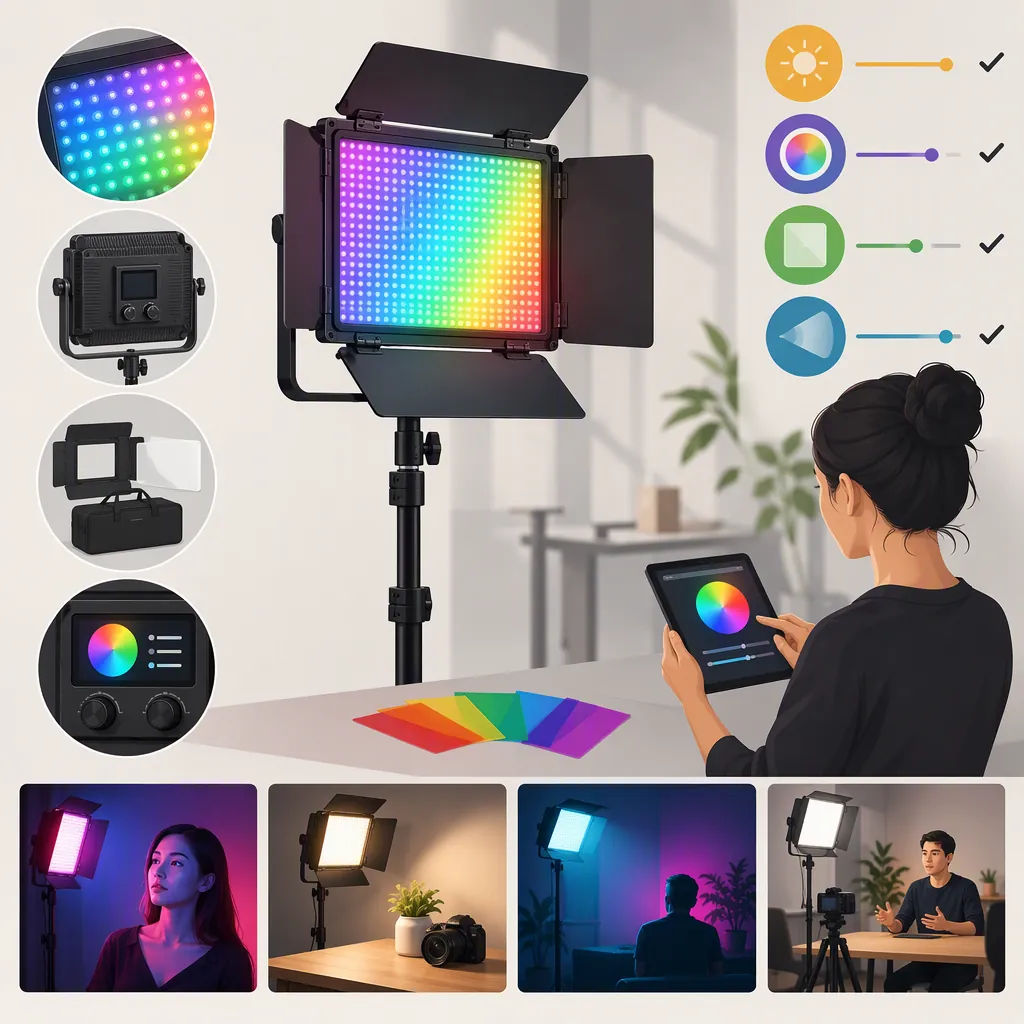
Neewer 660 Pro RGB: A Lighting Selection Guide
Treat the Neewer 660 Pro RGB as a candidate to evaluate, not a verified fit for your filming setup. Define its intended lighting role, confirm the exact model and package, then assess recorded footage at your planned distance and camera settings.
The available retailer listing uses “RGB660 PRO” in its title but “660 RGB” in its description and box contents, leaving model identity unresolved. [c1] No manufacturer documentation or independent performance testing is supplied here, so this guide provides selection criteria rather than verified product-performance conclusions.
Confirm the Model Before Comparing Specifications
The Woodland Hills Camera listing is titled “Neewer - 2 Pack RGB660 PRO LED Video Light Kit.” Its description and box contents instead identify a “Neewer 660 RGB LED 2-Light Kit with Stands.” Do not treat those names as confirmed equivalents or combine specifications from similarly named panels. [c1]
Before evaluating a unit or kit:
- Record the full model name from the unit label.
- Match that name to the relevant manual.
- Confirm whether the package contains one panel or multiple lights.
- Check included accessories against the exact package description.
- Keep conflicting details marked as unresolved until matching documentation clarifies them.
Use the listing to identify questions, not as independent proof of output, color accuracy, battery runtime, or flicker behavior. Price and availability are outside this guide’s selection criteria.
Define the Lighting Job First
Evaluate the candidate for a specific role rather than asking only whether it is a “good light.” A panel that meets your requirements for one shot should not automatically be considered suitable for another.
| Intended role | What to evaluate in your setup |
|---|---|
| Key light for an interview or talking head | Facial exposure, color appearance, and shadows at the planned working distance |
| Fill light | Whether shadows reach the intended appearance without losing the contrast you want |
| Subject separation | Whether the desired edge or separation is visible without unwanted light elsewhere in the frame |
| Colored background accent | The color recorded by the camera and whether spill changes the subject’s appearance |
| Lighting in a small space | Stand placement, cable routing, available distance, and whether equipment stays out of frame |
These are general evaluation criteria, not claims that the Neewer 660 Pro RGB meets them.
Complete a Lighting Brief
Write down your requirements before testing:
- Primary lighting role:
- Subject and framing:
- Available setup space:
- Planned light-to-subject distance:
- Camera, lens, and exposure settings:
- Desired shadow appearance:
- White-light or colored-light requirement:
- Power access and cable route:
- Required setup and teardown time:
Describe the result you need in practical terms—for example, the intended facial exposure and shadow appearance in a particular shot. This gives you a basis for judging the footage without inventing a universal pass/fail threshold.
Use a Repeatable Camera Test
Reproduce the shot you intend to film. Keep camera position, exposure, white balance, subject placement, and background fixed when comparing candidates. Record any changes to light position, settings, or modifiers.
Judge recorded footage rather than room brightness alone. Review the subject, background, and shadows separately.
Footage Test Procedure
- Set up the intended subject, background, and camera position.
- Fix exposure and white balance; record the settings.
- Position the candidate light at the intended distance and angle.
- Record its settings and any modifier used.
- Capture a short clip with the subject still, then moving normally.
- Review facial exposure and color, shadow appearance, background spill, and visible flicker.
- Repeat at each frame-rate and shutter combination you plan to use.
- If adjustments are needed, change one variable at a time and label the new clip.
- Compare other candidates under the same conditions.
A satisfactory result establishes fit only for the configuration tested. If you cannot inspect a unit or obtain footage that matches your requirements, leave the relevant performance questions unresolved.
Turn Test Results into Selection Decisions
Use these conditional rules to connect observations to a decision. They are general assessment rules, not findings about this model.
| Test result | Selection implication |
|---|---|
| The required facial exposure cannot be achieved at the planned distance and camera settings | Mark the current configuration unsuitable. If changing distance, placement, or settings is practical, test that revised configuration separately. |
| Exposure is adequate, but facial shadows do not match the brief | Adjust placement or the intended light-control setup and retest. If the required arrangement does not fit your space or workflow, reject that configuration. |
| Facial color or background color does not match your intended result | Recheck the recorded settings and repeat the test. If the issue remains unresolved, do not mark color suitability as confirmed. |
| Visible flicker appears at a planned frame-rate and shutter combination | Record that combination as failing the test. Evaluate each other planned combination separately; do not generalize a passing result to untested settings. |
| Background spill remains unacceptable after practical placement or light-control adjustments | Reconsider the lighting arrangement or candidate for that role. Do not treat sufficient brightness as an overall pass. |
| The image meets the brief, but stands or cables cannot be accommodated | Mark the physical setup unsuitable unless a workable arrangement is demonstrated. |
| The footage and physical setup meet the brief | Record the exact tested configuration as suitable, while keeping untested roles and settings unresolved. |
Separate Verified Fit from Open Questions
Keep three categories in your notes:
- Confirmed details: exact model identity and package contents.
- Observed behavior: results from labeled clips and setup checks.
- Open questions: anything not demonstrated by documentation or testing.
A listed control or accessory may matter to your workflow, but its presence alone does not establish that the resulting footage will meet your requirements.
Decision Record
Use this template when evaluating a Neewer 660 Pro RGB candidate. Each result should point to documentation, a test clip, or a physical setup check.
| Criterion | Evidence needed | Record contents | Result |
|---|---|---|---|
| Exact model identity | Unit label and matching documentation | Full model name, documentation match, unresolved naming differences | Confirmed / unresolved |
| Required lighting role | Footage from the intended setup | Role, distance, angle, light settings, modifier, clip identifier, observations | Suitable / unsuitable / unresolved |
| Recording settings | Clips at planned frame rates and shutter settings | Each tested combination and any visible flicker | Suitable for listed settings / unsuitable / unresolved |
| Color and shadow appearance | Footage reviewed against the lighting brief | Camera settings, observed differences, adjustments tried | Meets brief / does not meet brief / unresolved |
| Background spill | Footage after practical placement or light-control adjustments | Spill location, adjustments, remaining problems | Meets brief / does not meet brief / unresolved |
| Physical setup | Placement and cable-routing check | Space required, equipment in frame, cable route, setup constraints | Workable / unworkable / unresolved |
| Package completeness | Exact kit contents checked | Required items, included items, missing or uncertain items | Confirmed / unresolved |
Finish with one of three conclusions:
- Suitable for the tested setup: the documented configuration meets the lighting brief and practical requirements.
- Unsuitable for the tested setup: a required image or setup condition remains unmet after feasible adjustments.
- Insufficient evidence: model identity or an important requirement remains unresolved.
Keep the conclusion specific. “Suitable for this interview setup at these settings” is more useful than an unsupported recommendation for every filming use.
FAQ
Are Neewer 660 RGB and Rgb660 Pro Confirmed to Be the Same Model?
Not from the supplied evidence. The retailer listing uses both names, which does not establish equivalence. Request a readable unit-label photo and matching documentation before applying specifications or accessory assumptions. [c1]
Is the Neewer 660 Pro RGB Suitable as a Key Light?
That suitability is not verified here. Test the candidate at your intended distance, exposure, framing, and lighting arrangement. If facial exposure and shadows meet your brief and the setup fits your space, record it as suitable for that tested configuration.
What Should I Request If I Cannot Test the Light in Person?
Request the exact model label, matching manual, and package contents first—the naming conflict in the supplied listing makes model confirmation important. [c1] For practical assessment, request footage with the light-to-subject distance, camera exposure, white balance, frame rate, shutter setting, light settings, and modifiers documented. Footage without those details may leave your intended use unresolved.
What If the Light Passes One Recording Setting but Shows Flicker at Another?
Keep separate results for each frame-rate and shutter combination. Mark the problematic combination unsuitable in the tested configuration, and do not extend a passing result to other settings you have not checked.
What Evidence Is Missing for a Confident Selection?
No manufacturer documentation or independent performance testing is supplied here. Confirm the exact model, then obtain documentation or relevant tests for the requirements that matter to your setup. Output, color reproduction, battery runtime, and flicker behavior remain unverified in this guide; recorded footage alone also does not establish runtime.