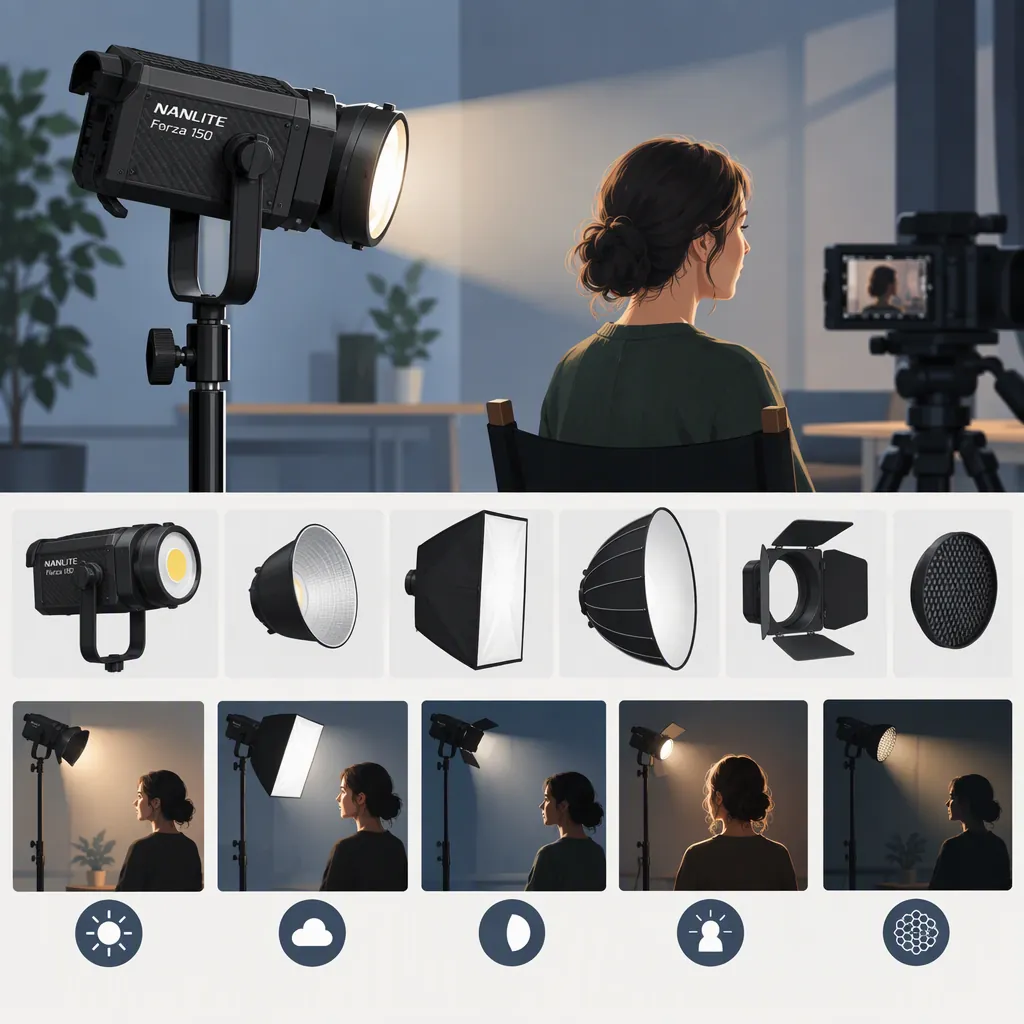
Nanlite Forza 150: Choosing a Light for Your Filming Setup
Evaluate the NANLITE Forza 150 by checking your requirements in order: color temperature, modifier compatibility, power, then recorded image and sound.
- If native adjustable white color temperature is essential: the original Forza 150 does not meet that requirement according to CineD’s announcement, which describes it as daylight-only at 5600K. [c1]
- If fixed daylight color temperature fits your plan: continue by checking your modifier and power setup. CineD reports an FM mount, a Bowens adapter in the launch package and V-mount battery operation through an optional grip. [c1]
- If those checks pass: test exposure, color, operating noise, flicker and sustained power in the intended scene before deciding.
This is a selection process, not a guarantee of performance or suitability.
What the Available Source Establishes
CineD’s November 2, 2021 article is a launch announcement, not a hands-on performance review. Its author explicitly states that he had not touched the light. Use it as historical reporting about the original Forza 150, not verification of current package contents, availability or measured performance. [c1]
The announcement describes a daylight-only 5600K fixture and reports a 170W rating. It also lists manufacturer-claimed illuminance and color-rendering figures; these are not independent measurements and do not establish whether the light will meet a particular scene’s requirements. [c1]
The available evidence does not establish fan noise, battery runtime, weather resistance or flicker behavior at your camera settings. The checks below are proposed evaluation methods, not reported test results. Do not infer environmental protection from a successful indoor test.
Start with the Scene, Not the Model Number
First decide whether fixed daylight color temperature matches your intended look and other light sources. The original Forza 150 is described as fixed at 5600K, so do not assume that it offers native white color-temperature adjustment. [c1]
Then define the scene you need to light:
| Filming situation | What to check | Decision question |
|---|---|---|
| Interview | Intended subject distance, actual softbox or diffusion, background and microphone position | Can you achieve the planned exposure and color while keeping operating sound acceptable? |
| Tabletop filming | Real objects, reflections, shadow placement and modifier position | Can you get the required appearance without compromising framing or placement? |
| Window-lit scene | Expected ambient conditions, subject position and camera settings | Can you maintain the intended exposure and balance under those conditions? |
Before testing, write down your acceptable aperture, ISO, shutter setting and white balance. Also define how much adjustment room you need—for example, whether the setup must accommodate a greater subject distance or brighter ambient light without changing those camera settings.
If you compare another fixture, keep the scene, subject position, camera settings and modifier arrangement as consistent as possible. Record unavoidable differences rather than assuming that a higher model number or a published output figure means a better result.
Check the Complete Modifier and Power Setup
Modifier and Support
CineD reports an FM mount on the fixture and a Bowens adapter supplied in the launch package. That is a compatibility starting point, not a guarantee that every Bowens-mount modifier can be attached and supported safely. [c1]
For the exact modifier you plan to use, confirm:
- The required adapter is present and compatible.
- Attachment and support requirements are satisfied.
- The stand and mounting arrangement are appropriate for the complete setup.
- The modifier can reach the intended position without entering the frame or obstructing the working area.
Verify current package contents separately; the cited information describes the launch package.
Power and Working Duration
The announcement describes V-mount battery operation through an optional battery grip. It does not provide measured runtime for your battery and operating level. [c1]
Check the compatibility of the exact battery, grip, connections and power equipment before testing. Define the period the setup must cover, including any time the light will remain on between takes, and choose your own reserve requirement.
Compare complete kits rather than lamp heads alone. Include the modifier, adapter, stand, power equipment, cables and carrying arrangement. A setup that meets the image requirements still needs workable support, cable routing and power for the planned session.
Use a Repeatable Filming Test
Set your acceptance criteria before looking at the results. The aim is to determine whether the setup meets your production requirements, not to assign the fixture a universal rating.
1. Check Exposure and Adjustment Room
Place the actual subject and modifier at the planned distances. Set the camera to your intended frame rate, shutter, aperture, ISO and white balance, then adjust the light to reach your target exposure.
Record the operating level and whether the setup retains the adjustment room you defined. If it only works after changing a requirement you intended to keep fixed, note that compromise.
For a window-lit scene, repeat the check under the ambient conditions you expect. One successful test does not establish performance throughout a changing day.
2. Record Color and Flicker Checks
Record the actual subject, including relevant skin tones or object colors, with the intended white balance. Review whether the appearance meets your needs rather than relying on the announcement’s manufacturer-claimed color-rendering figures. [c1]
At each planned frame rate, shutter setting and dimming level, record footage and review it for visible flicker or banding. Log the combinations tested. A clean result at one combination is not confirmation for untested settings.
3. Compare Light-On and Light-Off Audio
Keep the microphone position, recording gain and room conditions unchanged. Record comparable samples with the light off and operating at the levels you expect to use.
Listen for any added sound and decide whether it is acceptable for the intended recording. If the setup involves spoken dialogue, include a dialogue sample as well as room tone. Record any compromise, such as needing to change the microphone or light position.
4. Test Sustained Power
At the planned operating brightness, record the battery model, capacity, starting charge, grip and other power equipment. Measure how long the setup maintains the required operation under the test conditions.
Compare that duration with the planned powered-on period and your chosen reserve. If you stop the test before power is exhausted, record it as “operated for at least the tested duration,” not as a measured maximum runtime.
5. Make a Scene-Specific Decision
Use one of three outcomes:
- Suitable for this setup: it meets all defined image, sound, compatibility and power requirements under the tested conditions.
- Unsuitable for this setup: it fails a requirement you cannot change.
- More testing needed: an important requirement remains unverified, or the test did not represent the planned conditions.
An acceptable close tabletop result does not establish suitability for a wider interview or a different room.
Filming Light Evaluation Worksheet
- Exact fixture and accessories:
- Scene and expected ambient conditions:
- Modifier, adapter and support arrangement:
- Light-to-subject distance:
- Camera, frame rate and shutter setting:
- Aperture, ISO and white balance:
- Target exposure and required adjustment room:
- Planned light operating levels:
- Exposure result and compromises:
- Skin-tone or object-color observations:
- Settings tested for flicker or banding, and results:
- Microphone position, gain and room conditions:
- Light-off versus light-on audio observations:
- Power source, battery configuration and starting charge:
- Required powered-on duration and chosen reserve:
- Measured operating duration, or minimum duration if stopped early:
- Support and cable-management checks:
- Untested conditions or unresolved questions:
- Decision: suitable for this setup, unsuitable, or more testing needed:
FAQ
Is the Original Nanlite Forza 150 Bi-Color?
No. CineD’s announcement describes the original Forza 150 as daylight-only at 5600K, not bi-color. If native adjustable white color temperature is required, that description rules it out for that requirement. Check the exact model before applying this information to similarly named fixtures. [c1]
Can It Use a Bowens-Mount Softbox?
CineD reports a Bowens adapter in the launch package for the fixture’s FM mount. Confirm that the adapter is included in the package you are evaluating, then check attachment and support requirements for your particular softbox. [c1]
Is It Enough for an Interview Key Light?
The launch announcement does not establish interview suitability; its output figure is manufacturer-claimed rather than independently measured. [c1] Test with the intended softbox, subject distance, ambient light and fixed camera settings. Require both the target exposure and your planned adjustment room, then compare light-on and light-off audio at the microphone position.
How Long Will It Run on a V-Mount Battery?
The cited announcement describes V-mount operation through an optional battery grip but gives no measured runtime for your configuration. [c1] Confirm compatibility, then test the exact battery setup at the planned brightness for the required powered-on period plus your chosen reserve. A shorter successful test establishes only the duration observed.