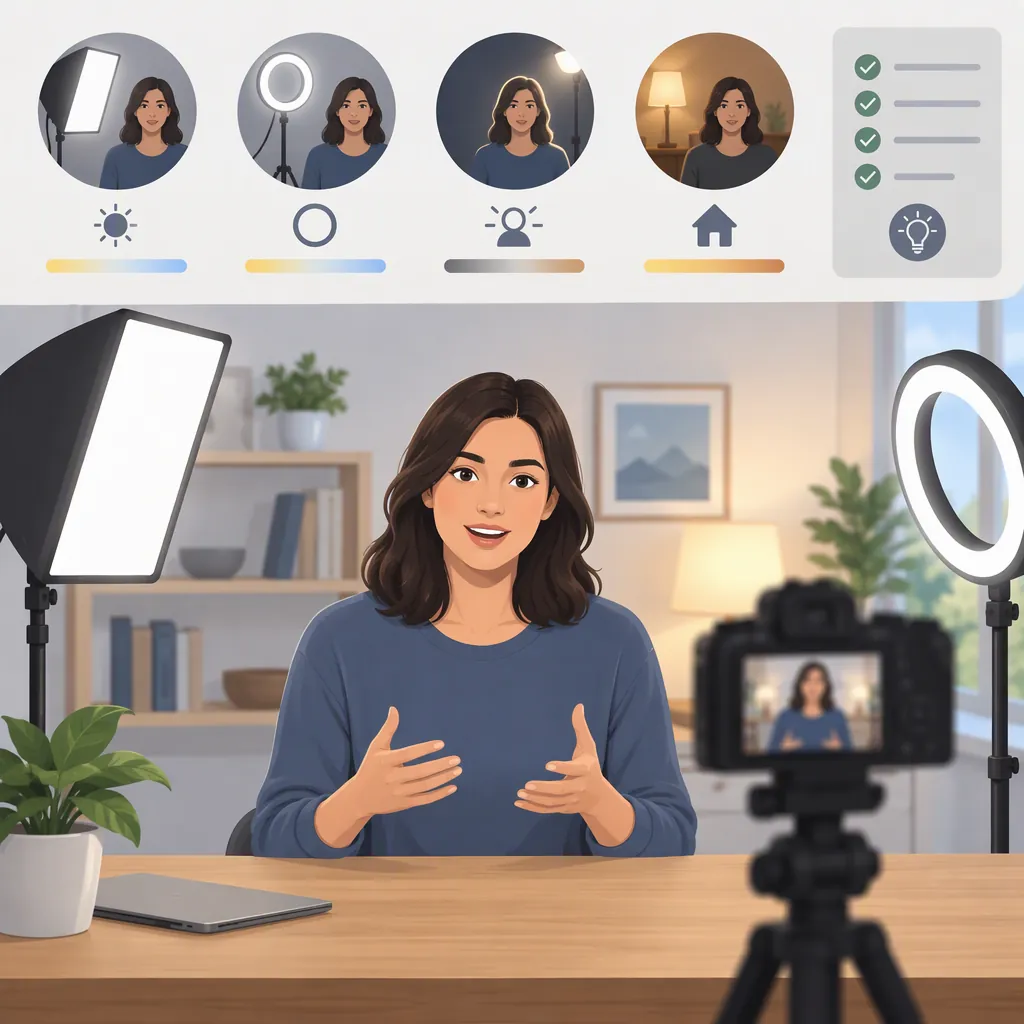
How to Choose the Best Lighting for Video Recording
The best lighting for video recording is a continuous light setup that provides enough output for your scene, supports the light-shaping accessories you need, and fits your power requirements. An adjustable LED is a useful starting category: compare brightness, color-temperature control, modifiers, and portability against your recording conditions. [c1]
Choose the complete setup—not just the light body—and test it with your intended camera settings before treating it as suitable.
Start with Your Recording Conditions
Before comparing lights, define the scene:
- Subject and framing: What needs to be illuminated, and what will appear in the frame?
- Available space: Where can the light, stand, and any modifier fit?
- Existing light: Will daylight or room lamps remain in the scene?
- Power access: Is wall power convenient, or will you need a battery-compatible setup?
- Recording duration: How long must the setup operate without interruption?
- Budget: What is available for the light, support, modifier, and power accessories?
Video needs continuous illumination rather than the brief burst supplied by a photographic flash. Brightness, color-temperature adjustment, and studio versus portable power are relevant selection criteria. [c1]
Use your answers to set priorities:
| Recording condition | Selection priority |
|---|---|
| Fixed indoor setup | Controllable output, suitable modifiers, and practical power access |
| Changing locations | Transport, assembled size, setup requirements, and power options |
| Daylight or room lamps remain in use | Color-temperature adjustment and a test of the combined lighting |
| Limited space | Whether the light, stand, and modifier fit at the intended position |
These priorities help narrow the shortlist; they do not guarantee that a particular fixture will suit the scene.
Compare Panels and Modifier-Compatible Lights
LED panels and LED monolights offer different starting points for shaping light. Panels are described as providing soft, even output, while monolights are smaller sources that can use diffusion modifiers such as softboxes. [c1] Assess the actual setup rather than assuming every light within a format produces the same result.
| Light format | Reason to consider it | What to verify |
|---|---|---|
| LED panel | You want a panel-style source without building the setup around a separate softbox. | Whether its output, shadows, and assembled footprint suit your subject at the intended position |
| Modifier-compatible LED monolight | You want to select a softbox or another compatible light-shaping accessory. | Accessory compatibility, assembled size, and usable output with the modifier fitted |
Neither format is automatically the better choice. If the panel produces the look you want and fits the space, it can remain on the shortlist. If you need a particular modifier, verify that the monolight supports it and that the complete assembly fits.
Compare Power Separately
Battery capability is a power attribute, not a third light format. For either a panel or a monolight, check the supported power arrangements.
Wall-powered lights and battery-powered portable lights address different location needs; compatible portable power may also be an option for a studio light used on location. [c1]
- Wall power available: Confirm the required supply and whether cables can be accommodated in the setup.
- Battery operation needed: Verify the compatible battery system and whether it supports the planned recording duration.
- Both needed: Check the candidate’s actual specifications rather than assuming it can switch between power sources.
Include the stand, modifier, power supply, batteries, and transport requirements when comparing cost and practicality.
Evaluate Output and Color Control
Separate two decisions: can the light provide the exposure you need, and can it produce the appearance you want?
Brightness and light output matter alongside color-temperature range and adjustability. Bi-color lights allow warm-to-cool adjustment, which can help when working with natural light or existing fixtures. [c1]
Use a Setup-Specific Output Test
Where possible, assess each candidate using this sequence:
- Set the intended camera position and framing. Use the camera settings you plan to record with.
- Place the light at the intended distance. Fit the modifier you expect to use and retain any daylight or room lighting that will be part of the scene.
- Adjust output to obtain the desired subject exposure. Record whether that result is achievable without changing the planned setup.
- Check adjustment room. Note whether the light is already at its maximum setting and whether you can reduce or increase output as needed.
- Record a short clip. Judge the result in the recorded footage, not only by how the scene looks to your eyes.
If the desired exposure cannot be reached in the planned configuration, mark the candidate unsuitable for that configuration—or revise the setup and test again. If no representative test or relevant output information is available, keep the decision at Needs Testing.
When comparing published output figures, check the stated distance, modifier or reflector, and other test conditions. Do not directly rank figures taken under different conditions. There is no single brightness threshold established here for every room, subject, and camera setup.
Check Color Control in the Scene
Adjustable color temperature is worth considering if you need to work with existing light or create different warm-to-cool looks. [c1] During a test, ask:
- Does the adjustment range cover the look you intend?
- Can you reach a satisfactory result with the other lights that will remain in use?
- Are brightness and color controls practical to access during setup?
A color-temperature range alone does not establish overall color quality. Treat missing color-performance information as an unresolved question, not proof that candidates are equivalent.
Use a Recording-Specific Selection Checklist
Compare candidates against the same requirements. Budget, required features, output, color-temperature adjustment, and build quality belong in the evaluation. [c1] The worksheet below adds practical setup checks without assigning an unsupported performance score.
What to Look for in a Test Clip
| Check | What to observe | How it affects the decision |
|---|---|---|
| Exposure | Can you obtain the intended subject exposure with the planned camera settings, distance, and modifier? | If not, revise and retest the setup or mark it unsuitable for those conditions. |
| Shadows | Do the shadows and coverage match the intended look? | If not, test a different placement or compatible modifier before deciding. |
| Color | Does the recorded result suit the scene and existing light? | Keep unresolved color concerns open rather than relying on the listed temperature range alone. |
| Brightness stability | Are unwanted brightness changes visible in the clip? | Investigate and retest before marking the setup suitable. |
| Audio | Is light-operation noise audible in the recording? | If it interferes with the intended audio, test an acceptable adjustment or mark the setup unsuitable. |
| Power and fit | Does the assembled setup fit, and is its power arrangement adequate for the session? | Missing compatibility or duration information means further verification is needed. |
These are checks to perform, not claims that any particular light has a fault.
Video Lighting Comparison Worksheet
Recording requirements
- Recording location: ______
- Subject and framing: ______
- Available light-to-subject distance: ______
- Camera settings for the comparison: ______
- Existing daylight or room lights: ______
- Wall power available: Yes / No
- Required recording duration: ______
- Total setup budget: ______
For each candidate
- Light format: ______
- Output information and stated test conditions: ______
- Intended modifier and compatibility: ______
- Brightness adjustment and remaining adjustment room: ______
- Color-temperature range: ______
- Stand and assembled space requirements: ______
- Power supply or battery requirements: ______
- Exposure and shadow observations: ______
- Color and brightness-stability observations: ______
- Light-operation noise in the recorded audio: ______
- Total setup cost: ______
- Unverified specifications or unresolved questions: ______
Decision
- Suitable: The representative test meets your recording requirements, and essential fit, accessory, and power questions are resolved.
- Needs Testing: The intended configuration has not been tested, or important specifications or observations remain unresolved.
- Unsuitable: The tested configuration fails a requirement that cannot be acceptably addressed within your constraints.
Reason tied to the recording requirements: ______
A “Suitable” result applies to the conditions assessed; it is not a claim that the light is best for every use.
Understand the Evidence Limits
This guide draws on one reference that combines general LED selection guidance with a review of a specific light. Its general discussion supports the selection criteria used here, but the product endorsement is not an independent comparison of the market. [c1]
No product ranking, customer experience, or measured performance claim is offered here. The reference does not provide independent cross-model measurements of color accuracy, flicker, or output. The testing workflow and worksheet are decision aids, not published test results.
Use relevant specifications and representative recordings to resolve uncertainty. Where information is missing, retain that uncertainty rather than assuming a candidate will meet the requirement.
FAQ
Should I Use Continuous Lighting for Video Recording?
Yes. Video requires continuous illumination; a photographic flash provides only a brief burst. LEDs are one continuous-light option. Choose one by evaluating output, color control, modifiers, and power against your scene. [c1]
Is an Led Panel Better than a Monolight?
Choose a panel if its light appearance and footprint meet your needs. Consider a modifier-compatible monolight if selecting a softbox or another light-shaping accessory is important. Panels and smaller-source monolights offer different approaches, so compare the assembled setup rather than the format name alone. [c1]
How Much Light Output Do I Need?
Brightness and output are important selection criteria, but this guide does not establish a universal minimum. [c1] Test at your planned light distance with the intended modifier and camera settings. A candidate should achieve the desired subject exposure; note whether it also leaves useful adjustment room. If relevant data or a representative test is unavailable, mark it Needs Testing.
Do I Need Adjustable Color Temperature?
Consider it when recording with daylight, existing lamps, or different warm-to-cool looks. Bi-color adjustment can help accommodate those conditions. [c1] If your lighting conditions are fixed, assess whether a candidate’s available color setting meets your needs rather than requiring adjustment by default.
Should I Choose Wall Power or Battery Power?
Choose according to the location and session requirements. Wall-powered and battery-powered options serve different recording conditions, and some studio setups may use compatible portable power. [c1] For any candidate, verify the supported supply, required accessories, and suitability for the planned recording duration.