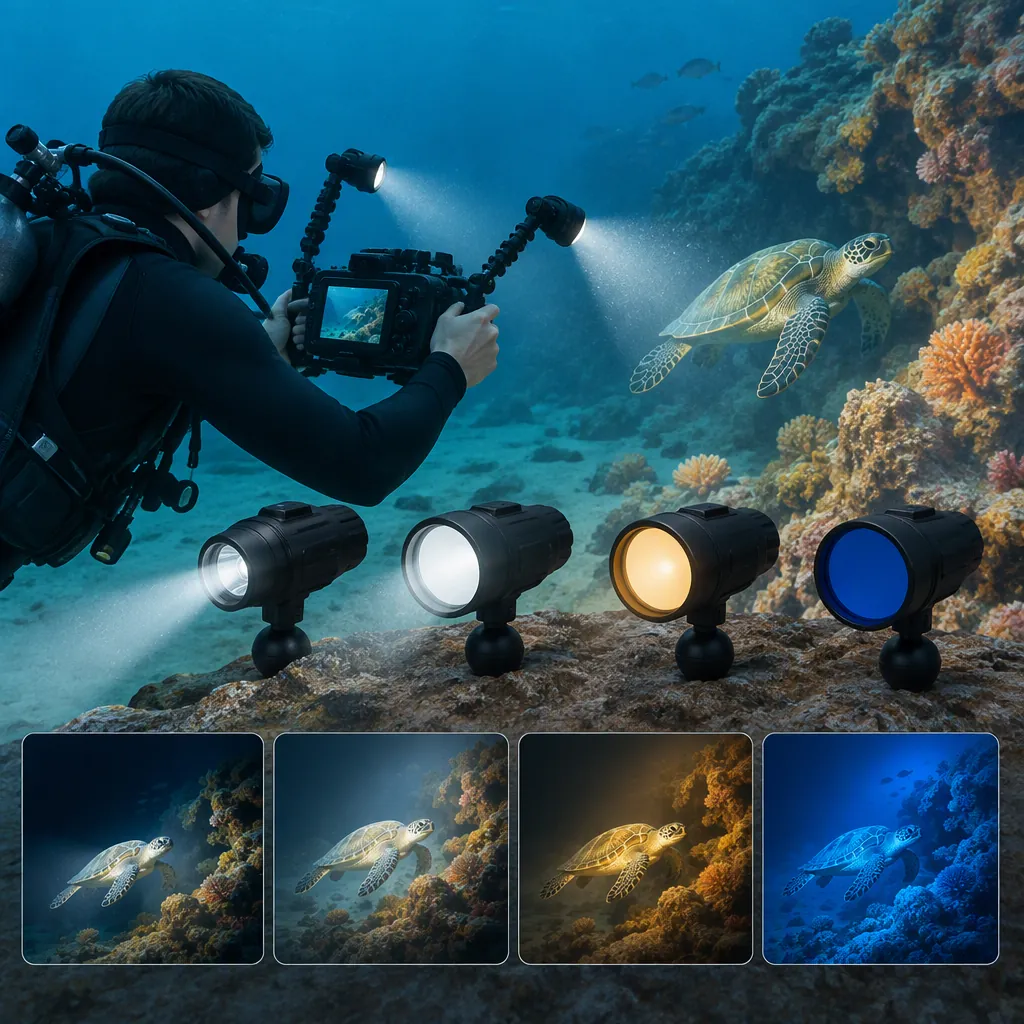
How to Evaluate a Keldan Light for Underwater Filming
Start with the footage you need, not a model name or maximum-output figure. Define subject distance, framing, ambient-light conditions, color workflow, and recording duration. Then evaluate the exact light configuration against those requirements. The supplied sources support a selection checklist, but they do not establish a current best model or independently verified performance ranking. [c1] [c3]
Define the Shot Before Comparing Lights
Treat a search for a “keldan light” as the beginning of a filming brief rather than a model recommendation. Reef Photo & Video organizes its overview around different uses and configurations, including fixed and modular lights. That is a useful starting framework, not proof that any listed configuration fits your production. [c1]
Write down the following before comparing equipment:
- Framing: close-up, medium shot, or wide scene.
- Working distance: the intended distance between the light and subject.
- Lighting role: foreground detail, the main subject light, or a supplement to ambient light.
- Color approach: an ambient-light look or a visibly lit subject.
- Operating needs: shot duration, control access, and the complete mounted setup.
If your scenes differ substantially, evaluate them separately. Do not assume one configuration must satisfy every shot.
Shot Requirement Worksheet
Scene: ____
Framing and lens: ____
Intended light-to-subject distance: ____
Ambient conditions: ____
Desired lighting role: ____
White-balance approach: ____
Required uninterrupted recording time: ____
Mounting and control constraints: ____
Acceptance criteria for the footage: ____
Evaluate Coverage and Color Together
The retailer overview discusses reflector choices, beam-angle measurement, color-oriented modules, and camera and light filters. Its discussion also distinguishes a stated usable beam angle from an angle measured at half intensity. Compare definitions before treating two beam-angle figures as equivalent. [c1]
For a practical evaluation, use your intended lens, framing, and subject distance. Review the center, edges, and overlap between lights rather than judging only the brightest part of the frame.
For color, document the full combination: camera settings, white balance, light configuration, and any filters. The overview describes camera filters and light filters as serving different roles in underwater color management; do not treat them as interchangeable accessories. [c1]
These are evaluation steps, not a guarantee of coverage or color accuracy. The supplied material does not provide a standardized, independent comparison of complete filming setups.
Coverage and Color Test
1. Set the intended framing and subject distance.
2. Record the camera settings and white balance.
3. Record a reference clip without added light where practical.
4. Record the proposed lighting configuration.
5. Inspect center-to-edge coverage, hotspots, shadows, and subject-to-background color.
6. Change one setting or component at a time and label each clip.
7. Compare results against the shot worksheet, not an unlabeled impression.
Assess the Complete Mounted System
Keldan's accessories page lists categories for remote controls, batteries, buoyancy control, light shaping, color management, mounting, O-ring kits, and chargers. These categories show which system-level questions to investigate; they do not establish compatibility with every light. [c2]
Evaluate the configuration as it will be used, including mounts, arms, batteries, filters, and controls. Record whether you can reach the controls in the intended camera position and whether adjustments disturb framing.
For batteries, request runtime information for the exact configuration and intended power setting. The retailer overview states that runtime varies with module and power setting, so a single headline duration should not become your filming plan. [c1]
Keep maintenance, charging, depth limits, and transport requirements as verification items. This article is not a substitute for the exact model's operating instructions or applicable travel rules.
System Verification Checklist
- Exact light model and revision recorded.
- Mounting parts and accessory compatibility documented.
- Control access assessed with the complete rig.
- Runtime at the intended setting verified or marked unknown.
- Battery and charger compatibility documented.
- Operating depth and maintenance instructions obtained.
- Applicable battery transport requirements checked separately.
- Unresolved requirements listed before accepting the configuration.
Separate Historical Descriptions from Verified Results
The supplied Digital Shootout review belongs to its 2015 event coverage. Its descriptions should be treated as historical context, not current specifications. The retailer overview and that historical review give different output descriptions for the Video 4X, making exact version identification important. [c1] [c3]
The manufacturer accessories page is useful for identifying accessory categories, but it is not an independent performance test. Likewise, a retailer overview is not a controlled comparison. [c1] [c2]
No current model ranking is established here. Leave a comparison field marked unknown when the supplied evidence does not resolve it; do not fill gaps with assumptions about durability, sustained output, service life, or superiority over another brand.
Evidence Log
Candidate configuration: ____
Exact model/revision: ____
Source and publication date, if available: ____
Requirement being checked: ____
Published description: ____
Independent or setup-specific test result: ____
Compatibility confirmation: ____
Remaining uncertainty: ____
FAQ
Which Keldan Light Is Best for Filming?
The supplied evidence does not establish a universally best model. Use your shot requirements to assess coverage, color workflow, controls, runtime, and compatibility. The retailer overview can help identify configuration questions, but it is not an independent ranking. [c1]
Should I Choose by Maximum Output Alone?
No. Include beam coverage, the intended color workflow, operating duration, and the complete rig in your evaluation. The retailer overview discusses these as separate considerations; its maximum-output figures do not establish results for your camera and scene. [c1]
Does a Listed Accessory Fit Every Keldan Light?
Do not assume universal compatibility. The manufacturer page lists accessory categories and specifically describes its ultrasonic remote control as being for XR lights. Confirm compatibility for the exact model, revision, and accessory before including it in the configuration. [c2]