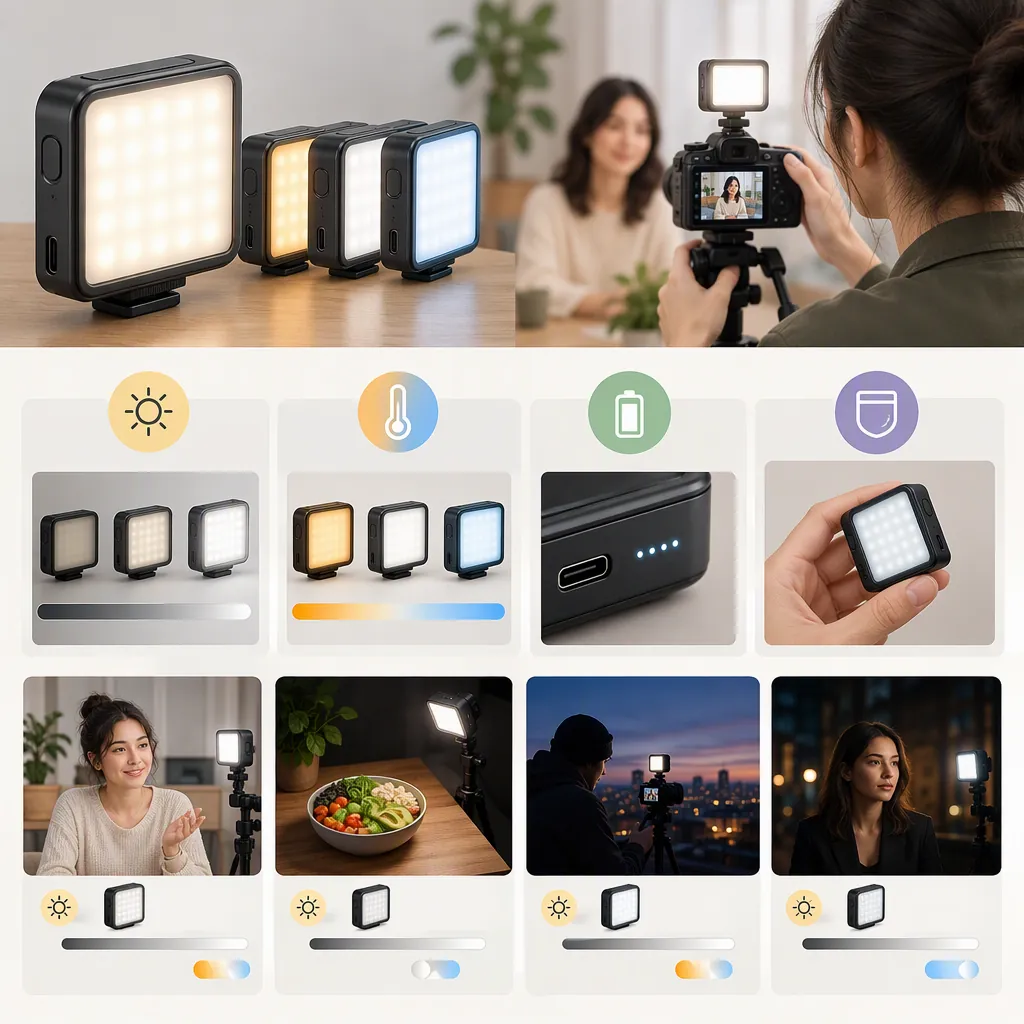
How to Evaluate the Ivisii G2 Pocket Light for Filming
Evaluate the IVISII G2 pocket light by its intended lighting role, then check it under your actual filming conditions. IVISII identifies the G2 as an RGB LED video light, but the supplied product text does not establish measured output at your subject distance, camera-specific flicker performance, or independently verified runtime. [c1]
Selection rule: Confirm suitability only for a tested role when every essential requirement passes. If an essential requirement fails or remains unknown, do not confirm suitability for that role.
Start with the Lighting Role
IVISII lists the G2 on its product page and in its Pocket Light collection. These listings identify the light; they do not demonstrate suitability for a particular scene. [c1] [c2]
Before comparing lights, define the job and your acceptance conditions. The following are proposed evaluation criteria, not claims about G2 performance.
| Intended role | What to evaluate | Acceptance conditions to define before testing |
|---|---|---|
| Main subject light | Subject exposure, shadows, and reflections at the intended distance | Your target exposure; acceptable shadow detail; which reflections or clipped highlights would be unacceptable |
| Supplementary light | The underlit area and the rest of the frame | The shadow adjustment you need; how much change elsewhere is acceptable |
| Background or color accent | The target background area and spill onto the subject | The desired area and color effect; how much unintended subject illumination or color change is acceptable |
| Portable setup | Mounting stability, placement, and continuous operation | A stable mounting position; required uninterrupted recording time; acceptable brightness or color variation |
Portable operation can be an additional requirement for any lighting role. A successful background test, for example, does not establish main-light suitability or sufficient operating duration.
Lighting Brief
Complete this brief before evaluating the light:
- Role and essential requirements:
- Subject and framing:
- Planned light-to-subject distance and angle:
- Existing room or daylight sources:
- Camera, lens, and recording settings:
- Target exposure and acceptable shadows or reflections:
- Required uninterrupted recording time:
- Mounting position and exact configuration:
- Acceptable compromises:
Use requirements specific enough that you can explain why a result passes or fails. “Looks better” is less useful than “the subject reaches the chosen exposure without an unacceptable reflection in the glasses.”
Separate Listing Information from Verified Results
Use the available sources to identify what is described and what still needs checking. Manufacturer statements are not independent test results.
| Evidence area | What the supplied material establishes | Unverified matter and selection impact |
|---|---|---|
| Product identity and controls | IVISII identifies the G2 as an RGB LED video light and describes brightness, color-temperature, hue, and saturation adjustments. [c1] | Check whether the intended settings produce an acceptable recorded result. |
| Physical setup | The product description gives dimensions, weight, package contents, and set options. [c1] | Check the exact configuration and intended mount; the listing does not prove every mounting arrangement is compatible. |
| Subject illumination | The product text describes lighting uses but supplies no illuminance measurement at a stated distance. [c1] | Main-light suitability remains unresolved until the intended scene meets your exposure and image-quality requirements. |
| Flicker | The supplied product text contains no camera-specific flicker test. [c1] | Check recordings at the frame rate, shutter setting, brightness, and color mode you intend to use. |
| Battery and charging | The product description provides manufacturer statements about battery operation, charging, and runtime. [c1] | Continuous operation under your planned settings is not independently verified in the supplied material. |
| Demonstration evidence | The Amazon Live reference is titled as an unboxing and demo, but its supplied extract contains no substantive observations or measurements. [c3] | The title alone cannot verify performance or resolve the testing gaps above. |
For each essential requirement, record the relevant evidence, its documented conditions, and the unanswered question. Use unknown when usable evidence is missing—not pass.
Use a Repeatable Camera Test
The procedure below is a proposed evaluation method, not a report of testing the G2.
1. Establish a Controlled Baseline
Set up the actual subject and intended framing. Keep these conditions unchanged between the baseline and candidate-light clips:
- Camera position, lens, focal length, and framing
- Subject position
- Candidate light position, angle, and light-to-subject distance
- Existing room lights and daylight conditions
Lock exposure and white balance where possible. Record aperture, ISO, shutter setting, frame rate, and white-balance setting. If automatic settings must remain active, record that limitation and note any changes between clips; do not attribute every visible difference to the light.
These controls make the comparison easier to interpret. They are not evidence that the G2 has passed a test.
2. Compare the Intended Lighting Role
Record a short baseline clip with the candidate light off, then another with it on. Keep the baseline camera settings fixed.
Inspect the recording against the acceptance conditions in your lighting brief:
- Does the subject meet your target exposure?
- Are shadows and reflections acceptable?
- Does the intended background area change as planned?
- Is unwanted illumination or color spill within your stated limit?
If you change exposure, placement, or other settings to find a workable setup, label that as a separate test. Do not treat it as the original controlled comparison.
3. Check for Visible Bands or Pulsing
Run a separate check at each combination of settings you expect to use. Record:
- Frame rate and shutter setting
- Light brightness setting
- Color mode and its selected settings
- Placement and environmental conditions
Inspect the recorded clips for visible bands or pulsing. A clear result supports only the combinations tested; it does not establish flicker-free operation at other settings.
4. Check Mounting and Operating Duration
Check that the exact mounting arrangement holds the intended position without unwanted movement during the planned recording setup.
If continuous operation is essential, begin from a documented charge state and run the light for the required duration at the planned settings. Record elapsed time, interruptions, and any visible brightness or color changes. Evaluate these against the limits you defined before testing.
Clip Comparison Log
Use a rendered comparison table rather than relying on memory:
| Test | Conditions to record | Observation to record | Result |
|---|---|---|---|
| Existing-light baseline | Camera settings, ambient light, framing | Starting exposure, shadows, and reflections | Reference clip |
| Intended lighting role | Same baseline settings; light distance, angle, and controls | Whether each role-specific condition is met | Pass / Fail / Unknown |
| Planned color effect | Color mode and settings; target area | Background effect and unwanted subject spill | Pass / Fail / Unknown |
| Flicker check | Frame rate, shutter, brightness, and color mode | Visible bands or pulsing in the recording | Pass / Fail / Unknown |
| Mounting check | Exact mount, placement, and configuration | Movement or loss of intended position | Pass / Fail / Unknown |
| Continuous operation | Starting charge state, settings, and elapsed time | Interruptions or visible changes | Pass / Fail / Unknown |
Hypothetical example—not a G2 test: A background-accent brief requires color on the rear wall, no noticeable color change on the subject, and 30 minutes of uninterrupted operation. A hypothetical clip meets the visual conditions, but no duration test has been completed. The visual result passes; duration remains unknown. Overall suitability for that brief is therefore unconfirmed.
Make a Role-Specific Selection
The product page describes package contents and displays set options. Check that information against the exact configuration being evaluated rather than assuming it covers every setup. [c1]
Apply the decision rule to each role separately:
- All essential requirements pass: Confirm only the tested role, configuration, and conditions.
- An essential requirement fails: Do not confirm that role. If you change the setup, test it again as a new configuration.
- An essential requirement is unknown: Keep the conclusion unresolved.
- Only an optional requirement fails: Record the compromise explicitly before deciding whether it is acceptable.
If comparing another light, use the same brief, controlled baseline, and acceptance conditions. Missing evidence should not earn either candidate a pass.
Selection Record
Keep a short record of the decision:
- Candidate and exact configuration:
- Role evaluated:
- Essential requirements passed:
- Essential requirements failed or unknown:
- Optional compromises accepted:
- Mounting and operating duration checked:
- Supporting clips and observations:
- Conclusion limited to tested conditions:
A suitably narrow conclusion might be: “Acceptable for the tested background-accent setup; main-light use was not evaluated.” This is an example of conclusion wording, not a finding about the G2.
FAQ
Can the Ivisii G2 Pocket Light Be My Only Filming Light?
That is not established by the supplied product text, which lacks an illuminance measurement at a stated distance. [c1] Confirm main-light suitability only if your actual scene passes its exposure, shadow, reflection, and operating requirements.
Should I Plan a Recording Session Around the Listed Runtime?
Treat the listed runtime as a manufacturer statement, not a verified result for your setup. [c1] If continuous recording is essential, test the required duration at your intended settings and document interruptions or visible changes.
Does the Supplied Amazon Live Reference Verify Performance?
No substantive performance evidence appears in the supplied extract. Its unboxing-and-demo title does not document test conditions, observations, or measurements. [c3]
Does a Successful Background-Light Test Also Confirm Main-Light Suitability?
No. The supplied product description does not establish measured subject illumination at your intended distance. [c1] Evaluate main-light use separately; a background result supports only the background conditions tested.