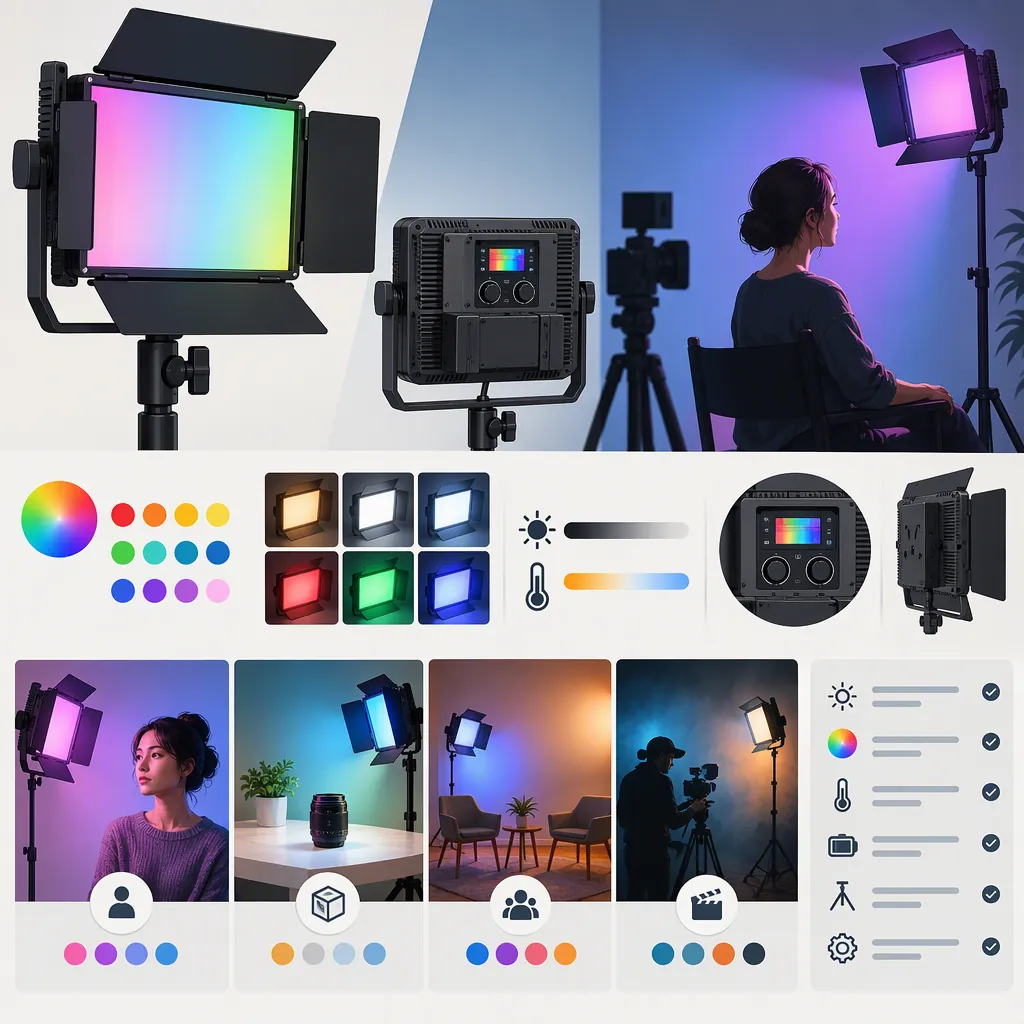
How to Evaluate the GVM RGB-10s for Filming
Evaluate the GVM RGB-10S against a specific filming role rather than treating its name or listed specifications as proof of suitability. Check exposure at your working distance, the appearance of faces and objects, flicker at your recording settings, mounting, and power needs. The supplied GVM pages disagree on several specifications and package details, so they do not establish one consistent configuration. This guide offers a selection process, not a verified performance recommendation. [c1] [c2]
Define the Lighting Role First
Start with the shot you need, not the model name. Write down the subject, framing, camera position, intended light position, ambient conditions, and recording duration.
Use those requirements to define a test:
- Main light for a face: Can the proposed setup produce the exposure and shadow pattern you want without compromising your chosen camera settings?
- Fill light: Can you adjust the light to the desired balance while retaining the shadows you want?
- Colored background or accent: Does the recorded color look appropriate without unwanted spill on the subject?
- Camera-mounted light: Does the proposed position give the intended look, and can the complete rig be operated comfortably?
These are evaluation roles, not claims that the RGB-10S can fulfill each one. The supplied references are manufacturer descriptions rather than independent camera tests. [c1] [c2]
Shot Requirements Worksheet
Complete before evaluating a light:
- Intended role: main / fill / background / accent.
- Subject and framing: ____.
- Light-to-subject distance: ____.
- Ambient conditions: ____.
- Camera, lens, and exposure settings: ____.
- Required uninterrupted recording time: ____.
- Proposed mounting position: ____.
- Acceptable exposure, shadow, and color result: ____.
- Reasons to reject this setup: ____.
Separate Listed Specifications from Verified Details
The two supplied pages do not present a consistent specification set. Do not combine their most favorable details into an assumed configuration.
| Detail | GVM experience page | GVM shop page | Selection implication |
|---|---|---|---|
| Color-temperature range | Lists 3200–5600K | Lists 2000–5600K | Confirm the range for the exact unit. |
| LED count | Describes 192 LEDs | Describes 128 LEDs | Do not assume the descriptions identify identical hardware. |
| Rear display | Describes an OLED display | Describes an LCD display | Check the actual display and controls. |
| App connection | Mentions both Wi-Fi and Bluetooth | Describes Wi-Fi | Treat connection method as unresolved. |
| DC adapter | Says an adapter is not included | Describes an included adapter, while the packing list does not list it | Verify the package contents rather than relying on a single paragraph. |
These differences are visible in the provided source text. They do not, by themselves, prove that there are separate hardware revisions or explain which description is correct. [c1] [c2]
For selection purposes, distinguish three categories: what a page lists, what documentation for the exact unit confirms, and what a camera test demonstrates. Only the last category establishes whether the setup meets your shot requirements.
Use a Repeatable Camera Test
If a unit is available for evaluation, use the camera and recording settings intended for the production. This is a proposed test procedure, not a report of firsthand testing.
- Record a baseline. Film the subject with the existing lighting. Keep exposure and white balance fixed for the comparison.
- Test the planned position. Place the candidate light at the intended working distance and angle. Record whether it meets your exposure target and produces the desired shadows.
- Check adjustment behavior. Test the output settings you expect to use, including lower brightness settings. Inspect the footage for banding or brightness variation at your intended frame rate and shutter settings.
- Evaluate recorded color. Include a face or representative objects from the scene. Assess white-light settings and colored-light settings separately; do not use a pleasing colored background as evidence of suitable facial lighting.
- Test the complete setup. Include any proposed diffusion, mounting hardware, and power source. Judge that configuration rather than an unmodified light in a different position.
- Record the result. Note distance, settings, power source, accessories, and any failed requirement.
Neither supplied reference establishes flicker behavior across recording settings or independently verifies the results of this procedure. A passing test supports only the configuration and conditions actually tested. [c1] [c2]
Camera Test Record
For each test clip, record:
- Clip identifier: ____.
- Camera, frame rate, and shutter setting: ____.
- Exposure and white balance: ____.
- Light position and subject distance: ____.
- Light mode and brightness setting: ____.
- Power source and accessories: ____.
- Exposure and shadow result: pass / fail / uncertain.
- Recorded color result: pass / fail / uncertain.
- Banding or brightness variation: observed / not observed in this clip.
- Conditions requiring another test: ____.
Check Power, Mounting, and the Final Decision
Both sources describe battery and DC power options and a tilting shoe mount, but their accessory descriptions are not fully aligned. Treat those descriptions as items to verify, not a guarantee of compatibility or package contents. [c1] [c2]
Before committing the setup to a production, confirm:
- The exact power input requirements and a matching power supply.
- Battery compatibility, charger compatibility, and runtime under the intended settings.
- The included mount and its fit with the actual camera, cage, or support.
- Clearance for cables, controls, batteries, and other camera accessories.
- Whether essential settings can be adjusted without depending on an unverified app connection.
Use a conditional decision: accept the setup only if the relevant shot test passes and the practical requirements are resolved. If exposure, recorded color, runtime, or mounting remains uncertain, the evidence is insufficient to designate it as the production's main light.
The supplied pages do not provide a comparison with other named lights. This guide therefore does not rank the RGB-10S against alternatives or claim that it replaces a larger lighting setup. [c1] [c2]
FAQ
Can the GVM RGB-10s Be My Only Filming Light?
The supplied references do not establish that it can be your only light. Evaluate it at the intended distance, framing, ambient conditions, and camera settings. Treat suitability as unresolved until the setup meets your exposure, shadow, color, and recording-duration requirements. [c1] [c2]
Which Color-Temperature Range Should I Rely On?
The experience page lists 3200–5600K, while the shop page lists 2000–5600K. The provided evidence does not resolve that discrepancy. Confirm the range using documentation and controls for the exact unit rather than assuming the wider range applies. [c1] [c2]
Is a Dc Adapter Included?
The provided descriptions conflict. The experience page says a DC adapter is not included; the shop description says one is included, but its packing list does not list one. Treat adapter inclusion as unconfirmed for a particular package. [c1] [c2]
Is App Control Bluetooth or Wi-Fi?
The experience page mentions both Wi-Fi and Bluetooth, while the shop page describes Wi-Fi. These references do not establish one consistent connection method. Verify the exact unit and app pairing procedure before making remote control a production requirement. [c1] [c2]