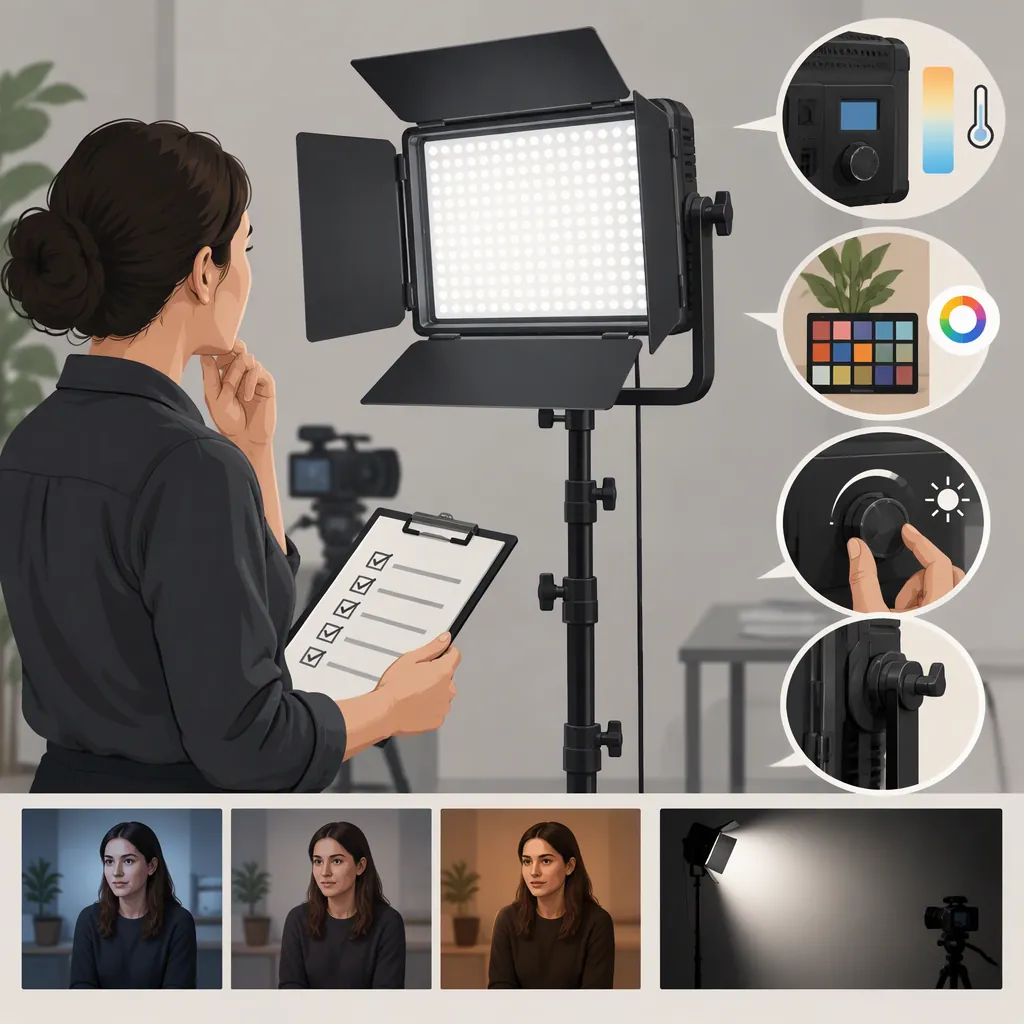
GVM 850D: A Practical Filming Light Selection Guide
Evaluate the GVM 850D against your actual shooting distance, exposure settings, light modifiers, and control needs—not its model name alone. GVM describes it as an RGB LED panel with an adjustable 3200K–5600K white-light range. That identifies its advertised functions, but the supplied manufacturer pages do not independently establish whether it will provide enough usable light or acceptable color and flicker performance for your shoot. [c1] [c2]
What the Sources Establish
Both supplied references are GVM product pages, not independent reviews or test reports. They describe RGB color adjustment, a 3200K–5600K white-light range, and app control. Treat these as manufacturer descriptions rather than verified performance results. [c1] [c2]
The descriptions also differ in ways worth checking. The shop page describes master/slave control, while the overview page describes Bluetooth Mesh networking and grouping. The shop page gives a TLCI value of 98 in its descriptive text, while the overview states TLCI 97+. These differences do not establish which description applies to a particular unit. Confirm the exact version and its documentation before relying on a control feature or numerical rating. [c1] [c2]
Check Exposure at the Working Distance
Start with the shot you need: subject position, framing, intended aperture, ISO, frame rate, and shutter setting. Evaluate the light at the position it would occupy during filming, with any intended diffusion in place.
The shop page lists 40W power and illuminance figures of 18,000 lux at 0.5 meters and 5,600 lux at 1 meter. The supplied text does not provide a complete measurement procedure or explain how modifiers affect those figures. Do not treat them as a guarantee of exposure in your setup. [c1]
For a practical comparison, keep the camera settings and scene fixed. Check whether each candidate light reaches the exposure you need without unacceptable compromises. Repeat at the farthest placement you expect to use. A close-range demonstration alone cannot answer that question.
Evaluate Color and Flicker on Camera
Use separate checks for white-light filming and colored effects. For an interview, record a face and a neutral reference at your intended white balance. For a colored background, test the specific hue and saturation you need rather than assuming white-light output figures describe RGB output.
Both pages advertise high color-rendering ratings, and the overview describes flicker-free lighting. These are manufacturer statements, not independent test results supplied with this article. [c1] [c2]
Record samples at every frame rate and shutter setting planned for the shoot, including the dimming levels you expect to use. Inspect footage for banding, exposure changes, and unwanted color shifts. If you cannot test the fixture, keep those performance questions unresolved rather than treating an advertised rating as proof.
Assess the Complete Setup
Plan the lighting roles before deciding how many fixtures you need. For a seated interview, evaluate a key light first, then decide whether fill, background lighting, or subject separation requires another fixture. Do not assume a two-light kit automatically covers every role.
The shop listing identifies a two-light kit and lists DC input and battery power support. That information alone does not establish battery runtime, the exact included accessories, or compatibility with every modifier you might use. [c1]
For location work, verify the power supply, battery requirements, mounting hardware, transport needs, and stand stability. For remote operation, check the exact app, connection method, and whether individual lights can retain different settings. Because the supplied control descriptions differ, test the intended workflow rather than assuming all advertised functions coexist on every version. [c1] [c2]
Use a Shot-Based Comparison Checklist
Compare the GVM 850D and other candidates under the same conditions. The supplied references do not support a model-to-model ranking, so make the decision around requirements you can document.
Separate confirmed observations from manufacturer-listed features and unresolved questions. If a critical requirement remains untested—such as exposure through diffusion or operation at a particular shutter setting—record that limitation explicitly.
Filming Light Evaluation Worksheet
- Intended shot and lighting role:
- Camera, frame rate, shutter, aperture, and ISO:
- Subject-to-light distance:
- Diffusion or modifier:
- Required white-light setting or RGB color:
- Exposure result at the intended placement:
- Color observations in recorded footage:
- Flicker or banding check at planned settings:
- Manual and remote-control results:
- Power arrangement and runtime requirement:
- Confirmed included accessories:
- Evidence type: manufacturer description or direct test:
- Unresolved requirements:
- Decision: meets requirements, does not meet requirements, or insufficient evidence.
FAQ
Is the GVM 850D Suitable for Interview Filming?
Its advertised RGB and adjustable white-light functions make it a candidate to evaluate, but suitability is not established by the supplied pages. Test exposure, face rendering, diffusion, and flicker at the settings and distance your interview requires. [c1] [c2]
Can the GVM 850D Be Controlled with an App?
Both supplied pages advertise app control. However, the shop page describes master/slave operation and the overview describes Bluetooth Mesh grouping. Confirm the control system and app compatibility for the exact unit rather than assuming the descriptions are interchangeable. [c1] [c2]
How Long Does the GVM 850D Run on Batteries?
The shop page lists battery power support, but the supplied text does not establish runtime under specified operating conditions. Verify the battery requirements and test runtime at your planned brightness and operating mode; do not infer a filming duration from battery support alone. [c1]