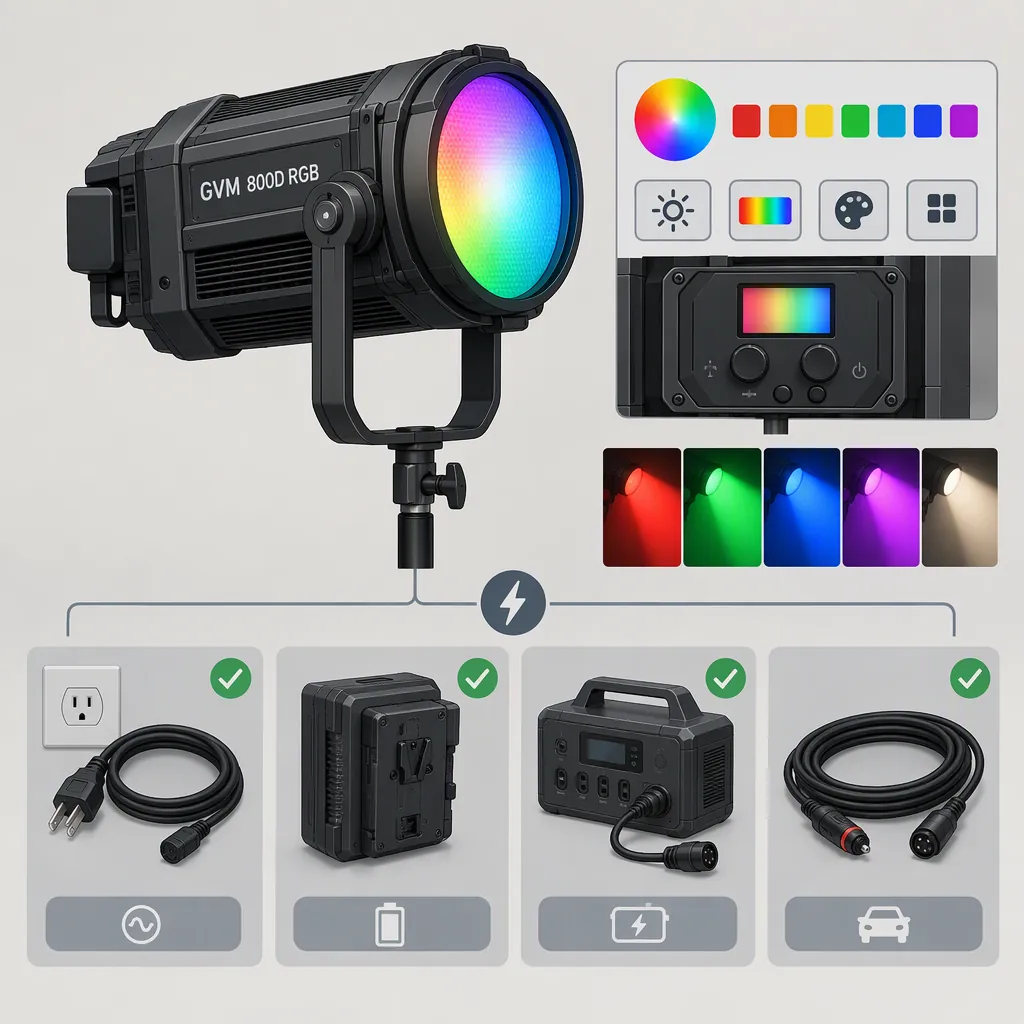
GVM 800D RGB: Choosing a Light and Checking Power Compatibility
Start by checking the exact model label: the supplied GVM page uses an 800D RGB URL but identifies the product as GVM-800D-II. For that listing, GVM states a 100–240V AC adapter input range, a DC15V/3A supply specification, and operation with two Sony F750/970 batteries, not included. Do not assume these details apply to every light sold as “GVM 800D RGB.” Verify the fixture label, adapter, connector, and battery requirements against documentation for the actual unit. [gvm_source]
Identify the Exact Model First
The supplied product page is titled GVM-800D-II, although its URL contains “gvm-800d-rgb” and its descriptive text also refers to “GVM 800D.” This naming overlap is a reason to check the hardware label rather than treating a search term as a complete model identifier. [gvm_source]
Before comparing power accessories or lighting specifications, record the model printed on the fixture, its electrical input label, and the model of its supplied adapter. If those details differ from the listing, treat compatibility as unresolved until documentation for that exact unit confirms it.
This article relies on one manufacturer product listing. It does not establish equivalence between the original 800D and the 800D-II, or verify every regional package or hardware revision.
Model Identification Worksheet
- Fixture model printed on housing: ______
- Fixture electrical input rating: ______
- Adapter model and output rating: ______
- Connector size and polarity marking: ______
- Battery requirement in the matching manual: ______
- Any mismatch with the product listing: ______
- Status: confirmed / unresolved
Match Lighting Controls to the Scene
For the listed GVM-800D-II, GVM describes a white-light color-temperature range of 3200K–5600K and a separate hue-and-saturation mode. It also lists rear-panel controls, app control, and wireless master-slave control. These are manufacturer-described features, not independently tested performance findings. [gvm_source]
Use the scene requirements to guide selection:
- White-light work: Decide whether the stated color-temperature range covers the look you need. Evaluate skin tones and exposure with your actual camera rather than relying only on a specification.
- Colored accents: Assess hue and saturation at the intended subject distance and camera settings. A colored-background test is more informative than assuming RGB mode will provide the same usable exposure as white mode.
- Light shaping: Check framing, spill, and softness in the intended setup. The listing describes four-way barndoors, but does not establish how a particular modifier will perform. [gvm_source]
- Control workflow: Verify the app and any multi-light pairing with the exact hardware before depending on them during a shoot.
The supplied evidence does not include independent camera tests, flicker measurements, or a controlled comparison with other lights. It therefore cannot establish that this model is the best choice for a particular production.
Separate Ac Input from Dc Output
GVM says the listed light operates through an included adapter with a 100–240V AC input range. Its specifications separately state DC15V/3A. These describe different parts of the power path: the adapter's mains input and the listed DC supply specification. Do not interpret 100–240V as permission to connect mains power directly to the fixture's DC socket. [gvm_source]
For a replacement adapter, use documentation for the exact fixture to confirm all required characteristics—not just wattage or whether the plug fits. Check output voltage, required current capacity, connector dimensions, and polarity. If any item is unknown, compatibility is not established.
The supplied page does not specify DC connector dimensions or polarity. Its AC voltage range also does not establish the wall-plug type or every regional package's contents. Check the adapter actually supplied with the unit before connecting it.
Adapter Compatibility Checklist
- Confirm the exact fixture model.
- Compare the fixture's input requirement with the adapter's output label.
- Confirm connector dimensions and polarity from matching documentation.
- Check the adapter's AC input label and the local mains supply.
- Check the wall plug and cable condition.
- Leave the adapter disconnected if any required specification is unresolved.
Check Battery Requirements Without Guessing
The listing says battery operation uses two Sony F750/970 batteries, which are not included. It does not explain whether one battery can operate the fixture, how the batteries are electrically arranged, or which third-party battery variants are approved. [gvm_source]
Treat the stated two-battery arrangement as the documented configuration. Do not assume that a physically similar battery, a single installed battery, or an improvised external-power cable is compatible.
For location planning, confirm the battery types and installation procedure in the matching manual, then measure runtime using the intended brightness and color mode. The supplied listing does not provide a battery-runtime figure, so this article cannot give a verified runtime estimate. Battery charging requirements also need separate confirmation; battery operation alone does not establish that the fixture charges installed batteries.
FAQ
Does This Source Confirm Specifications for the Original GVM 800D RGB?
Not conclusively. The supplied page identifies the product as GVM-800D-II while also using 800D wording. Apply its specifications only after matching the listing to the exact fixture; the source does not establish that the original 800D and 800D-II have identical requirements. [gvm_source]
Is Any 15V, 3a Adapter Compatible?
Compatibility is not established by those ratings alone. The listing states DC15V/3A but does not provide connector dimensions or polarity. Confirm those details, the exact model's requirements, and the replacement adapter's suitability before connecting it. [gvm_source]
Which Batteries Are Listed, and How Long Will They Last?
GVM lists two Sony F750/970 batteries, not included. The supplied page provides no battery-runtime figure, so a verified duration cannot be given. Confirm the battery configuration for your unit and test runtime at the settings you intend to use. [gvm_source]