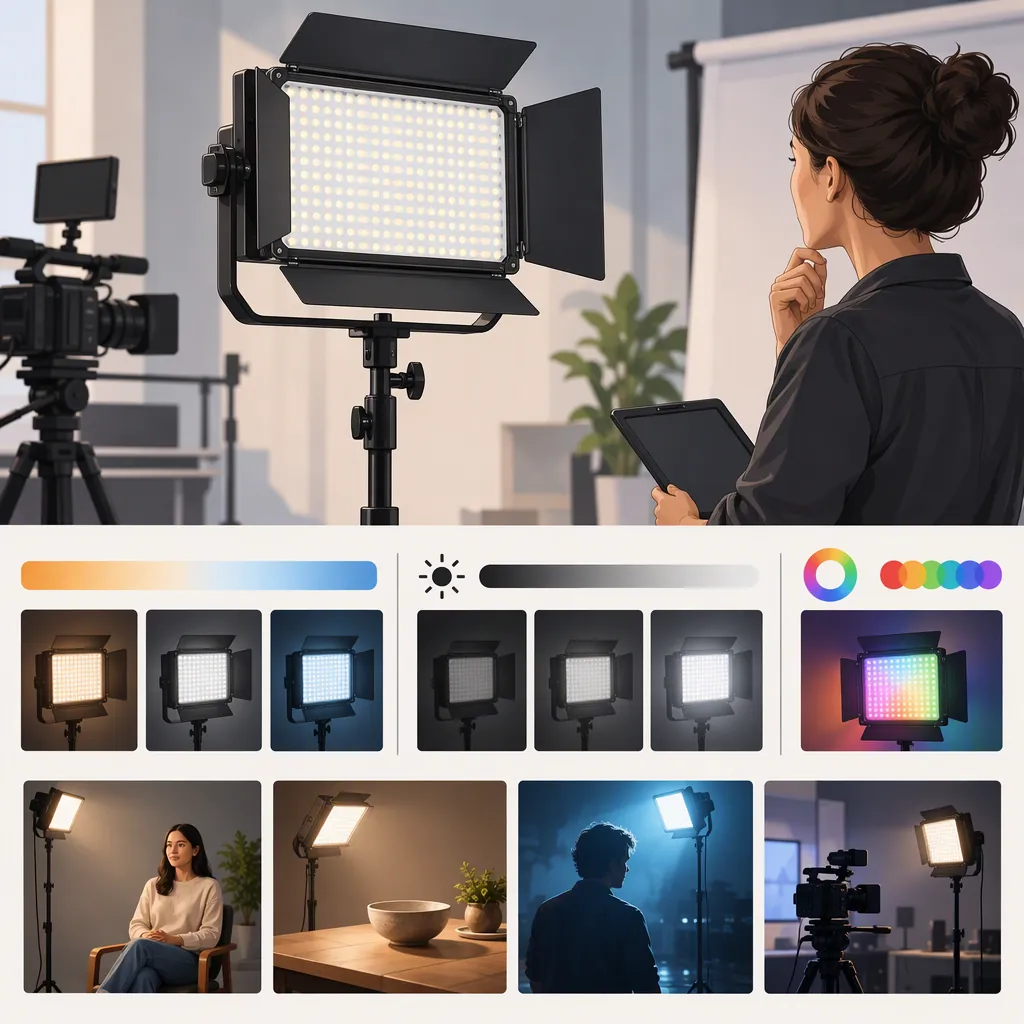
Godox P260c: How to Choose a Light for Your Filming Setup
To evaluate a Godox P260C for filming, confirm the exact model, define your shot, and check whether the complete setup meets your exposure, lighting, and power requirements. The evidence here comes from a Studio Lights article and a Photo Warehouse product page, both discussing the P260C PRO. Their specification descriptions disagree, so they cannot establish a reliable specification set for every P260C listing. This guide offers a selection method, not a verified performance verdict. [c1] [c2]
Confirm the Exact Model Before Comparing
Treat “Godox P260C” as a starting search term rather than a complete equipment specification. Photo Warehouse explicitly distinguishes the P260C PRO from the original P260C. Although the Studio Lights article also uses the Pro name, its descriptions differ from the retailer’s listing. [c1] [c2]
Conflicting Source Descriptions—Not Confirmed P260c Specifications
| Item | Studio Lights description [c1] | Photo Warehouse description [c2] | Comparison status |
|---|---|---|---|
| Power | 30W | 45W power consumption | Unresolved |
| Color-temperature range | 3300K–5600K | 2800K–6500K | Unresolved |
| Wireless control | 16-channel/6-group wireless control | Bluetooth/app control, with NFC connection functionality | Unresolved |
These are source statements, not verified specifications for the unit you are considering. Do not combine them into a single specification sheet or assume that either description applies to the original P260C. Neither reference is a manufacturer manual, and these two sources alone cannot resolve the discrepancies. [c1] [c2]
Check the model label against documentation for that exact version. Also record the accessories included in the particular package; similarly named listings should not be assumed to contain the same items.
Model Verification Worksheet
Complete before comparing lights:
- Exact model printed on the fixture: ______
- Exact model named in its manual: ______
- Listing title and source: ______
- Included power supply and mounting hardware: ______
- Conflicting or missing information: ______
- Status: confirmed / unresolved

Keep unresolved specifications out of the comparison.
Define the Shot Before Choosing the Light
Start with the frame you need to record, not a product ranking. Specify whether the light will illuminate a face, a tabletop subject, several people, or a background. Decide whether it must provide the main illumination or supplement an existing setup.
Translate each scene into a requirement you can check:
| Filming situation | Requirement to define | What to evaluate |
|---|---|---|
| Seated interview | Placement distance, facial exposure, and desired shadows | Whether the face reaches the target exposure and the shadow pattern is acceptable |
| Tabletop filming | Detail visibility and acceptable reflections | Whether important details remain visible without distracting glare |
| Several people or a wider scene | Subjects and areas that need illumination | Whether every required area meets the planned exposure |
| Background lighting | Desired background brightness and separation | Whether the background looks as intended without unwanted spill onto the subject |
These are planning criteria, not evidence that any P260C version can satisfy them.
Filming Requirements Brief
Scene: ______
Subject count and framing: ______
Light role: key / fill / background / other
Available fixture-to-subject distance: ______
Camera frame rate and shutter setting: ______
Target aperture and ISO: ______
Existing room or window light: ______
Desired shadow and reflection appearance: ______
Required continuous recording duration: ______
Separate Listed Specifications from Filming Evidence
A specification listing can help identify what to investigate, but it is not footage from your camera and room. Photo Warehouse provides photometric entries at stated distances and color-temperature settings, along with color-rendering ratings. These are retailer-listed values, not independently verified measurements presented here. [c2]
When comparing documented output, keep distance, color setting, diffusion, and measurement conditions consistent. Do not treat electrical wattage as a substitute for illumination at the subject. If measurement conditions differ or are missing, mark the output comparison unresolved.
For an image-quality check, use the intended camera settings and record a face, a neutral reference, and representative objects. Review exposure, color, shadows, and reflections. Ratings alone should not determine suitability when the required footage or testing is unavailable.
Evidence Comparison Table
Identify each candidate by its exact model. Keep observations separate from evidence status so that “not tested” is not mistaken for a failure.
| Evaluation item | Candidate A: details or observations | Evidence status | Candidate B: details or observations | Evidence status |
|---|---|---|---|---|
| Candidate light and exact model | Record label and version | Confirmed / unresolved | Record label and version | Confirmed / unresolved |
| Output measurement conditions | Record distance, color setting, and diffusion | Comparable / not comparable / unknown | Record distance, color setting, and diffusion | Comparable / not comparable / unknown |
| Intended camera settings | Record frame rate, shutter, aperture, and ISO | Tested / not tested | Record frame rate, shutter, aperture, and ISO | Tested / not tested |
| Exposure, color, and reflections | Record observations | Passed / failed / not tested | Record observations | Passed / failed / not tested |
| Required operating duration | Record duration and power configuration | Passed / failed / not tested | Record duration and power configuration | Passed / failed / not tested |
| Evidence source | Record listing, manual, or test | Listed / documented / observed | Record listing, manual, or test | Listed / documented / observed |
Check Power, Mounting, and Control Requirements
Evaluate the complete setup rather than the fixture alone. For a stationary recording space, document power access, cable routing, and stand placement. For location filming, identify the intended power source and required operating duration.
Photo Warehouse lists multiple power options for the P260C PRO. It states that USB-C power requires a separately available 51W fast adapter to achieve full brightness and that Bluetooth and NFC functions require Godox Light app version 3.2.4 or above. Treat these as retailer-listed requirements to verify for the exact unit—not capabilities established for every P260C variant. [c2]
Check mounting compatibility and support requirements using the applicable documentation. Include batteries, adapters, cables, stands, and transport needs in the comparison; do not assume they are all included.
Setup Readiness Checklist
- Confirm the documented power requirements for the exact model.
- Identify every required adapter, battery, and cable.
- Check whether each item is included or separate.
- Verify mounting compatibility and support requirements.
- Plan cable routing without obstructing walkways.
- If app control matters, verify device and software requirements.
- Record the power configuration used for any filming test.
- Mark unverified runtime or control behavior as unknown.
Test Against Explicit Pass or Fail Criteria
A useful test keeps the planned shooting conditions fixed and evaluates each requirement separately. Changing aperture, ISO, distance, or power source midway through a comparison can turn it into a different filming setup.
Hypothetical Interview Test—Not a P260c Test Result
Suppose an interview brief calls for one seated subject, a light positioned 1 meter from the face, and recording at 24 fps, a 1/50-second shutter setting, f/4, and ISO 400. These are illustrative test conditions, not recommended settings for every production.
Before testing, define acceptable facial exposure using your camera’s exposure tools and decide what shadow pattern, reflections, and color appearance are acceptable. Set the intended white balance, room lighting, power source, color-temperature setting, and brightness setting. Record those conditions, then capture the subject, a neutral reference, and representative clothing or objects.
| Requirement | Pass criterion | Fail criterion |
|---|---|---|
| Target exposure | The subject reaches the predefined exposure at the fixed camera settings and placement | The target exposure cannot be reached within the permitted light adjustments |
| Stable recorded brightness | No unacceptable visible bands or brightness variation in the footage | Visible bands or brightness changes make the footage unacceptable |
| Color appearance | The face and reference objects meet the predefined color expectations | Unwanted color shifts remain unacceptable under the planned setup |
| Shadows and reflections | Shadows preserve the intended look, and reflections do not obscure important detail | Shadows or glare prevent the required image from being achieved |
| Recording duration | The complete setup operates acceptably for the required duration | Power loss or another interruption prevents completion |
| Recorded audio | Setup-related sound is acceptable in the intended recording | Unwanted sound makes the recording unacceptable |
If a condition is not tested, record not tested, not passed or failed. If you change the setup to solve a problem, document the new conditions and repeat the relevant checks.
This example describes a testing method only. Neither cited source provides a documented camera-specific flicker test or a measured runtime test using a named battery configuration, so those questions remain unresolved without additional evidence for the unit and setup. [c1] [c2]
Make a Conditional Decision
Use three outcomes:
- Suitable for the defined shot: All essential requirements are supported by applicable documentation or testing under the planned conditions.
- Unsuitable for the defined shot: At least one essential requirement fails, and acceptable setup changes do not resolve it.
- Not yet verified: An essential specification, compatibility requirement, or test result is missing or unresolved.
A failed interview test does not establish that the light is unsuitable for every kind of filming. Likewise, a successful close-up test does not establish suitability for a wider scene. Keep the conclusion tied to the exact model and filming brief.
Decision Record
Defined shot: ______
Exact model: ______
Evidence reviewed: ______
Tests completed and conditions: ______
Requirements passed: ______
Requirements failed: ______
Unresolved requirements: ______
Decision: suitable / unsuitable / not yet verified
Reason tied to the filming brief: ______
FAQ
Are Godox P260c and P260c Pro Specifications Interchangeable?
Do not assume they are. Photo Warehouse explicitly describes the PRO version in relation to the original P260C. Confirm the model label and corresponding documentation before applying a listed specification. [c2]
Is a Godox P260c Suitable for Interview Filming?
The cited sources discuss interview use, but that does not establish suitability for your room, framing, or exposure settings. Define those conditions and evaluate the exact model against them before reaching a conclusion. [c1] [c2]
What Should I Do When P260c Listings Disagree?
Keep the conflicting specifications unresolved until documentation for the exact unit clarifies them. The Studio Lights and Photo Warehouse descriptions differ on power, color-temperature range, and wireless control despite using the Pro name; do not select whichever value looks preferable. [c1] [c2]
Do Listed Color-Rendering Ratings and Output Values Replace a Camera Test?
No. Photo Warehouse lists color-rendering ratings and output measurements, but those entries do not show how your camera, subject, and room will look together. Use them to plan an evaluation, then check the recorded image against your filming requirements. [c2]
Can the Cited Sources Confirm Flicker Behavior or Battery Runtime for My Setup?
No. They do not document camera-specific flicker testing or measured runtime with a named battery configuration. Test the intended frame rate, shutter setting, brightness, and power configuration, or leave those requirements not yet verified. [c1] [c2]