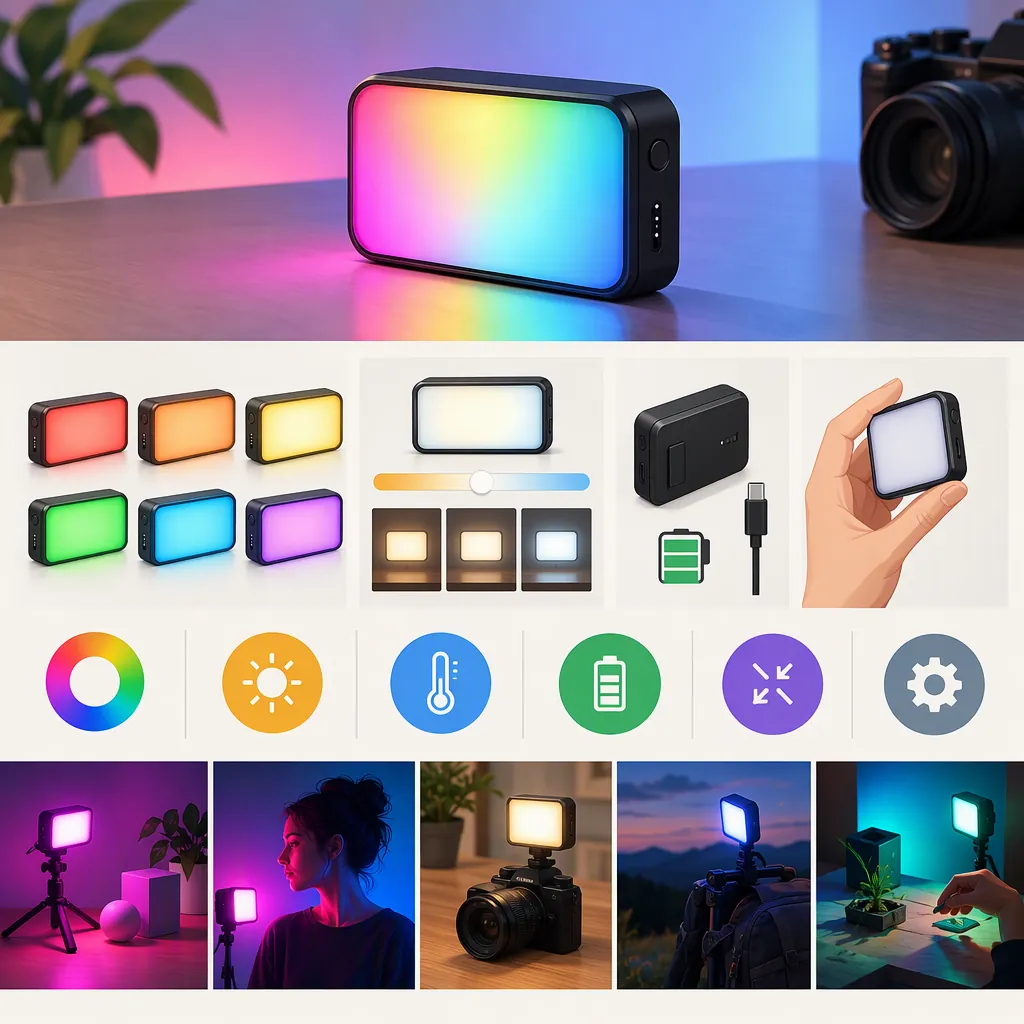
Choosing the Godox M1 RGB Mini Creative Light for Filming
To decide whether the Godox M1 RGB Mini Creative Light fits your filming setup, define its job in the shot, then verify exposure, recorded color, mounting, and operating time. Treat it as suitable for the tested scene only when every necessary requirement passes. A failed requirement rules out the current configuration; an unverified requirement keeps the decision open.
The sources used here are retail listings, not independent performance tests. They do not establish suitability for your production. This guide provides a selection method, not firsthand results or a model ranking. [c1] [c2]
Define the Lighting Role First
Both references identify the Godox M1 as an RGB Mini Creative on-camera video LED light. That listing name is a starting point, not proof that it can handle every filming role. [c1] [c2]
Choose one primary job before comparing lights:
- Subject lighting: Evaluate the intended face or object at the actual working distance.
- Fill: Compare footage with the light off and on, focusing on the shadow detail you need.
- Background accent: Judge the intended colored area and check for unwanted light on the subject.
- Effects: Evaluate the recorded sequence, not just how the effect looks to the eye.
Treat each role separately. An acceptable background accent does not establish that the same setup will work as an interview's main light.
Separate Requirements from Preferences
A necessary requirement is something the shot cannot proceed without, such as achieving the intended exposure within your allowed camera settings or operating throughout an uninterrupted take. An optional preference is something you would like but can omit without compromising the shot, such as an effect that is not part of the planned sequence.
Set these priorities before testing. Do not let a successful optional feature outweigh a failed necessary requirement.
Shot Requirement Card
- Primary lighting role: ____
- Subject or background area: ____
- Light-to-target distance and position: ____
- Ambient lighting conditions: ____
- Camera, lens, frame rate, shutter, exposure, and white balance: ____
- Allowed changes to camera settings or light placement: ____
- Required uninterrupted operating time: ____
- Necessary acceptance criteria: ____
- Optional preferences: ____
Acceptance criteria should describe something you can observe. Examples include:
- The target exposure is reached without exceeding the camera-setting limits chosen for the shot.
- A background accent does not introduce a visible color cast on the subject that you consider unacceptable.
- Planned frame-rate and shutter combinations produce no unacceptable banding or unintended brightness changes.
- The assembled support holds the intended position, with controls accessible throughout the planned movement.
- The light operates at the intended settings for the required uninterrupted period.
These are examples of criteria to define for your production, not universal thresholds or claims about M1 performance.
Screen Requirements Before You Can Test
If you do not yet have access to an M1, start with the requirement card rather than assigning a favorable verdict from listing descriptions.
For each necessary requirement:
- Write the exact question that needs answering.
- Check whether available public documentation addresses that question for the corresponding model.
- Distinguish a documented specification from evidence of performance in your scene.
- Mark missing, conflicting, or scene-dependent evidence as unverified.
- If borrowing, rental, or a demonstration is available, use that access to run the relevant tests.
For example, “Can it operate for my entire session at the intended settings?” is more useful than “Does it have a large battery?” Likewise, “Does the complete support arrangement fit my rig?” is more useful than “Does it have a mounting bracket?”
Neither supplied reference is a manufacturer manual or a controlled comparison. Additional public documentation may help resolve compatibility or operating questions, but the supplied listings alone do not validate your filming setup. [c1] [c2]
Evaluate the Recorded Image
Once you can access the candidate light, use this procedure to evaluate your scene. It is not a report of tested M1 performance.
- Set up the intended framing, subject distance, and ambient lighting.
- Fix exposure and white balance for the off/on comparison.
- Record a baseline with the candidate light off.
- Record the intended lighting setup, noting light position, mode, and settings.
- Review subject exposure, skin or object color, shadow edges, reflections, and background separation.
- Check every frame-rate and shutter combination you plan to use for unwanted banding or brightness changes.
- Compare each result with the acceptance criteria written before the test.
If you change light placement or camera settings to address a failed result, record the change and retest. A pass applies to that revised configuration, not automatically to the original one.
For a white-light role, include a neutral reference and representative subject materials. For a colored accent, judge both the target area and unintended spill. For effects, distinguish intended brightness changes from unwanted artifacts.
Camera Test Log
| Test | Setup and Settings | Recorded Result | Status |
|---|---|---|---|
| Baseline, light off | ____ | ____ | Reference only |
| Intended white-light setup | ____ | ____ | ____ |
| Intended colored accent | ____ | ____ | ____ |
| Intended effect sequence | ____ | ____ | ____ |
| Each planned frame rate and shutter setting | ____ | ____ | ____ |
| Hypothetical example—not an M1 test: background accent | Fixed exposure and white balance; planned subject and background positions | Intended background color appears, but spill produces a subject color cast defined as unacceptable | Not acceptable in this configuration |
Use acceptable, not acceptable, or unverified for evaluated requirements. Record the conditions behind each status; a label without the setup is not enough for a useful comparison.
Check Mounting and Power Requirements
Berger Brothers describes an articulating mounting bracket and USB Type-C charging. These are listing descriptions, not confirmation that your complete rig or power arrangement is compatible. [c1]
Mounting
Inspect the actual attachment, clearance, support, and access to controls with the full rig assembled. Check the camera movement you intend to perform.
For an off-camera position, evaluate the entire support arrangement rather than only the light's attachment point. If a different mount or position is needed, treat that as a configuration change and check it again.
Power and Session Length
Plan around the time the light must remain on, including setup, rehearsals, takes, and any breaks during which it stays powered. Distinguish that total from the length of the final recorded footage.
Evaluate operating time at the settings you intend to use. Charging time and operation while charging are not established by the supplied source text; keep those questions unverified unless separately confirmed. [c1] [c2]
Rig and Session Checklist
- Actual attachment and complete support arrangement checked.
- Intended position maintained during the planned movement.
- Controls accessible.
- Camera movement and cable clearance checked.
- Required operating time includes setup and rehearsals.
- Operating time evaluated at the intended settings.
- Charging time confirmed, or marked unverified.
- Operation while charging confirmed if required, or marked unverified.
Turn the Evidence into a Selection Decision
Use the following definitions consistently:
| Status | Meaning | Decision Effect |
|---|---|---|
| Acceptable | The requirement meets the prewritten criterion under the recorded conditions. | Counts as a pass for that configuration. |
| Not acceptable | The result fails the criterion under the recorded conditions. | A necessary requirement's failure rules out the current configuration. |
| Unverified | Evidence is missing, conflicting, incomplete, or does not cover the intended conditions. | A necessary requirement remains unresolved; do not infer a pass or failure. |
Apply these rules to each candidate:
- All necessary requirements pass: Treat the candidate as suitable for the tested scene and configuration, not for every production.
- Any necessary requirement fails: Do not select that configuration for the planned shot. If you can change the setup within your allowed constraints, retest it.
- No necessary requirement fails, but one remains unverified: Keep the decision pending and identify the evidence or test needed.
- Multiple candidates pass: Compare optional preferences without changing the necessary criteria after seeing the results.
Neutral Comparison Worksheet
Compare candidates using the same shot requirements and evaluation procedure.
| Requirement | Priority | Godox M1 Evaluation | Other Candidate Evaluation |
|---|---|---|---|
| Exposure in the planned shot | Necessary / optional | ____ | ____ |
| Recorded color and spill | Necessary / optional | ____ | ____ |
| Planned frame-rate and shutter checks | Necessary / optional | ____ | ____ |
| Mounting and control access | Necessary / optional | ____ | ____ |
| Required operating time | Necessary / optional | ____ | ____ |
| Intended effect sequence | Necessary / optional | ____ | ____ |
| Unresolved questions and next verification step | — | ____ | ____ |
| Hypothetical example—not measured candidate results: uninterrupted operating time | Necessary | Unverified—no session-length test at intended settings; evaluate when access is available | Unverified—same evidence gap |
A hypothetical record illustrates the method only. It is not evidence for either candidate.
Keep Source Limits Visible
The listings contain a battery-capacity discrepancy: Berger Brothers lists 2410 mAh, while the Amazon product description states 1800 mAh. This article does not resolve which figure is correct. [c1] [c2]
Keep that specification unresolved rather than choosing the more favorable figure. For session planning, evaluate operating time under your intended conditions.
The supplied retail pages also do not establish that the M1 is brighter, more color-accurate, more durable, or better value than another light. Do not convert listing language or missing evidence into a comparative verdict. [c1] [c2]
FAQ
Can the Godox M1 Be My Main Filming Light?
The supplied listings do not establish that it will meet your main-light requirements. [c1] [c2] Treat it as suitable for that role only after all necessary criteria pass at the intended distance, ambient conditions, framing, camera settings, and session length.
What If I Cannot Test the M1 Before Choosing?
Record the necessary conditions as unverified and identify what would resolve each one. Public documentation may answer model-specific compatibility questions; scene-dependent exposure, color, and banding questions belong in a camera test when access becomes available. The two supplied retail pages do not validate your particular setup. [c1] [c2]
Why Not Rely on the Listed Battery Capacity?
The sources disagree on capacity, so the figure remains unresolved. [c1] [c2] Capacity alone should not replace an operating-time evaluation for your planned settings and uninterrupted session.
Does a Successful Background-Accent Test Mean It Will Work for an Interview?
No. Apply the selection method separately to each role. A background-accent test does not verify subject exposure, recorded color, or session requirements for an interview, and the supplied listings do not establish that suitability. [c1] [c2]
Is This a Tested Comparison with Other Filming Lights?
No. This is a neutral selection framework using two retail listings, not firsthand testing or a ranking. [c1] [c2] The example rows are hypothetical; use the worksheets to record actual evidence under comparable filming conditions.