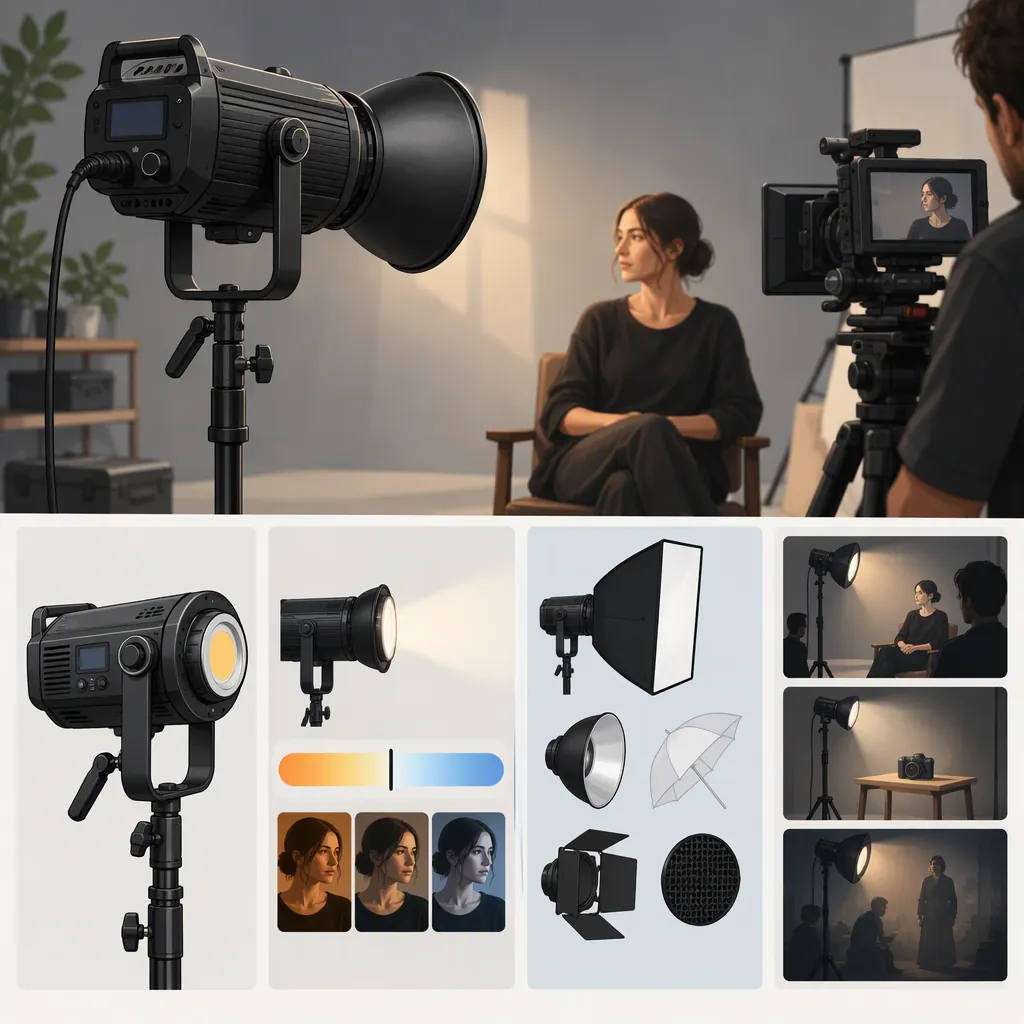
Godox 500C: How to Evaluate a Light for Filming
Start by confirming the model: Ace Photo lists a Godox LED500C bi-color video light, while Godox identifies the LC500 separately as a light stick. These names should not be treated as interchangeable. [c1] [c2] For filming, evaluate the exact fixture against your framing, working distance, exposure, power needs, and recorded-image requirements. The supplied references do not establish whether the LED500C can adequately light your particular scene.
Confirm the Model Before Comparing Lights
The search phrase “godox 500c” is not enough to identify a fixture with confidence. Ace Photo names its listing Godox LED500C Bi-Color LED Video Light and gives the manufacturer part number as LED500C. Godox's separate LC500 page places that model under light sticks. [c1] [c2]
Check the label on the fixture, packaging, or documentation before applying specifications from another page. In particular, do not transfer LC500 battery, control, or accessory information to the LED500C merely because both names contain “500.” Likewise, do not use the number in a model name as evidence of wattage or usable output.
This guide uses the LED500C listing to clarify identity, not to certify performance or recommend a purchase.
Define the Shot Before Choosing the Fixture
Write down what the light must accomplish rather than starting with a model ranking.
- Interview or talking-head shot: Specify the framing, subject position, available placement space, and desired shadow appearance.
- Tabletop or product shot: Include reflective surfaces and the areas where visible reflections would be unacceptable.
- Moving subject: Map the full movement area rather than testing only one position.
- Location recording: Note available outlets, cable routes, setup time, and whether the light must remain unattended during a take.
Treat these as evaluation criteria, not promises about the LED500C. A useful comparison asks whether each candidate meets the same shot requirements under the same test conditions.
Filming Light Requirements Worksheet
Complete before testing:
- Exact model and source of identification: ____
- Shot type and framing: ____
- Subject positions or movement area: ____
- Planned light-to-subject distance: ____
- Frame rate and shutter setting: ____
- Aperture and maximum acceptable ISO: ____
- Intended diffusion or other modifier: ____
- Available power and required take length: ____
- Acceptable shadow, reflection, and background appearance: ____
- Required mounting arrangement and cable route: ____
Evaluate the Recorded Result
Use a repeatable camera test rather than judging only by how bright the fixture looks to your eyes.
- Set the intended framing, frame rate, shutter, aperture, ISO, and white balance. Keep them fixed while comparing candidates.
- Position each light at the planned working distance and use the intended modifier, if compatible.
- Record the subject at every important position. Inspect exposure, shadow appearance, background spill, and unwanted reflections.
- Record at the brightness settings and camera modes you expect to use. Check the footage for visible flicker or banding; do not infer compatibility from the model name.
- Include skin tones or relevant product colors in the test. Judge the recorded result rather than assuming that a color-temperature setting guarantees a match.
- Check the intended power arrangement, mounting stability, cable placement, and any sound audible in the recording.
If a test cannot be performed, mark that criterion as unverified. Do not convert missing evidence into a positive or negative result.
Keep the Evidence Limits Visible
The supplied LED500C reference is a retailer listing, not an independent camera test. The supplied Godox LC500 page helps distinguish the light-stick model, but it does not document LED500C performance. [c1] [c2]
These references do not establish LED500C output at your working distance, camera-specific flicker behavior, runtime under your settings, acoustic behavior, or suitability with your intended modifier. They also do not support a performance ranking between the LED500C and LC500.
Use a simple decision record: meets the requirement, does not meet the requirement, or not yet verified. A defensible selection depends on evidence for the planned shot, not on an overall “best light” label.
FAQ
Is Godox 500C the Same as Lc500?
Do not assume so. Ace Photo lists the LED500C as a bi-color video light, while Godox identifies the LC500 as a light stick. Confirm the full model designation before using specifications or accessory information. [c1] [c2]
Is the Led500c Enough for an Interview?
The supplied references do not establish that. Evaluate it at your planned distance, with your intended modifier and camera settings. Record the actual framing and check whether exposure and image appearance meet your requirements.
What Should I Compare Besides the Model Name?
Compare the recorded result, coverage across subject positions, usable placement space, power arrangement, mounting requirements, and any visible flicker or audible noise during your test. Keep untested criteria explicitly marked as unverified.