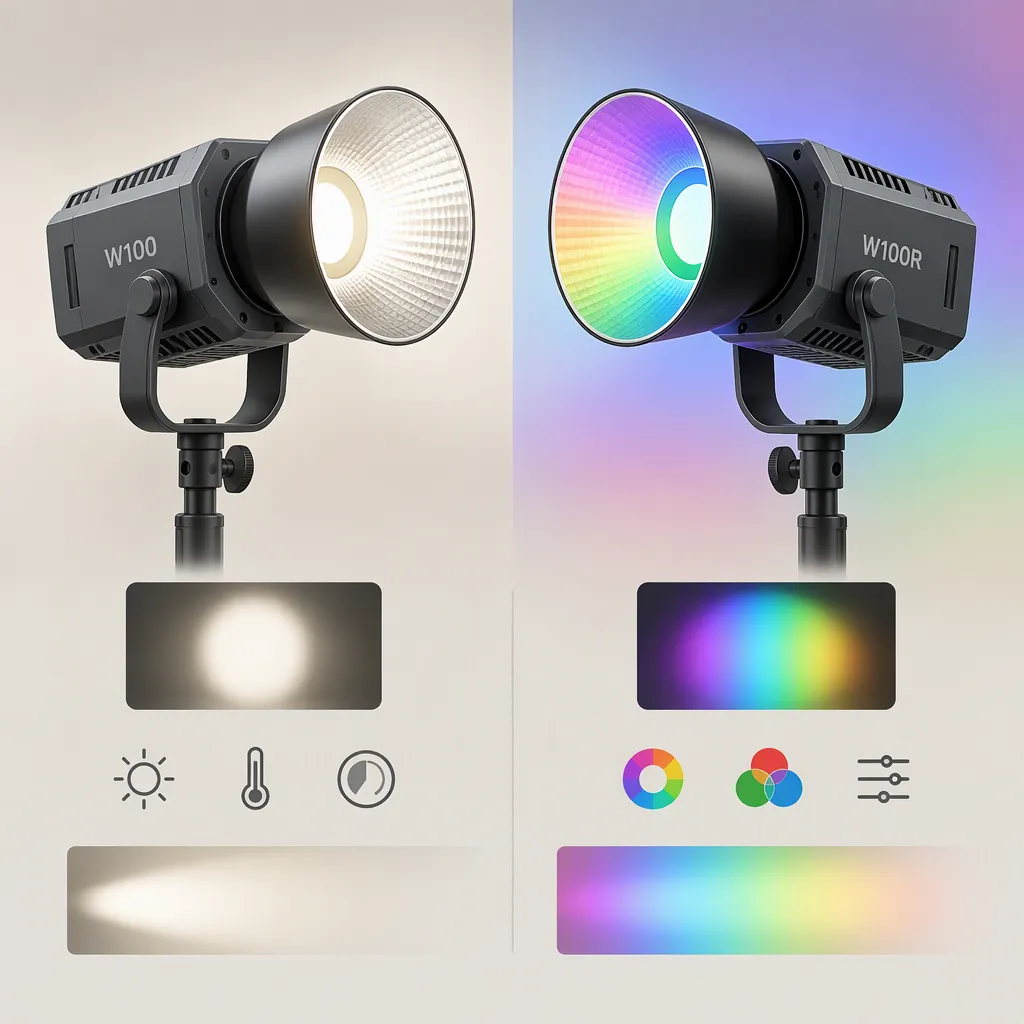
How to Choose a Colbor Light for Your Filming Setup
For a COLBOR light shortlist, start with whether you need adjustable white light or RGB color. COLBOR lists the W100 as bi-color and the W100R as bi-color plus RGB. Then check output under matching measurement conditions, power requirements, and accessory compatibility. This comparison covers only those two models and relies on manufacturer specifications, not independent testing. [colbor_w100]
What This Comparison Can Establish
The provided source is COLBOR’s combined W100 and W100R product page. It documents specifications and supported features, but it does not establish how either light will perform in your particular filming setup. Treat its figures as manufacturer-reported values rather than independently verified results. [colbor_w100]
This is not a ranking of the full COLBOR range. The available evidence supports a focused comparison of the W100 and W100R; it does not support a conclusion that either is the best COLBOR light overall.
Choose the Color Capabilities You Need
COLBOR lists the W100 with a 2700–6500 K color-temperature range. The W100R also has a listed 2700–6500 K range and adds RGB control. The specification table gives different color-temperature tolerances: ±150 K for the W100 and ±200 K for the W100R. [colbor_w100]
Use your planned shots to narrow the choice. If your requirement is adjustable white light, the W100’s listed capabilities address that requirement. If your shot plan includes colored illumination, the W100R is the RGB option in this pair. Neither distinction establishes a general image-quality advantage.
Do not assume the W100R’s white-light power rating applies to every color. COLBOR lists its C/W output at 100 W, with separate ratings of 40 W for red, 60 W for green, and 30 W for blue. [colbor_w100]
Color Requirement Worksheet
- Required white-light settings: _____ K
- Colored illumination required: yes / no
- Planned RGB colors, if applicable: _____
- Camera white-balance setting for the test: _____
- Subjects and materials to check on camera: _____
Compare Output Under Matching Conditions
The source lists the following illuminance figures at 1 meter and 5600 K. Keep the reflector condition attached to each number. [colbor_w100]
| Published Measurement | W100 | W100R |
|---|---|---|
| No reflector | 3,450 lux | 3,570 lux |
| With reflector | 6,790 lux | 6,500 lux |
The numerical ordering changes with the reflector condition: the W100R has the higher listed value without a reflector, while the W100 has the higher listed value with one. These figures therefore do not support a blanket statement that one model is always brighter. [colbor_w100]
The supplied figures also do not establish exposure with your chosen softbox, subject distance, or camera settings. For selection, record the intended light position and modifier, then evaluate both candidates under the same setup if testing is available.
Matched Lighting Test
1. Record the subject position and light-to-subject distance.
2. Use the same camera exposure and white-balance settings for both tests.
3. Record the color temperature, brightness setting, and modifier for each light.
4. Capture the same subject and framing.
5. Compare exposure, shadow appearance, and background spill.
6. Keep the results labeled with the complete setup rather than only the model name.
Check the Complete Power and Carry Setup
COLBOR lists a light weight of 345 g and dimensions of 157 × 43 × 93 mm for the W100 lineup. The page describes power through a COLBOR power grip, a DC adapter, or PD Type-C. Its specification table lists a working voltage of DC 20 V, 5 A, and maximum power of 105 W. [colbor_w100]
Use the listed light weight as one component of your carry plan, not as a total kit weight. Account separately for the intended power source, cables, support, and modifiers.
The supplied page does not establish battery runtime at your intended settings or the requirements for every third-party USB-C power source. Confirm the exact power arrangement before treating it as suitable for a mobile shoot.
Power and Packing Checklist
- Intended power source: _____
- Exact power-source model and verified requirements: _____
- Required operating time: _____
- Runtime evidence or test result: _____
- Light, power source, cables, support, and modifiers accounted for: yes / no
- Safe cable routing and support arrangement checked: yes / no
Verify Modifiers, Controls, and Recording Noise
The product page describes mount-attached accessories for the W100 lineup, including reflectors and softboxes. It also lists onboard controls, COLBOR Studio app control, and Smart, Quiet, and Performance cooling modes. [colbor_w100]
Check the exact modifier and any required adapter rather than assuming compatibility from the accessory category alone. Also confirm what is included in the specific package you are considering; a recommended accessory listing is not proof that the accessory is supplied.
For dialogue recording, test the light in the intended cooling mode with the microphone in its actual position. The supplied specification table names the cooling modes but does not provide a measured sound level. Likewise, verify the app workflow on your intended device rather than treating the presence of app control as proof of compatibility with every setup.
FAQ
What Is the Main Difference Between the W100 and W100r?
The main capability difference documented by COLBOR is color control: the W100 is bi-color, while the W100R adds RGB. Both have a listed white-light color-temperature range of 2700–6500 K. [colbor_w100]
Is the W100 Brighter than the W100r?
Not in every listed condition. At 1 meter and 5600 K, COLBOR reports a higher W100 value with a reflector, but a higher W100R value without one. Compare the same reflector condition, distance, and color temperature rather than a single headline number. [colbor_w100]
Can These Lights Use USB-C Power?
COLBOR lists PD Type-C as a power option for the W100 lineup. That does not establish compatibility or full-output operation with every USB-C charger, cable, or power bank. Confirm the requirements for the exact combination you plan to use. [colbor_w100]
Sources
- [colbor_w100] Portable LED Video Light COLBOR W100 and W100R | COLBOR