How to Choose an Amaran Video Light for Filming
Choose an amaran video light by defining its role in your shot, ruling out setups that cannot meet your placement and power requirements, then checking output, sound, and controls. The amaran catalog lists COB lights, mini lights, panels, tubes, and LED mats, giving you several formats to investigate. [c1]
This guide provides a selection process, not a model ranking. The available catalog and app information do not establish model-by-model brightness, noise, runtime, or color-performance results. [c1] [c2] Treat a requirement as satisfied only when you have evidence for the exact setup—not simply a matching category label.
Start with the Shot, Not the Model Name
First, decide what the light must illuminate: a face, a tabletop subject, a background, or a visible accent in the frame. Record its primary job so that every candidate is evaluated against the same requirement.
For a seated recording setup, mark the camera, chair, desk, and possible fixture positions. For location filming, record available power, transport limits, and setup time. For product shots, note reflective surfaces and where equipment must remain outside the frame.
Separate hard requirements from preferences:
- Hard requirements determine whether the setup is usable: it must fit the available space, use an available power source, and meet the needs of the planned recording.
- Preferences help distinguish candidates that already meet those requirements: fewer setup steps, a preferred control interface, or a particular appearance when the fixture is visible.
For example, if a light must sit outside a tight camera frame, its complete installed footprint is a hard requirement. A convenient preset is secondary unless recalling that preset is essential to the production.
Shot Requirements Worksheet
- Main subject:
- Light’s role: subject / fill / background / accent
- Camera position and framing:
- Available fixture and support position:
- Approximate fixture-to-subject distance:
- Available power:
- Required continuous recording duration:
- Sound recorded near the light: yes / no
- Setup and transport limits:
- Required white-light or colored-light look:
- Hard requirements:
- Preferences:
Compare Lighting Formats by Placement
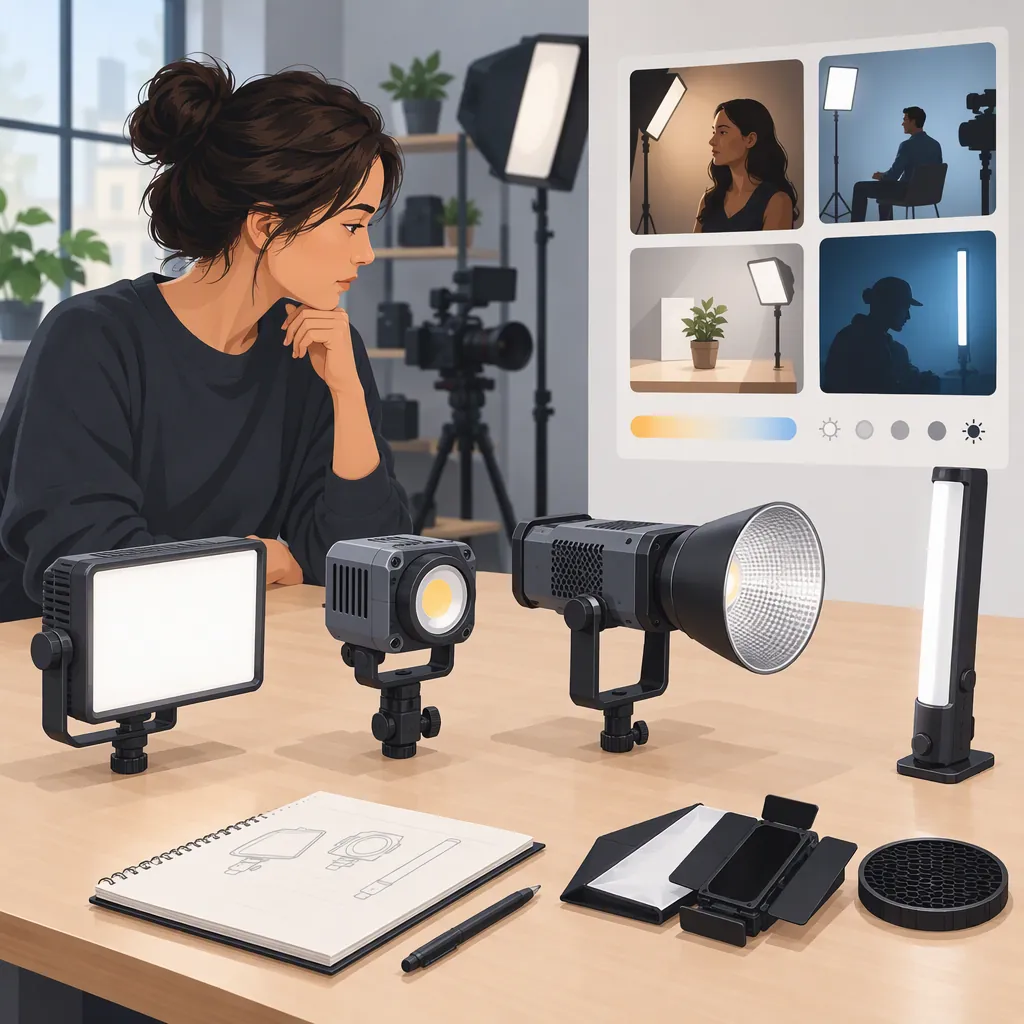
The amaran catalog groups lights into COB lights, mini lights, panels, tubes, and LED mats. It also lists accessory and modifier categories, including softboxes, spotlights, and Fresnels. These categories organize a shortlist; they do not confirm the performance or compatibility of any particular combination. [c1]
Use the format table to identify what to investigate first, rather than assuming each category has one ideal use.
| Format | First screening check | How the result affects your shortlist |
|---|---|---|
| COB light | Measure the planned fixture, support, and modifier arrangement. | Exclude a configuration that cannot fit the available space or stay outside the required framing. |
| Mini light | Verify mounting, power, and output evidence at the intended distance. | Keep it only if the complete setup can perform the assigned role; do not treat the “mini” label as proof of adequate output or convenient power. |
| Panel | Check dimensions, support position, and clearance around the camera, desk, or subject. | Exclude a configuration that blocks framing or occupies space needed for the recording. |
| Tube | Decide whether it will be visible, then check its dimensions and securing method. | If it appears in the shot, assess its appearance as well as its lighting role. If it stays off camera, check clearance and output for that position. |
| LED mat | Identify the required mounting, support, control, and power components. | Compare the complete installed arrangement, not the mat alone; leave the candidate unconfirmed if essential components are unspecified. |
Turn Filming Constraints into Screening Decisions
A constraint often matters more than the category name:
| Filming constraint | Compare first | Exclude or leave unconfirmed when… |
|---|---|---|
| Limited desk or floor space | Total footprint of the fixture, support, modifier, and cabling | The arrangement obstructs the shot or required workspace |
| Light must appear in frame | Visible shape, dimensions, cable routing, and securing method | Its appearance conflicts with the shot, or secure mounting is unresolved |
| Controls are difficult to reach during recording | Exact remote-control compatibility and access to fixture controls | You cannot make required adjustments from the working position |
| Location has limited power | Supported power source and evidence for the required operating duration | The power arrangement cannot cover the planned session, or duration remains unverified |
| Speech is recorded nearby | Recorded sound with the light operating in its intended position | Light-related noise is unacceptable in the actual recording |
A format can remain on the shortlist while a particular configuration is excluded. For instance, a setup that does not fit with one modifier may be worth reconsidering with a different, verified arrangement—but do not assume that arrangement is compatible.
Verify the Complete Setup
Compare usable configurations, not fixtures in isolation. Record the support, power supply, cables, modifier, and adapters each candidate needs. Confirm both compatibility and whether required components are included or must be accounted for separately.
The catalog includes daylight, bi-color, and RGBWW color-system filters. These labels help identify candidates to investigate, but they are not measurements of color accuracy or proof of every model’s capabilities. [c1] Decide whether the shot requires adjustable white light, colored light, or both, then check the exact fixture’s specifications.
Separate Documentation Checks from Practical Tests
Use model documentation to investigate dimensions, mounting provisions, supported power sources, accessory compatibility, and control requirements. A runtime figure is useful only when its operating conditions are relevant to your planned settings.
Use a practical test to judge whether the configuration delivers the intended image and acceptable recorded sound. Output measurements can help screen candidates when their distance, modifier, and settings are stated, but they do not replace checking the planned shot when those conditions differ.
If you cannot evaluate a light directly:
- Confirm the requirements that documentation can resolve.
- Compare available measurements only where the test conditions are relevant.
- Mark unresolved output, sound, or operating-duration requirements explicitly.
- Keep candidates with unresolved hard requirements in an unconfirmed group, rather than counting them as suitable.
Candidate Comparison Template
Fill each cell with the configuration, evidence, and status—not just “to verify.”
| Requirement | What to record | Candidate A | Candidate B |
|---|---|---|---|
| Lighting role | Subject, fill, background, or accent; intended distance | — | — |
| Placement and support | Installed dimensions, mounting method, and frame clearance | — | — |
| Modifier | Exact modifier and compatibility evidence | — | — |
| Power and duration | Power source, required cables, session length, and runtime evidence if relevant | — | — |
| White light or color | Required settings and documented model capabilities | — | — |
| Output | Measurement conditions or result at the planned camera settings | — | — |
| Recorded sound | Microphone position, light settings, and evaluation result | — | — |
| Controls | Device, operating-system version, and compatibility evidence | — | — |
| Complete equipment | All required components, including items not included with the fixture | — | — |
| Decision | Pass, fail, or unconfirmed for each hard requirement | — | — |
Check Controls Against Your Workflow
The amaran app page describes desktop and mobile control options. It lists macOS and Windows downloads, a Stream Deck plugin, and mobile functions including grouping, brightness adjustment, shortcuts, and presets. [c2]
Verify support for the exact fixture, control device, operating system, and required features before relying on that workflow. The page’s feature descriptions are not a complete model-by-model compatibility guarantee.
For a fixed recording space, decide whether you need to adjust several lights from the camera position or recall a saved setup. For location filming, decide how you will make essential adjustments if an app connection is unavailable.
Make controls a hard requirement only when the production depends on them. If you can reach the fixture between takes, remote control may be a preference. If adjustments must happen without leaving the recording position, compatible remote control becomes part of the pass-or-fail assessment.
Test Against Clear Acceptance Criteria
Before testing, define what a usable result looks like. Keep the camera position, exposure, white balance, subject, and fixture distance consistent. Record the modifier and light settings so the comparison can be repeated.
Do not rank candidates by wattage alone or by an undefined promise of a “cinematic” image. Judge the complete setup against the shot requirements.
| Requirement | Evaluation method | Pass or fail criterion |
|---|---|---|
| Output | Film the intended subject at the planned distance, with the intended modifier and camera settings | Pass if it produces the required exposure and look without forcing changes you have ruled out |
| Placement and framing | Assemble the setup and check the intended camera view | Pass if the equipment fits, is securely supported, and does not obstruct the shot |
| Recorded sound | Record speech and a quiet section with the actual microphone placement and light settings | Pass if light-related noise is acceptable in the recording; fail if it disrupts the required audio |
| Power duration | Check relevant documentation or test operation at the intended settings | Pass when evidence supports the required continuous session; leave unconfirmed if it does not |
| Controls | Perform the adjustments or preset recalls needed during filming | Pass if the exact setup supports those actions from the working position |
| Visual result | Review shadows, reflections, subject lighting, and background in the intended framing | Pass if the result meets the shot’s stated goals |
When a candidate fails, identify whether the problem belongs to the fixture or the configuration. A change in placement or modifier may warrant another test, provided it remains compatible and within the original constraints. Record that change rather than comparing two setups as though they were identical.
Your final shortlist should distinguish:
- Suitable: every hard requirement has supporting evidence.
- Unsuitable: at least one hard requirement fails.
- Unconfirmed: no known failure, but an essential requirement remains unresolved.
Among suitable configurations, use your preferences to make the final distinction. A setup that works for one shot is not automatically the best choice for a different room or production.
FAQ
Which Amaran Video Light Should Be My First Light?
Start with the most important lighting role in your planned shot. Screen candidates for placement, power, support, and modifier requirements before comparing optional features. The catalog offers several formats, but it does not establish a universal best first model. [c1]
How Do I Choose Between a Cob Light, Panel, Tube, or Led Mat?
Use the format categories to organize candidates, then compare complete installed configurations. [c1] For a tight space, prioritize footprint and frame clearance. For a visible fixture, prioritize appearance and secure mounting. For a subject light, verify output and the intended visual result at the planned distance rather than inferring suitability from the format.
Do I Need a Colored Light for Filming?
Only make colored-light capability a requirement when your planned shots need it. The catalog includes daylight, bi-color, and RGBWW filters, but these labels do not establish measured color performance. Verify the exact fixture’s available settings and evaluate the look your shot requires. [c1]
Can I Control an Amaran Light from a Computer?
The amaran app page describes desktop software for macOS and Windows and a Stream Deck plugin. Confirm compatibility with the exact light, computer, and required features before making computer control part of your filming plan. [c2]
What If I Cannot Test a Light Before Selecting It?
Use documentation to resolve physical fit, power, mounting, modifier compatibility, and control support. The catalog and app page are starting points, not controlled performance comparisons. [c1] [c2] If output, noise, or operating duration is essential and remains unsupported, keep the candidate unconfirmed rather than assuming it meets the requirement.