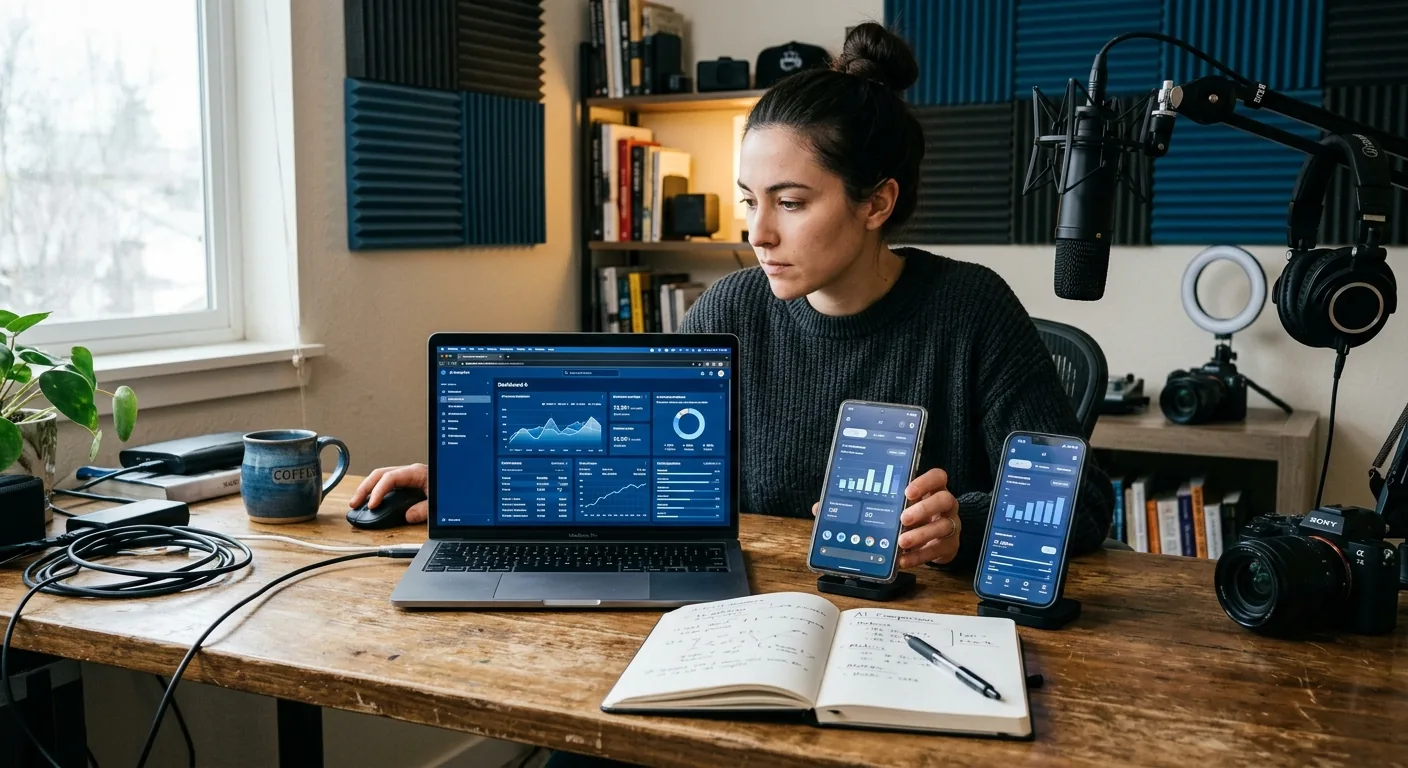
Creator Business AI Assistant Comparison
If you're comparing creator business AI assistant options for finding relevant brand collaboration opportunities, start with three workflow models: a manual workflow for maximum control, general AI for flexible drafting help, and a specialized creator assistant for more structured support. The right choice usually comes down to three things: how much control you want to keep, what inputs you can provide, and how much review time you can afford. Important outbound messages and commercial commitments remain creator-reviewed and approved.
Quick Answer: Which Workflow Fits Your Creator Business?
For most solo, nano, micro, and UGC creators, there is no single "best" model for every situation.
-
Manual workflow fits you best when you want direct control over every prospect, note, and outreach decision.
-
General AI fits you best when you already know how to brief a tool well and mainly want help turning your notes into cleaner drafts.
-
A specialized creator assistant fits you best when you want support that is closer to your actual creator-business workflow, especially around opportunity organization, preparation, draft support, and next-step coordination.
That is where a creator business AI assistant comparison becomes useful. Instead of asking which option sounds smartest, ask which one reduces friction without removing creator approval . If the workflow starts to feel like it is guessing too much, creating extra review work, or drifting toward commercial action without enough context, it is the wrong fit.
For creators evaluating CreaSeed, the practical lens is straightforward: CreaSeed is designed as creator-approved workflow support, not hands-off dealmaking. That means it can fit creators who want help with preparation and organization while keeping a human-in-the-loop where commercial actions are discussed.
Decision Boundary: Three-Model Creator-Workflow Comparison
The most important boundary in this comparison is not speed. It is decision ownership .
When you are discovering brand opportunities and preparing outreach, there are two different layers of work:
-
Preparation work : collecting information, comparing potential fits, organizing notes, drafting language, and deciding what to do next.
-
Commercial action : sending important messages, making commitments, negotiating terms, or representing your business externally.
A creator business AI assistant can be helpful in the first layer. The second layer still needs creator judgment and creator approval.
Here is the cleanest way to separate the three models:
-
Manual workflow is best when your main goal is precision and you do not mind doing the work yourself. You review every opportunity as you find it, build your own list, and write your own outreach notes. Nothing gets abstracted away.
-
General AI is best when you already have research and just want flexible help turning rough inputs into something more usable. It is usually strong at rewriting, summarizing, and helping you think through options, but it still depends heavily on the quality of your prompts and source context.
-
A specialized creator assistant is best when you want more workflow structure than a blank chat tool offers. In practice, that means support that is closer to creator-business tasks rather than generic writing alone.
A simple rule works well here:
-
Choose manual if your workflow is low-volume, highly selective, or relationship-sensitive.
-
Choose general AI if your process is already defined and your bottleneck is drafting, summarizing, or organizing your own notes.
-
Choose specialized creator assistant support if your bottleneck is not just writing, but keeping opportunities, drafts, assessments, and next steps together in one creator-reviewed workflow.
If you need a full system for broader CRM, tracker, reporting, integration, or full lifecycle management, teams should confirm the current product setup before assuming that scope.
Workflow Inputs: Three-Model Creator-Workflow Comparison
The next deciding factor is input quality. Every model can look good in theory, but each one depends on different inputs from you.
Manual Workflow Inputs
Manual workflow needs the most effort from the creator, but the least interpretation by a tool.
Typical inputs include:
-
your niche and content format
-
your audience profile
-
a short list of target brands
-
notes from your own research
-
your past brand fit judgments
-
your own outreach angle
The strength of manual workflow is that you always know where a recommendation came from. The weakness is that everything depends on your time and consistency.
General AI Inputs
General AI needs more structure than many creators expect. If you prompt it vaguely, you usually get vague outputs back.
Useful inputs often include:
-
a clear description of your creator profile
-
a list of candidate brands or categories
-
examples of partnerships you want to pursue
-
a draft positioning statement
-
notes about why each brand may fit
-
instructions for tone, length, and format
General AI often helps once you already have material. It is less reliable when you expect it to create a high-quality opportunity shortlist from almost nothing. The review load can also rise fast if outputs sound polished but do not reflect your real business judgment.
Specialized Creator Assistant Inputs
A specialized creator assistant still needs your context, but ideally it helps structure that context around creator-business tasks instead of leaving you with a blank page.
Useful inputs can include:
-
your creator profile and sponsorship goals
-
opportunity notes you want to organize
-
readiness or account positioning context
-
draft ideas for outreach or sponsor replies
-
your next-step preferences and review process
CreaSeed fits this model conservatively. CreaSeed supports workflow context around a conversational interface, opportunity organization, draft preparation, and creator review. Demonstrated workflow surfaces include conversational, assessment, opportunity, and text-suggestion support. That matters when your challenge is not just "write this sentence," but "help me keep the opportunity, context, and draft together so I can review it properly."
Teams should confirm any broader integration depth, reporting scope, or full-lifecycle workflow expectations against the current product setup.
Three-Model Scorecard: Control, Inputs, and Review Load
A practical creator business AI assistant comparison works best as a scorecard, not a winner-take-all verdict.
Factor Manual Workflow General AI Specialized Creator Assistant Control Highest control High control, but output framing can drift High creator control with more workflow structure Input Quality Needed Medium High Medium to high Setup Effort Low tool setup, high manual effort Medium Medium Opportunity Organization Manual and creator-managed Usually external to the AI unless you build a system More naturally aligned to structured creator workflow support Draft Support Fully manual Strong for flexible drafting Stronger fit when drafting sits inside a creator-review workflow Review Load High because you do everything Medium to high because prompts and outputs need review Potentially lower friction when context and drafts stay organized, but still creator-reviewed Consistency Depends on your discipline Depends on prompt quality More consistent when you want repeatable creator-business preparation Best Fit Selective, hands-on creator Creator who wants flexible writing help Creator who wants workflow support without delegating approvals This scorecard is intentionally practical. It does not assume one model is universally better. It helps you compare the real trade-off:
-
More control usually means more hands-on work
-
More AI flexibility usually means more prompt responsibility
-
More workflow structure can reduce friction, but only if it matches how you actually operate
A Realistic US Creator Example and Completed Comparison Scorecard
Imagine a solo UGC creator in Texas who makes beauty and wellness short-form content for TikTok and Instagram. She wants to build a shortlist of 12 brands that fit her style for the next month, then prepare creator-reviewed outreach notes for the top 4.
Her inputs are:
-
a media kit
-
a short description of her audience
-
recent examples of brand-safe content she has produced
-
a few categories she wants to target
-
notes on what kinds of partnerships she does not want
What Happens in Each Model?
Manual workflow: She researches brands one by one, saves links in a spreadsheet, writes her own fit notes, and drafts outreach from scratch. The upside is tight control. The downside is that she spends a lot of time switching between tabs, notes, and draft documents.
General AI: She collects her own brand list, then asks a general AI tool to summarize fit, rewrite notes, and help draft outreach angles. The output can be useful, but only after she gives enough context. She still has to check whether the draft reflects the actual brand fit and whether the tone sounds like her.
Specialized creator assistant workflow: She wants the opportunity context, draft preparation, and next-step guidance to stay closer together. In that model, a specialized creator assistant is more useful because it supports workflow preparation rather than only isolated writing prompts. She still reviews everything before any important outbound message is used.
Completed Illustrative Scorecard
Category Manual Workflow General AI Specialized Creator Assistant Control Over Brand Selection 5/5 4/5 4/5 Effort to Organize Opportunities 2/5 3/5 4/5 Quality of First Draft Support 2/5 4/5 4/5 Review Burden Before Outreach 3/5 2/5 4/5 Fit for Repeated Weekly Use 2/5 3/5 4/5 Best Overall Fit for This Example Good for low volume Good if she already has strong prompts Best fit if she wants structured creator-reviewed workflow support These scores are illustrative, not benchmark claims. The takeaway is that her choice is not about replacing her judgment. It is about finding the model that keeps her in control while lowering avoidable admin load.
How CreaSeed Fits a Creator-Reviewed Workflow
CreaSeed fits the specialized creator assistant side of this comparison.
CreaSeed can support creators who want help with:
-
opportunity organization
-
workflow preparation
-
creator-reviewed drafts
-
assessment and readiness context
-
next-step coordination in a conversational workflow
CreaSeed includes creator-business support through AI Business Partner and AI Creator Agent positioning. Demonstrated workflow surfaces also include assessment, opportunity, and text-suggestion support. Named creator workflow capabilities in the current context include Creator Assessment , Brand Deal Discovery , and Sponsor Reply Assistant .
That does not mean CreaSeed should be treated as autonomous outreach or a replacement for creator approval. It should be evaluated as workflow support that can help a creator prepare, organize, and review work before taking action.
This is especially relevant if your current workflow problem sounds like one of these:
-
"I can find some opportunities, but I lose track of why they were a fit."
-
"I can draft messages with general AI, but I still need a better process around them."
-
"I want support that feels closer to creator business work, not just a blank prompt box."
-
"I need human-in-the-loop where commercial actions are discussed."
If your need is much broader than opportunity discovery and prep, such as complete lifecycle operations, deep reporting, or confirmed broader CRM coverage, teams should confirm the current CreaSeed setup before treating it as a full fit.
You can also explore related pages for the next step:
-
See a practical framework for evaluating a creator business AI assistant
-
Compare creator business AI assistant support with working with a manager
-
Learn how CreaSeed approaches creator business assistant workflows
-
Review when account value workflow support may be stronger than a spreadsheet alone
Record and Stop Conditions for Three-Model Creator-Workflow Comparison
A good comparison is not finished when one option feels exciting. It is finished when you have recorded enough to make a clean decision.
Document these points for each model:
-
how many inputs you had to prepare
-
how easy it was to keep opportunity notes organized
-
how much rewriting was needed before a draft felt usable
-
how much review work remained before any outbound message
-
whether the workflow preserved creator approval clearly
Then use these stop conditions.
Choose Manual Workflow If
-
you only pursue a small number of highly specific opportunities
-
relationship nuance matters more than speed
-
you do not want any ambiguity about where recommendations came from
Choose General AI If
-
you already do your own opportunity research
-
your biggest problem is turning notes into better drafts
-
you are comfortable giving detailed prompts and reviewing outputs closely
Pause Before Choosing a Specialized Assistant If
-
you expect autonomous outreach or negotiation
-
you need confirmed full CRM or reporting scope right away
-
you want a creator-led contact research and verification
-
you are not willing to keep creator review in the loop for important commercial messaging
Continue Evaluating a Specialized Creator Assistant If
-
your process breaks down between research, notes, drafts, and next steps
-
you want more structure than general AI gives you
-
you still want all important outreach and commitments creator-reviewed and approved
The best comparison outcome is often simple: keep the workflow model that reduces friction without weakening your review boundary .
FAQ
Is Manual Workflow Still Better for Some Creators?
Yes. Manual workflow is often better when you pursue a small number of high-value brand relationships and want total control over research, fit judgment, and messaging. It can be slower, but it may still be the right choice when precision matters more than speed.
Does General AI Replace a Specialized Creator Assistant?
Not always. General AI is flexible and useful for drafting, summarizing, and brainstorming, but it usually depends on stronger prompting and more creator-managed workflow structure. A specialized creator assistant is more useful when you want support that matches creator-business preparation, organization, and reviewed next steps.
Can CreaSeed Send Outreach or Make Commercial Commitments for Me?
No. Important outbound messages and commercial commitments remain creator-reviewed and approved. CreaSeed should be evaluated as support for preparation, organization, draft assistance, and next-step coordination with creator approval in place.
When Should a Small Creator Team Evaluate CreaSeed?
A small team should evaluate CreaSeed when the main problem is workflow friction across opportunity discovery, preparation, and draft review, not when the goal is to hand off commercial judgment entirely. If your team also needs broader CRM, reporting, tracker, or full-lifecycle coverage, confirm the current setup before adopting it for that scope.