How Should I Organize Raw Footage, Edits, and Finished Posts?
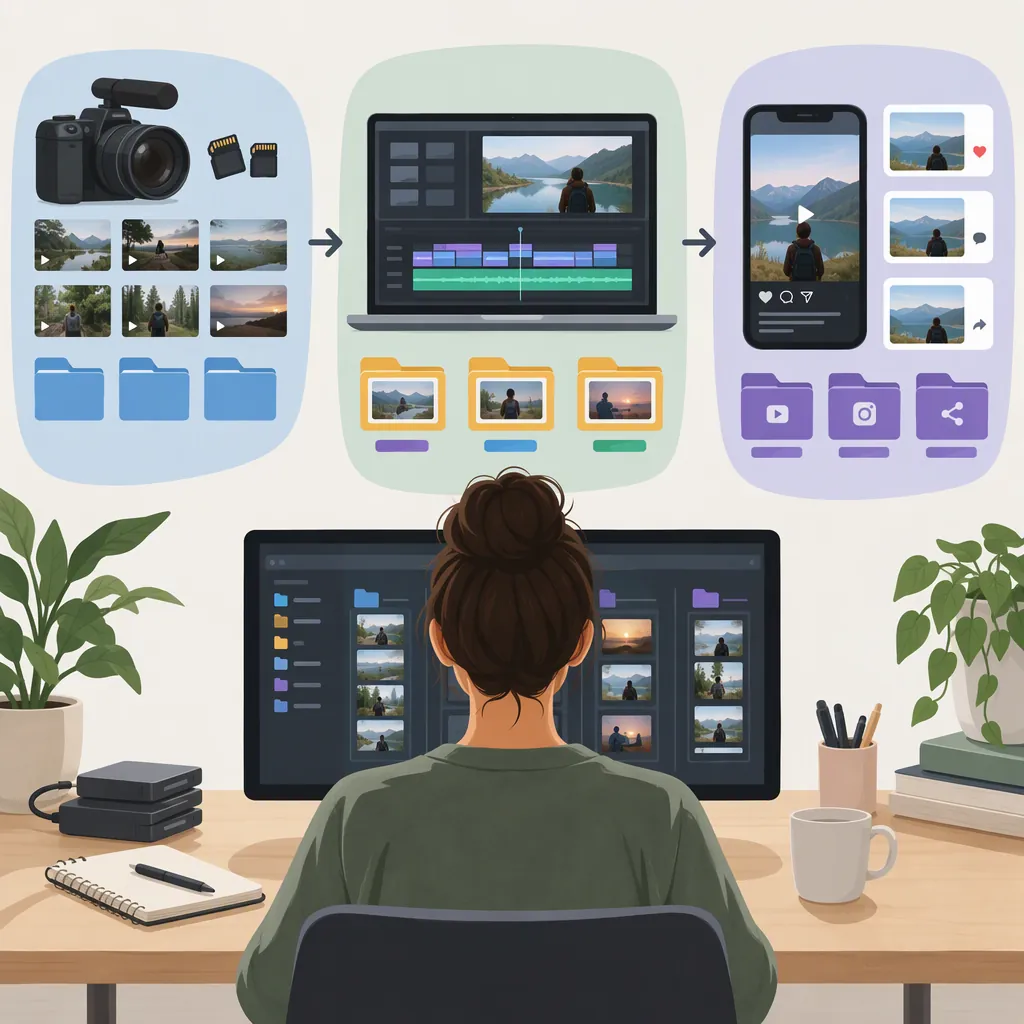
Use one folder per project, with separate locations for raw footage, supporting assets, editing projects, review exports, and approved deliverables. Repeat the same basic organization inside your editor, number each revision, and keep older cuts separate from the current version. Maintain a simple record of which approved file was actually published, and back up the project before reorganizing or archiving it. The supplied guides support consistent folder structures, reusable editing bins, version archives, and redundant backups. [c1] [c2]
Start with One Reusable Project Folder
Organize by project first, then by asset type. Avoid putting raw recordings, editable projects, and finished videos into one undifferentiated folder.
The Recharm guide recommends a shallow project structure separating footage, audio, graphics, project files, and exports. The template below adapts that approach by separating review cuts from approved deliverables. It is a suggested convention, not a required industry standard. [c1]
Use a stable project identifier, such as 20261025_desk_setup. Add subfolders only when they answer a useful question—for example, which shoot day or camera a recording came from. Before reorganizing an existing project, inventory its files and make a backup rather than moving everything immediately. [c1]
Copyable Project Folder Template
```text
20261025_desk_setup/
  00_admin/
    project_notes.txt
    publication_log.csv
  01_raw/
    day01/
      camera_a/
      audio/
  02_assets/
    music/
    graphics/
    captions/
  03_projects/
    current/
    previous_versions/
  04_exports/
    review/
    approved/
    superseded/
  05_delivery/
    post_package/
```
Keep project notes and any applicable source or usage-rights records in `00_admin`. Keep the approved video in `04_exports/approved`; use `05_delivery/post_package` for its accompanying caption, thumbnail, and delivery notes.
Keep Source Media Separate from Editing Decisions
Treat 01_raw as your source collection, not a place for drafts or finished exports. For this workflow, preserve the original recordings and use the editor to organize selects and build sequences.
If you are unsure whether renaming a source file will affect an existing project, leave its filename unchanged and add context through its parent folder and editing labels instead. Do not apply a new naming scheme to an active project without checking its media references.
Inside the editor, create recognizable bins or equivalent collections: Footage, Audio, Graphics, Selects, and Edits. PremiumBeat's example separates these categories, organizes footage by useful distinctions such as card, day, or subject, and keeps older sequences in an archive. [c2]
A folder tells you where a clip belongs; a select or marker tells you why it matters. Add brief notes for useful moments, such as 00:18 — clean opening line or 01:42 — close-up demonstration. The Recharm guide recommends time-coded markers and transcripts for locating moments within recordings. [c1]
Name Projects and Exports by Version and Purpose
For newly created project files and exports, use a name that identifies the project, revision, and intended use. Keep the same version number on a project snapshot and its corresponding review export when practical.
Suggested examples:
- Project snapshot:
desk_setup_v003followed by the editor's project-file extension. - Review export:
desk_setup_v003_9x16_review.mp4. - Approved export:
desk_setup_v004_9x16_approved.mp4.
The examples are organizational labels, not export settings. Use the actual file type and aspect ratio required for your delivery.
Avoid names such as final_final_new.mp4. Save a new numbered revision for each review round or substantial change, and retain the earlier version. Both supplied guides recommend keeping previous edits available while clearly separating them from the current version. [c1] [c2]
Attach feedback to the exact filename and timestamp. A note saying “shorten the opening in desk_setup_v003_9x16_review.mp4 at 00:06” is more specific than “change the latest video.” The Recharm guide recommends coupling feedback to versions and time codes. [c1]
Minimal Revision Log
```text
Version: v004
Project file: [exact filename]
Review export: [exact filename]
Changes: [brief description]
Review status: [pending / changes requested / approved]
Approval record: [actual record location, if applicable]
Previous version: v003
```
Fill in real review details; do not mark a file approved merely because it has been exported.
Distinguish Approved Files from Published Posts
An approved export and a published post are different workflow states. For this proposed system, keep approval status in the export folders and publication status in a small log.
Put only approved deliverables in 04_exports/approved. Move replaced approved cuts to superseded rather than leaving several competing versions in the same folder. This adapts the source guidance to maintain one clearly identified current asset and archive older versions. [c1]
For each finished post, record the exact exported filename, destination, publication status, and actual publication date or URL when available. Keep its caption and thumbnail in a matching post package. Leave publication fields pending until publication is confirmed.
If a post changes after approval, give the replacement a new version number and update the record. Do not assume the file most recently modified on disk is the one that went live.
Publication Log Header
```csv
post_id,approved_filename,destination,status,published_at,published_url,caption_file,thumbnail_file,notes
```
Use one row per published placement. For an unpublished item, use a status such as `scheduled` or `pending` and leave the actual publication fields blank.
Back up Before You Archive or Delete
Organization is not a substitute for backup. The Recharm guide describes the 3-2-1 approach: three total copies, two different types of storage media, and one copy offsite. It also recommends choosing backup frequency according to how much work you can afford to lose. [c1]
For this workflow, back up newly ingested recordings and save recoverable project revisions during active editing. Check that your backup can restore a representative file before relying on it.
At project close, retain the sources, supporting assets, editable project, approved exports, and delivery records needed for likely revisions. Move the completed project out of the active workspace as a coherent package.
Do not treat archiving as permission to delete. The Recharm guide recommends reviewing expected reuse, usage rights, legal obligations, and storage requirements when deciding retention. There is no universal retention period established by these references. [c1]
Project Closeout Checklist
- [ ] Identify the current approved export for each delivery format.
- [ ] Update the publication log with confirmed information.
- [ ] Save the corresponding editable project version.
- [ ] Confirm required source media and supporting assets are included.
- [ ] Check a representative backup restore.
- [ ] Record rights restrictions and the next retention review date.
- [ ] Move the complete project to the archive location.
- [ ] Review disposable files separately before deleting anything.
Adapt the Template to Your Workflow
Start with the smallest structure you can maintain consistently. Add separate camera, language, or format folders only when your work needs them. Document any shared naming and status rules so another editor can understand the project. Both supplied guides emphasize reusable organizational structures. [c1] [c2]
These references are blog guides, not universal technical specifications. PremiumBeat's example is older and editor-specific; Recharm's guide includes commercial product material. This article uses their general organization guidance, not their promotional claims. Exact media relinking, project collection, backup, and export procedures still depend on your software and storage setup.
FAQ
Should Raw Footage and Finished Videos Live in the Same Folder?
They can share a project root, but keep them in separate subfolders. A practical arrangement is Raw, Assets, Projects, and Exports, with Review and Approved separated within Exports. The Recharm guide recommends separating source footage, supporting assets, project files, and exports. [c1]
What Should I Do with Older Edits?
Keep them in a clearly labeled previous-versions or archive location, away from the current edit. Retain version numbers and a short change record when useful. Both supplied guides recommend retaining older edits without allowing them to compete with the current version. [c1] [c2]
Can I Delete the Raw Footage After Posting?
Do not use publication alone as your deletion trigger. First consider whether revisions or reuse are likely, whether the archive and backup are complete, and whether rights or other obligations affect retention. The supplied guide recommends a deliberate retention review; it does not establish a universal safe deletion date. [c1]