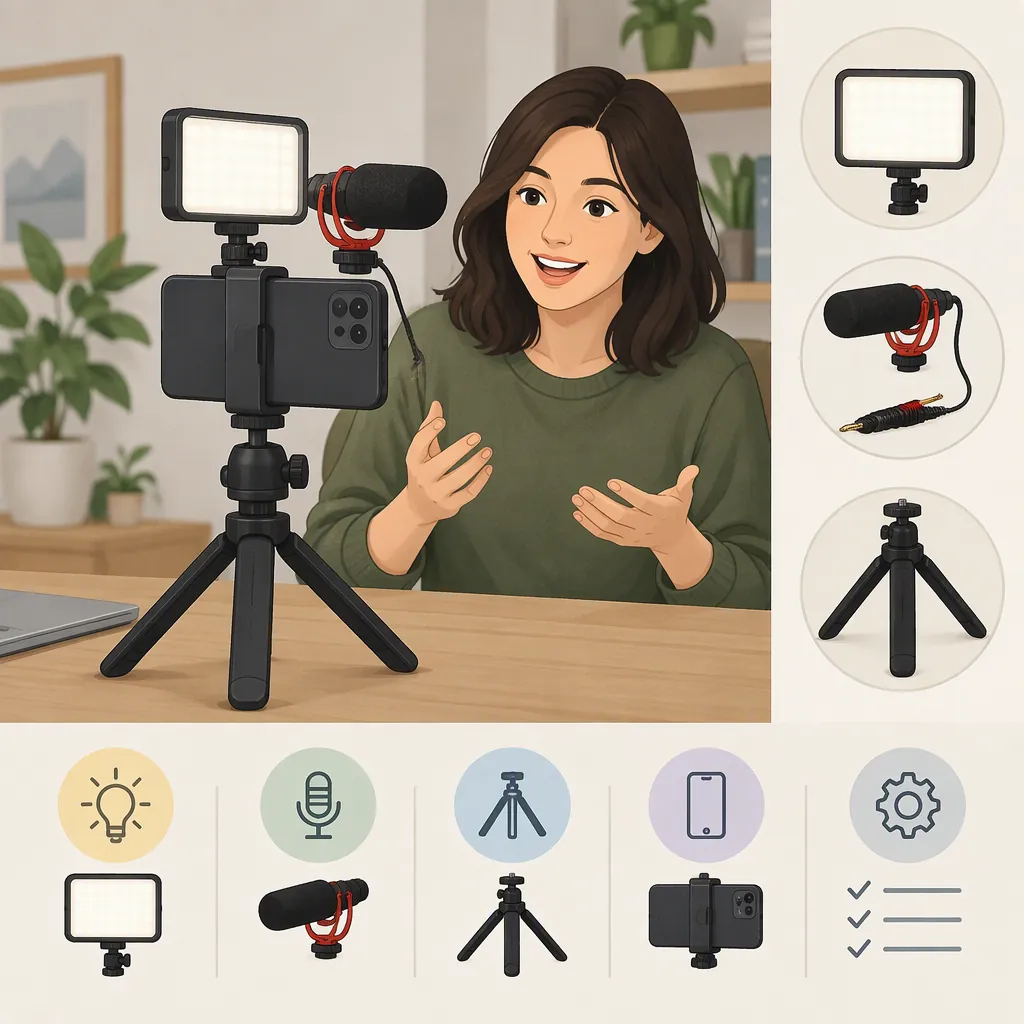
How to Choose a Vlogging Kit with Light and Microphone
Choose a vlogging kit with light and microphone by checking your recording device, filming location, speaker count, and mounting needs—not just the number of included accessories. Movo’s collection guide identifies content type, location, participants, and budget as selection factors. Confirm the exact bundle contents and device compatibility separately; the provided sources do not establish that any one kit will work with every phone or camera. [c1]
Define What the Kit Must Include
Start with a functional inventory: a light, an external microphone, a way to support the recording device, and the connections and mounts needed to assemble the setup. Treat this as your checklist rather than a promise about every bundle.
Movo’s collection describes beginner kits as typically including a tripod, microphone, and related accessories, while more extensive kits may add lighting, lenses, and cages. Its listings also distinguish smartphone, tablet, and other video setups. That makes the exact contents more useful than a label such as “starter,” “pro,” or “all-in-one.” [c1]
For each candidate, record the included items and anything that must be supplied separately. Leave unconfirmed details marked as unknown rather than assuming the bundle is complete.
Kit Inventory Worksheet
- Recording device and model: ______
- Light and included mount: ______
- Microphone and included cable or receiver: ______
- Device holder or cage: ______
- Tripod or handheld support: ______
- Required adapters: ______
- Power sources and charging accessories: ______
- Items not included or not confirmed: ______
Check the Full Connection and Mounting Setup
Use the exact phone, tablet, or camera model as the starting point. Do not treat a broad category label as sufficient confirmation. The supplied Movo collection uses labels including iPhone, Android, iPhone 15, and USB-C devices, but it does not provide a complete compatibility matrix for every listed kit. [c1]
Before relying on a bundle, seek confirmation of the microphone connection, any required adapter, and support in the recording app you intend to use. Also check the holder’s fit with your device and case, where the light and microphone attach, and whether the assembled setup leaves the screen and controls accessible.
Keep physical fit and recording function as separate checks. A useful acceptance test is to assemble the actual setup and record a short clip, then verify the result rather than relying only on what appears connected.
Compatibility Acceptance Checklist
- [ ] Exact recording device model documented.
- [ ] Microphone connection and any adapter requirements confirmed.
- [ ] Intended recording app tested with the microphone.
- [ ] Holder fit checked with the intended case.
- [ ] Light and microphone mounting positions checked together.
- [ ] Screen, controls, and required ports remain accessible.
- [ ] Power arrangements checked for all components.
- [ ] Unresolved compatibility questions recorded.
Match the Setup to Your Filming Conditions
Describe the shot before comparing accessories. Movo’s guide suggests considering compact equipment for travel, a larger tripod for more static filming, lighting for poorly lit settings, and microphone arrangements that account for the people appearing in the vlog. These are selection considerations, not verified performance results for a particular bundle. [c1]
For a seated vlog, prioritize checking support height, framing, and whether the light can be positioned as intended. For a walking or travel vlog, evaluate the assembled setup’s handling and the effort required to pack and rebuild it. For a conversation, identify every person whose voice must be captured and plan a test with all participants.
Use specific questions: Can the support hold the device in the planned orientation? Can the light illuminate the intended subject in the actual location? Can the recording capture every speaker clearly enough for your purpose? Mark each answer as confirmed, tested, or unknown.
Run a Short Recording and Crop Test
Use this proposed workflow to evaluate the assembled kit in your own setting. It is a practical checklist, not a claim that the referenced products have passed these tests.
- Set up the device in the orientation and position you expect to use.
- Record speech at the planned distance, including a brief pause to review background sound.
- Record comparable clips with the light off and on. Review facial exposure, distracting shadows, and reflections.
- If the vlog involves movement, record a short moving segment using the intended support.
- Open the clip in your editing app and preview the intended output frame. Check whether the crop excludes anything important or reveals equipment.
- Export a short sample and review both picture and sound.
If something is unsatisfactory, change one setting or placement at a time and repeat the test. Keep the same spoken passage and framing where possible so the comparison is easier to judge.
Recording Test Log
Device and app: ______
Location and filming orientation: ______
Speaker distance and microphone position: ______
Light position and setting: ______
Support arrangement: ______
Intended export format: ______
Picture issues observed: ______
Sound issues observed: ______
Crop or framing issues observed: ______
One change to test next: ______
Understand What the Sources Establish
The provided Movo source is a commercial collection page containing bundle listings and general selection guidance. It supports describing those listings and the factors its guide discusses; it is not an independent comparison or a test report. No ranking, universal compatibility claim, or measured performance conclusion follows from that material. [c1]
The supplied Pinterest page has a title referring to a “5 in 1” kit with a fill light, microphone, and tripod. Its provided text contains no substantive specifications or test results, so it cannot establish connector compatibility, light output, audio quality, or what additional items are included. [c2]
The practical approach is to use these references for orientation while leaving model-specific questions unresolved until the exact specifications or an actual setup test answer them.
FAQ
Does Every Vlogging Kit Include a Light and Microphone?
Do not assume it does. Movo’s guide describes differing kit contents, with lighting among the components that more extensive kits may add. Check the exact included-items list for the bundle under consideration. [c1]
Will a Smartphone Vlogging Kit Work with Any Phone?
The provided evidence does not establish universal compatibility. Movo lists distinct device categories, including iPhone, Android, and USB-C devices. Verify the exact phone model, microphone connection, holder fit, and intended recording app separately. [c1]
Is a “5 in 1” Kit Label Enough to Evaluate the Bundle?
No. The supplied Pinterest title uses that label and names a fill light, microphone, and tripod, but the provided text does not establish the complete contents or technical capabilities. Treat the label as insufficient evidence for a compatibility or quality judgment. [c2]