Marriage Video Editing: How to Build a Wedding Film
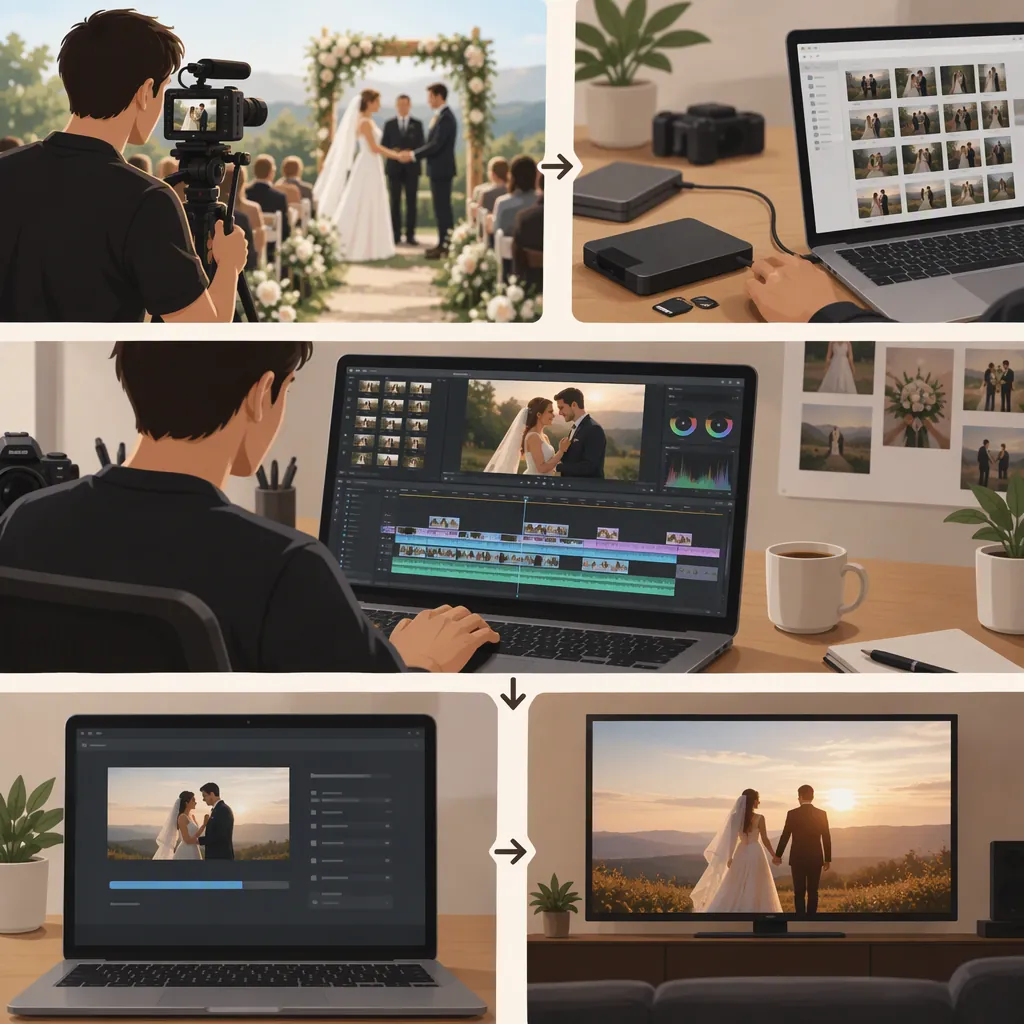
For marriage video editing, first decide whether you are making a highlight film, a full ceremony edit, or both. Organize the recordings, synchronize overlapping camera angles, assemble the essential events, and refine the pacing before finishing color and effects. A Creative COW discussion supports this general sequence, but its 2008 equipment advice and individual editing-time estimates should not be treated as current standards. [c1]
Define the Wedding Film Before Editing
Start with a written brief rather than a timeline full of clips. Decide which events need complete coverage and which can become a shorter montage. Keep a highlight film and a full ceremony edit as separate deliverables if they serve different viewing needs.
The Creative COW discussion distinguishes between preserving the whole ceremony and selecting highlights. It also emphasizes balancing the edit with the intended audience’s wishes. These are useful planning considerations, not rules about how every wedding should be represented. [c1]
For your brief, list the events that must remain, the preferred sequence, the intended viewing format, and any moments that should not appear in a publicly shared version. Avoid choosing a runtime solely because another editor used it.
Wedding Film Brief
- Deliverable: highlight film, full ceremony, reception edit, or a combination.
- Intended audience and sharing setting: record the planned use.
- Essential moments: list the events and spoken passages to preserve.
- Sequence: chronological, speech-led, or another clearly defined structure.
- Exclusions: identify footage that should remain out of the shared version.
- Review criteria: define what counts as a complete edit.
Organize Footage and Mark Useful Moments
Use an event-based organization plan: preparation, ceremony, portraits, reception, speeches, and dances. Within each event, distinguish camera recordings from separate audio recordings. Keep original filenames available so you can trace selections back to their source.
Create a simple selection log. Note the clip, a useful time range, what happens, and any concern such as an obstructed view or unclear speech. Mark essential content separately from optional atmosphere shots.
The reference discussion recommends removing dead spots and shots that do not advance the story. Apply that advice selectively: a pause during a vow may be meaningful even when a similar pause during setup is not. [c1]
Selection Log Template
| Event | Source Clip | Time Range | Moment | Priority | Review Note |
| --- | --- | --- | --- | --- | --- |
| Enter event | Enter filename | Enter in and out points | Describe the action or speech | Essential or optional | Note sound, framing, or continuity concerns |
Synchronize Camera Angles Before Cutting
For events recorded by multiple cameras, align the overlapping recordings before choosing angles. The forum describes using audio to synchronize cameras and using synchronized tracks or multicamera editing to build an initial cut. [c1]
Choose a shared sound or visible event as your starting reference. Check alignment near the beginning and again later in the event rather than assuming the entire recording stays aligned. Where a camera stops and restarts, review that segment separately.
During the first pass, prioritize a clear view of the important action. Change angles to reveal a speaker, a reaction, or an otherwise blocked moment—not simply to make the edit busier. Afterward, inspect each switch for awkward movement or mismatched timing.
Build the Story Before Polishing the Image
Assemble the essential events first. For a chronological edit, establish the setting, follow the ceremony, and move into the reception. For a speech-led highlight, choose the spoken passages first, then place relevant images around them without changing their meaning.
Review the rough cut for missing moments, repetitive shots, unclear transitions, and passages that need more breathing room. Keep a separate version before making substantial structural changes.
The Creative COW discussion recommends cutting first and applying grading or render-intensive effects to shots that survive the edit. It also suggests reusable title and graphic templates. Treat templates as starting points, and check every name and date rather than carrying details over from an earlier project. [c1]
Review Speech, Music, and Picture
Use separate review passes so one type of problem does not distract from another.
- Speech pass: Listen to vows and speeches without relying on the image. Flag unclear words, abrupt edits, and music that competes with dialogue.
- Picture pass: Compare adjacent angles for distracting differences in brightness and color. Check that titles remain readable and do not cover important action.
- Meaning pass: Confirm that shortened speeches preserve the speaker’s intended meaning and that reaction shots do not imply an event that did not happen.
- Sharing pass: Review permissions for the intended use of music and footage, and flag anything unresolved before publication.
The source identifies sound repair and color work as editing tasks that can consume time, but it does not provide a current audio-finishing standard or music-licensing guide. [c1]
Check the Export and Set Realistic Expectations
Choose export settings for the actual destination rather than copying the DVD-oriented examples in the reference. Watch the exported file from beginning to end, not only the editing timeline.
For scheduling, track your own work by stage: organization, synchronization, assembly, revisions, finishing, and export review. Use that record to plan subsequent edits instead of adopting a universal hours-per-wedding formula.
Source limitation: The available evidence is one peer discussion begun in 2008. It contains differing personal time estimates and advice tied to tape capture, older hardware, and DVD delivery. Its workflow suggestions can inform an editing plan, but it does not establish current benchmarks, software rankings, or guaranteed time savings. [c1]
Final Export Checklist
- Confirm that the exported file opens and plays through.
- Verify names, dates, titles, and the opening and ending.
- Listen for missing speech, abrupt audio cuts, and distracting music levels.
- Inspect camera switches and synchronization throughout long events.
- Confirm that all essential moments from the brief are included.
- Review sharing exclusions and unresolved permissions.
- Record the version name, export settings, and review status.
FAQ
How Long Does Marriage Video Editing Take?
The provided source does not establish a reliable general benchmark. Contributors report different experiences, with different coverage and deliverables. Estimate your project by its actual stages and include revision and export-review time rather than treating a forum estimate as a deadline. [c1]
Should the Video Include the Entire Ceremony?
Decide this in the brief. A full ceremony edit preserves the event, while a highlight film selects moments for a shorter viewing experience. The reference discusses both approaches and emphasizes the audience’s wishes; it does not establish one as universally preferable. [c1]
Should I Color-Correct Every Clip Before Editing?
As a default workflow, select and assemble the footage before doing detailed finishing. The reference recommends applying grading and intensive effects to shots that remain in the cut. If a picture problem prevents you from judging a clip, make a temporary adjustment and revisit it during finishing. [c1]