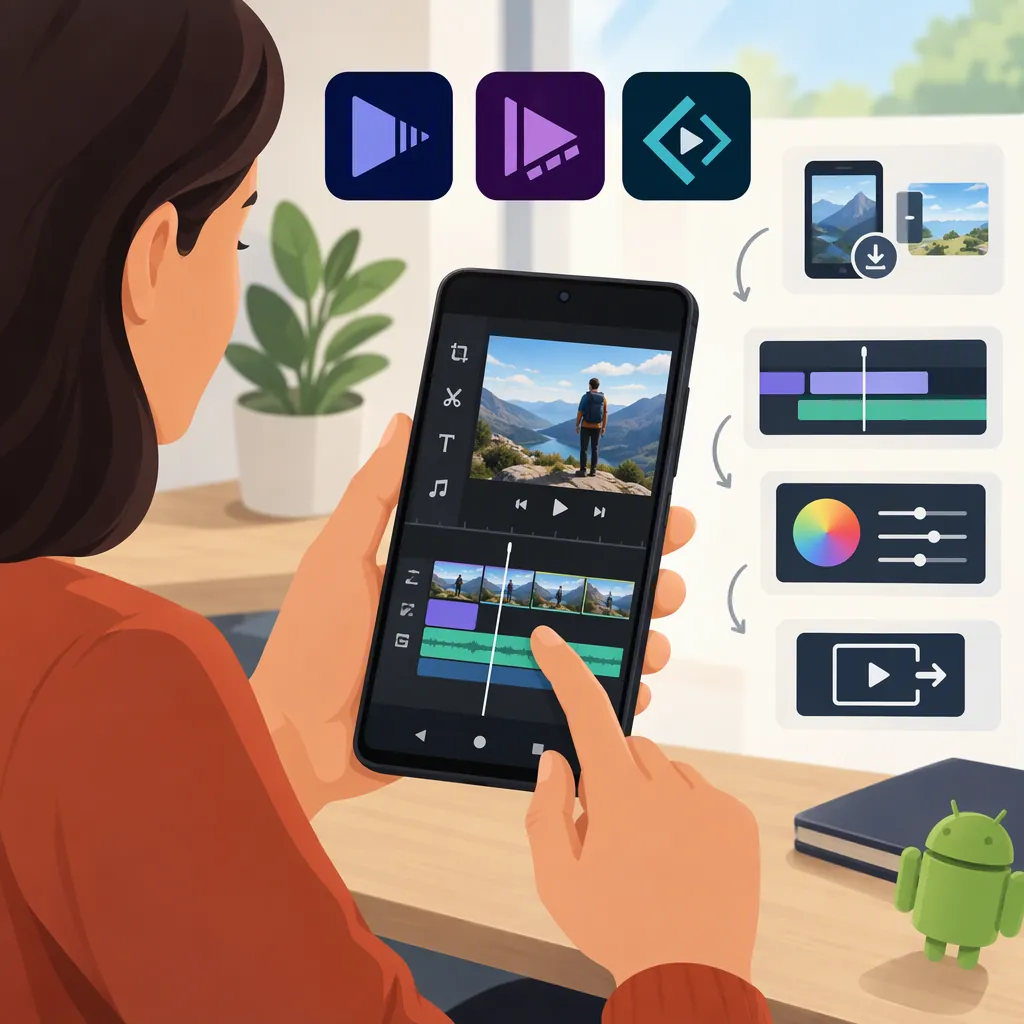
Adobe Video Editor for Android: Premiere and Express Explained
Adobe offers Premiere: Video Editor and Adobe Express on Android. Premiere’s Google Play listing describes multi-track timeline editing, audio tools, and 4K export; Express’s listing describes template-based editing, trimming, combining clips, and filters. Check compatibility on your device, and do not assume that every feature advertised for Premiere on mobile is available on Android: the supplied Adobe sources disagree about generative AI availability. [c1] [c2] [c4]
Which Adobe Video Editors Are Available on Android?
The supplied Google Play references identify two Adobe apps with video-editing functions:
- Adobe Premiere: Video Editor: Its listing describes a multi-track timeline, trimming and splitting, clip overlays, transitions, speed changes, and audio tools. [c2]
- Adobe Express: AI Photo, Video: Its listing describes video templates, importing clips from your gallery, trimming and combining footage, and applying filters. It also includes tools for other types of visual content. [c4]
These are different editing approaches, not interchangeable names for the same app. For a project centered on arranging clips and audio across tracks, Premiere’s listed toolset is the more relevant starting point. For a template-led video with graphic elements, Express’s listed workflow is more relevant. This is a workflow comparison, not a performance ranking.
Check Device Compatibility Before Planning an Edit
Premiere’s supplied Google Play listing says a device needs 5GB of RAM or more to download the app. That threshold alone does not establish compatibility with every Android phone or guarantee smooth playback on a particular project. The supplied listing does not specify a minimum Android version in its device-requirements text. [c2]
Express’s listing cautions that some features are not supported on all devices. Treat feature availability as something to confirm on your own device rather than assuming the full advertised toolset will be present. [c4]
Before committing to a longer edit, use a short sample with the same kind of footage, audio, and text you expect to use. Check import, preview playback, and export. This is a suggested verification procedure, not a reported test of either app.
Device and Project Check
- Check the app’s Google Play compatibility message on the intended device.
- For Premiere, compare the phone’s RAM with the listed 5GB minimum.
- Import a short sample of your intended footage.
- Add one audio clip and one text element, if those tools are available.
- Export the sample and inspect the saved file.
- Record any missing tools or playback problems before planning the full edit.
Understand Free Editing and AI Limitations
Adobe’s Premiere mobile page describes core editing and unlimited watermark-free 4K exports as free. The Android Google Play listing also describes free watermark-free export and support for 4K. These are published feature descriptions, not independently verified export results. [c1] [c2]
Generative AI availability is unclear across the supplied sources. Adobe’s mobile product page repeatedly says Firefly-powered generative AI features are currently available only on iOS. However, Premiere’s Android listing advertises text-to-image generation with Firefly and paid generative credits. The references do not resolve that discrepancy. Do not plan an Android project around a particular generative feature until its availability and credit requirements are confirmed in the installed app. [c1] [c2]
Express has a free plan, while its Android listing also describes a Premium membership and in-app purchases. A free download therefore should not be treated as evidence that every asset or feature is free. [c3] [c4]
Use a Simple Android Editing Workflow
Premiere’s listed tools support trimming, splitting, arranging clips, working with multiple tracks, and adding audio. Adobe’s Express editor page describes uploading media, selecting a template, trimming or splitting footage, adding a soundtrack, and downloading an MP4. Exact controls may differ between apps and devices. [c2] [c3]
Use the following sequence as a general editing plan rather than an exact button-by-button tutorial. Keep the first project small enough to verify the complete workflow before adding complexity.
Short Video Editing Plan
1. Define the intended destination and framing before editing.
2. Import only the clips needed for a first draft.
3. Arrange the clips in story order and remove unwanted beginnings and endings.
4. Add audio, then review whether speech remains understandable.
5. Add titles or captions if the required tools are available; check spelling and timing manually.
6. Preview the full sequence and inspect transitions, framing, and text placement.
7. Export a draft using the settings available on your device.
8. Play the saved file outside the editor and check picture, sound, and text before treating it as finished.
Keep Mobile and Desktop Expectations Separate
Adobe describes Premiere on mobile as a standalone app. Its product page says importing mobile projects and media into Premiere on desktop requires a paid desktop Premiere subscription. Android availability does not, by itself, establish that every desktop function is present in the mobile app. [c1]
Adobe’s Express editor page says mobile projects sync across devices. Its Android listing separately warns that device support varies, so cross-device access should not be read as a promise of identical controls everywhere. [c3] [c4]
This guide uses the supplied public product pages and store listings, not hands-on testing. Feature descriptions, compatibility, and purchase terms can change; the generative AI discrepancy remains unresolved in those references.
FAQ
Is Adobe Premiere Available for Android?
Yes. Adobe’s mobile product page states that Premiere is available on Android, and the supplied Google Play listing identifies Adobe Premiere: Video Editor. Compatibility still needs to be checked for the intended device. [c1] [c2]
Can Premiere on Android Export Without a Watermark for Free?
The supplied Android listing describes free exports without watermarks and supports 4K export. Adobe’s product page also describes unlimited watermark-free 4K exports in the free version. These are publisher descriptions, not independent test results. [c1] [c2]
Should I Use Premiere or Express for an Android Video?
Compare the editing task: Premiere’s listing emphasizes multi-track timeline and clip controls, while Express’s listing describes templates, trimming, combining footage, and filters. Neither set of references establishes a universal best choice or a performance advantage on your phone. [c2] [c4]
Are Premiere’s Firefly Features Available on Android?
The supplied sources conflict. Adobe’s mobile page says generative AI features are currently iOS-only, while the Android listing advertises Firefly text-to-image generation. Confirm the specific feature in the installed Android app rather than assuming availability. [c1] [c2]